🛡 Diablo 4 Armor Damage Reduction Calculator
Estimate practical mitigation from armor cap progress, physical and elemental damage split, resistance penalties, Fortify, Barrier, and other damage reduction layers.
| Activity | Suggested Cap Input | Enemy Pressure | Use Case |
|---|---|---|---|
| Campaign / leveling | Match tooltip | Low to medium | Use a lower cap if enemies are near your level. |
| Helltide roam | 8500 to 9230 | Medium burst | Useful when many small hits mix with elemental pools. |
| Nightmare dungeon | 9230 to 11000 | Affix dependent | Raise the target if your planner expects higher enemy scaling. |
| Pit / high push | 9230 or custom | Very high | Keep cap, resistance, Fortify, and Barrier all visible. |
| Pinnacle boss | 9230 or custom | Spike damage | Test single large hits and active cooldown windows. |
| Damage Pattern | Physical Split | Element Split | What To Check |
|---|---|---|---|
| Weapon slam | 90% to 100% | 0% to 10% | Armor cap, Fortify, and other DR matter most. |
| Elemental pool | 0% to 15% | 85% to 100% | Resistance after penalty decides most of the result. |
| Elite affix burst | 35% to 60% | 40% to 65% | Mixed defenses beat stacking one layer. |
| Poison follow-up | 20% to 40% | 60% to 80% | Check Poison resist and sustained barrier uptime. |
| Boss combo | 50% to 75% | 25% to 50% | Use the base hit field for each major mechanic. |
| Layer | Calculator Input | Applied As | Interpretation |
|---|---|---|---|
| Armor | Total armor and armor cap | Physical portion DR | Shows cap progress and damage prevented by armor. |
| Resistance | Resistance, penalty, cap | Elemental portion DR | Uses post-penalty value capped at your chosen maximum. |
| Fortify | Fortify DR | Multiplicative DR | Best entered only when your character is actually fortified. |
| Other DR | Other active DR | Multiplicative DR | Combines close, distant, elite, aspect, skill, or conditional DR. |
| Barrier | Active barrier | EHP pool | Adds absorb capacity after DR, weighted by uptime. |
| Preset | Damage Focus | Defensive Theme | Why It Helps |
|---|---|---|---|
| Fresh Torment Entry | Mixed | Uncapped armor, penalty pressure | Shows why reaching the armor target is only one part of Torment readiness. |
| Pit Push Armor Check | Physical heavy | Cap progress and large hit survival | Highlights the gap between sheet armor and spike EHP. |
| Helltide Fire Burst | Fire heavy | Resistance after penalty | Demonstrates elemental damage bypassing weak physical planning. |
| Hardcore Fortify Tank | Mixed | Fortify plus life buffer | Shows the stability gained by a reliable multiplicative layer. |
| Barrier Sorc Burst | Elemental spike | Barrier and uptime | Separates sheet DR from temporary absorb windows. |
Each new tier of difficulty introduce changes to the math behind damage that character take. Specifically, each difficulty tier increase the damage that characters recieve. If a player does not prevent enough damage before it hit there life pool, they will experience a death screen.
Players must adjust for this by increasing their armors, their resistance to elemental damage, or both; increasing health dont have the same benefit as increasing these other attribute. The general goal of adjusting these defensive layer is to ensure that a player’s health pool is meaningful throughout a fight, and that they ensures survival. Armor help to prevent damage from physical damage type, but does not help to prevent damage from elemental damage type.
How Damage and Defenses Work
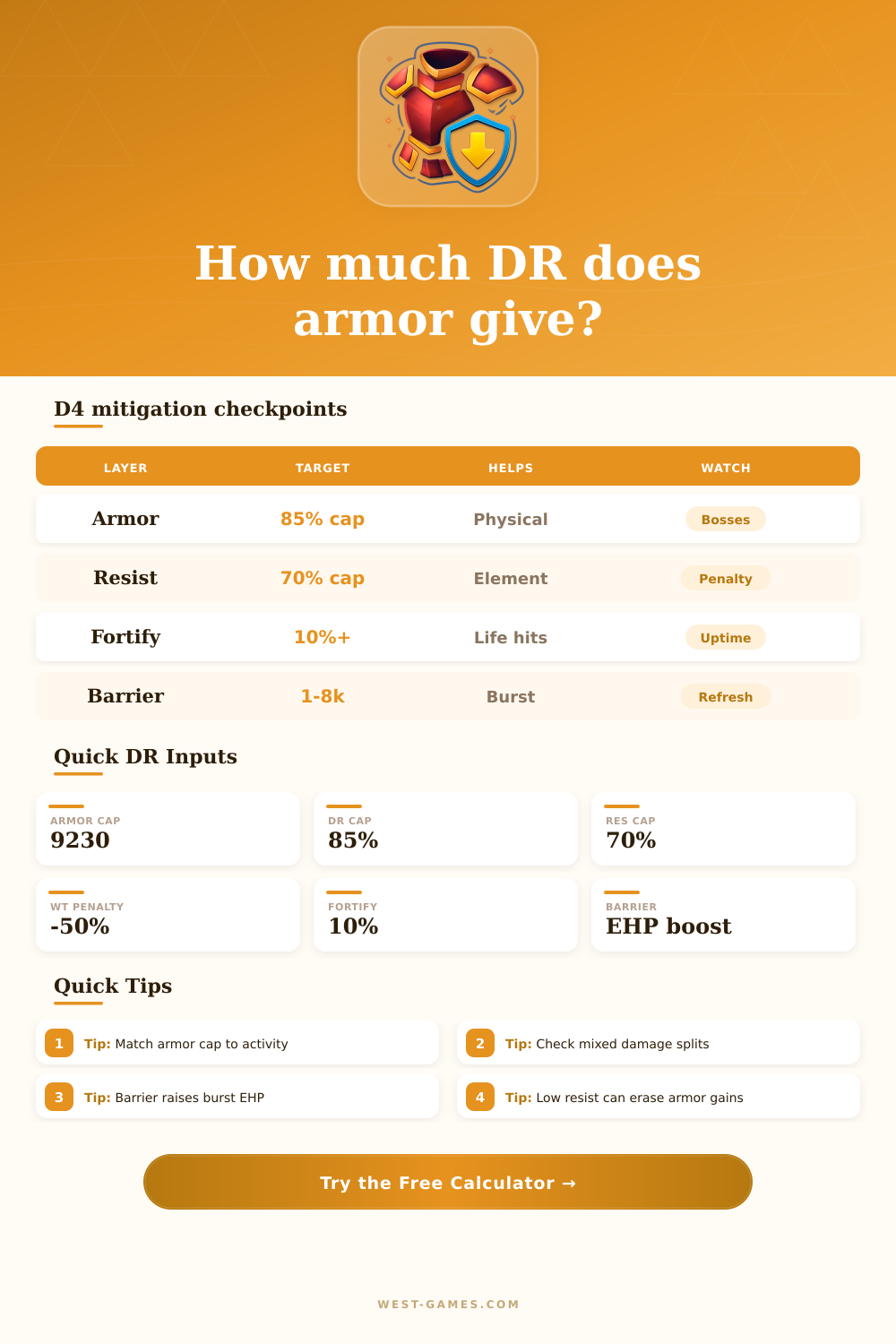
Damage reduction from armor scale toward the armor cap; the last few hundred point of armor are more important than the first few thousand points of armor. After reaching a certain amount of armor, however, additional armor does not help a player as much as Fortify or Barrier would. Resistance is another defensive layer, but it does not help to reduce elemental damage.
Thus, players could take heavy hits from fire or poison damage if their resistance stat is too low relative to the damage they take. The calculator help to process these different defensive layers. To use the calculator, players must enter their total armor, their relevant resistance stat, their damage split, and any Fortify or Barrier they have active.
Additionally, players can enter an uptime percentage for these defensive layers since they is not always active. Entering an uptime percentage is important because a character may look safe from damage in the stat calculation in the game, but the player may die when actualy playing the game. Based off the type of damage that hit a player, the relevant defensive layer will dictate whether the player will survive or not.
For instance, if the damage that hit a character is mostly physical damage, then armor and Fortify will be the most important stat for the player to have high value for. However, if the damage that hit a player is mostly elemental damage, then the player’s resistance will be the most important. Players can use the physical split field to test these scenario to determine which defensive layer is their weakest point.
Barrier can be used to absorb more damage before their life pool is threatened, but Barrier have a limited amount of usage. Additionally, Barrier, like Fortify, can be entered into the calculator as part of their effective health; the calculator weight damage taken from Barrier by their uptime. Thus, using an uptime percentage for Barrier will prevent players from making a mistake of thinking that their Barrier will always be active in the game.
The same is true for Fortify. Thus, players must use an uptime percentage for Fortify to ensure that the health that is calculate with the calculator is realistic when playing the game with that character. Many players makes the mistake of only considering one defensive layer.
For instance, a player may reach the armor cap, but have low resistance to elemental damage; thus, they will die from elemental damage. Additionally, many players may focus on increasing their resistance stat without considering the world tier penalty to elemental damage. Thus, their resistance on the character sheet will be higher then their effective resistance.
However, players can refer to the tables on the page to see typical damage value from bosses. Thus, players can use this information to decide on their desired damage split and penalty value prior to using the calculator. Using this information can help to players to decide the type of content that they will play for characters.
For instance, a character that is geared for Helltide roaming may have lower resistance than a character that is prepared for the Pit content or the pinnacle boss. This is due to the fact that the damage taken from those bosses is larger; thus, the player need every defensive layer to help them survive. Adjusting the parameters of the calculator to the type of content that a player will create for their character will tell them if their gear currently match the type of content that they will play.
Thus, the calculator will show the cost of each defensive stat, and players can use that information to create a build that is based off those calculated stats.