⏱ Server Tick Interval Calculator
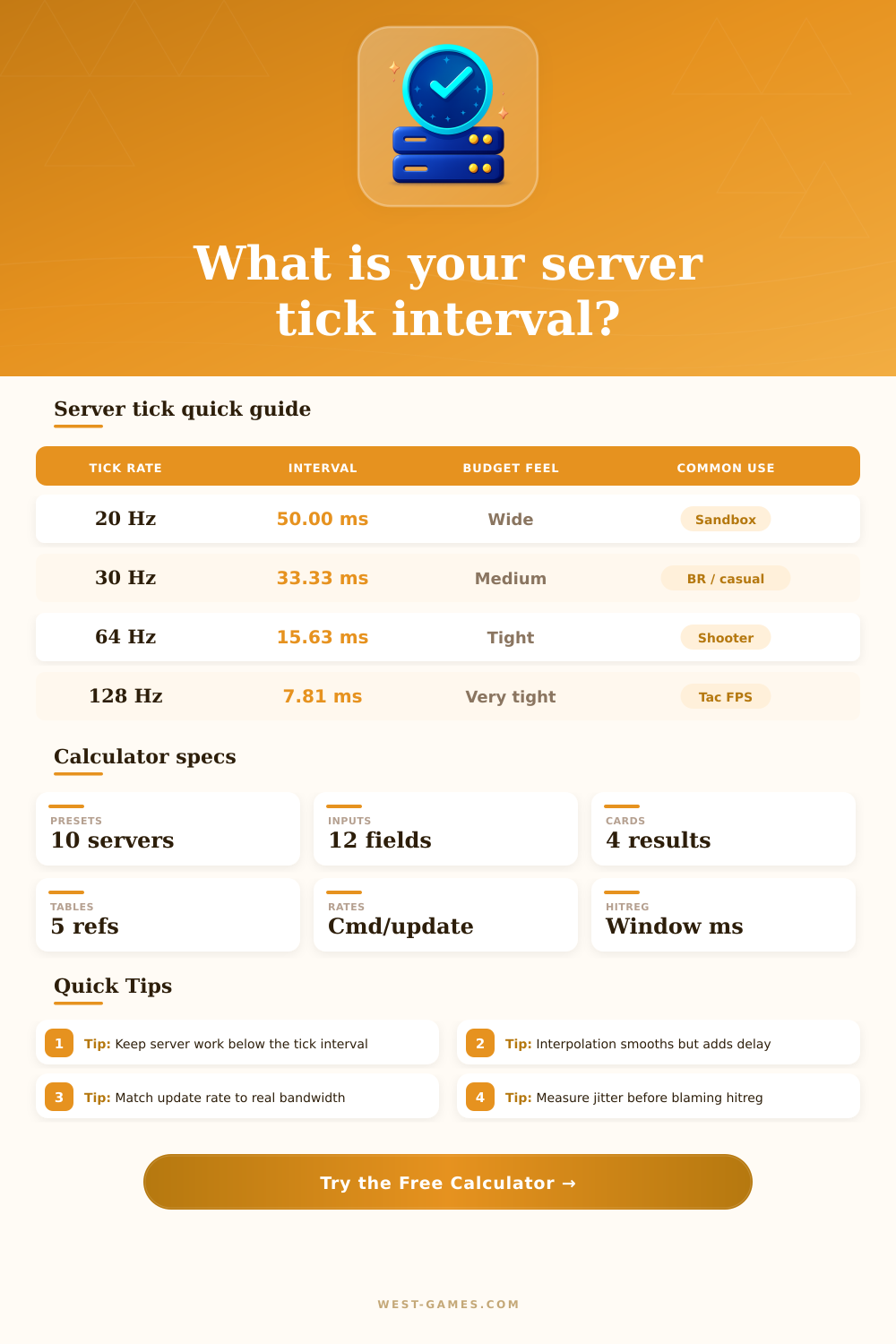
Convert tick rate into milliseconds, compare command and update rates, size interpolation buffers, check server frame budget, and estimate the hit registration rewind window.
Wide tick budget, high motion granularity.
Common compromise for large lobbies.
Sharper inputs with a moderate CPU cost.
Very responsive but budget gets tight fast.
| Tick rate | Interval | Server budget | Feel |
|---|---|---|---|
| 10 Hz | 100.00 ms | Very wide | Slow sim / turn systems |
| 20 Hz | 50.00 ms | Wide | Sandbox, MMO, survival |
| 30 Hz | 33.33 ms | Medium | Large action servers |
| 60 Hz | 16.67 ms | Tight | Responsive shooter baseline |
| 64 Hz | 15.63 ms | Tight | Classic FPS server step |
| 100 Hz | 10.00 ms | Very tight | Arena and custom servers |
| 128 Hz | 7.81 ms | Very tight | Competitive tactical FPS |
| 144 Hz | 6.94 ms | Extreme | Lab / small lobby only |
| Preset | Tick / TPS | Interval | Use case |
|---|---|---|---|
| VALORANT-style | 128 Hz | 7.81 ms | Low-latency tactical shooter |
| CS-style official | 64 Hz | 15.63 ms | Sub-tick / classic FPS timing model |
| Community FPS | 128 Hz | 7.81 ms | Small competitive lobbies |
| Overwatch-style | 63 Hz | 15.87 ms | Hero shooter snapshot cadence |
| Quake-style | 125 Hz | 8.00 ms | Arena server responsiveness |
| Minecraft Java | 20 TPS | 50.00 ms | World simulation and entity ticks |
| Battle royale style | 30 Hz | 33.33 ms | Large match bandwidth balance |
| Survival server | 30 Hz | 33.33 ms | Medium action with many actors |
Presets are practical modeling starting points. Live games may vary by mode, region, playlist, or server implementation.
| Relationship | Example | Result | Watch for |
|---|---|---|---|
| Cmd = tick | 128 cmd / 128 tick | One command slot per tick | Client upload stability |
| Cmd below tick | 64 cmd / 128 tick | Server may reuse commands | Input granularity |
| Update = tick | 64 update / 64 tick | One snapshot per tick | Bandwidth ceiling |
| Update below tick | 20 update / 60 tick | Three sim ticks per snapshot | Interpolation delay |
| Update above tick | 128 update / 64 tick | No new state every packet | Wasted traffic |
| Buffer | Best with | Benefit | Cost |
|---|---|---|---|
| 0-8 ms | LAN / stable 128 Hz | Lowest extra delay | More visible packet jitter |
| 10-20 ms | 64-128 Hz shooters | Smooth motion, modest delay | Slightly older target position |
| 25-50 ms | 30-60 Hz online play | Handles uneven snapshots | More peeker advantage feeling |
| 50-100 ms | High jitter / large worlds | Stable remote movement | Noticeable delay to truth |
| Tick rate | Raw interval | 80% usable budget | 60% usable budget | Risk if exceeded |
|---|---|---|---|---|
| 20 Hz | 50.00 ms | 40.00 ms | 30.00 ms | Low TPS, delayed world updates |
| 30 Hz | 33.33 ms | 26.67 ms | 20.00 ms | Snapshot delay and rubberbanding |
| 60 Hz | 16.67 ms | 13.33 ms | 10.00 ms | Server frame spikes become visible |
| 64 Hz | 15.63 ms | 12.50 ms | 9.38 ms | Command processing starts slipping |
| 128 Hz | 7.81 ms | 6.25 ms | 4.69 ms | Small spikes can miss a tick |
Someone comes at you with a knife. You pull out your own, swing at them as they seem to lurch back, but nothing happen. You didn’t miss, and the network didn’t drop your packet. You had the right input. But somewhere between your click and server’s decision, time got involved. In such a case, tick rate is more important than most realize. And no, I don’t mean some number in a settings menu. I’m talking about tick rate as the rate at which game world processes reality.
The calculator, above, give you a sense of what that means in terms of milliseconds. Use it before deciding on a network strategy or server configuration. Think of tick rate as how often server snapshots itself. Twenty hertz means that every fifty milliseconds a server will update the world. That’s slow enough to notice if you’re tracking a moving object. A higher 128hz server (8ms between ticks) has that robot feeling gone. Instead, you feel like you’re giving suggestions to a robot that moves on its own schedule. The lower latency increase that feeling of control.
What Is Tick Rate?
However, you have to pay a price: more bandwidth and power. Higher tick rates requires more of both from your computer. Balance the desire for responsive gameplay against your computer resources. This lets you model those tradeoffs based off the tool’s inputs. Change interpolation buffer size and watch your movement get smoothed out. Increase snapshot update rate and see position data flowing in. Decrease command rate and see how frequently an action reach the server.
The table of references show how various games balance this mix of metrics. Combat isn’t frame-perfect in a sandbox survival game; that sort of thing doesn’t fly in a tactical shooter. Players tend to think about tick rate without considering the server frame budget. Each tick occur within a certain timeframe. Simulating player logic, AI, and physics for twenty people may exceed that timeframe. In this case, the server either delay or skips a frame. This results in stutter, despite your perfect ping. This gives feeling of lag.
The calculator measures this headroom to determine if adding additional players will cause system to choke. It determines whether your config allow for garbage collection pauses or other spikes in CPU usage. Then there’s hit registration. Lag compensation moves player locations back to where they were when they fired on the servers (accounting for jitter and ping). Make that rewind window too small and people miss legit hits. Too small and it punishes them for things they couldn’t of possibly offset in time. Align it with your tick interval and connection stability. Larger buffers mean more delay. Smaller windows mean you stay responsive but need a stable connection.
Here is an example. We tend to assume that faster simulation is always better. But what does that even mean? What happens when you push a server past the limit of its CPUs? It doesn’t realy make sense.” Consistency is key in any kind of competitive environment. While a faster server may seem like a no-brainer, a steady 64Hz server can be superior to an erratic 128Hz server. Numbers aren’t everything. Your system should find a balance between responsiveness and resource constraints.
When you know how all of these components fit together, you don’t pursue meaningless specs anymore. You begin constructing a system that caters to your players. You reach for a knife and swing, this time, the timing’s right.