🌐 Jitter Buffer Calculator
Estimate packet interval, buffer depth, underrun risk, added latency, and smoothness for competitive games, cloud play, voice chat, live video, and streaming links.
Small hold for fastest response.
Your entered buffer depth.
Balanced for the target smoothness.
More hold for bursty networks.
| Mode | Typical interval | Practical buffer | Latency note |
|---|---|---|---|
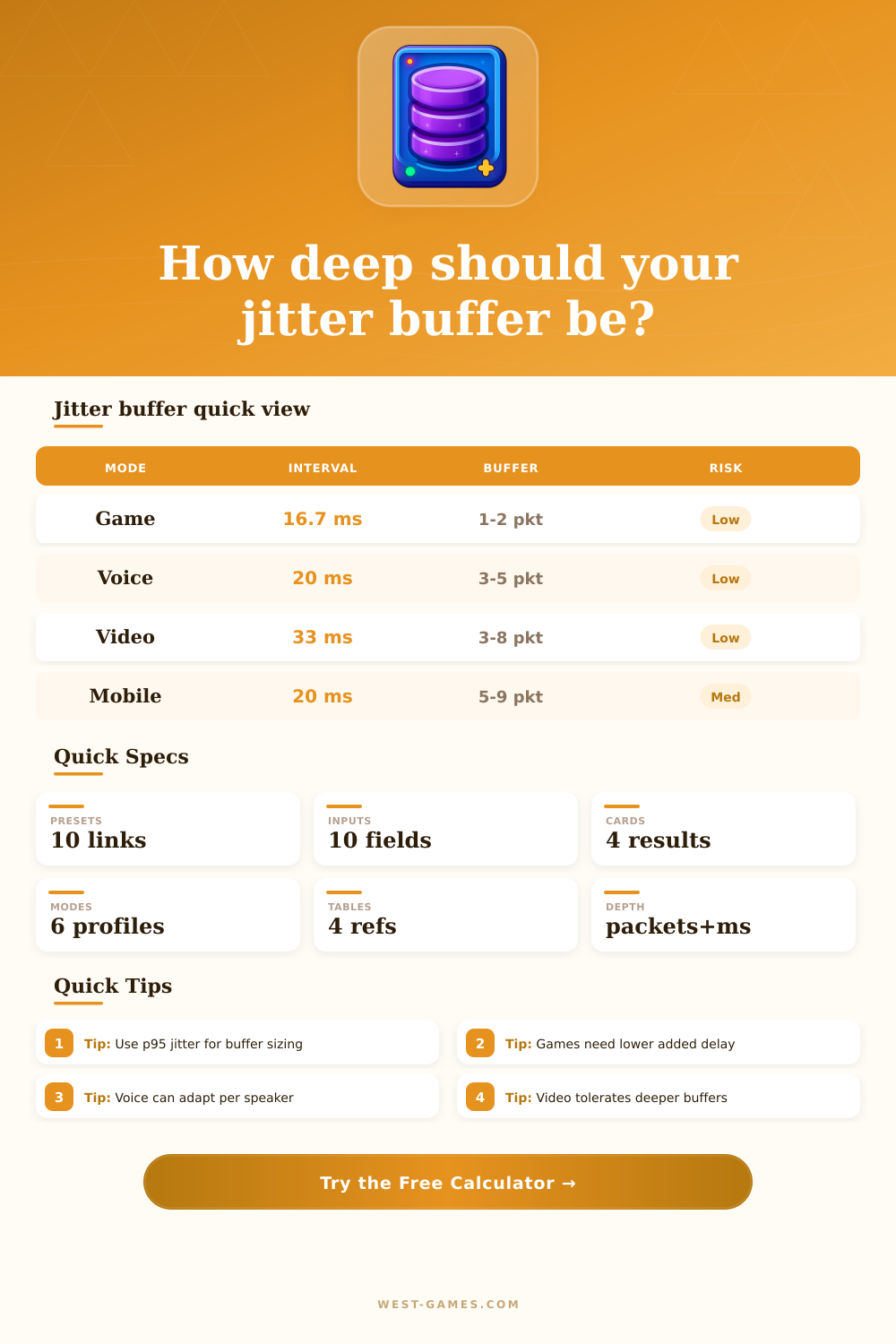
| Competitive game | 8.3 to 16.7 ms | 1 to 3 packets | Favor low delay over perfect smoothness. |
| Cloud gaming | 8.3 to 16.7 ms | 2 to 5 packets | Needs stability without making controls heavy. |
| Voice chat | 10 to 30 ms | 3 to 6 packets | Adaptive buffers can grow during bursts. |
| Live video | 16.7 to 40 ms | 3 to 10 packets | More depth is acceptable for clean playback. |
| VOD stream | 16.7 to 100 ms | 8+ packets | Startup buffer can absorb bigger bursts. |
| Link type | Average jitter | P95 jitter | Planning note |
|---|---|---|---|
| Wired LAN / fiber | 0.5 to 3 ms | 2 to 8 ms | Shallow buffers usually work. |
| Clean Wi-Fi | 2 to 7 ms | 8 to 25 ms | Use one extra packet for safety. |
| Busy Wi-Fi | 8 to 25 ms | 30 to 90 ms | Risk rises quickly during airtime contention. |
| Mobile 5G / LTE | 8 to 40 ms | 40 to 140 ms | Adaptive buffering helps when cells hand off. |
| Satellite / remote WAN | 20 to 80 ms | 80 to 250 ms | Smoothness usually costs substantial delay. |
| Rate or frame | Interval | 1 packet | 4 packets |
|---|---|---|---|
| 120 Hz game | 8.33 ms | 8.33 ms | 33.3 ms |
| 60 Hz game/video | 16.67 ms | 16.67 ms | 66.7 ms |
| 50 packets/s voice | 20.00 ms | 20.00 ms | 80.0 ms |
| 30 FPS video | 33.33 ms | 33.33 ms | 133.3 ms |
| 10 packets/s telemetry | 100.00 ms | 100.00 ms | 400.0 ms |
| Risk | Coverage signal | What it feels like | Common fix |
|---|---|---|---|
| Low | Buffer covers p95 jitter plus loss gaps | Smooth motion or clean audio. | Keep depth unless latency matters. |
| Watch | Buffer barely covers common bursts | Rare stutter, pop, or correction. | Add 0.5 to 1 packet. |
| High | Buffer is below p95 arrival spread | Frequent underruns or frozen frames. | Add depth or fix the network. |
| Delay heavy | Risk is low but latency exceeds mode cap | Smooth but sluggish response. | Reduce depth or use lower interval. |
No one likes a frozen frame or dropped voice packet in the middle of a game. You think it’s bad luck, but its typically just bad buffer management.
Networks are messy systems. Packets don’t show up in tidy lines; they burst, lag, and gets reordered by routers who pay no attention to ping times. That’s where a jitter buffer comes into play. It’s a holding area for packets waiting to be played back in order. It smooths out the chaos and absorbs changes without adding to much delay.
How to Size Your Jitter Buffer
So how do you size the buffer? Look past the averages. A lot of folks will look at their average jitter number and say “I’m good”. Don’t. Your average jitter masks those spikes that make everything glitchy. What you want be looking at is the p95 (high-percentile) values. These are the worst moments in your traffic, the 15% of the time when it gets realy bad.
Take that spike and turn it into real-world buffer depth using the calculator. It takes into account your type of media, as well as your network conditions. From there it calculate holding time, the amount of data you need to store.
But again: context is important. This isn’t a live webinar; it’s a game with shooters and other competitors. Fast-paced action demand that input latency be kept as low as possible. Even if there are some audio cracks, adding fifty milliseconds of delay that makes your character feel sluggish defeats the purpose. That’s where the reference tables comes into play. Gaming presets focus on speedy delivery, while video streaming allows for a little more slack so your stream doesn’t skip or jump around.
Plug a lower number such as 16.7 ms (for playing at sixty hertz) and the math respond accordingly. It’s urgent stuff, so you need a shallow buffer to make sure adding packets doesn’t slow down responsiveness.
In-between are voice chats. They can tolerate some delay, but not the gap created by an underrun. Many voice apps has flexible buffering methods that expand their buffer during packet bursts, then shrink it when the line clears. This is the kind of thing the tool allow you to model by tweaking your target smoothness percentage: the higher you set it, the deeper the recommendations go. You’re paying with millisecond-level delays to achieve reliability. It is a simple trade off time for stability.
And then there’s mobile. Congestion spikes without warning. Weather interferes with connections. Signals gets handed off by cell towers. Five gigabits may sound fast, but it can get very jittery when a cell site are crowded. Presets for mobile suggest higher packet depths different than those for a wired LAN. While you can’t improve a bad radio link with software, you can use a deeper buffer to help lessen the effects. Remember: “Deeper” means more latency; this might cause your video calls to appear as though you’re taking too long to respond.
Not counting packet loss at all is another trap. Packets lost cause sequence gaps which need be bridged with buffers. This either means waiting for those missed packets to arrive, or running a repair mechanism. Even if only a tiny percentage of your packets are lost, your effective jitter increases. To cover the holes, the buffer has to wait longer. You can enter the loss rate you see on your network into the calculator which takes this into account. It may only be a half percent loss, but that makes the buffer have to store more data to keep up.
Jitter buffers are a matter of tuning compromises. A jitter buffer attempts to find a balance between hiding network imperfections and keeping your app responsive. There’s no single “right” setting; just the one right for your use case & your particular link. Map that terrain with the tool. Experiment with varying levels of smoothness and observe what happens when you add some delay. Then, understand how packet depth translates into delay and quit guessing. Start engineering a stable connection. The jitter buffer doesn’t fix the network; it simply would of bought you time to do so.