🎧 Audio Sync Offset Calculator
Calculate audio or video delay from capture cards, Bluetooth latency, sample rate drift, frame rate, measured clap timing, OBS sync offset, and player correction.
Applies to OBS audio sync offset.
Small nudge for tiny lip sync changes.
Useful when editing video by frame ticks.
Your target before rechecking.
| Frame rate | 1 frame | 2 frames | Use case |
|---|---|---|---|
| 23.976 fps | 41.71 ms | 83.42 ms | Movies and streaming shows |
| 30 fps | 33.33 ms | 66.67 ms | Webcams and casual capture |
| 59.94 fps | 16.68 ms | 33.37 ms | Console capture |
| 60 fps | 16.67 ms | 33.33 ms | OBS and gameplay streams |
| 120 fps | 8.33 ms | 16.67 ms | High refresh recordings |
| Sample rate | 10 ms | 100 ms | Common source |
|---|---|---|---|
| 44.1 kHz | 441 samples | 4,410 samples | Music and some media files |
| 48 kHz | 480 samples | 4,800 samples | OBS, video, consoles |
| 88.2 kHz | 882 samples | 8,820 samples | High rate music workflow |
| 96 kHz | 960 samples | 9,600 samples | Interfaces and production |
| Device path | Typical delay | Sync symptom | Correction |
|---|---|---|---|
| HDMI capture card | 60 to 180 ms | Captured video late | Delay mic/game audio in OBS |
| Bluetooth headphones | 80 to 250 ms | Audio heard late | Advance audio or delay video if possible |
| TV processing | 20 to 120 ms | Video late vs speaker audio | Use AVR/TV lip sync or game mode |
| USB microphone | 5 to 40 ms | Voice slightly late | Offset webcam or mic source |
| Projector chain | 50 to 180 ms | Video late | Delay audio in receiver |
| Observed issue | OBS audio offset | Player audio delay | Plain meaning |
|---|---|---|---|
| Audio early by 120 ms | +120 ms | +120 ms | Make audio later |
| Audio late by 120 ms | -120 ms | -120 ms | Make audio earlier |
| Video late by 80 ms | +80 ms | +80 ms | Delay audio to match video |
| Video early by 80 ms | -80 ms | -80 ms | Advance audio or delay video |
| Preset | Starting offset | Frame rate | Best place to fix | Check method |
|---|---|---|---|---|
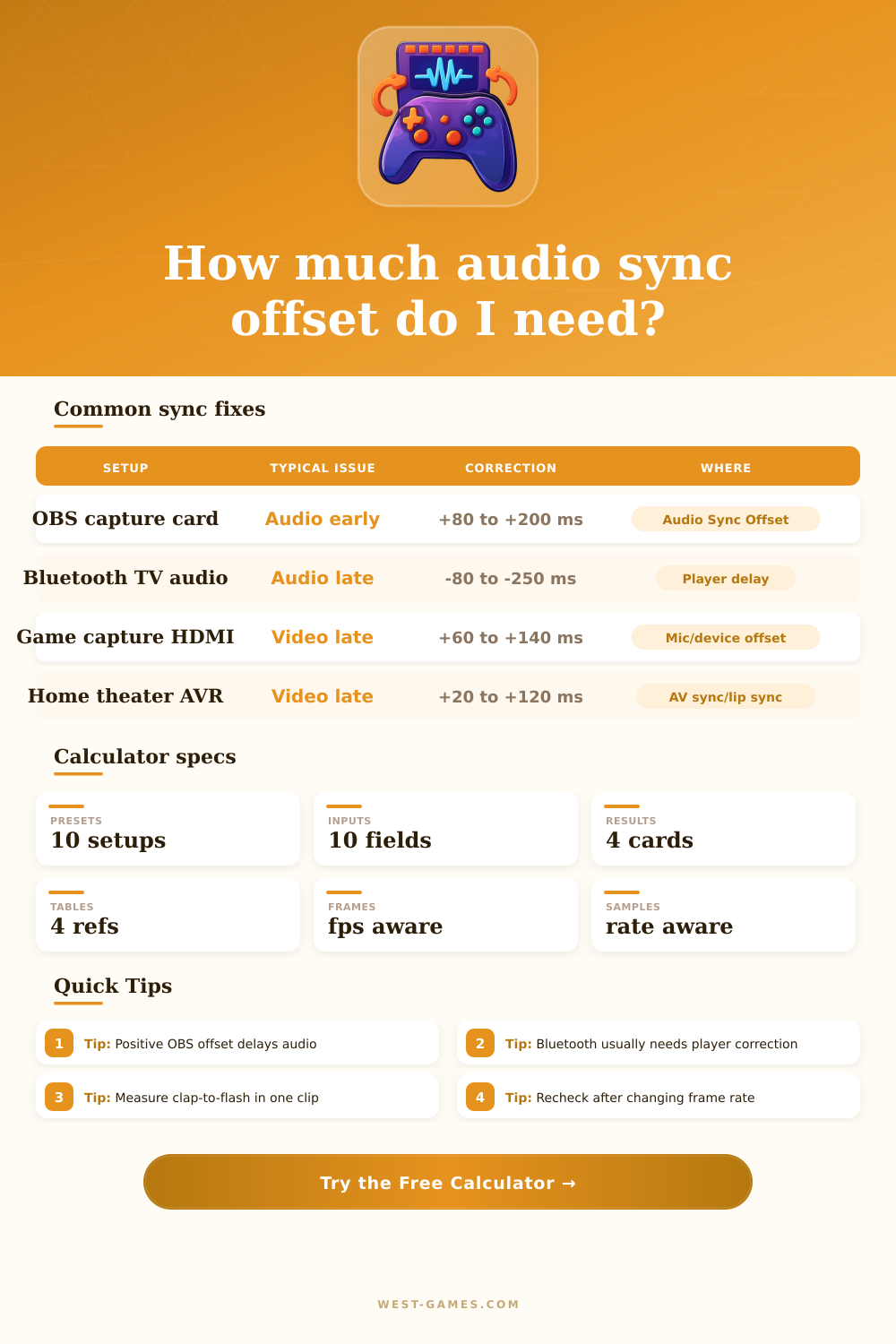
| OBS HDMI capture | +80 to +160 ms | 60 fps | OBS audio sync offset | Clap in preview recording |
| Console capture card | +100 to +200 ms | 59.94 or 60 fps | Capture audio or mic offset | Controller click and menu flash |
| Bluetooth TV audio | -80 to -250 ms | 24 to 60 fps | Player or TV lip sync | Dialogue mouth movement |
| AVR home theater | +20 to +120 ms | 24 to 60 fps | Receiver AV sync | Disc or streaming sync test |
| Dual PC capture | +60 to +180 ms | 60 fps | Streaming PC OBS sources | Same clap in both feeds |
The audio sync offset issue occurs when the sounds coming from the show you’re streaming or movie you’re watching dont quite match up with what’s happening on-screen. Every time someone says something, the lip moves first, then words come after. It’s a subtle way that you know there’s a bit of a disconnect between what you see and hear, pulling you right out of the experience.
What it means is that the audio signal take a slightly different path than the video signal, it encounters different processing delays and travels in different ways, reaching your senses at slightly different times. The solution is just to get everything back into alignment so that flash aligns with the clap, or the word with the mouth.
How to Fix Audio Sync Issues
Usually, folks guess their way around it. They’ll adjust something for ten milliseconds over here, see if it helps, and then adjust another value for 20ms more over there. It starts to feel like shooting in the dark. If you’ve ever stared at a screen trying to figure out why it’s not looking right despite your best efforts, the calculator (above) will do the math for you after you input your device info and measured timings.
All you have to know is where the lag is coming from. Is it caused by your HDMI capture card introducing additional latency into the video signal? Or maybe your Bluetooth headphones is waiting on the audio? Or perhaps the game mode on your TV adds some kind of delay that moves the image ahead in time? Knowing where the problem lies, what is actualy causing it, is half the battle because you can’t fix something without first knowing what needs fixing.
The key really is knowing what to measure. Establishing your reference point helps. You need something you can physically see happen at the exact moment the audio spike occurs. A flash of light captured on camera, a controller button press, or real-world clap will all work just fine. Then compare the number of milliseconds between the onset of the visual occurrence and the audio spike. Is the sound ahead? It’s early. Is it behind? It’s late. And this makes all the difference in the world because it determines which way you’re going to correct it.
In OBS, a positive offset value will delay the audio by that amount to bring it back in line with video. In a media player, the same positive value might do something entirely different depending on how that specific software defines delay. Confusion over signs and directions is the most common reason people give up on fixing sync issues.
This is where frame rate comes into play too. Sixty frames per second equates to roughly sixteen point six seven milliseconds per frame. So even if you’re only one or two frames off, that can feel like lagging behind or ahead of someone lips. On film, which runs at twenty-four frames per second, this increases to more than forty milliseconds per frame. This allows you to translate your millisecond offset into how many frames it equals. This grounds the issue in something more real. It is no longer an abstract number; it becomes a real step forward or back in time. While the tool will convert for you, knowing that a single frame can feel like a perceptible leap will help you have realistic expectations around how precise you’ll be able to get.
For users digging a little deeper into the world of audio interfaces, there’s also sample rate. For gaming and video capture cards, it’s standard at 48 kilohertz. For music production, it’s still mostly the same at 44 point one kilohertz. Mixing these rates on gear without proper conversion will result in a drift… A sync error that doesn’t remain constant over time, but instead grows. It is great at first, then gets progressively worse with each passing minute. This is much different than simple latency. The former is a fixed offset. The latter is a moving target. Most of us are simply looking to get rid of the fixed offset. However, understanding that mismatched sample rates can lead to progressive drift allows you to properly diagnose why something was working yesterday, yet feels off today.
In the home situation, it’s typically Bluetooth headphones. For whatever reason, they add a ton of buffering delay that can push audio anywhere from one-hundred to two-hundred-plus milliseconds behind. With a wire, none of that happen at all. With wireless earphones struggling with an insistent lag, there’s really only one solution: switch to a wired headset and/or adjust the video delay setting in your TV’s menu (usually).
How much of a fix this provides varies greatly based off which hardware combination you’re using. Some things might add just a few milliseconds of delay (a basic USB mic), while others might be adding fifty (an external AVR receiver). It gets complicated quickly, since you have to consider each little delay added up across the entire chain of equipment.
After you’ve made an adjustment, try it. Adjust the input and change the frame rate. Try it again. Things shift. They shift more often than people expect. It moves more then you’d think. You don’t want something perfectly in sync every millisecond of the way, but within some kind of tolerance window where you’re comfortabley with it and can stop seeing any difference between the two.
Find the sweet spot where sound and picture blend together and become one again. Then finally, like an opening clap, let it all line up and don’t think about it again.