PD2 Attack Speed Calculator
Estimate Project Diablo 2 IAS breakpoints from class, animation, weapon speed modifier, gear IAS, Fanaticism, Burst of Speed, and target frames.
⚔PD2 build presets
🎮Calculator inputs
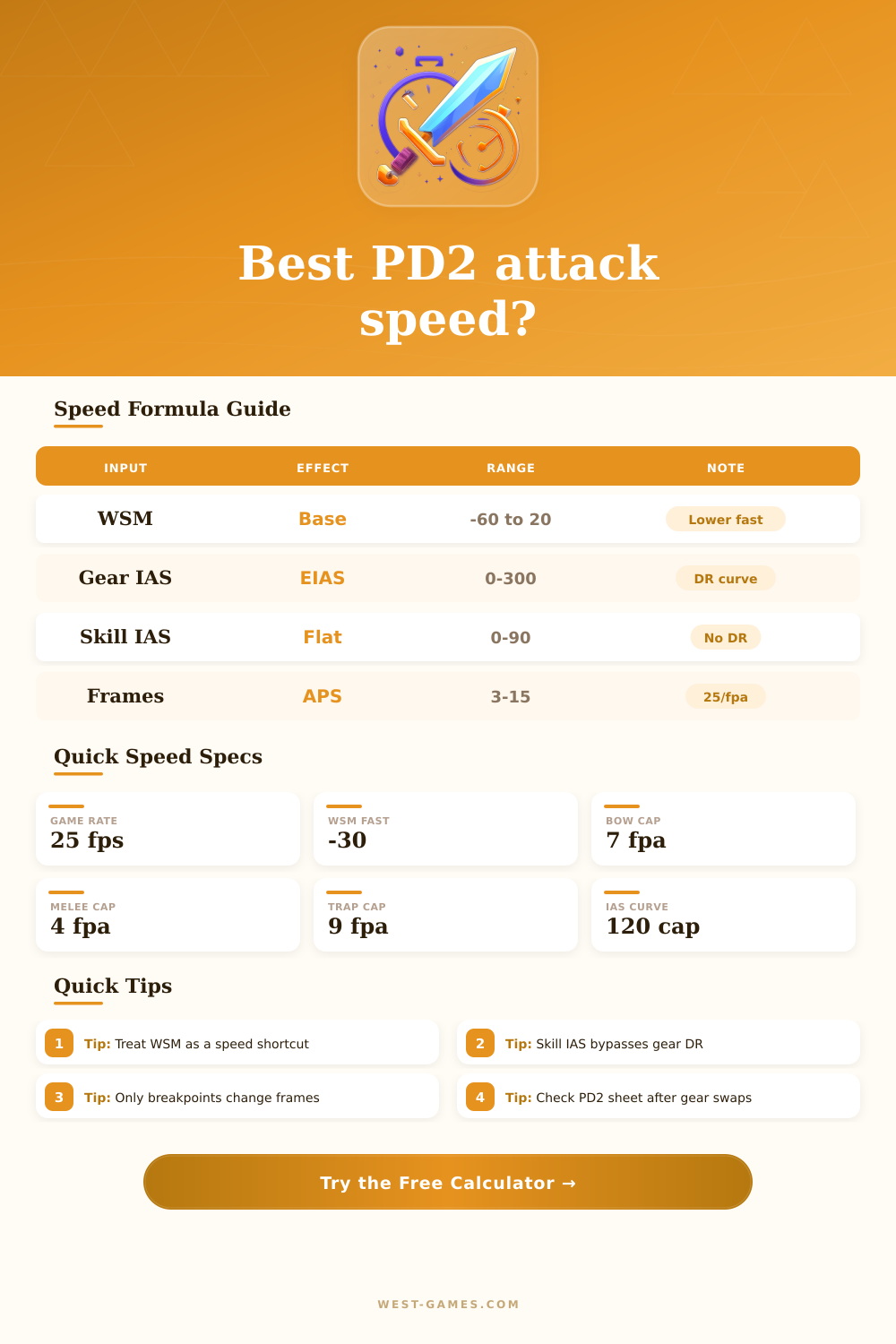
Model note: this planner uses the common PD2/D2 attack-speed relationship of effective item IAS plus skill IAS minus WSM, then converts frames at 25 game frames per second. Specific skills can have animation quirks, so use the base frame and cap fields as your adjustable control points.
📊Current spec summary
🧮Generated breakpoint table
⚙Upgrade comparison grid
📘PD2 reference tables
| Animation model | Typical use | Base frames | Practical cap |
|---|---|---|---|
| Standard melee attack | Basic swings, many melee skills | 14 | 4 fpa |
| Zeal / Jab cycle | Repeated melee sequence | 13 | 4 fpa |
| Fury sequence | Werewolf multi-hit planning | 12 | 4 fpa |
| Guided / Multishot | Bowazon single volley check | 14 | 7 fpa |
| Trap laying | Assassin trap placement speed | 16 | 9 fpa |
| Weapon base | WSM | Common PD2 use | Speed read |
|---|---|---|---|
| Phase Blade / Runic Talons | -30 | Zeal, traps, fast melee | Very fast |
| Matriarchal Bow / Thresher | -10 | Bowazon, merc polearm | Fast |
| Colossus Blade | 5 | Barbarian melee | Medium |
| Grand Matron / Hydra Bow | 10 | Faith GMB, Windforce | Slow base |
| War Pike | 20 | Heavy spear setups | Very slow |
| Source | How it is counted | Calculator field | Planning note |
|---|---|---|---|
| Weapon IAS | Item IAS curve | IAS on weapon | Socket jewels and weapon rolls go here |
| Off-weapon IAS | Item IAS curve | Off-weapon IAS | Gloves, armor, helm, belt, jewels |
| Fanaticism | Skill IAS | Fanaticism level | Bypasses diminishing item IAS curve |
| Burst of Speed | Skill IAS | Burst level | Useful for Assassin and swap planning |
| WSM | Subtracted from TAS | Weapon speed modifier | Negative WSM increases total speed |
| Formula | Expression | Meaning | Use |
|---|---|---|---|
| Gear IAS | weapon IAS + off IAS | All item IAS before conversion | Shows your sheet investment |
| Effective item IAS | floor(120 x IAS / (120 + IAS)) | Diminishing return curve | Explains why late IAS is expensive |
| Total attack speed | EIAS + skill IAS - WSM - dual adjust | Main breakpoint number | Compare against required TAS |
| Attacks per second | 25 / frames | PD2 engine speed output | Compare real hit rate gains |
💡Breakpoint tips
Attack speed in Project Diablo 2 are the rate at which a character can perform an attack. Attack speed is an important statistic for each character because attack speed determine how many attacks a character can perform in a specific amount of time. If a character’s attack speed is too low, their character will perform attacks slow.
As a result, the character may not be able to kill their enemies, or the enemies may be able to get to the character. Attack speed is difficult to calculate because several factor influence a character’s attack speed, such as the speed modifiers of their weapon, the attack speed that their gear increases for them (IAS), the IAS of their skills, and any aura that provide attack speed bonuses to the character. The calculation of attack speed is complex due to the way gear IAS diminishes in effectiveness with each additional point of IAS that a character has.
Attack Speed in Project Diablo 2 and How to Use the Calculator
Additionally, whether or not the character is dual wielding weapon also influences attack speed. Other factor, such as mercenary bonuses and network latency, can also impact a player’s attack speed. All of these factor make it difficult for a player to easily determine the final attack speed of there character.
A player can use a calculator to determine the exact attack speed that they will receive from their character. Attack speed calculators are useful because they eliminate the need for a player to memorize the different attack speed table for each character and animation model. To use the attack speed calculator, a player must first choose the character that they would like to use and the animation model for the character.
Following the selection of the character and animation model, the player must enter the base speed of the weapon that the character will use and the speed modifier for the weapon. The player will also have to enter the amount of IAS that their weapons has and any IAS that the off-weapon has. After these values are entered, the attack speed calculator will automatically calculate the attack speed of the character by applying the diminishing returns curve to the gear IAS.
Additionally, the attack speed calculator can also calculate the attack speed of the character if they use any skills that provide attack speed IAS, such as Fanaticism or Burst of Speed. The attack speed calculator will determine the total attack speed of the character and the frame count that the character will reach. Based on these number, a player can determine the gap between there current attack speed and there target breakpoint.
A breakpoint is the speed at which a player can finally make there attacks move faster for the character. The attack speed calculator will list the amount of IAS that a player must have in there gear to reach each frame count that a player desires. The attack speed calculator will also tell a player how much more IAS that they will need to reach those frame count.
This information is helpful in recognizing that buying gear with a small amount of IAS will not be beneficial for a character; instead, it is more beneficial to purchase items with a larger IAS or to buy skills that provide attack speed IAS. Reference table for attack speed can also be found on many game speed calculators. These table provide information about which animations have a high base count for there frames and which weapon base have high base speeds.
For example, the Phase Blade has a different base speed than weapons like the Grand Matron Bow. The base speeds that weapons have will allow a player to understand why some weapons require more IAS investment to reach a specified attack speed. These tables also have information about the jewels that can be purchased for gear and the auras that mercenaries can provide.
This information can also be accounted for in the attack speed calculator. A common mistake that many player make with attack speed is treating all IAS as the same. However, gear IAS is subject to the diminishing returns curve, while skills like Fanaticism and Burst of Speed do not have this diminishing returns curve.
Another common mistake is to ignore the animation cap for there character. The animation cap determines the maximum attack speed for a player’s character. If a player’s attack speed reaches the animation cap, any additional IAS will not lead to an increase in attack speed.
This information is provided on the attack speed calculator so that players dont waste there IAS buying gear that will not provide an increase in attack speed for there character. A third mistake that some player make is ignoring the effect of network latency, or the “ping” that they have to the game server. Because attack speed can feel slower than when it should due to network latency, players will want to set a safety margin in the attack speed calculator to account for this.
This ensures that there attack speed is consistent even if there mercenary change auras or other bonus. Finally, players should use the attack speed calculator before they commit to a respec for there character or a trade for there gear. This will allow them to compare the cost of attack speed to other stats that they could potentially upgrade for there character.
As a result of using the attack speed calculator, players can determine whether or not the increase in attack speed for there character is worth the opportunity cost of there character not being able to increase other stat.