Optimum Game Weight Calculator
Tune mouse weight around DPI, eDPI, sensitivity, grip style, game genre, desk friction, flick distance, fatigue, and your stability vs speed preference.
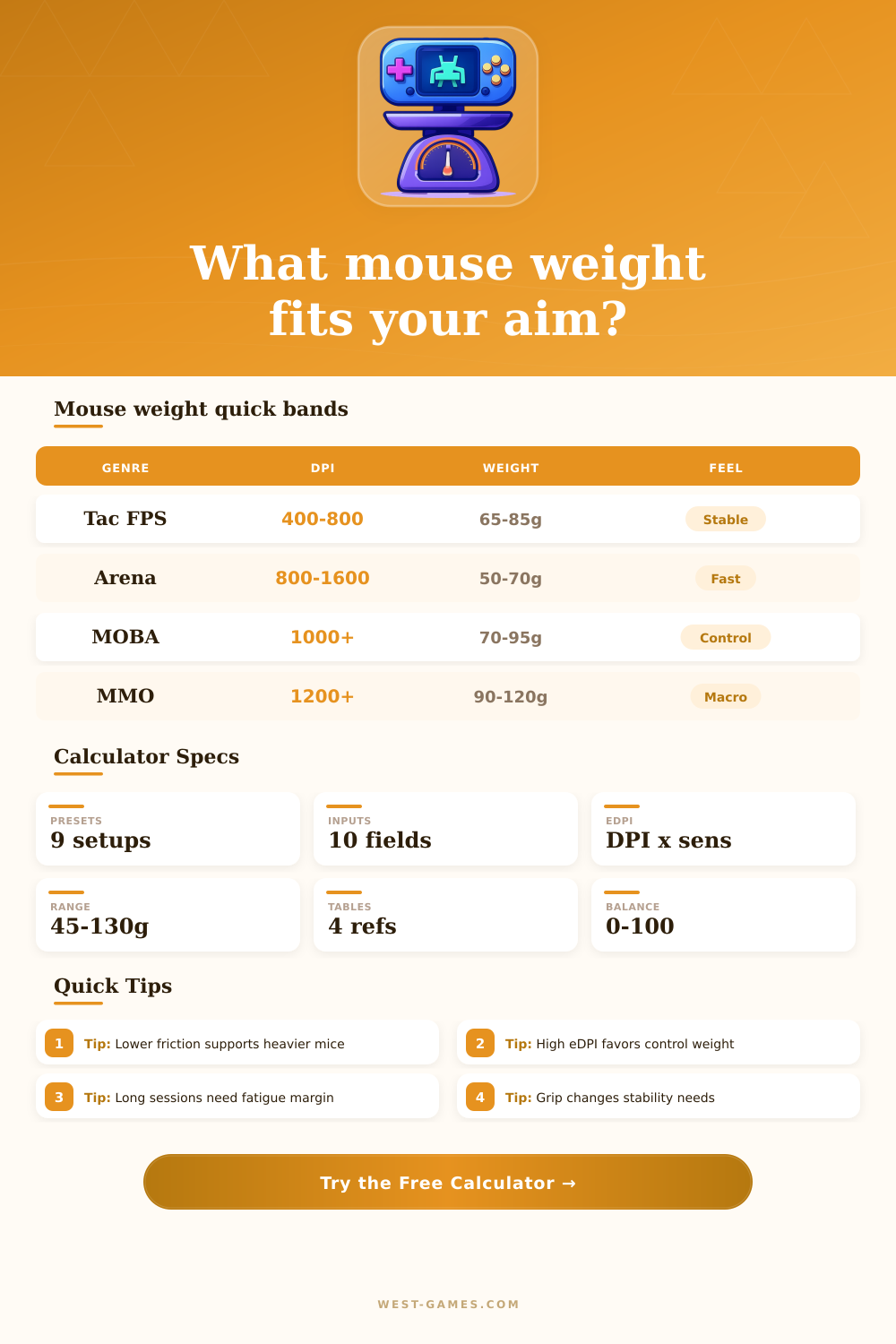
| Game type | Typical DPI | Weight band | Why it fits |
|---|---|---|---|
| Tactical FPS | 400-800 | 60-85 g | Stable stopping for crosshair placement |
| Hero shooter | 800-1200 | 55-80 g | Tracking plus fast target swaps |
| Arena FPS | 800-1600 | 45-70 g | Rapid flicks and vertical corrections |
| Battle royale | 600-1200 | 55-82 g | Mixed tracking, looting, and recoil control |
| MOBA / RTS | 1000-1800 | 70-95 g | Click accuracy with less lift-off strain |
| MMO / ARPG | 1200-2400 | 85-120 g | Macro buttons and lower flick demand |
| Grip | Weight bias | Strength | Watchout |
|---|---|---|---|
| Palm | +6 g | Stable arm aim | Can fatigue on slow pads |
| Claw | 0 g | Balanced stops and snaps | Shape matters heavily |
| Fingertip | -8 g | Micro corrections | Too heavy feels delayed |
| Hybrid | -2 g | Flexible control | May need medium shells |
| Surface | Modifier | Best match | Risk |
|---|---|---|---|
| Glass / hard | -6 g | Light, controlled shells | Overshoot on high eDPI |
| Fast hybrid | -3 g | Tracking and flicks | Needs brake control |
| Medium cloth | 0 g | Most gaming setups | Few extremes |
| Slow control | -4 g | Tac FPS stopping | Heavy mice can tire |
| Rough desk | -8 g | Temporary setups | Inconsistent glide |
| eDPI band | Feel | Weight tendency | Common use |
|---|---|---|---|
| 0-400 | Very low | Lighter helps travel | Arm aim tac FPS |
| 400-900 | Low-medium | Balanced weight | FPS standard range |
| 900-1600 | Medium-high | More stability | Tracking / hybrid games |
| 1600+ | High | Control weight | MOBA, RTS, desktop-like aim |
| Step | Input used | Formula action | Result field |
|---|---|---|---|
| Base target | Game genre | Starts from a genre weight anchor | Breakdown |
| Sensitivity | DPI and sensitivity | Raises target for high eDPI stability, lowers for very low eDPI travel | eDPI card |
| Grip | Palm, claw, fingertip, hybrid | Applies grip-specific gram bias | Breakdown |
| Surface | Desk friction | Adjusts for glide speed and stopping force | Specs grid |
| Flick load | Flick distance and current weight | Estimates movement effort and fatigue pressure | Fatigue card |
| Preference | Speed vs stability balance | Moves target weight and score toward the chosen aim feel | Balance card |
So you likely began with a hefty mouse, because guides told you that weight equates to control. You aimed for distant targets for hours on end until your wrist was tired. Why? Weight in gaming is all about inertia. More weight mean more force to get it going, and more force to get it stopping. If you’re playing a tactical shooter, maybe extra weight helps you hold steady angles. If you’re playing an arena fighter, that weight will slow down your reaction time different than before.
Once you input your grip style, sensitivity, and DPI into the calculator above, it will do the rest of the math for you. You don’t have to guess if your settings is suitable for your hardware. Your goal is to find that sweet spot that allows you to move your hand while still working within the limits of shell.
How Mouse Weight Changes Your Game
The weight of your mouse isn’t a fixed specification. It depends on how you set up your mouse. If your pads are very grippy like a cloth pad then a 60-gram mouse will feel light because it’s stopping movement of the mouse. However, if your pad is something like glass then the same mouse will feel twitchy since it doesn’t catch anything to stop it at the end of your flick. The thing with performance is it’s all about friction. Even if you get the correct weight, it doesn’t matter if your desk is too slippery. You’re going to pick up the mouse more, which lessens the amount of surface area contacting desk. That adds vertical instability. Too fast of a pad, and your not going to be able to slow down device naturaly so it overshoots whatever target it’s trying to hit.
It considers both how hard you are gripping something and what kind of grip you use (palm or fingertip). Palm grippers who keeps their whole hand over the shell can handle an extra few grams without stressing out the tendons in their hand. Fingertip grippers use finer motor controls in their fingertips, which tire after a while when moving around heavier object over and over again. Over time, your accuracy goes down. For the first hour, you may be on point, but as your arm fatigues, your confidence fade. This usually happens around the two-hour mark for players who ignore weight limits.
To account for this, the calculator takes into consideration how long of a session you’ll play and how far you can flick the mouse. Longer sessions requires lower friction setups or lighter mice. Muscle tension needs to stay low. However, it’s not just about comfort. It’s also about consistency. When your hand gets tired, micro-adjustments becomes too small or too large, causing you to miss shots in ranked matches.
How many grams? Well there’s no exact number you need to obsess about either. From the research we’ve done for the guides, sixty-to-eighty-grams seems to be popular among tactical shooters for stability reasons. In arena games, they tend to gravitate towards around forty-five to seventy grams for speed purposes. But take those with a grain of salt… These are guidelines, not laws.
How large your hands are also plays into it, as does the shape of the shells. A well-shaped mouse will have its center of gravity under your palm, making it feel lighter than it actualy is. Likewise, a poorly balanced mouse feel heavy despite being light on paper. Try the suggested band, but listen to your muscle memory more then anything else. Sometimes a lighter mouse means missing shots, and sometimes you should of needed more stability rather than less speed.
Stop thinking about hardware and start thinking about the game again.