🕶 VR Playspace Size Calculator
Check whether a clear room area fits seated, standing, and roomscale VR after furniture buffers, guardian or chaperone clearance, diagonal controller reach, ceiling height, and tether cable radius.
| Runtime / headset | Seated or standing | Roomscale minimum | Planning note |
|---|---|---|---|
| Meta Quest boundary | Stationary boundary for limited movement | Use 2.0 m x 2.0 m as a practical roomscale target | Standalone play still needs controller swing clearance around the drawn boundary. |
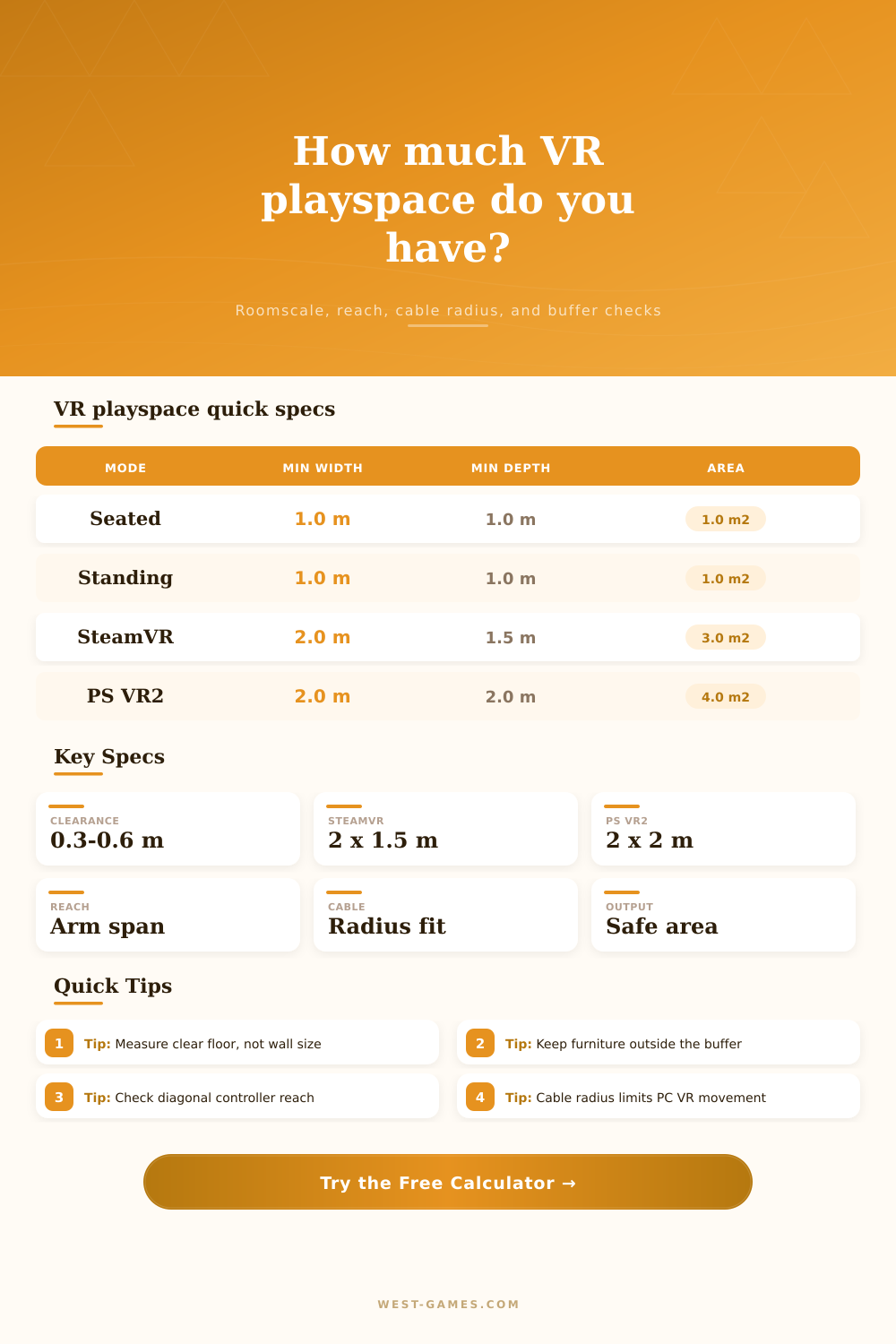
| SteamVR / Valve Index | Less space for standing-only or seated play | 2.0 m x 1.5 m free space | Chaperone room setup expects a clear rectangle before furniture buffers. |
| HTC Vive room-scale | No minimum for seated or standing | 2.0 m x 1.5 m play area | Base-station tracking can scale larger, but obstruction and cable path matter. |
| PlayStation VR2 | 1.0 m x 1.0 m for sitting or standing | 2.0 m x 2.0 m for roomscale | Roomscale games require the larger play area before launch. |
| Fitness and sword games | Standing can work if the player stays centered | 2.4 m x 2.4 m or larger is more forgiving | Fast lateral swings need more buffer than slow puzzle or cockpit games. |
| Check | Formula basis | Good target | Why it matters |
|---|---|---|---|
| Clear rectangle | Room width/depth minus furniture buffers | At or above mode minimum | Determines whether the guardian or chaperone can be drawn cleanly. |
| Safety inset | Clear rectangle minus two edge clearances | 0.3 to 0.6 m each edge | Keeps hands, knees, and steps away from walls and hard furniture. |
| Diagonal reach | Half of safe diagonal minus step plus arm reach | Positive margin | Flags whether a diagonal swing can cross the safe boundary. |
| Ceiling reach | Player height plus overhead controller reach | 15 cm or 6 in spare | Low lights and ceiling fans are common overhead collision points. |
| Cable radius | Cable length after anchor offset and slack | Greater than far corner distance | Prevents a tether from pulling tight before reaching the boundary. |
| VR use case | Minimum that may work | Comfortable target | Extra constraint |
|---|---|---|---|
| Sim racing or flight | Chair footprint plus arm movement | 1.0 m x 1.0 m clear | Check headset cable, wheel stand, pedals, HOTAS, and chair swivel. |
| Standing shooters | 1.0 m x 1.0 m clear | 1.5 m x 1.5 m or more | Turning, crouching, and reloading motions can reach beyond the feet. |
| Roomscale adventure | 2.0 m x 1.5 m or 2.0 m x 2.0 m by platform | 2.4 m x 2.4 m or more | Keep doors, TVs, shelves, and windows outside the drawn boundary. |
| Fitness boxing | 2.0 m x 2.0 m clear | 2.7 m x 2.7 m or more | Fast hooks and lateral steps need more side buffer than slow games. |
| PC tethered roomscale | Runtime minimum plus cable reach | Minimum plus 0.6 m buffer | Check cable snag radius from the PC, pulley, or Link box location. |
The VR trap is that you put on the headset because they promised you presence. But then you sit down in a room with all these coffee table. It’s like “I’m supposed to be standing somewhere vast and digital, and here my poor real body is sharing space with this flimsy bookshelf.” And what happens there isn’t in the code, it’s in the gap between the virtual world and the actualy floor, where you get injured.
How do you calculate that gap? It is not so much a geometric problem as a risk-management problem. Exactly how far can I stretch out my arm before swinging my sword or evading that zombie? We all take measurements of our walls. We think we can play everywhere. Nope! Plug in your room’s dimensions and the calculator do the math for you. It will spare you from overestimating size of your safe zone.
How to Calculate Your VR Safe Zone
Then comes the laborious part: removing furnitures. A ten foot by ten foot room may sound spacious, but the door that swings inward, the TV stand, the desk… All those shrinks the space. When you clear away obstacles, the usable rectangle tends to shrink right in half. Furniture is treated like a fixed limit; the tool prompt you for a specific buffer zone on every side.
Next up is the variable that all guides overlook: reach factor. You may keep your tootsies within the dotted lines, but the rest of you has long parts called hands and arms. Raise them to fend off a blow or grasp an object? They will extend far beyond your torso. Diagonal reach check tell you if that extended arm span crosses the safety perimeter. It’s the combination of half your arm span plus your naturaly step radius, which shows precisely how far your body reaches when you stretch out an arm. A narrow margin there means you’re gonna bump into something even if you tread lightly.
PC set-ups introduce one other wrinkle: cables. While having a long tether may sound liberating, it’s closer to being on a leash. You calculate it from an anchor point, typically a ceiling pulley or your PC itself, and then subtract any slack needed when turning. And because that anchor point is often outside the play area, your true radius gets cut way down. Say you’ve got twenty feet of cable. But if your cable is anchored at the corner, you really only have five feet of actual range in the opposite direction. Wireless headsets gets out of that loop completely, though you’re still left with the careful consideration of physical boundary.
Some games require more (or less) breathing room than others. For instance: seated sim racing can use very little floor space… You can fit most wheels and chairs into it easily. But then there’s fitness boxing which call for quick pivots and wide lateral swings. And so we have this chart on the page, where headset modes is matched up with minimum thresholds for reference. This helps illustrate what a full roomscale experience look like compared to a static standing game.
But numbers don’t tell the whole story. The minimums are exactly that: a minimum. They are not the minimum necessary to get a great experience. They’re the bare minimum required to prevent crashing. That’s fine and good, but you also want wiggle room to bend the line. You need room to turn around and check the mirror. Room to squat down without worrying about floorboards.
After you run the numbers, take a hard look at what you have. Is there even a bit of wiggle room? Are you going to need to pick up some pieces of furniture? Or maybe you’d of like to play sitting down. Run your numbers again. There will always be a virtual world to visit. It’s just wondering if your livig room will let you in.