⛏ Minecraft Chunk Pregeneration Time Calculator
Estimate chunk counts, pregeneration ETA, region file footprint, disk use, radius dimensions, and worker pacing from Minecraft chunk and region math.
The grid uses normal survival disk density at 45 KiB per chunk. Actual region files can vary because partially touched edge regions still create whole .mca files.
| Area type | Chunk formula | Block dimension | Best use | Calculator treatment |
|---|---|---|---|---|
| Single chunk | 1 chunk | 16 x 16 blocks | Base unit for all region and ETA math. | Every area is converted to chunks first. |
| Square radius | (2r + 1) x (2r + 1) | Side chunks x 16 blocks | Square borders, square maps, and centered map pregeneration. | Uses inclusive center chunk count. |
| Circular radius | pi x r x r | Diameter chunks x 16 blocks | Worldborder-style circular areas and radial spawn prep. | Uses a planning estimate rounded to whole chunks. |
| Rectangle | Width chunks x length chunks | Each side in chunks x 16 blocks | Map render strips, route corridors, and custom rectangular boundaries. | Width and length are full dimensions, not radii. |
| Region file | 32 x 32 chunks | 512 x 512 blocks | Minecraft .mca storage file planning. | Counts touched files and rounds up when enabled. |
Minecraft world height and biome complexity affect generation time and storage size, but the horizontal chunk footprint remains 16 by 16 blocks.
| Measured pace | Chunks per hour | One million chunks | Typical situation | Planning note |
|---|---|---|---|---|
| 5 CPS | 18,000 chunks/hour | 55.6 hours | Heavy modded terrain, limited CPU, slow disk, or many structures. | Long jobs need frequent progress checks. |
| 15 CPS | 54,000 chunks/hour | 18.5 hours | Normal single-worker survival terrain on modest hardware. | Good baseline when no sample exists yet. |
| 25 CPS | 90,000 chunks/hour | 11.1 hours | Healthy Paper, Fabric, or optimized vanilla generation pace. | Used by the comparison grid above. |
| 50 CPS | 180,000 chunks/hour | 5.6 hours | Fast pregeneration with tuned workers and good storage throughput. | Monitor tick impact if players are online. |
| 100 CPS | 360,000 chunks/hour | 2.8 hours | Very fast flat, void, or highly optimized generation workload. | Disk write bursts can become the limiter. |
The calculator multiplies measured CPS per worker by worker count, efficiency, and terrain modifier, then applies optional pause and restart overhead.
| Storage item | Verified size rule | Blocks covered | Disk estimate input | How this calculator uses it |
|---|---|---|---|---|
| Chunk footprint | 16 x 16 blocks | 256 block columns | Average KiB per chunk | Disk GiB = chunks x KiB per chunk divided by 1,048,576. |
| Region file | 32 x 32 chunks | 512 x 512 blocks | Whole .mca files touched | Region count is rounded up because edge files still exist. |
| Light world | 20 KiB/chunk | Varies by height and data | Superflat, void, sparse areas | Use for low-data dimensions and clean test worlds. |
| Normal survival | 45 KiB/chunk | Varies by structures | Common Overworld estimate | Default setting for practical planning. |
| Dense or modded | 80-140 KiB/chunk | Varies by blocks and NBT | Structures, caves, machines, modded blocks | Raises both disk estimate and speed caution text. |
Disk estimates are deliberately approximate because entities, tile entities, structures, compression, datapacks, and version changes alter final .mca sizes.
| Profile | CPS modifier | Disk modifier | Generation character | Best planning use |
|---|---|---|---|---|
| Overworld vanilla terrain | 1.00x | 1.00x | Normal terrain, caves, structures, and biomes. | Default survival worlds and most SMP planning. |
| Nether terrain and caves | 0.85x | 0.90x | Dense enclosed terrain with many carving passes. | Use for Nether travel networks and fortress scouting zones. |
| End outer islands | 1.15x | 0.70x | Sparser terrain with separated island generation. | Use for End island search and elytra route prep. |
| Superflat or void-style world | 1.80x | 0.35x | Low terrain complexity and smaller region data. | Use for flat creative, hub, and testing worlds. |
| Amplified or large-biome terrain | 0.65x | 1.35x | Heavier vertical terrain, caves, and structure data. | Use when terrain height or feature density is unusually high. |
| Modded terrain generation | 0.45x | 1.80x | Custom biomes, ores, structures, dimensions, and block states. | Use for modpacks and datapack-heavy world generation. |
The modifiers estimate planning load only. Keep the chunk size, square radius formula, circle area formula, and 32 by 32 region-file rule unchanged.
You’ve launched a new Minecraft server without thinking ahead. People race around while terrain slowly renders. Everyone stutters through landscape that hasn’t decided what it wants to be yet. It’s laggy and it looks unprofessional. That problem can be solved by chunk pregeneration, which force the server to generate world geometry before anyone walks upon it. Smooth as butter!
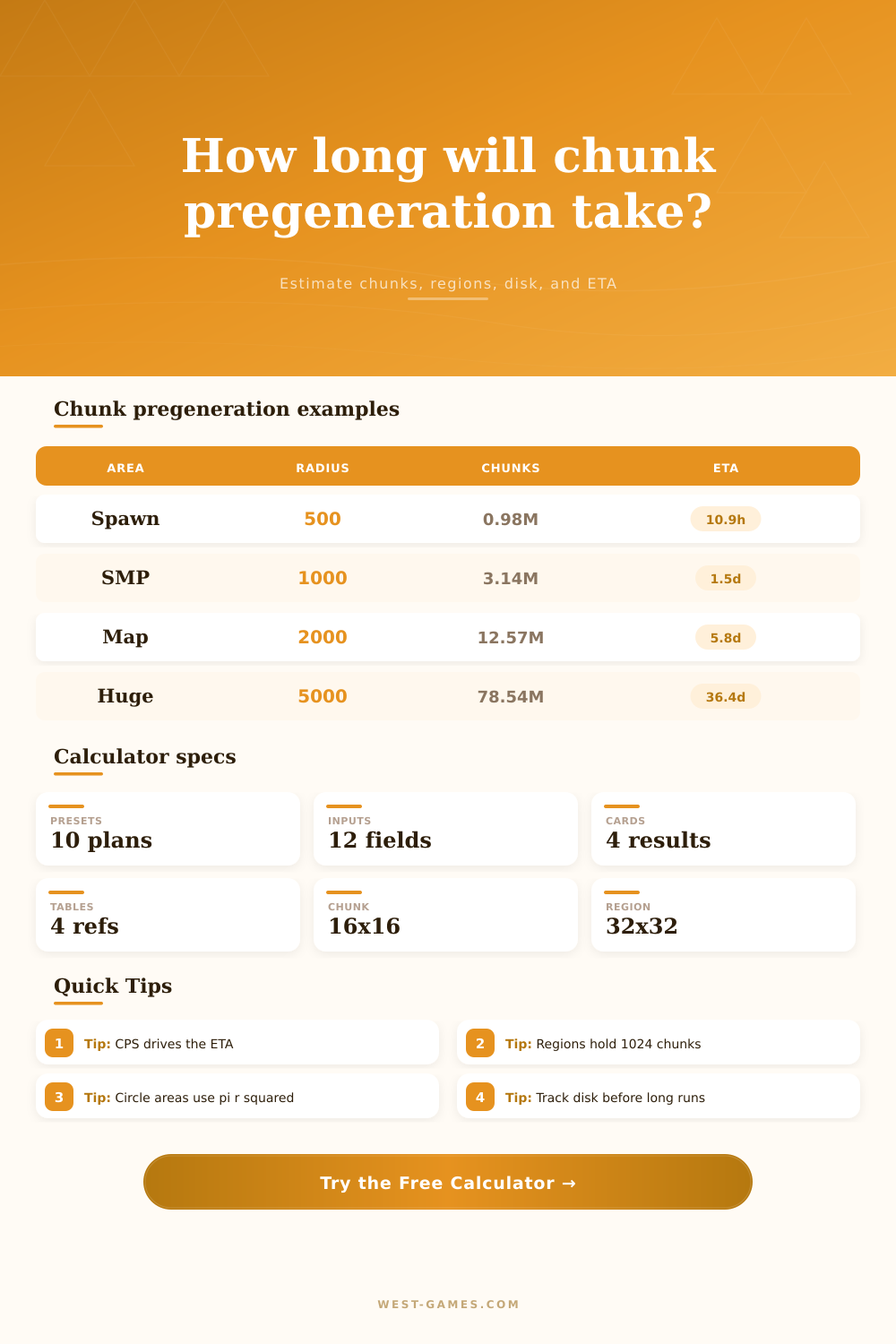
The only issue is determining how much time that preparation require. How do you know how much of your hardware to dedicate to the task? Scale describes how one chunk (a 16 by 16 block column) fit into grand scheme. It’s not much on its own, but it adds up quick when stacked on top off each other. For example, a 1,000 chunk wide, round world border have an approximate surface area of 3.1 million chunks. At a modest generation rate of 25 chunks per second, it would take over a day to generate that much space. Plugging in both speed and radius allow the calculator above to do the math for you. No more hand-geometries here!
How Long Does World Generation Take?
Yet, that’s just half the picture. The other half is interpreting what that means for your players’ patience and hardware limits. Speed are not a constant. Most admins consider it to be so. It’s anything but. Depending on what computer is actually doing, generation speed swings wildly.
A flat void world can be chewed through at thousands of chunks an hour, but adding caves, mountains, and mods can cause the speed to slow to a crawl. Simple terrain like a flat void world is easy to compute. Almost no logic, just put some blocks in a straight line. It produces thousands of chunk per hour. Add mountains, caves, villages, and temples. Now your CPU has to solve a complex noise algorithm for each vertical column. The CPU slows down. Now add in a modpack that adds custom structures or custom ores, and your generation can slow to a crawl.
This is where people go wrong. They benchmark on a simple terrain test world and expect the same speed on their actual survival server. The difference can be massive. Even then, consider your storage speed. Writing data from the server to disk take time. You will find a bottleneck here if your hard drive isn’t fast enough to keep pace with the server writing a chunk. It stalls while waiting for the hard drive to clear its buffer. Nothing you add to your memory (RAM) will address that issue either.
On this page, there’s a tool that helps estimate how much disk usage to expect depending on the density of your terrain. In a regular survival world, you may be looking at roughly 45 kilobytes per chunk. With lots of modded machinery spitting out complex data in a custom dimension? That could triple. If your storage isn’t free for it, the generation will either fail or mess up your save. Rather than see the server die at 80 percent completion, it’s best to know what you’re getting into ahead of time.
The solution is to add some multithreading, with diminishing returns. More workers means slicing up the world into sectors such that you have multiple CPU cores churning away in parallel. Sounds like double the number of workers = double the time? Not exactly. They all fight over same disk bandwidth and file system locks. Add enough threads, and the overhead of competing for them can actualy slow things down. That’s why there’s an efficiency field on the calculator. Set it at 80 or 90 percent to account for the fact that hardware resources is shared. It makes the estimate honest.
More than you’d imagine, the shape of your area do matter. A square border is simple to draw and calculate. A circular one looks nicer on the map. A circular one feels more natural as a spawn zone. But then you’ve got a jagged edge of partially filled region files. Yes those still get written to disk even though most of them are empty. They still take time to process. The tool compensates for that, but that doesn’t remove the problem. You’re paying for every file touched by the server, not only the chunks that actualy end up getting used.
In conclusion, pregen is a question of comfort vs. Time. Do you want players to generate the world while they’re out exploring? Sure, that’s fine, it’ll spread the load but there’ll be some lag spikes for all involved. Or do you want to front-load the work? Take the hit up front in order to make the server smooth going forward. There’s no one right answer. Only the right answer for your particular server load.
But here’s the thing: run the numbers beforehand. Avoid the embarrassment of having promised a ready server only to have the generation bar stuck at 12 percent. Know the space, test the speed, honor the disk. By the time your players show up, the world will be waiting.