Framebuffer Size Calculator
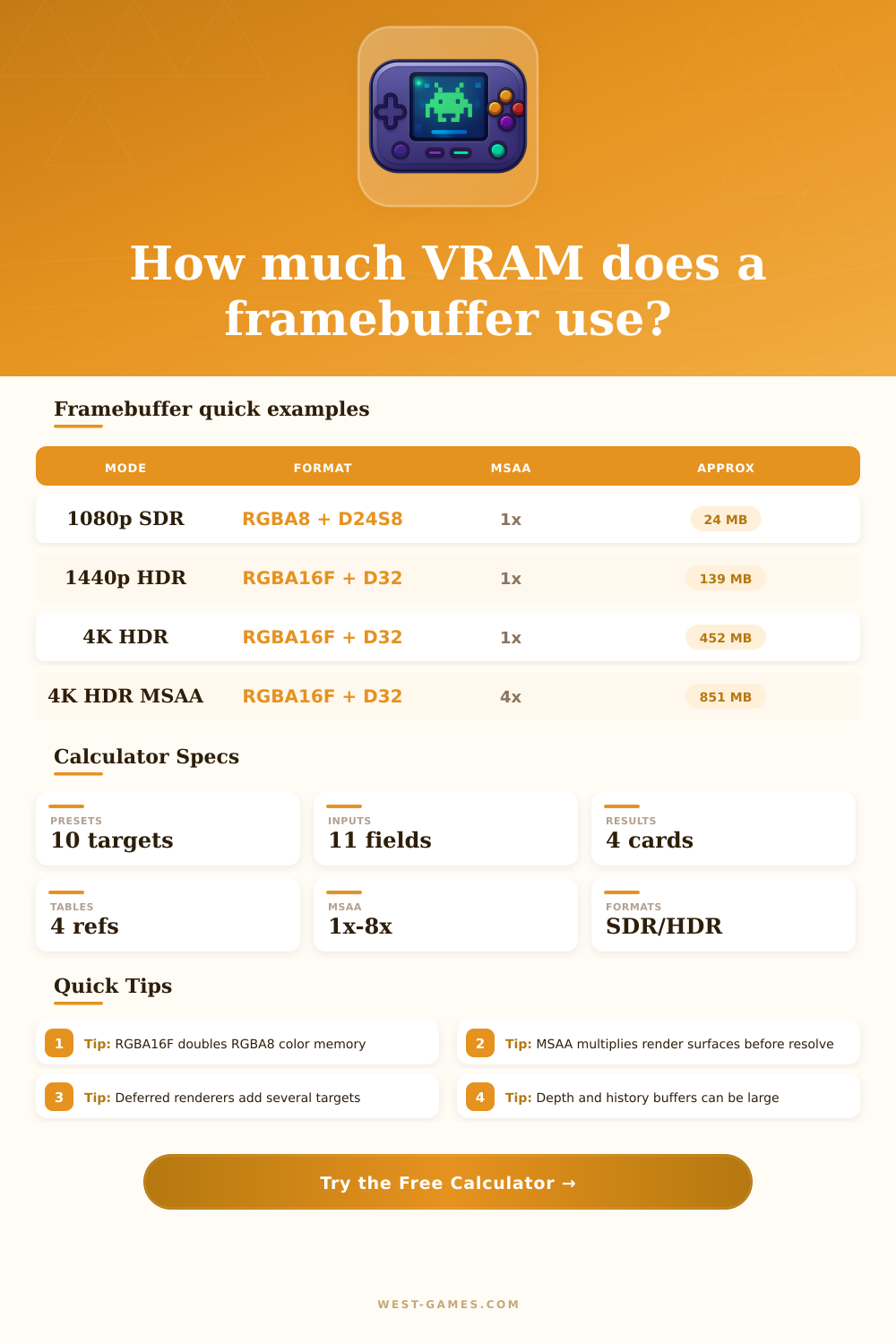
Estimate VRAM for color render targets, HDR formats, depth/stencil, swap buffers, MSAA samples, resolve copies, and safety overhead.
| Format | Bits per pixel | Bytes per pixel | Typical use |
|---|---|---|---|
| R8 | 8 | 1 | Masks, luminance, simple IDs |
| RGBA8 / BGRA8 | 32 | 4 | Standard SDR color buffer |
| RGB10A2 | 32 | 4 | Compact HDR swapchain or post buffer |
| R11G11B10F | 32 | 4 | HDR lighting without alpha |
| RGBA16F | 64 | 8 | Common HDR scene color |
| RGBA32F | 128 | 16 | Debug, offline, or scientific precision |
Compressed texture formats are usually not valid render target formats for a live framebuffer, so this calculator focuses on renderable surfaces.
| Format | Bits per pixel | Memory note | Best fit |
|---|---|---|---|
| None | 0 | No depth allocation | Fullscreen pass, UI, compute composite |
| D16 | 16 | Smallest common depth surface | Mobile, shadow maps, simple scenes |
| D24S8 | 32 | 24-bit depth plus stencil | General game rendering |
| D32F | 32 | Float depth without stencil | Large worlds, reverse-Z pipelines |
| D32F_S8 | 64 | Higher footprint with stencil plane | Precision depth plus stencil effects |
| Resolution | Pixels | RGBA8 one target | RGBA16F one target |
|---|---|---|---|
| 1280 x 720 | 0.92 million | 3.5 MB | 7.0 MB |
| 1920 x 1080 | 2.07 million | 7.9 MB | 15.8 MB |
| 2560 x 1440 | 3.69 million | 14.1 MB | 28.1 MB |
| 3440 x 1440 | 4.95 million | 18.9 MB | 37.8 MB |
| 3840 x 2160 | 8.29 million | 31.6 MB | 63.3 MB |
| 7680 x 4320 | 33.18 million | 126.6 MB | 253.1 MB |
| Setup | Color multiplier | Depth multiplier | Planning note |
|---|---|---|---|
| Single offscreen 1x | 1x | 1x | Useful for one render texture or editor preview |
| Double buffered 1x | 2x | 1x | Common swapchain color plus one depth surface |
| Triple buffered 1x | 3x | 1x | Smoother presentation with more memory |
| 4x MSAA + resolve | 4x render + 1x resolve | 4x | MSAA color/depth surfaces are the expensive part |
| Deferred G-buffer | 3x to 6x targets | 1x to 4x | Normals, albedo, material, velocity, lighting add up |
A lot of game memory leaks don’t begin as a rogue pointer here or there, or some forgotten file handle. A lot of them begins when a framebuffer expands beyond its size and consumes video RAM until it’s stuttering. Games have other stuff besides triangles being rendered, but under all that polygonal business there’s a giant chunk of raw memory. That’s where every single pixel you want to render live. And it’s really not cheap, it’s extremely finite, and remarkably complicated to account for.
Once you choose your format and resolution, plugging it into the calculator above will do math for you. You won’t have to convert bits per pixel into megabytes in your head while juggling ten different buffer at once.
Why Games Use So Much Video Memory
This goes back to the assumption that an image use as much memory as width x height x 4 bytes. That is only true when you are drawing to an output that has no anti-aliasing and displays just one standard color target. But real engine don’t do that. Usually, there’s a double or triple buffered swap chain, at least, to prevent screen-tearing. There’s also a depth buffer to tell the GPU which parts of the scene are in front of others. If you enable multisample anti-aliasing, that number get multiplied again. This happens before you start adding post-processing effects. To put it another way: the calculator above will run through all this and show you exactly how these multipliers adds up in real time.
Developers also often fail to account for the additional overhead that HDR formats require. Most displays use eight bits per channel of standard sRGB color. This is sufficient in most cases. However, to support extreme values of brightness without clipping the highlights, high dynamic range rendering tend to need floating point formats such as RGBA16F. That’s not a big deal in terms of memory consumption on its own. After all, it simply doubles bits per pixel. But that difference can really start to add up if you’re working at 4K resolution. In fact, that difference adds up to tens of megabytes per buffer at 4K! Couple this with the necessary render targets required to make a deferred lighting pipeline work and the footprint get even worse. It’s no wonder that some mid-range GPUs falters when asked to run high-end visuals, even though they possess plenty of core power.
There’s also a silent memory hog: Depth buffers. While they store data that is invisible to the human eye, a standard depth buffer consumes the same amount of memory (D24S8 format) as 32-bit integer color buffer. If you want those crisp edges and turn on MSAA, the depth buffer gets multiplied by the number of samples too. An eight-sample 1440p depth texture is heavier than a full 1080p color frame. And then there are extra textures like motion vectors for upscaling algorithms or history buffers for temporal anti-aliasing. These may not show up in initial design documents, but they add overhead and engineers often forget to account for them when testing their solution on real hardware.
This seems small. But it matters a lot at the moment of making system specs. Do I have enough VRAM for my target platform? What about the most complex scene? How much memory does that use? This chart makes clear what the tradeoffs are between format and resolution; all laid out side-by-side, you can see what they mean right away. Once you understand how this works, VRAM goes from being a black box limitation to something you can manage. No more “guesstimating” whether or not 8 GB of RAM will suffice, now you know exactly what those 8 GB buy you in terms of effect quality and resolution accuracy.
All in all: don’t chase maximum settings blindly; managing framebuffer memory is about making conscious tradeoffs. Each additional bit of precision come at an expense in both power and silicon. Calculate your exact footprint early on and then choose between dropping down to a lower precision HDR format or MSAA samples without compromising visual quality. It clears up the chaos that is the rendering pipeline today. You always knew the memory was there, lurking behind those pixels. But now you know exactly how much of it wants to occupy itself before you press play.