Flight Sim Weight and Balance Calculator
Estimate simulated aircraft station moments, fuel weight, payload, center of gravity, forward and aft envelope margin, and MAC percent from editable station arms.
Calculation Breakdown
| Station | Weight | Arm | Moment | Note |
|---|
| Preset | Empty wt | Max wt | Fuel | Fuel arm | Typical use |
|---|
| Output | Formula | Example input | Rounding | Why it matters |
|---|---|---|---|---|
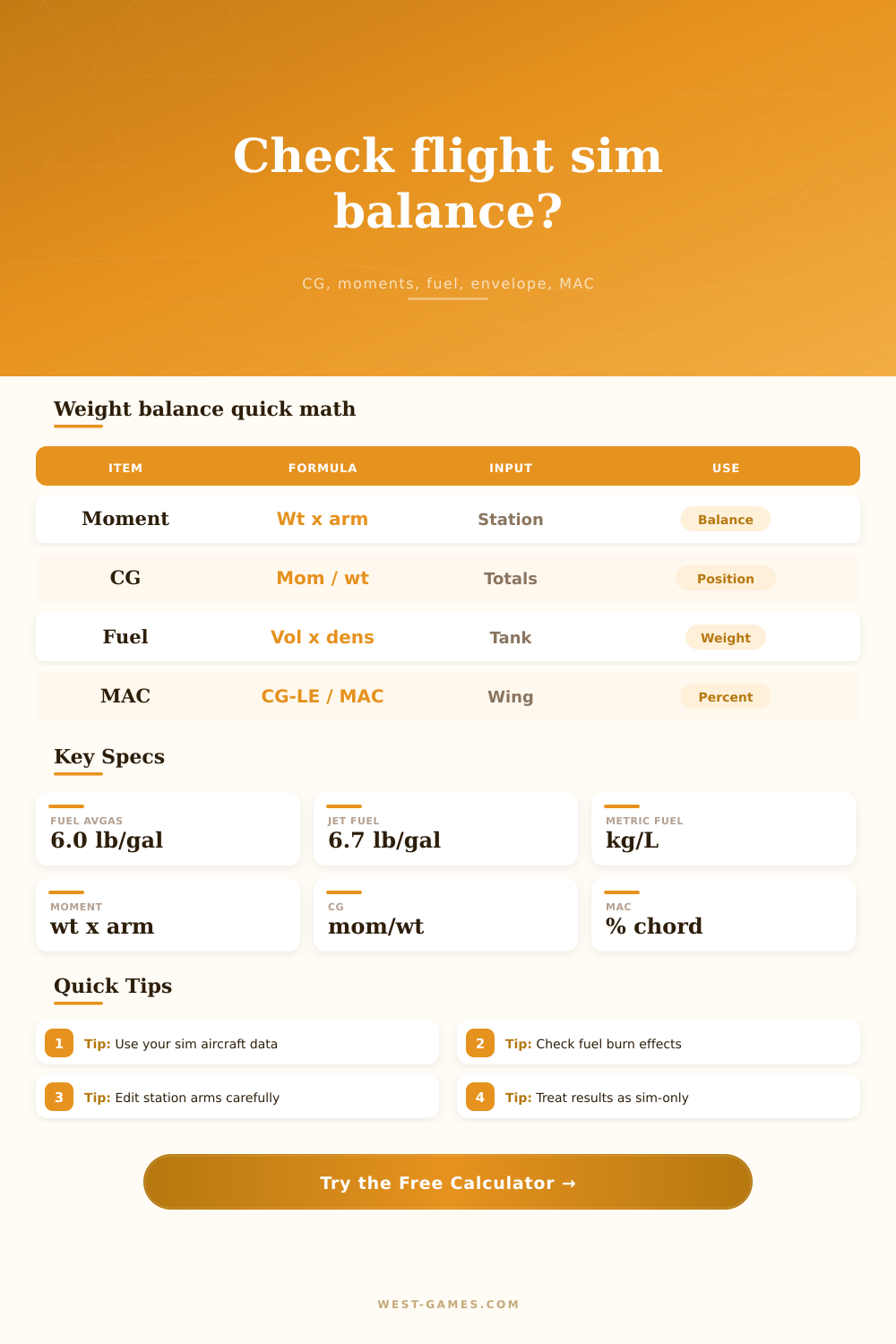
| Station moment | weight x arm | 170 lb x 37 in | shown to 0.1k | Moves CG by station location |
| Total CG | total moment / total weight | 96,000 / 2,250 | shown to 0.01 | Primary balance result |
| Fuel weight | fuel volume x fuel density | 38 gal x 6.0 lb/gal | shown to 0.1 | Fuel can move CG forward or aft |
| Envelope limit | linear between low and max weight | fwd low to fwd high | shown to 0.01 | Checks forward and aft margins |
| MAC percent | (CG - MAC leading edge) / MAC x 100 | (42 - 35) / 58 | shown to 0.1% | Useful for aircraft that report CG as MAC |
| Fuel type | Imperial density | Metric density | Volume factor | Weight factor | Use case |
|---|---|---|---|---|---|
| Avgas sim default | 6.0 lb/gal | 0.719 kg/L | 1 gal = 3.785 L | 1 kg = 2.20462 lb | Most piston aircraft profiles |
| Jet fuel sim default | 6.7 lb/gal | 0.803 kg/L | 1 L = 0.264 gal | 1 lb = 0.453592 kg | Turboprop and jet profiles |
| Custom fuel | Editable | Editable | Converted on unit toggle | Converted on unit toggle | When a simulator uses custom density |
| Check | Forward effect | Aft effect | Typical station | Calculator action | Sim-only reminder |
|---|---|---|---|---|---|
| Front seats | Often forward | Rarely aft | Pilot/copilot | Adds station moment | Use aircraft-specific arms |
| Rear seats | Usually aft | Moves CG aft | Passengers | Adds payload moment | Not a loading approval |
| Baggage | Depends on bay | Aft bay can dominate | Cargo zones | Shows each moment | Keep limits from sim data |
| Fuel burn | Can move CG either way | Depends on tank arm | Fuel station | Subtracts burn volume | Review end-of-leg CG |
| Max weight | No CG change alone | No CG change alone | Gross weight | Reports margin | Not a dispatch release |
Simmers spend their time in menus like weather or engine starts, and rarely consider physics of how an airplane behaves. Aircraft weight and balance are more than just a check box. It’s the difference between a tail drag vs a smooth rotation. While the flight sim weight and balance calculator do the math for you, knowing what those numbers mean turns a casual gamer into a pilot who understands and respects the aircraft.
Even veteran virtual aviators is tripped up by how simple it is: every single thing on your airplane has a weight. Those weights work at some distance from something called the datum. You multiply the two together. That’s what we call a moment. Add them all up, divide by total weight, and you’ve got your center of gravity.” That’s where people trip themselves up. They focus on total weight, without remembering where that weight is sitting. A 100-pound bag of luggage in the back seat shifts the balance different than if it were in the front seat. The same weight in the aft baggage compartment are different from same weight in the forward baggage compartment. The calculator automates those moment calculations so you don’t have to break out a spreadsheet each time you pick up a passenger.
Why Weight and Balance Matters in Flight Simulators
Fuel is the unpredictable factor in any load scenario. Fuel is heavy, and fuel moves. Where your tanks sits in relation to your CG affects how your balance point will change as you burn off fuel. If your tanks are aft of the CG, your nose will rise when you burn fuel and push you towards the aft limit. If your tanks are ahead of the CG, the opposite happens. Visualize that change before you taxi. This is a crucial check on longer legs because the tool will allow you to subtract out fuel burn and see where you’ll land. A lot of guys plan just for takeoff and then realize at some point during the flight that their balance are marginal by arrival. Planning for the end of the flight matters as much than planning for the start.
The envelope limits are not suggestions. They’re hard boundary lines that were established by the manufacturer to provide control authority and allow for recovery from stalls. So exceeding them will result in what feels like a sluggish airplane… Or even worse, an un-recoverable one if you find yourself in a spin. The calculator measures your existing configuration against those forward and aft limits and provides a margin of safety. A few extra gallons of fuel or a little change in seating position of passengers could put you on the wrong side of the envelope if you’re near the limit. Again, it’s a small thing, but it is huge if you’re working at high angles of attack.
MAC stands for Mean Aerodynamic Chord. You’ll notice when reading about more complicated props or jets that there are mentions of “MAC”. That’s simply a different way of stating the same thing. It is the Center of Gravity (CG) measured as a percentage of the wing’s chord length instead of in inches from the datum. It’s common on transport category aircraft. If you enter the chord length and where the LE is located on the wing, the calculator automatically converts your CG arm to this percent so you can compare your position to performance charts based off MAC percentages.
Included with the tool is a set of presets for many common aircraft types ranging from business jets to trainers. Those presets are not certified data but rather starting points. They should of been replaced by the actual arm and empty weight data found within the add-on docs or the aircraft manual for your simulator. All aircraft have their own balance profile. Just because two airplanes may share a comparable gross weight doesn’t mean they behaves the same (for example, a Piper Arrow isn’t like a Cessna 172). Using incorrect arm values can mislead you.
In the end, it boils down to predictability. If I am confident my plane is loaded properly, then I can trust the control. I can expect the plane to have the stall speed listed on the chart. I can expect the takeoff roll to be the same every time. The envelope margins and station moments is calculated for you by this calculator so you can have that certainty in the airplane before you even pick up the yoke. Make some adjustments, let it tell you where the CG is. Respect the number and just enjoy the rest of the flight. It’s such a little thing but makes the rest of the flight seem realy.