🎯 Vertical FOV Calculator
Convert horizontal FOV to vertical FOV instantly for any aspect ratio or game setup
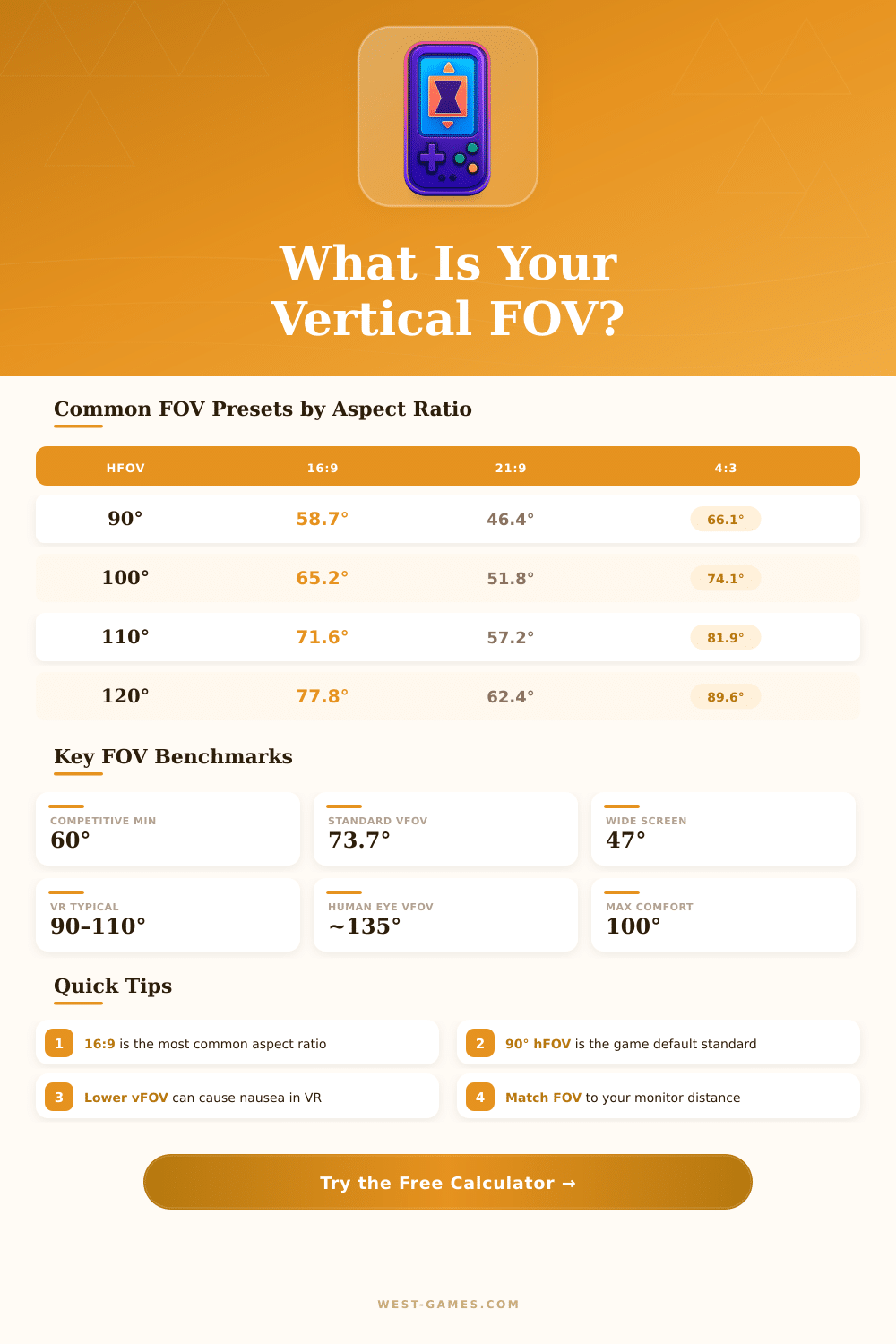
| hFOV (°) | vFOV (°) | vFOV (rad) | Use Case |
|---|---|---|---|
| 60° | 34.6° | 0.604 rad | Console / Cinematic |
| 70° | 40.5° | 0.707 rad | Narrow / Scoped feel |
| 75° | 43.6° | 0.761 rad | Mid-range competitive |
| 80° | 46.8° | 0.817 rad | Balanced FPS |
| 90° | 58.7° | 1.025 rad | PC Standard (Quake/Valve) |
| 100° | 65.2° | 1.138 rad | Wide competitive |
| 103° | 67.6° | 1.180 rad | CS2 / CSGO Default |
| 106.26° | 70.5° | 1.230 rad | Quake / Source standard |
| 110° | 73.7° | 1.286 rad | Open World Wide |
| 120° | 80.8° | 1.410 rad | VR / Extreme Wide |
| Aspect Ratio | vFOV at 90° | vFOV at 100° | vFOV at 110° |
|---|---|---|---|
| 4:3 | 73.7° | 81.9° | 90.0° |
| 5:4 | 76.3° | 84.8° | 93.4° |
| 16:10 | 61.9° | 68.8° | 75.5° |
| 16:9 | 58.7° | 65.2° | 71.6° |
| 21:9 | 46.4° | 51.8° | 57.2° |
| 32:9 | 30.5° | 34.3° | 38.1° |
| Game | Default hFOV | vFOV (16:9) | FOV Type |
|---|---|---|---|
| Counter-Strike 2 | 103° | 67.6° | Horizontal |
| Valorant | 103° | 67.6° | Horizontal |
| Minecraft (Java) | 90° (normal) | 58.7° | Vertical (fixed) |
| Apex Legends | 90° | 58.7° | Horizontal |
| Fortnite | 80° | 46.8° | Horizontal |
| Overwatch 2 | 103° | 67.6° | Horizontal |
| Cyberpunk 2077 | 78° (vFOV) | 78° | Vertical |
| Elden Ring | ~90° | 58.7° | Horizontal |
Note: This article is based on real conversations and explanations of techniques about vertical FOV that one gathered from different sources.
Vertical FOV relates to the vertical field of sight. It measures the angle from the upper part to the bottom of the screen. The horizontal FOV counts the angle across the width of the screen.
What Is Vertical FOV and Why It Matters in Games
Both these elements matter in games, even though many games apply vertical FOV for their settings, which commonly confuses the players.
In many FPS-games, commonly one sets 90 degrees for horizontal FOV or 60 degrees for vertical FOV during usage of a 16:9 screen. Titles like Battlefield Bad Company 2, all Call of Duty games since MW1, Borderlands, Dead Island and Crysis 2 all apply vertical FOV. Also Battlefield 2042 uses vertical FOV instead of horizontal, which surprises many new players.
Some players turn the FOV-slider to 90 or 100 assuming that it works as horizontal, and later wonder why everything seems stretched like a fisheye view.
Aspect ratio is the relation between width and height of the screen, usually noted as width:height, for instance 16:9. It affects strongly the relation between vertical and horizontal FOV. For a 16:9 screen, vertical FOV at 70 degrees results in around 102 degrees horizontal.
On a 16:10 screen, same vertical FOV gives almost 96 degrees hoirzontal. Like this, the aspect ratio changes the calculations.
Practical reminders are, that this chiefly counts for values in games. Horizontal value in 4:3 ratio almost matches too vertical value plus 15 degrees. If you keep a fixed vertical FOV and switch to 16:9, you gain around 15 degrees more horizontal sight.
For instance, 73 vertical degrees match to 105 horizontal. One considers that the best way to alter FOV, because it keeps balance through different ratios.
Key point about vertical FOV is, that one does not need to alter it to reach more wide sight up. You only adapt the aspect ratio. On the net there are calculators, that convert horizontal FOV to vertical by means of input of the ratio and horizontal value.
They really help, when a game uses vertical FOV, but the player only knows his preferred horizontal setting.
In VR-headsets, vertical FOV also has big importance. Some headsets offer broad horizontal FOV, but too narrow vertical, which feels wrong. Bigger vertical field of sight can really strengthen the feeling of being there.
The Oculus-programming allows players to lower FOV by cutting pixels at the edges of the screen, with separate settings for horizontal and vertical. Setting vertical FOV to 0.8 can lead to much less pixels rendered and big improvement of theperformance.
Good range for vertical FOV on a 1080p-monitor sits between 74 and 90 degrees. Lower values work for slower games with long distances, while higher values help in fast-paced games. Players that like 120 degree horizontal, that matches to around 90 degrees vertical.