🏎️ LMU FOV Calculator
Calculate your real Field of View for Le Mans Ultimate — enter your screen size and viewing distance for an accurate, immersive sim racing experience.
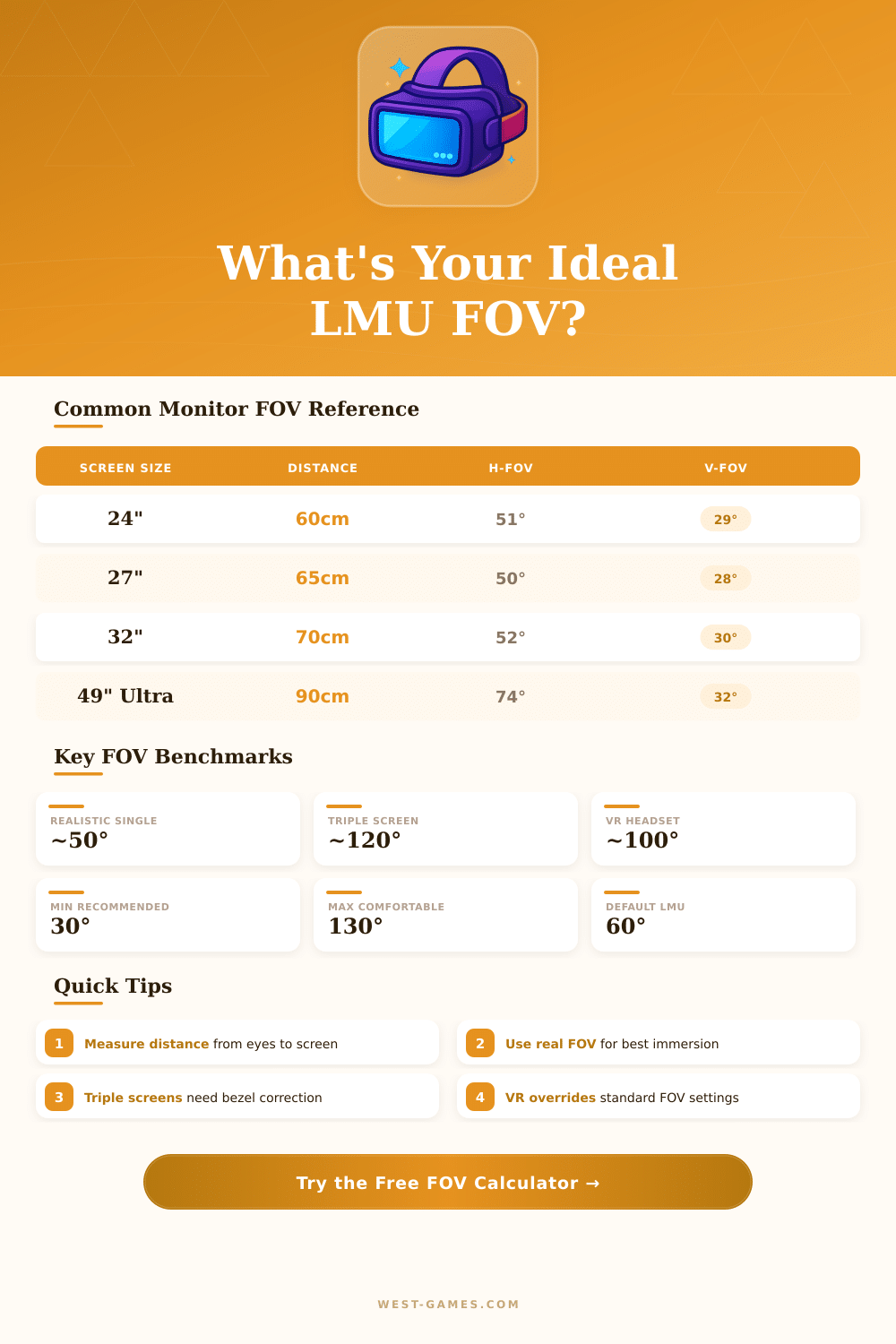
| Screen Size | Aspect | Eye Distance | H-FOV (°) | V-FOV (°) | Rating |
|---|---|---|---|---|---|
| 22" (55.9cm) | 16:9 | 55cm / 21.7" | 43° | 25° | 🟡 Narrow |
| 24" (61cm) | 16:9 | 60cm / 23.6" | 46° | 26° | 🟡 Narrow |
| 27" (68.6cm) | 16:9 | 65cm / 25.6" | 50° | 29° | 🟢 Good |
| 32" (81.3cm) | 16:9 | 70cm / 27.6" | 55° | 32° | 🟢 Good |
| 34" (86.4cm) | 21:9 | 75cm / 29.5" | 63° | 27° | 🟢 Good |
| 38" (96.5cm) | 21:9 | 80cm / 31.5" | 66° | 28° | 🟢 Great |
| 49" (124.5cm) | 32:9 | 90cm / 35.4" | 80° | 28° | 🟠 Immersive |
| Triple 27" | 16:9x3 | 65cm / 25.6" | 120° | 29° | 🟠 Immersive |
| Triple 32" | 16:9x3 | 70cm / 27.6" | 130° | 32° | 🔴 Wide |
| VR (Index/Quest) | N/A | N/A | ~108° | ~96° | 🟠 Immersive |
| H-FOV (°) | V-FOV 16:9 (°) | V-FOV 21:9 (°) | V-FOV 32:9 (°) | Perception |
|---|---|---|---|---|
| 40° | 23° | 15° | 8° | Very zoomed in |
| 50° | 29° | 19° | 10° | Realistic / real car |
| 60° | 34° | 23° | 12° | Slightly wide |
| 70° | 40° | 26° | 14° | Wide, immersive |
| 80° | 46° | 30° | 16° | Very wide |
| 90° | 51° | 34° | 17° | Fisheye feel |
| 110° | 62° | 41° | 21° | Triple screen typical |
| 120° | 67° | 45° | 23° | Triple screen ideal |
Note: This article is based on actual experience and changes in the community of sim racing.
Field of sight, or simply FOV ranks among the main settings in Le Mans Ultimate (LMU) and in sim racing widely. It seriously changes the feeling of speed, spatial awareness and truth in the cockpit. Setting it well can truly change the whole game.
How to Set Field of View in Le Mans Ultimate (LMU)
People have around 200 degrees of horizontal field of sight. Even so, for setting FOV in LMU, remember that only 40 to 60 degrees from that range help to take in the main visual info. The rest serves for side vision.
That must guide you while you choose the right degree.
To find the ideal FOV, use a calculator… It gives the most precise guess. One famous option is the dinex86-calculator for FOV.
In LMU, take the result for vertical FOV. Because the game runs on the same engine as rFactor, the value for rFactor 1 vertical FOV will work too. The calculator needs info about screen size, ratio of the screen aspects, curvature and distnace of the face to the screen.
For instance, a 34-inch screen at 65 cm of distance with 16:9 ratio results in around 36 degrees.
To truly change the FOV in LMU, go to the settings and click the tab Graphics. Scroll down until the part Visuals, wear the slider for FOV is called Vertical FOV. You can also assign two keys to change FOV through the control options in the section about keyboard.
Setting the wanted value may feel different at first. Around 27 degrees vertically can seem weird first, but after some laps the mind will adapt. Some setups work better with high FOV, for instance 60, which improves the feeling of side vision and speed.
On the other hand, too high FOV makes it hard to notice small details like brake signals, especially on tracks like that of Le Mans. Between seeing a bigger part of the track and good catching of details is a trade-off. High FOV does not always help you race morequickly either.
For setups with three screens, LMU offers built-in tools for triple screens. No need to hand change FOV for different screen spots. The shortcut is Move+= or sometimes Mov+` depending on your keyboard.
Setting the mirror FOV correctly also matters. It helps regularly spot nearby cars and estimate their speed. For users of VR, VRSS (Variable Super Index) allows rich resolution and added details in important zones, as the area of FOV.
Turn it on, if your computer handles it, and let the settings of LMU work with those of the VR headset for best output.
Sometimes the values of vertical FOV do not seem to affect the screen. That happens from time to time and is worth checking, if the sight stays the same regardless of the set value.