Splash Damage Falloff Calculator
Model explosion radius, inner radius, distance from center, falloff curve, target count, armor, and total splash damage.
🎮Combat Presets
💥Blast Inputs
Calculation Breakdown
⚙Current Blast Specs
📊Weapon Archetype Data
| Archetype | Base Damage | Outer Radius | Inner Radius | Typical Curve |
|---|---|---|---|---|
| Arena rocket | 120 | 6 m | 1.5 m | Linear |
| Frag grenade | 145 | 7 m | 2 m | Soft |
| RPG shell | 260 | 8.5 m | 2.2 m | Sharp |
| Mortar strike | 310 | 11 m | 3 m | Soft |
| Plasma mine | 190 | 5 m | 1.2 m | Stepped |
| Tank cannon | 420 | 9 m | 2.5 m | Sharp |
| Magic bomb | 180 | 8 m | 3 m | Flat |
| Boss stomp | 250 | 12 m | 4 m | Flat |
📈Falloff Curve Reference
| Curve | Center To Inner | Mid-Radius Behavior | Outer Edge | Best Fit |
|---|---|---|---|---|
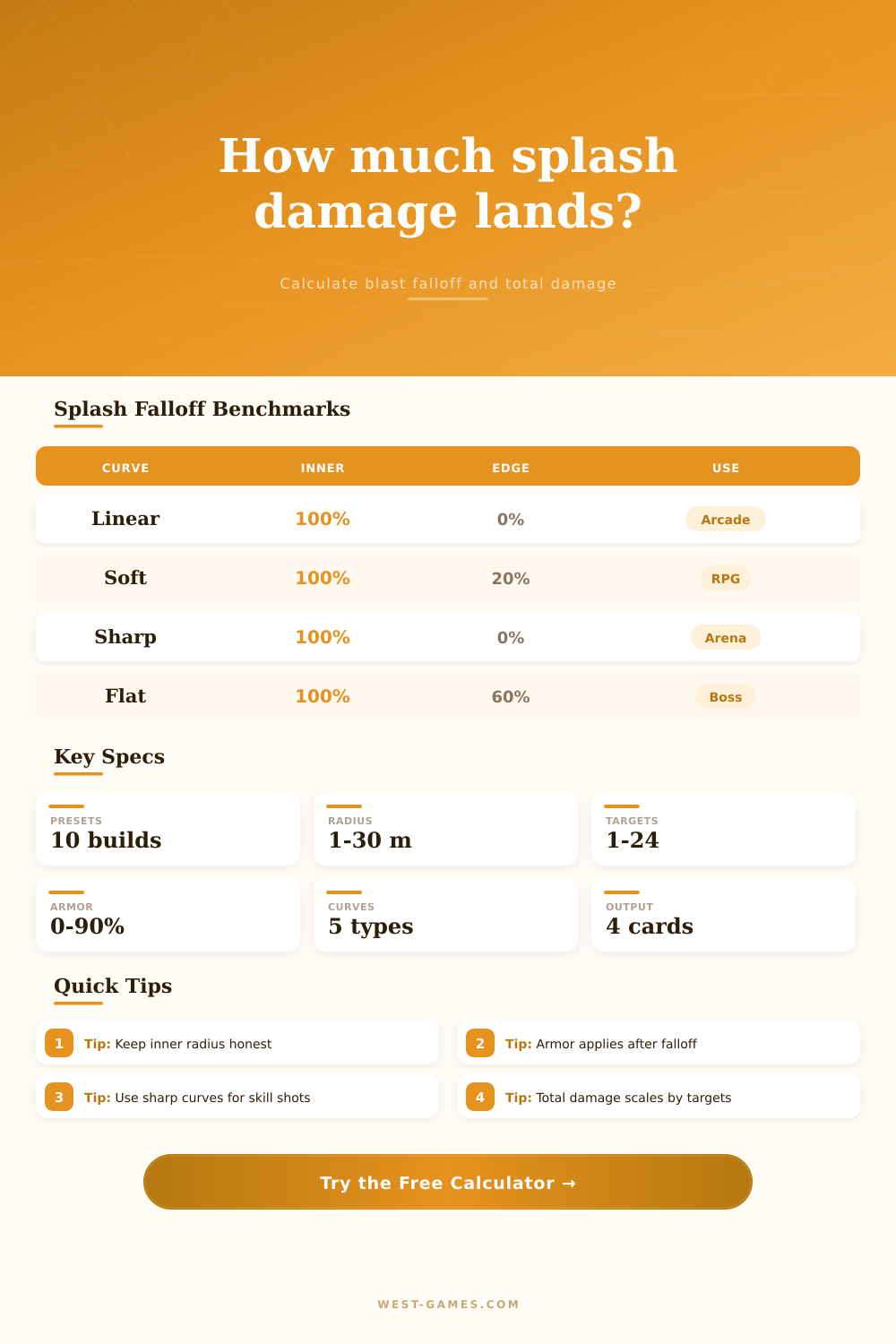
| Linear | 100% | Even decline | 0% | Readable arena weapons |
| Soft quadratic | 100% | Holds damage longer | 20% | RPGs and co-op AOE |
| Sharp squared | 100% | Falls fast near center | 0% | Skill-shot explosives |
| Flat minimum | 100% | Gentle decline | 60% | Boss attacks and hazards |
| Stepped rings | 100% | 75%, 50%, then 25% | 25% | Tile, grid, and tactics games |
🛡Armor And Resistance Grid
| Mitigation Layer | Input Range | Applied When | Damage Effect | Design Note |
|---|---|---|---|---|
| Armor | 0-90% | After falloff | Reduces final hit | Best for equipment defense |
| Splash resistance | -50-90% | After armor | Stacks multiplicatively | Use for perks and buffs |
| Vulnerability | Negative resist | After armor | Raises final hit | Useful for debuffs |
| Health pressure | Any HP | Final comparison | Shows percent removed | Good for time-to-kill tuning |
🗂Preset Comparison Grid
| Preset | Damage | Radius | Distance | Targets | Role |
|---|---|---|---|---|---|
| Arena Rocket Direct | 120 | 6 m | 1 m | 1 | Duel finisher |
| Hero Grenade Cluster | 145 | 7 m | 3.5 m | 4 | Group punish |
| RPG Shell Near Miss | 260 | 8.5 m | 6 m | 2 | Vehicle pressure |
| Mortar Wave Clear | 310 | 11 m | 7 m | 6 | Area denial |
| Plasma Mine Trap | 190 | 5 m | 2.6 m | 3 | Trap burst |
| Tank Cannon Splash | 420 | 9 m | 4.8 m | 2 | Heavy armor hit |
| Wizard Bomb AOE | 180 | 8 m | 5 m | 5 | Sustained AOE |
| Boss Stomp Ring | 250 | 12 m | 9 m | 3 | Raid hazard |
| Airstrike Outer Edge | 360 | 14 m | 12 m | 8 | Wide splash |
| Console Shooter Frag | 130 | 6.5 m | 4 m | 2 | Casual PvP |
💡Damage Tuning Tips
When that explosion comes to life on screen, hearts race in a split second. It is not for the size of the explosion itself. But for if you will live through it’s edge. The fear of splash damage make for tense design. It is the line between a satisfying miss and an infuriating death. Most players don’t know the math behind that crater, and if you’ve rage-quit over a stray rocket taking half your health from twenty meters out, you’ll understand the weight of bad falloff curves. That’s where the tool (above) come into play.
It breaks it all down. From hard center of the blast to the fading outer ring. And it does this all at once. It take into account both target density and armor. Things are far from even when it comes to explosives. They punishes groupings and reward positions. So if you don’t know how damage dissapears over distance, then you’re just guessing as to whether or not you’ll make it.
How to Design Better Explosions
First, there is the radius. This determine where full damage occurs (inner radius) and where it starts to fall off due to your chosen curve type (everything beyond). Linear falloff does what you’d expect. It’s even, all the way to zero at the edge. It’s honest and hits hard. Soft quadratic tends to hang onto damage longer outside the center. It can be generous and sometimes causes casual play to go wrong. Sharp squared reward precision in spades. If you think you’re safe just past the line of center, well…you’re not.
The curve is where it gets interesting. Arena shooter? Go with a linear curve and give players clear feedback about who killed whom. Cooperative mode / RPG? Something soft will work best (because that’s when area denial becomes more important then pinpoint accuracy). Boss fight? Flat minimum damage keeps the pressure high but doesn’t let any stragglers get away scot free. These tweaks makes a huge difference. You don’t have to guess which one matches your design goals; the calculator has got you covered.
And then there’s the armor layer. Many designers view armor as a pure subtraction. But in rich systems, it happen after the distance falloff has lowered total. That alters effectiveness of heavy armor versus explosives. Heavy armor mitigates the lower damage dealt on the edges. Makes it tougher to chip away at tanky targets with grazing fire. You can see this interaction play out based off the calculator. It tells you that 20 percent may save a character’s hide from a near miss, but won’t make much difference against direct hit.
The other thing people don’t take into account is target count. Something may feel balanced in a 1v1 situation but will be devastating in a 3v3 scenario where all 3 is grouped up. The total splash damage scales with number of targets within range. So your area control tools should of have tighter limits on either their inner radius or how steep their curves get. If there is too much in total, you are taking away player’s control over their positioning.
That’s where the presets come into play. A tank cannon doesn’t behave like an arena rocket or a magical bomb. Their defaults are set based off their specific roles on the battlefield; damage, radius. And you’re free to tweak them as needed. But they serves as an anchor for what you should expect out of each archetype.
But in short, it’s all about readability. A player should be able to know “why” they died without having to perform some sort of geometry in their head. The visual feedback of the blast should reflect how damage actualy drops off. If both of these line up, then the game feel responsive instead of random. Adjusting the variables above will help you find the sweet spot for what works best for you. And as long as each explosion tells a clear story about risk and reward, you’ll have good splash design.