🎮 Minecraft Hopper Transfer Rate Calculator
Calculate normal hopper throughput, stacks per hour, parallel line speed, serial-chain latency, storage buffer time, and hopper minecart comparison for Minecraft item systems.
| Component or setup | Transfer interval | Items per second | Items per hour | 64-stack stacks per hour | Calculator formula |
|---|---|---|---|---|---|
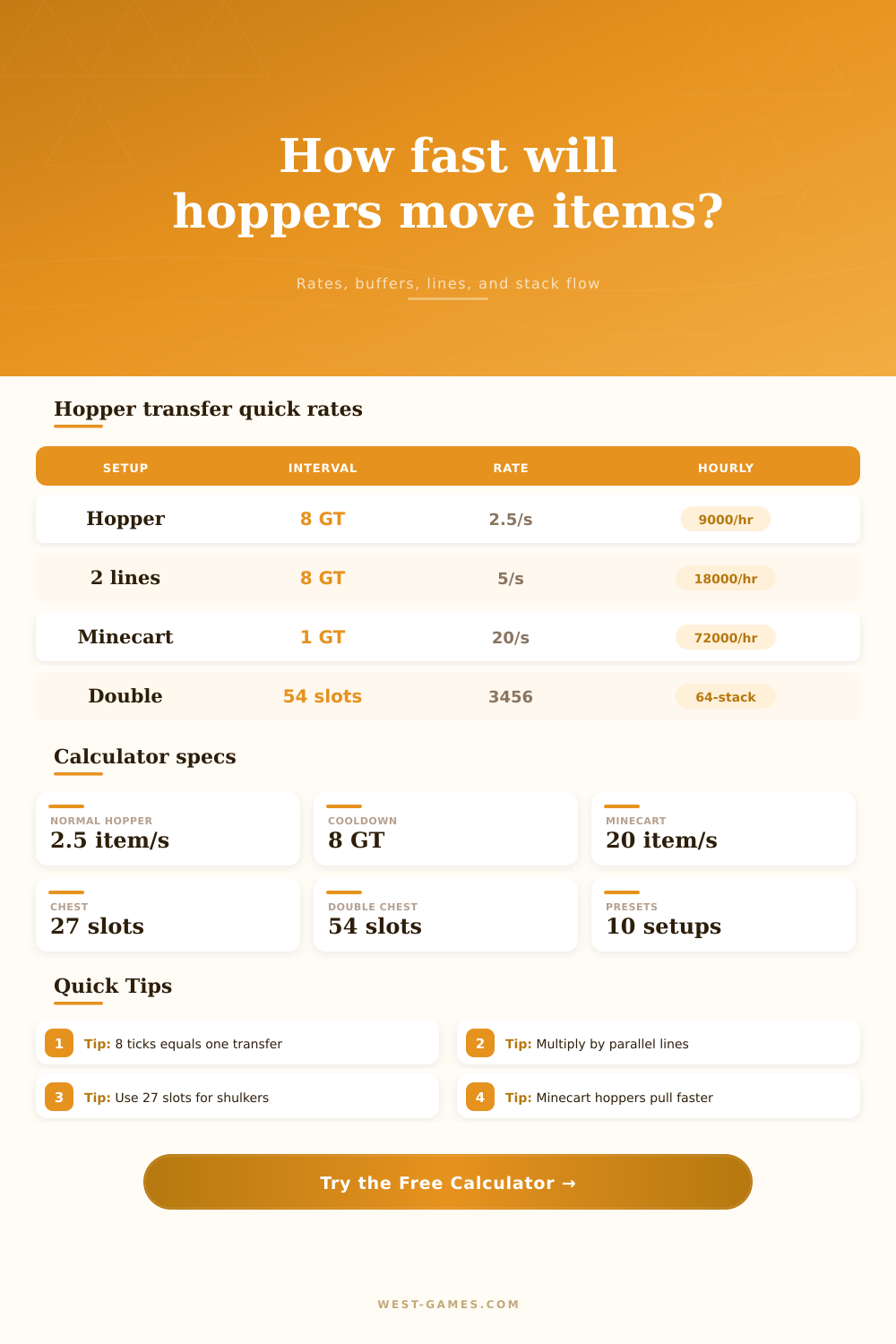
| One normal hopper line | 8 game ticks, 0.4 seconds | 2.5 | 9,000 | 140.625 | 20 TPS / 8 ticks |
| Two parallel hopper lines | 8 game ticks each | 5 | 18,000 | 281.25 | 2 lines x 2.5 items/s |
| Four parallel hopper lines | 8 game ticks each | 10 | 36,000 | 562.5 | 4 lines x 2.5 items/s |
| Eight parallel hopper lines | 8 game ticks each | 20 | 72,000 | 1,125 | 8 lines x 2.5 items/s |
| Hopper minecart pull | 1 game tick, 0.05 seconds | 20 | 72,000 | 1,125 | 20 TPS / 1 tick |
The sustained rate assumes items are always available and the output inventory can accept them. A blocked destination or empty source lowers real throughput.
| Container | Slots | 64-stack capacity | 16-stack capacity | Non-stackable capacity | Notes for hopper builds |
|---|---|---|---|---|---|
| Hopper | 5 | 320 items | 80 items | 5 items | Small buffer plus transfer component |
| Dropper or dispenser | 9 | 576 items | 144 items | 9 items | Useful for clocked ejection stages |
| Chest, barrel, or shulker box | 27 | 1,728 items | 432 items | 27 items | Standard single-container buffer |
| Double chest | 54 | 3,456 items | 864 items | 54 items | Large stationary buffer |
| Chest minecart | 27 | 1,728 items | 432 items | 27 items | Mobile 27-slot container |
| Hopper minecart | 5 | 320 items | 80 items | 5 items | Fast pickup, small inventory |
Capacity equals usable slots x item stack size x container count. Reserved filter slots are subtracted before multiplying.
| Batch | Items | Stacks at 64 | Time at 2.5/s | Time with 4 lines | Practical meaning |
|---|---|---|---|---|---|
| One hopper inventory | 320 | 5 stacks | 2 minutes 8 seconds | 32 seconds | Empty a full hopper |
| One shulker box | 1,728 | 27 stacks | 11 minutes 31 seconds | 2 minutes 53 seconds | Full shulker load |
| One double chest | 3,456 | 54 stacks | 23 minutes 2 seconds | 5 minutes 46 seconds | Full double chest transfer |
| Ten double chests | 34,560 | 540 stacks | 3 hours 50 minutes | 57 minutes 36 seconds | Storage hall backlog |
| One hour per line | 9,000 | 140.625 stacks | 1 hour | 15 minutes | Throughput reference |
Parallel lines scale the sustained rate only if each line has its own item path and destination capacity.
| Design question | Calculator input to change | Formula affected | Warning sign | Better fix |
|---|---|---|---|---|
| Farm makes more than one hopper can carry | Parallel hopper lines | Rate = lines x TPS / 8 | Loose items sit on blocks | Split the intake into more lanes |
| Items arrive in bursts | Buffer container count | Buffer time = capacity / rate | Storage fills during pulses | Add temporary chest or shulker buffer |
| Server is running below 20 TPS | Measured TPS | Rate = TPS / 8 per line | Real-time flow feels slow | Use measured TPS in estimates |
| Minecart pickup outruns storage | Minecart comparison | 20/s versus hopper feed | Cart fills faster than unloaders | Use 8 unload lanes or staged buffers |
| Sorter locks or filters reserve slots | Reserved slots and efficiency | Usable slots and active rate | Overflow despite enough chests | Subtract filter inventory and pauses |
The calculator separates sustained throughput, first-item latency, and storage capacity because those three limits fail in different ways.
Frustration sets in when things gets backed up on either side of your hopper and it takes ages to filter down to where it needs to go.
Don’t fret, that’s just how the game was designed. There’s no broken game here, only math that adds up. It is a hard-coded timer that dictates every single transaction.
How Hoppers Really Work
Most players view hoppers like magic instant-teleport machines. They’re rhythmic conveyors, each waiting for 8 ticks before making another transfer. Get the rhythm and you’ve got an engine, not a logistical nightmare.
You set up the parameters; the calculator do the math. There’s no remembering of equations, only knowing what each input means.
Builders often make mistakes by confusing capacity with speed. It move at two and a half items per second. That’s slow… One double chest can hold 3,456 items. It takes roughly 23 minutes to fill one line. The progress bar will look like it’s stuck, and you’ll be waiting a while.
The results is different for parallel lines. Latency increases as you add more hopper in a row. It doesn’t get better by adding more hoppers. Instead, you need to add lanes. By splitting up the intake into multiple separate lines, you quadruple the throughput.
The tool makes it easy to play with the trade-off. You feed it your expected drop rate, and it tells you how many lines you’d need. Usually, you end up needing fewer line. Mobs die in groups, and farms produce items in bursts. If your source produces things at a higher rate than one hopper can consume, items will spill out on the floor. When that happens, take it as a warning sign that you should of be using parallel lanes rather than longer chains.
Efficient storage. Buffering. You can’t make your farm any wider, but you can make it deeper (for now).
Double chests/shulker boxes is like sponges that absorb these bursts. When the farm’s in use, the buffer soaks up the over-production. After the activity stop, the hopper empties the buffer on its own schedule. It won’t overflow; no rebuild necessary. The calculator tells you how many container you’ll need for x amount of time. I know, ten minutes sounds excessive, but often times it’s enough that you don’t have to reset redstone again.
But it doesn’t just depend on servers. The eight-tick rule is based off the idea of running the server with 20 ticks per second. If your server lags, those ticks gets stretched out. Now a transfer which should have taken 0.4 seconds take 0.8 seconds instead. Even though we’re counting the same number of ticks, the effective throughput has been cut in half. The reality of that is shown in how much the tool measures as TPS. That prevents you from creating something that works in theory but not in practice.
Hopper cars are similar but different. They grabs things once per tick, so far quicker than a static hopper. However, they require rails and careful placement, which can be a bit tricky. They work well as vacuum cleaners on drops, but if you feed them with regular hoppers then you have a bottleneck. This is highlighted in the tool comparison section. It illustrates how the minecart grabs quickly, but the supply line has to keep pace, otherwise the cart idles.
A good item system means matching demand to flow. The slowest link in the chain should be just fast enough to keep up with your gameplay. If you have too many blocks on your farm, then it’s wasting your time and blocks. If you have too few, there will be piles of dropped stuff. Balance is the goal. Learn the eight tick heartbeat. Play with the mechanics rather than against them. Things will move when and how you want.