📽 Screen Size Calculator
Match diagonal size, resolution, and distance so the screen fills the room without feeling too small or too large.
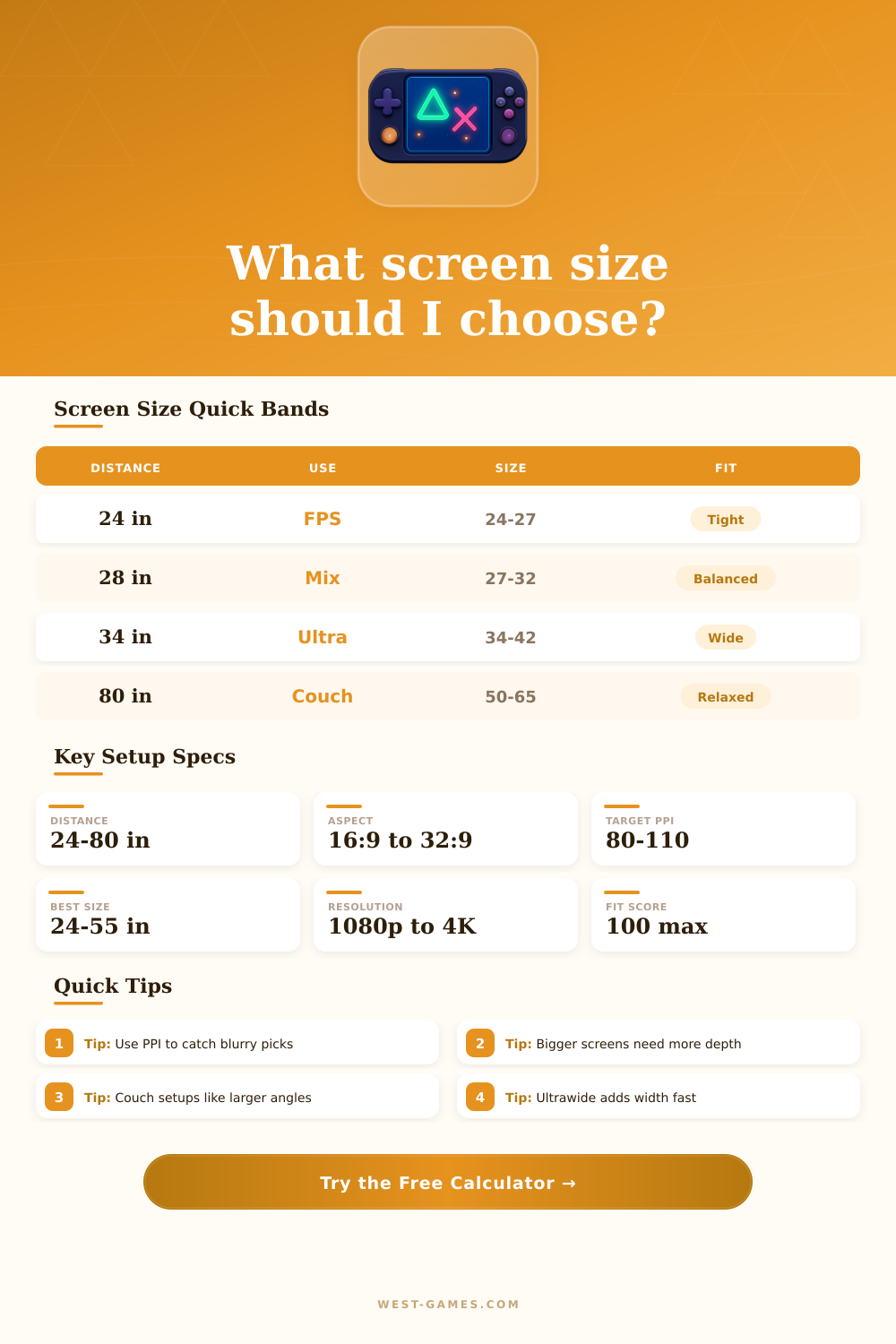
| Use case | Distance | Diagonal | Note |
|---|---|---|---|
| Competitive FPS | 22-28 in | 24-27 in | Fast aim lane |
| Mixed desk play | 24-32 in | 27-32 in | Best all-round |
| Cinematic RPG | 26-36 in | 32-42 in | More immersion |
| Ultrawide sim | 26-34 in | 34-49 in | Wide desk depth |
| Couch console | 60-96 in | 50-65 in | Living room view |
| Creator desk | 22-30 in | 27-32 in | Sharp text fit |
| Resolution | Good size | Density | Best use |
|---|---|---|---|
| 1920 x 1080 | 22-27 in | 81-100 PPI | Budget desk |
| 2560 x 1440 | 25-32 in | 92-120 PPI | Mainstream gaming |
| 3440 x 1440 | 34-38 in | 94-109 PPI | Ultrawide play |
| 3840 x 2160 | 27-43 in | 102-163 PPI | Sharp desk work |
| 5120 x 1440 | 49-55 in | 96-108 PPI | Triple wide feel |
| 5120 x 2160 | 38-48 in | 121-150 PPI | Very sharp wide |
| Distance | Comfort band | Common size | Room type |
|---|---|---|---|
| 20-24 in | 24-30 in | 24-27 in | Small desk |
| 25-30 in | 27-34 in | 27-32 in | Standard desk |
| 31-40 in | 32-42 in | 32-42 in | Deep desk |
| 41-60 in | 40-55 in | 42-55 in | Hybrid lounge |
| 60-96 in | 50-65 in | 55-65 in | Couch or media |
| 96+ in | 65+ in | 65-85 in | Theater wall |
| Class | Aspect | Practical rule | Note |
|---|---|---|---|
| Mainstream desk | 16:9 | 24-32 in | Balanced gaming |
| Work and edit | 16:10 | 25-32 in | More vertical space |
| Ultrawide | 21:9 | 34-38 in | Wider field view |
| Super ultrawide | 32:9 | 49-57 in | Wraparound desk |
| Lounge screen | 16:9 | 50-65 in | Comfort from afar |
| Retro box | 4:3 | 20-27 in | Classic frame |
The size of the screen measures from one corner to the other and is expressed in inches. That helps to imagine the whole size of the panel. The number of pixels does not depend directly on that physical size.
But the resolution affects the output of the device where the screen connects. In higher resolution the pressure on the hardware grows
Pick the Right Screen Size and Resolution
Size binds to density of pixels. Basically, a small screen with high resolution gives stronger pixel density, which results in clearer images. 27 inches works ideally for 1440p, similarly to 24 inches for 1080p. Above 24 inches, at least 1440p is needed, because 1080p looks awful on a 27-inch monitor.
Everything depends on pxiiel density.
Now the standard monitor size stays around 27 inches, between 24 and 27. Small screens in 1080p reach very high speed. For playing games in 1080p, 24 inches work well.
27 inches perfectly suit for 2K, while for 4K you should choose 27 inches or bigger. 1080p works for many games and sizes, and in 2025 many games around that resolution will run.
Competitive FPS players commonly use 25 inches, for example the BenQ Zowie XL2546K or older versions. On the other hand, 27 inches can be too small for some games, and 32 inches or bigger occasionally more better. First think how far the monitor will stand from you, because that decides the ideal size.
The Steam Deck has a screen resolution of 1280 x 800, which is like 720p. Although the size is different, the resolution stays the same for the 7-inch LCD and for OLED models. It measures 7 inches, so its pixel density is like that of the Nintendo Switch. Even the new OLED with 7.4 inches stays in 1280 x 800.
You easily attract to the biggest and brightest screen in the room, but a good gaming monitor depends on the person and on the setup. Many reasons favor a small screen, but also valid arguments lead to big or ultrawide format. Main is to adjust expectations to the price and to the size.
Currently the most common resolution for the main screen is 1920×1080 in 16:9 with 67.29 percent, so it serves as a base, but compatibility with other resolutions matters. Playing in 640×480 will work on a screen usually in 1920×1440, but the proportion commonly bothers you more, because it relates to resolution and screensize.