🔋 UPS Runtime Calculator for Gaming PC
Estimate gaming PC battery-backup minutes from PC load watts, monitor and router draw, UPS VA and watt rating, battery watt-hours, inverter efficiency, power factor, and shutdown margin.
Runtime if only the tower is on battery outlets.
Runtime with display included for saving and shutdown.
Runtime if the UPS keeps only modem, router, and switch online.
Same load with battery condition restored to 100 percent.
| UPS class | Rating | Battery reference | Runtime reference | Planning note |
|---|---|---|---|---|
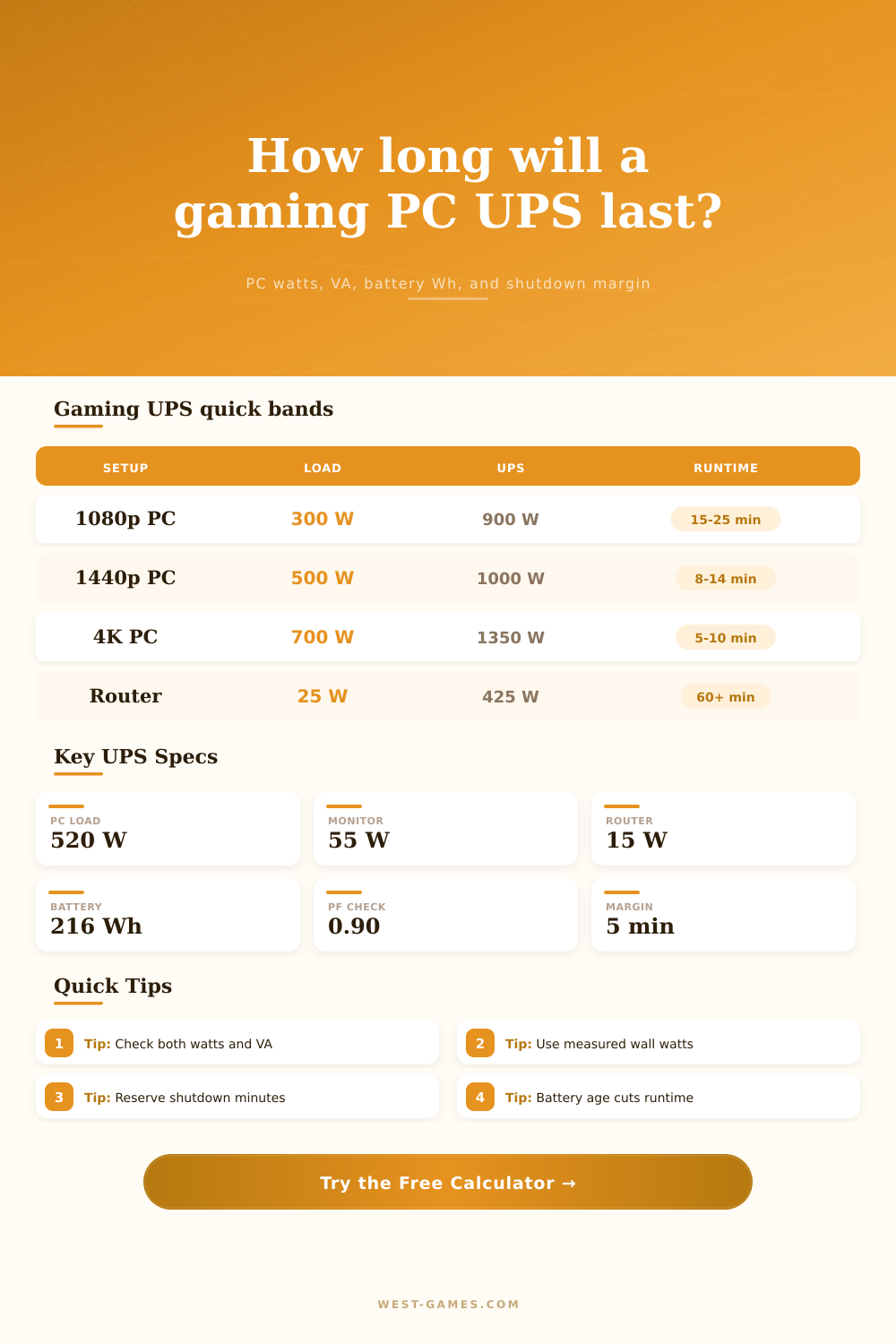
| APC Back-UPS Pro BR1500G class | 1500 VA / 865 W | Two 12 V 9 Ah class batteries, about 216 Wh raw | Use APC runtime chart for exact model | Good fit for midrange PC shutdown, not long play sessions. |
| CyberPower GX1500U gaming class | 1500 VA / 900 W | Two 12 V 9 Ah sealed lead-acid batteries | 2 min full load, 11 min half load | Shows why a 450 W half-load scenario lasts far longer than 900 W. |
| CyberPower CP1500PFCLCD class | 1500 VA / 1000 W | Two 12 V 9 Ah class replacement batteries | Manufacturer runtime tool required | Sine wave output is a better match for active-PFC gaming PSUs. |
| Eaton Tripp Lite SMART1500LCD class | 1500 VA / 900 W | Internal sealed lead-acid pack | LCD reports load and runtime | Line-interactive rack or tower option for workstations and networking. |
| 1500 VA online tower class | 1500 VA / 1350 W | Higher watt factor than basic line-interactive units | Model-specific runtime graph | Double-conversion units trade efficiency and fan noise for cleaner output. |
| Gaming build | Typical UPS load | PC PSU reference | UPS sizing focus | Headroom note |
|---|---|---|---|---|
| Budget 1080p tower | 220 W to 350 W | 550 W to 650 W PSU class | 650 VA to 1000 VA UPS can be enough | Monitor and router draw can be a large share of runtime. |
| RTX 4070 Super 1440p build | 380 W to 560 W | 650 W to 750 W PSU class | 900 W to 1000 W UPS output is comfortable | Use measured gaming draw, not only synthetic stress power. |
| RTX 4080 Super 4K build | 520 W to 720 W | 750 W to 850 W PSU class | 1000 W or higher UPS output preferred | High CPU boost plus GPU spikes reduce reserve. |
| RTX 4090 high-end build | 650 W to 900 W | NVIDIA FE reference lists 850 W system PSU | 1350 W online or 1980 W tower UPS gives more room | Board partner GPUs and overclocking can need more PSU margin. |
| Streaming workstation | 600 W to 850 W | 850 W to 1200 W PSU class | Check both VA and W under encoder load | Capture hardware, extra SSDs, and USB gear add small constant load. |
| Term | Formula or value | Good range | Why it matters |
|---|---|---|---|
| Total connected watts | PC + monitor + network + extras | Below UPS W rating | This is the real load the UPS inverter must deliver. |
| Apparent load VA | Watts / power factor | Below UPS VA rating | A low power factor can overload VA capacity before watts look maxed. |
| Battery watt-hours | Volts x amp-hours x count | Model-specific | Raw battery energy is reduced by discharge rate and cutoff voltage. |
| Usable energy | Wh x usable x condition x temperature | 50% to 85% common | Lead-acid packs give less than nameplate Wh at high gaming loads. |
| Net runtime | Gross minutes - shutdown margin | At least 2 to 5 min | Gaming PCs need time to save, exit, sync, and shut down cleanly. |
| PC PSU headroom | PSU rating - load x margin | Positive reserve | Checks whether the PC PSU has room beyond the estimated gaming draw. |
In that blink of an eye, just before the server disconnects, you’ve got forty five seconds to go. Your whole rank depend on it, whether you stay on or get booted back into the queue. A lot of people who use gaming UPSes failed in that time frame, because they didn’t do any sort of calculation for how long it last. It’s a big box. It has a big number next to “VA,” so I bet it’ll last. Yeah no. No it won’t.
The math is brutal but luckily the calculator up top will take care of all that work for you if only you can tell it what numbers to use. And thats where the trick comes in: knowing what numbers to use.
How to Calculate Your UPS Runtime
Begin at the load. Everyone plucks the TDP rating off the GPU box and throws it into the mix with their CPU rating. There’s the first error. The TDP is a peak thermal design limit, it is not a sustained wall draw. How much power does your PC use while gaming? Plug it in to a plug meter and find out.
Why does the calculator ask for that? There is almost a fifty percent difference between a 650-watt-rated system and a 450-watt-measured one. That difference will change your runtime by more nearly half. Input your actualy world wattage and then input the draw of your monitor and router. The latter is an easy omission, but why would you want to lose your Wi-Fi when lights go out? Keep your router on battery power. It’ll be a small load, but it add up on a tight budget.
And then there’s battery capacity. Watt-hours are listed by manufacturers, but those are the theoretical maximum in ideal conditions. Ideal is not real life. To reflect this, the calculator use a usable discharge factor, because lead-acid batteries can’t deliver 100% of what’s stored at high draw rate. You can also adjust for battery age. A UPS three years old has degraded cells. It will not run for long. If you use a lower condition percentage, the runtime drop sharply.
This is where people get it wrong. They think the battery is like a fuel tank that stays full until it reaches empty, it is more like a sponge that loses its absorbency over time.
The other hidden tax on your runtime is called power factor. It involves all those invisible parts of your PC power supply as it convert AC to DC. There are reactive components. There are efficiency losses. And thats what the calculator does. How many watts do you pull vs the total rated wattage and the total rated VA (volts x amps) on the UPS? Depending on power factor you could max out your VA before you reach your watts. This happens more than you’d think if you have an old power supply or some very high-end component. The page has a reference table that explains it all for that mix, and why the output matter if it’s a pure sine wave unit or not for todays active PFC units.
Oh yeah, don’t forget to account for the shutdown margin. How much time do you have to shut down the OS gracefully, sync your files, save your game? Take that into consideration, if you think you’ve got ten minutes of run time, then plan on running for half as long. Leave the other half for when it’s time to exit. That way, the calculator will take that margin away from the gross runtime, resulting in a net number. And it’ll force you to play it safe. That is exactly the point.
Lastly, verify the headroom. Even PCs require some air to breathe. A stressed 600-watt PSU with a 500-watt system isn’t ideal. This verifies there’s headroom in your PSU compared to what it can handle. This give you a reserve for any momentary spikes. It’s not all about the UPS holding the line, its keeping your entire system stable when the grid goes out.
You don’t want to play forever. You just want to make it through the outage without making any major mistakes. Use that reserve at shutdown. Honor the batterys age. Gauge your draw. The lights may go out once more. Prepare yourself this time.