🎯 FOV Calculator for FPS Games
Convert horizontal, vertical & diagonal FOV across resolutions, aspect ratios & game engines
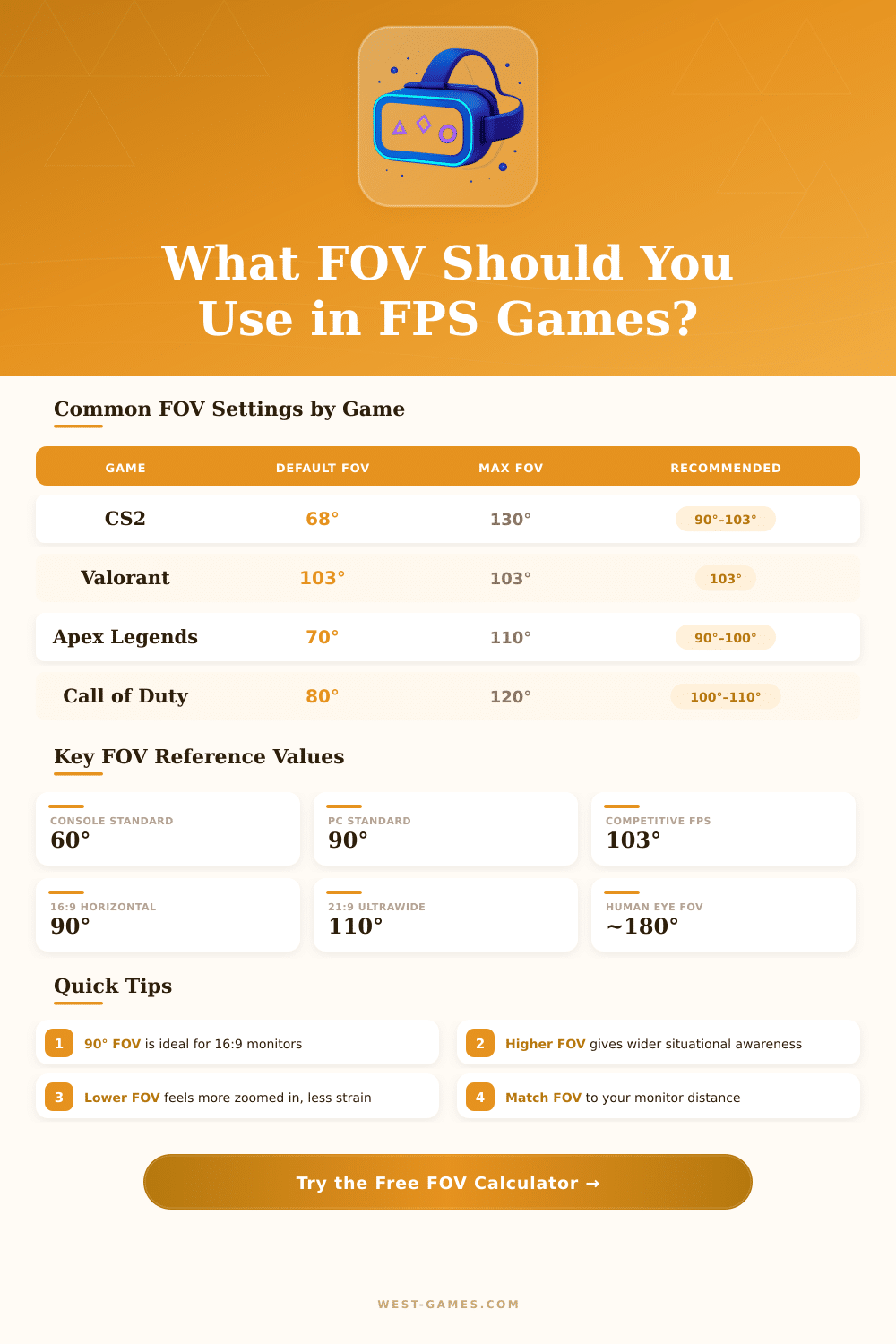
| Game | FOV Type | Default FOV | Max FOV | Competitive Pick |
|---|---|---|---|---|
| CS2 / CSGO | Horizontal | 68° (4:3) | 130° | 90°–103° |
| Valorant | Horizontal | 103° | 103° | 103° |
| Apex Legends | Horizontal | 70° | 110° | 90°–100° |
| Call of Duty: WarZone | Horizontal | 80° | 120° | 100°–110° |
| Fortnite | Horizontal | 80° | 114° | 90°–100° |
| Overwatch 2 | Horizontal | 103° | 103° | 103° |
| Rainbow Six Siege | Vertical | 60° | 90° | 75°–90° |
| Battlefield 2042 | Vertical | 74° | 90° | 74°–90° |
| Quake Champions | Horizontal | 90° | 140° | 120°–130° |
| PUBG | Horizontal | 80° | 103° | 90°–103° |
| Aspect Ratio | Resolution Example | H-FOV | V-FOV | D-FOV |
|---|---|---|---|---|
| 4:3 | 1280x960 | 90.00° | 73.74° | 108.43° |
| 16:9 | 1920x1080 | 90.00° | 58.71° | 103.32° |
| 16:10 | 1920x1200 | 90.00° | 61.93° | 104.93° |
| 21:9 | 2560x1080 | 90.00° | 46.40° | 97.57° |
| 32:9 | 5120x1440 | 90.00° | 30.93° | 93.33° |
| 1:1 (stretched) | 1080x1080 | 90.00° | 90.00° | 120.00° |
| Monitor Size | Distance (cm) | Recommended H-FOV | Feel |
|---|---|---|---|
| 24 inch | 50–60 cm | 85°–95° | Natural |
| 27 inch | 55–65 cm | 90°–100° | Balanced |
| 27 inch | 70–80 cm | 80°–90° | Comfortable |
| 32 inch | 65–80 cm | 95°–105° | Immersive |
| 34 inch Ultrawide | 70–90 cm | 100°–110° | Wide & Aware |
| 49 inch Super-wide | 90–120 cm | 110°–120° | Maximum Awareness |
Field-of-sight calculator helps to find the right scope of visual settings. It works for video games fake races and similar setups. The main idea is very simple.
Imagine that you look through a window. The more close you stand to it, the more landscape outside appears before your eyes. And a bigger window causes even more visibility.
Field of View Calculator for Games and Cameras
Just like this those calculators for field of sight work. They show you the precise difference based on the size of the object and the distance of it.
In fake races, choosing the right field of sight matters a lot. Pro players use only simulated courses with precise FOV. Calculator for sim-run backs single, curved and three-screen setup for the most many games of that type.
It figures out horizontal FOV, vertical FOV and related side angles for three-screen systems. Using the right FOV settings improves the driving ability, speed and stability in teh simulation.
Inputs for a video game sight calculator normally store screen ratio, screen size in inches and distance from the screen. Popular ratios like 16:9, 21:9 and 32:9 get support. Then the tool gives the ideal vertical and horizontal FOV for that setup.
Some games favor vertical FOV over horizontal, so their are converters between both. Such fixes happen because of different game approaches to the screen ratio.
In games based on Source-engine with roots from Half-Life, the ratio fix stretches the horizontal FOV while keeping vertical FOV the same. That means that users with wider monitors at the same FOV setting indeed see more. Keeping vertical FOV unchanged does not depend on the ratio, so some players like to set a specific vertical FOV for every game.
For cameras, FOV calculators work with focal distance of lens, size of sensor and levels of distortion. They show the width and the height of the FOV, plus the view angle. Some of them also estimate depth of field and info about equal lens for different formats.
One problem to think about is that the calculator can fail with values past 180 degrees. It appears often in three-screen setups, where the whole FOV reaches 190 degrees or more. Also some games limit the FOV slider based on minimum and maximum value.
When the calculator offers something outside the game range, choose the closest available setup instead. Correct readings of screen sizes and sitting distance are needed for good results. Any calculator in proper simulations ensures right sight, if thosedata are precise.
For FPS games, 110-percent FOV usually works well, because it makes fast moves closer to the aim point. Even so on small monitors, playing at 100 or even 90-percent FOV maybe works better.