Eye Strain Break Timer Calculator
Plan gaming session breaks from session length, screen brightness, break interval, microbreaks, long breaks, night mode, and play intensity.
This calculator is for general gaming wellness planning only. It does not diagnose, treat, prevent, or replace guidance from a qualified professional.
Your Break Plan
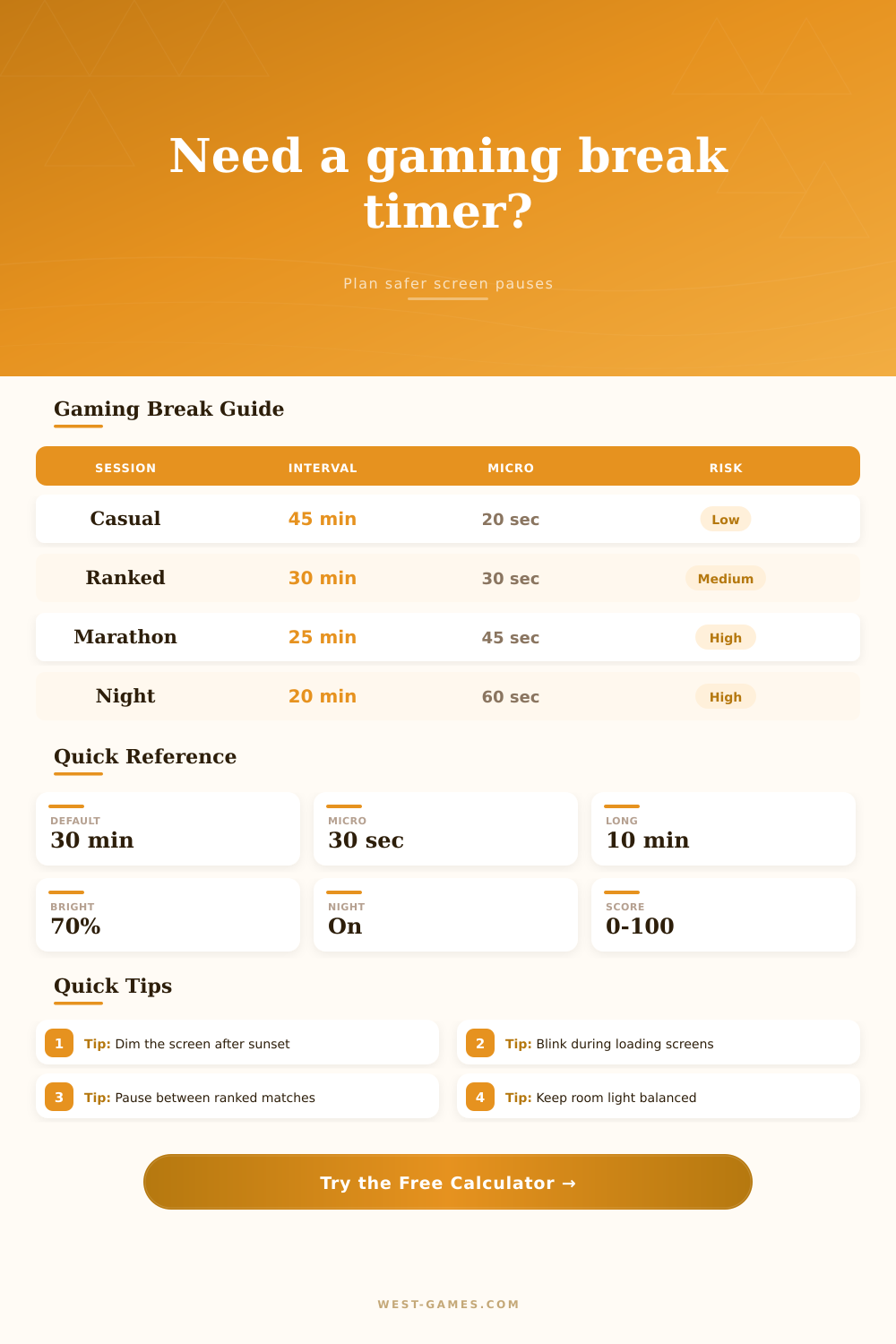
| Play Style | Suggested Interval | Microbreak Idea | Long Break Timing |
|---|---|---|---|
| Casual questing | 40 to 50 minutes | 20 second look-away pause | After 2 hours |
| Ranked or competitive | 25 to 35 minutes | 30 second between-round pause | After 90 minutes |
| Raid or simulation | 25 to 30 minutes | 45 second focus reset | After each block |
| Late night play | 20 to 30 minutes | 60 second dim-screen pause | Every 60 to 90 minutes |
| Brightness | Best Room Match | Timer Adjustment | Planning Note |
|---|---|---|---|
| 30% to 45% | Dim to soft light | Normal interval | Good for calmer evening play |
| 46% to 70% | Soft to bright light | Normal interval | Balanced for most monitor setups |
| 71% to 85% | Bright room | Shorten by 5 minutes | Useful for glare-heavy scenes |
| 86% to 100% | Bright room only | Shorten by 10 minutes | Plan more frequent screen pauses |
| Display | Typical Distance | Break Focus | Risk Modifier |
|---|---|---|---|
| Desktop monitor | Arm length | Look across the room | Standard |
| Living room TV | Across room | Stand and reset posture | Slightly lower |
| Ultrawide monitor | Arm length | Scan away from edges | Slightly higher |
| Handheld screen | Close range | Unclench hands and look far | Higher |
| Score Band | Label | Timer Response | Schedule Goal |
|---|---|---|---|
| 0 to 30 | Low | Use chosen interval | Keep steady pauses |
| 31 to 55 | Moderate | Trim interval slightly | Add microbreaks |
| 56 to 75 | High | Use shorter intervals | Add long breaks |
| 76 to 100 | Very high | Use frequent breaks | Consider ending sooner |
Wellness reminder: discomfort, persistent symptoms, or vision concerns deserve personal guidance from a qualified professional. This tool only organizes general break timing.
After dropping your last match of the evening, you stand up with sore eyes, even though you’ve been sitting still. What gives? It’s not usually the game, it’s your inability to blink on cue while staring at a bright light for too long. Until it hurts enough to distract, you tune out all physical signs. Planning for this ahead of time will help.
While most gamers take breaks as an afterthought; or reactively, when their eyes is watering, strategic pauses seem to be more effective than reactive ones. Plug your game’s intensity, screen brightness settings, and session length into the calculator. It’ll do the math for you, so you don’t need to guess if a twenty minute break will be enough for a three hour ranked session. Instead of taking generic advice that may not apply to your own environment, it build a schedule based off the amount of visual demand your particular set-up creates.
How to Protect Your Eyes While Gaming
That’s what matters; brightness. Because the harder your eyes have to work to adjust, the higher the contrast. The tool accounts for this by letting you describe your room: Do you play in a dark room with a bright monitor? Your eyes are constantly fighting the difference between the monitor and the shadow surrounding it.” If you add in maximum brightness and a dim room, your risk go way up, indicating that you should of take more frequent breaks.
Think about how hard your eyes work during your gaming time, not just how many hours you game. This all shifts depending on game type as well. Casual exploration games don’t require quite the same level of sharpness or quick reflexes than a more competitive title. Your blink rate decreases significantly when you’re on the hunt for enemy player in a fast-paced shooter. Your eyes will quickly dry out. To adjust to match the intensity factor, the calculator recommend shorter breaks for higher focus games.
Sure, half an hour sounds good enough for everyone…until you realize that in high-focus games, your blink rate drops so much that your vision starts to blur and you can’t climb those ranks. But why? Because microbreaks keep you from building up a strain in the first place. That means you don’t have to get up and leave the room; just give your eyes a short glance (ten to thirty seconds) at an object off-screen… Typically something far enough that it requires a shift in focus to relax your eye muscles. A pause while staring into a wall or looking out the window is all it takes, giving your eyes a reset signal.
The tables on this page shows a breakdown of how those little pauses compare to longer breaks based on your working style. The other lever you might want to pull: night mode. This warms up the color temperature of your display and cuts back on the exposure to blue light. This light adds stress to eyes and can interfere with sleep cycles. If you turn this one on at sunset, it lets you get away with a few more play blocks before your risk score gets too high. It is a little change in settings, but it brings big benefits for those of you playing late into the night.
It outputs a recommendation on how many breaks to take during your session along with a risk score. If the score is high, then either reduce the duration of your main break or increase the number of microbreaks that you take during your session. It’s almost like a traffic light for your eyes: green = continue, yellow = slow down and check-in, red = stop and rest appropriately.
So in short, it’s all about finding a pace. A pace that lets you game effectivey but also keeps your vision intact. That’s far superior to forcing yourself to fish while hazy-eyed and making decisions based off fatigue. Get familiar with the presets if you’re at a loss for how to start, or adjust the settings as you discover what is easy on your eyes. You want to feel like a new man when you pack up, instead of feeling burned out.