🛡 Hearts of Iron Division Width Calculator
Total HOI4 division width from battalions, compare it against terrain combat width, check over-width penalties, see how many divisions fit, and estimate frontage utilization with support companies kept at zero width.
| Terrain | 1 Direction | 2 Directions | No-Penalty Fit | Over-Fit Check |
|---|---|---|---|---|
| Forest | 60 | 90 | 2 divisions | 3 divisions, 5.0% penalty |
No partial divisions are counted. The over-fit column allows whole divisions only when total active width stays within the 33% modeled over-width cap.
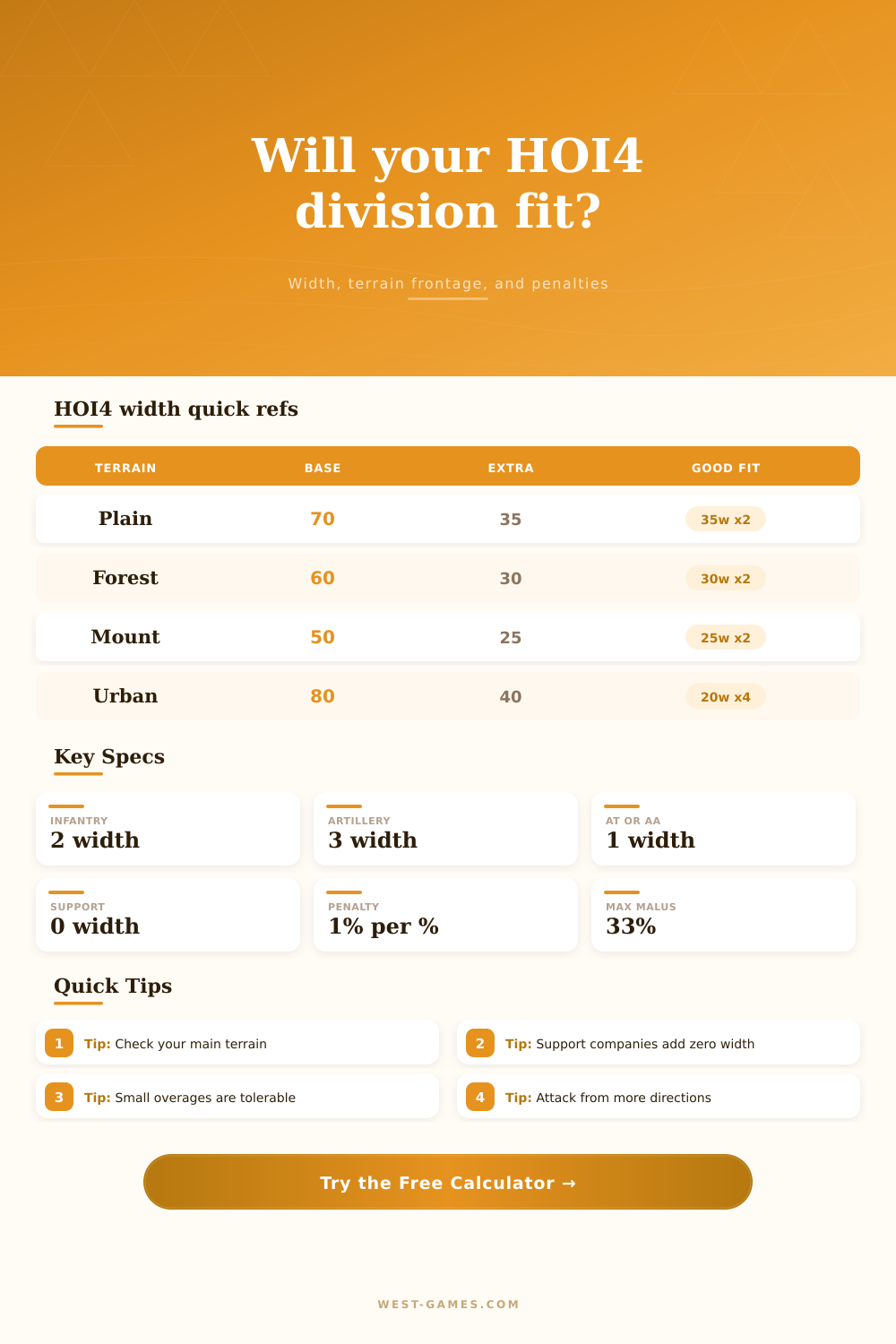
| Terrain | Base Width | Extra Per Attack | Clean 1-Tile Fits | Planning Note |
|---|---|---|---|---|
| Plains | 70 | 35 | 35x2, 14x5, 10x7 | Wide terrain; armor commonly fights here |
| Desert | 70 | 35 | 35x2, 14x5, 10x7 | Supply and terrain penalties often matter more than width alone |
| Hills | 70 | 35 | 35x2, 14x5, 10x7 | Medium frontage with many combat modifiers |
| Forest | 60 | 30 | 30x2, 20x3, 15x4 | Common European terrain; 30 and 15 fit cleanly |
| Jungle | 60 | 30 | 30x2, 20x3, 15x4 | Attrition and supply are usually harsh |
| Marsh | 50 | 25 | 25x2, 10x5 | Narrow frontage favors specialized templates |
| Mountain | 50 | 25 | 25x2, 10x5 | Mountaineer templates often plan around 25 width |
| Urban | 80 | 40 | 40x2, 20x4, 16x5 | Highest standard tile frontage |
| Line Battalion Group | Width | Examples | Calculator Field | Template Impact |
|---|---|---|---|---|
| Infantry-type | 2 | Infantry, marines, mountaineers, paratroopers | Foot and special forces | Efficient defense and organization per width |
| Mobile infantry | 2 | Cavalry, motorized, mechanized | Mobile infantry | Speed, hardness, and tank org pairing |
| Armor-type | 2 | Tanks, tank destroyers, armored cars, SPAA | Armor-family | Concentrates breakthrough and hard attack |
| Artillery-type | 3 | Line artillery, rocket artillery, SPG | Line artillery or SPG | Adds attack but raises width quickly |
| AT or AA line | 1 | Anti-tank, anti-air, motorized variants | Line anti-air or anti-tank | Fine-tunes odd-width templates |
| Support company | 0 | Engineer, support artillery, recon, logistics | Support companies | Adds no combat width, but affects stats and cost |
| Preset | Battalion Mix | Width | Best Fit | Use Case |
|---|---|---|---|---|
| 12w Port Garrison | 6 infantry | 12 | 5 in forest, 4 in mountain with spare | Cheap holding and reserve cycling |
| 15w Line Infantry | 7 infantry, 1 AA | 15 | 4 in forest, 6 in two-tile forest | General line defense with odd-width tuning |
| 18w Defensive Line | 9 infantry | 18 | 3 in forest with 6 spare width | Simple infantry line with fewer divisions |
| 21w 9/1 Infantry | 9 infantry, 1 artillery | 21 | 3 in forest at 5% over | Soft attack infantry that accepts small overage |
| 25w Mountaineers | 11 mountaineers, 1 artillery | 25 | 2 in mountain or marsh | Special forces in narrow terrain |
| 30w Forest Push | 9 infantry, 4 artillery | 30 | 2 in forest or jungle | Infantry assault width tuned for 60 frontage |
| 35w Medium Armor | 9 tanks, 8 mechanized, 1 AA | 35 | 2 in plains, desert, hills | Armor push on wide terrain |
| 36w Heavy Armor | 9 tanks, 9 mechanized | 36 | 2 in plains at 2.9% over | Large tank division with manageable overage |
| 20w Urban Defense | 10 infantry | 20 | 4 in urban, 3 in forest | Flexible defense and city fighting |
| 25w Marines | 10 marines, 1 artillery, 2 AT or AA | 25 | 2 in mountain or marsh | Specialized landing or rough terrain template |
A good example is trying to place a 35-width armored division on a 25-width mountain tile. The game will tell you that it’s an ineffective reserve; the interface changes to red. Why? Because your army ceases to be treated like a coherent unit. A big division you built to take a capitol is now just sitting there because it doesn’t fit the terrain.
If only there was some way of knowing how many battalions should go where based off terrain type without having to guess at numbers. Enter the calculator they give you. It do all the math regarding terrain type and division size. You no longer have to guess about coefficients.
Why Division Width Matters
Except you have to know what a division is for, and what to do when it runs out of frontage. Width is how wide a division is. How many men and machines do you put into one square on a grid? This prevents a breakdown of organization and supply lines.
A battalion of infantry occupies two width points. That adds up pretty quick with nine battalions. Adding a line artillery battalion (three points) brings your total to twenty-one width. This is good enough for forests or plains, which have a combat width of sixty to seventy points. Three of those divisions will fits nicely side by side.
The math is dictated by the terrain, not your desire for big battalions. However most folks forget to design the perfect division based on the terrain. In reality, the map should drive your template instead of your preference for big battalions.
For example if you are pushing through jungle or thick forest like Burma or Poland, you need narrower frontages. Efficient use of space means you can put two divisions into each tile with a thirty width. Two divisions of a twenty five width per tile in mountains, but cramming a forty width armor division into those areas, gives you one division. Leaving holes for the enemy to exploit.
The table below shows shifts in base widths for divisions by environment The Support Companies add zero width in combat. Adding support artillery, recon, logistics and engineer units doesn’t change size of the division. And that lets little divisions get deadlier.
A 12-wide garrison unit might sound weak, but with three support companies they’ll defend well. To help compare an assault division loaded with artillery vs. A slim one packed with infantry, the calculator maintains a zero width for support. That way you see raw cost of line battalions alone.
For every percent that the division exceeds what the frontage can support, its effectiveness drops by one percent. While the game caps the penalty at some level, getting close to the cap implies that your division is just squeaking by, and it’s preferable to have a slightly wider division with two per tile versus a perfect width with only half the space filled out.
Raw statistics aren’t as important as how well you use the width of your divisions. If they fit cleanly then they’re fighting. Otherwise they sit in reserve hoping a gap will open up that may never come.
Your footprint can be reduced a bit by doctrine modifiers. Infantry width is reduced with mass assault doctrines, for instance. If you are pushing up against someone in a tight spot, that lets you squeeze another division in there. It is not a magic bullet, but it could of made the difference between a solid front line and a ragged edge.
Think of your entire front, not just individual unit. It’s about balance: enough power to penetrate while being small enough to fit on a map. And that’s where the calculator enters the equation. It crunches the numbers and provides an answer. But it leaves the plan to you.
Make your own strategy. Pick your ground and honor its constraints. Match the width to the design. If divisions align, the front holds. If not, the line breaks.