⚡ Power Supply Lifespan Calculator
Estimate how long your PSU will last based on quality, load, temperature & usage habits
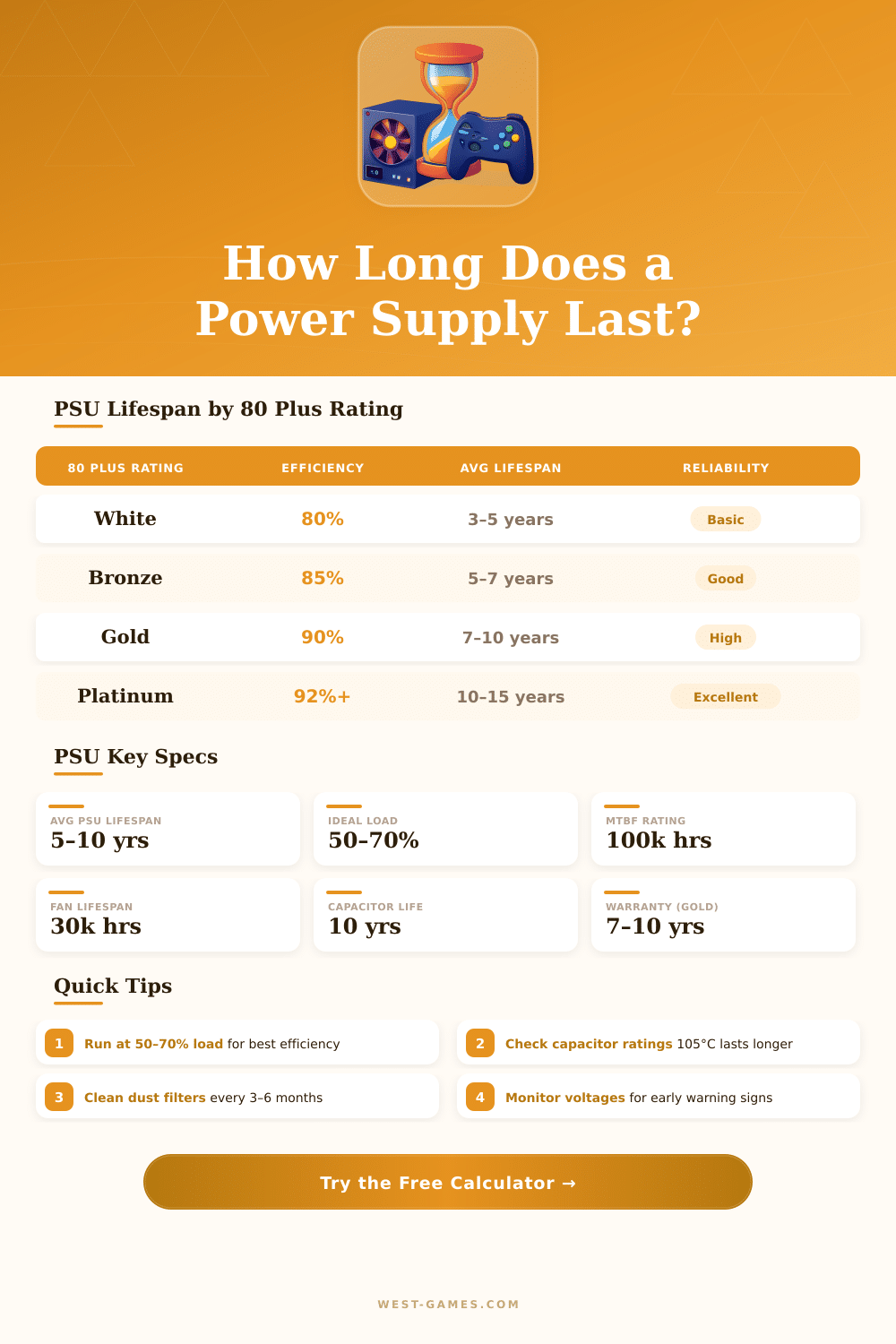
| Rating | Efficiency @ 50% Load | Avg Lifespan | Capacitor Grade | Typical Warranty | Best For |
|---|---|---|---|---|---|
| White | 80% | 3–5 years | 85°C | 1–3 years | Basic office builds |
| Bronze | 85% | 5–7 years | 85°C / 105°C | 3–5 years | Budget gaming |
| Silver | 88% | 6–8 years | 105°C | 5 years | Mid-range builds |
| Gold | 90% | 7–10 years | 105°C Japanese | 7–10 years | Gaming / workstations |
| Platinum | 92% | 10–12 years | 105°C Japanese | 10 years | High-end / enthusiast |
| Titanium | 94% | 12–15 years | 105°C Japanese | 10–12 years | Server / mission-critical |
| Internal PSU Temp | Capacitor Life Factor | Overall PSU Impact | Action Needed |
|---|---|---|---|
| <40°C (104°F) | 2x rated life | +30% lifespan | None — ideal |
| 40–50°C (104–122°F) | Rated life | Baseline | Normal operation |
| 50–60°C (122–140°F) | 0.5x rated life | –25% lifespan | Improve airflow |
| >60°C (140°F) | 0.25x rated life | –50% lifespan | Urgent — risk of failure |
| Load % | Efficiency Zone | Heat Output | Lifespan Impact | Recommendation |
|---|---|---|---|---|
| <20% | Under-utilized | Low | Neutral | OK but inefficient |
| 20–50% | Good | Moderate-Low | +10% lifespan | Good range |
| 50–70% | Peak efficiency | Moderate | +20% lifespan | Ideal sweet spot |
| 70–85% | Acceptable | Higher | Baseline | Acceptable max |
| >85% | Stress zone | High | –30% lifespan | Upgrade PSU |
| Warning Sign | Severity | Likely Cause | Action |
|---|---|---|---|
| Random shutdowns / restarts | ⚠ High | Overload or failing caps | Test & replace soon |
| Burning smell / unusual odor | 🚨 Critical | Component failure | Power off immediately |
| Loud fan noise / grinding | ⚠ Medium | Fan bearing failure | Replace fan or PSU |
| Coil whine at high load | ℹ Low | Electrical resonance | Monitor, often normal |
| Voltage instability (BIOS) | ⚠ High | Aging capacitors | Replace PSU |
| PC won’t POST | 🚨 Critical | PSU failure | Test with spare PSU |
Power Supply is a device that delivers energy to the load. Its main role is to change the flow of electricity from the source to the right voltage, strength and frequency for the need of the load. In a desktop computer the Power Supply unit changes the regular AC power into low voltage DC power for the parts inside.
All modern computers use switched kinds of Power Supply to reach that.
What a Computer Power Supply Does and How to Pick One
The Power Supply does its main task, change the AC power from the wall outlet into DC power that the desktop computer can use. Most of those supplies also care about the noise in the line and protect against spikes of voltage, what helps that everything runs smooth and steady.
There are various kinds of Power Supply. The three main ones are unregulated, linear and switched. A fourth kind, called ripple regulated, mixes the basic with more advanced designs.
Switched Power Supply can be split into those based on inductors and on capacitors. Linear Power Supply works best for low strengths and when the noise matters, but the heat can create troubles if the differnece between input and output is big.
A working Power Supply is made up of several parts, between that is protection for the input, filtering, rectifying, converting stage, storage of energy, filtering of the output, regulation, control, protective systems and safety features. Everything that is packed in won box.
When dealing about builds of PC, there are modular and half modular versions in different Power Supply units. Brands like Antec, Thermaltake, EVGA, Corsair, Seasonic and FSP produce good Power Supply units. One commonly considers Corsair between the best, although big companies like Corsair itself get their Power Supply units from original makers, mostly in China.
Thermaltake is a Thai company that makes cases for PC, Power Supply units, coolers and peripherals. Gigabyte also offers some really good Power Supply units.
Choosing at least a 650W unit with 80+ Gold rating is a good strategy. It maybe beats the current need, but ensures that the Power Supply will keep working after updating the graphics card. Buying more power than needed is wise.
A unit of 850W or more does not cost a lot, and the extra expense for 950W is only around twenty dollars. The Power Supply even so only takes the energy that it needs, regardless of its maximum capacity.
A calculator for Power Supply is the simplest way to estimate the need. A unit of 500W probably will be more efficient than a 1000W unit when it delivers 400W from the parts of a PC. Choosing a unit with at least seven to ten years of guarantee is wise.
Power Supply units can be swapped innew builds pretty easily, so do not bother to buy one that barely meets the needs.