💾 Hard Drive Lifespan Calculator
Estimate how long your HDD or SSD will last based on real usage patterns & environment factors
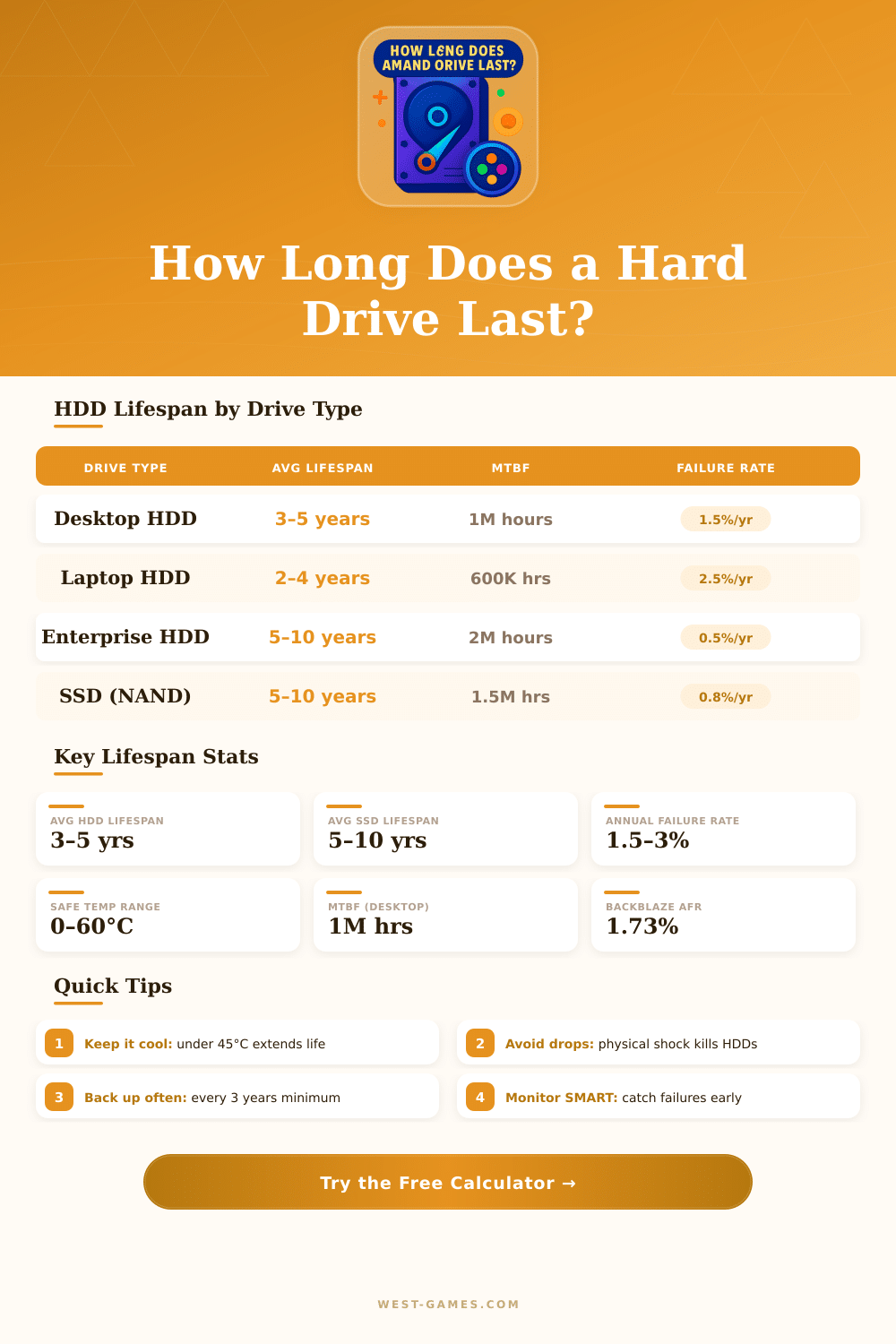
| Drive Type | Avg Lifespan | MTBF | Annual Failure Rate | Best For |
|---|---|---|---|---|
| Desktop HDD (3.5") | 3–5 years | ~1,000,000 hrs | 1.5–2.5% | Home storage |
| Laptop HDD (2.5") | 2–4 years | ~600,000 hrs | 2–3.5% | Portable use |
| SSD – SATA | 5–7 years | ~1,500,000 hrs | 0.5–1% | General computing |
| SSD – NVMe | 5–10 years | ~1,500,000 hrs | 0.5–1% | High-performance |
| Enterprise HDD | 5–10 years | ~2,000,000 hrs | 0.3–0.8% | Data centers |
| NAS HDD | 4–7 years | ~1,000,000 hrs | 0.7–1.5% | Home servers |
| External HDD | 2–5 years | ~500,000 hrs | 2–5% | Backup/travel |
| Temperature Range | Celsius | Fahrenheit | Lifespan Impact | Risk Level |
|---|---|---|---|---|
| Ideal | 25–35°C | 77–95°F | Maximum lifespan | 🟢 Low |
| Normal | 35–45°C | 95–113°F | –10 to –15% | 🟡 Moderate |
| Warm | 45–55°C | 113–131°F | –25 to –40% | 🟠 High |
| Hot | 55°C+ | 131°F+ | –50%+ | 🔴 Critical |
| SMART Attribute | What It Means | Warning Threshold | Action |
|---|---|---|---|
| Reallocated Sectors | Bad sectors replaced with spares | Any value > 0 | Back up immediately |
| Pending Sectors | Sectors awaiting reallocation | Any value > 0 | Run disk check |
| Uncorrectable Sectors | Sectors that cannot be fixed | Any value > 0 | Replace drive now |
| Spin Retry Count | Failed spin-up attempts | > 0 increasing | Check power supply |
| Power-On Hours | Total hours drive has been on | > 30,000 hrs | Plan replacement |
| Seek Error Rate | Head seek failures | Rising trend | Back up data |
| Drive / Example | Capacity | TBW Rating | Daily Write Budget | Expected Years |
|---|---|---|---|---|
| Budget SATA SSD | 500 GB | 180 TBW | ~50 GB/day | ~10 years |
| Mid-range SATA SSD | 1 TB | 360 TBW | ~100 GB/day | ~10 years |
| NVMe Consumer | 1 TB | 600 TBW | ~164 GB/day | ~10 years |
| NVMe High-End | 2 TB | 1,200 TBW | ~329 GB/day | ~10 years |
| Enterprise SSD | 3.84 TB | 7,000+ TBW | Unlimited | 5+ years |
The hard drive is a kind of storage device that one uses to preserve digital information and data in computers. It operates as a device for storing and receiving digital data by means of magnetic principle, with one or several rigid plates that twist quickly and are covered by means of magnetic material. Imagine the hard drive as a huge folder.
Everything that is installed in a computer finds its place here: files, programs, images, games, music, videos apps, downloads, documents and even the operating system itself.
All About Hard Drives
Hard drives are sometimes called HDD or simply HD. They are non-volatile storage devices that continuously store and deliver data. The twisting plates inside are made up of material that is hard, usually metal with magnetic surface.
Here is where the name “hard drive” comes from.
One can choose between several kinds of hard drives. Internal models sit inside desktop or laptop computer. External variants connect by means of USB and operate away from the computer itself.
Also portable options exist, likewise as large capacity desktop drives for wholesale storage needs. Business hard drives are designed specially for commercial NAS-systems and storage networks in data centers. From small compact portable sizes to massive desktop units, for instance 16-terabyte external USB 3.0-drives.
The storage by means of a hard drive stays an excellent option when one requires more capacity for fewer money. They work well for massive backup that use data centers, creative specialists and players. A hard drive beats by cost for storage of huge data amounts.
For instance, visual files are very big, but the operations with them, as looking at them, happen hundreds of times more quickly then even a hard drive fits to process.
Hard drives yet work well for photographs and films. Even so SSDs are faster. During play the difference between SSD and HDD is not big, except a bit longer load times.
Mechanical hard drives require more time to load games, screens and other game elements. It can really upset in games that have loading screens for access to other parts of the game world, as in RPG-games. For a gigabyte the HDD is much more cheap than SSD.
Desktop drives commonly are more reliable than portable, because they are bigger and have a separate power source. Buy two hard drives and do backups on both is a wise step, in case that one fails in the future. Hard drives do not slow themselves.
They simply are slower than SSDs. For best results with external drives at least USB 3.0 do not lack. Saving game data on externalhard drives allows to carry them everywhere and connect to other computer for play.