🎯 Black Ops 6 eDPI Calculator
Calculate your effective DPI, 360° distance & sensitivity profile for Black Ops 6
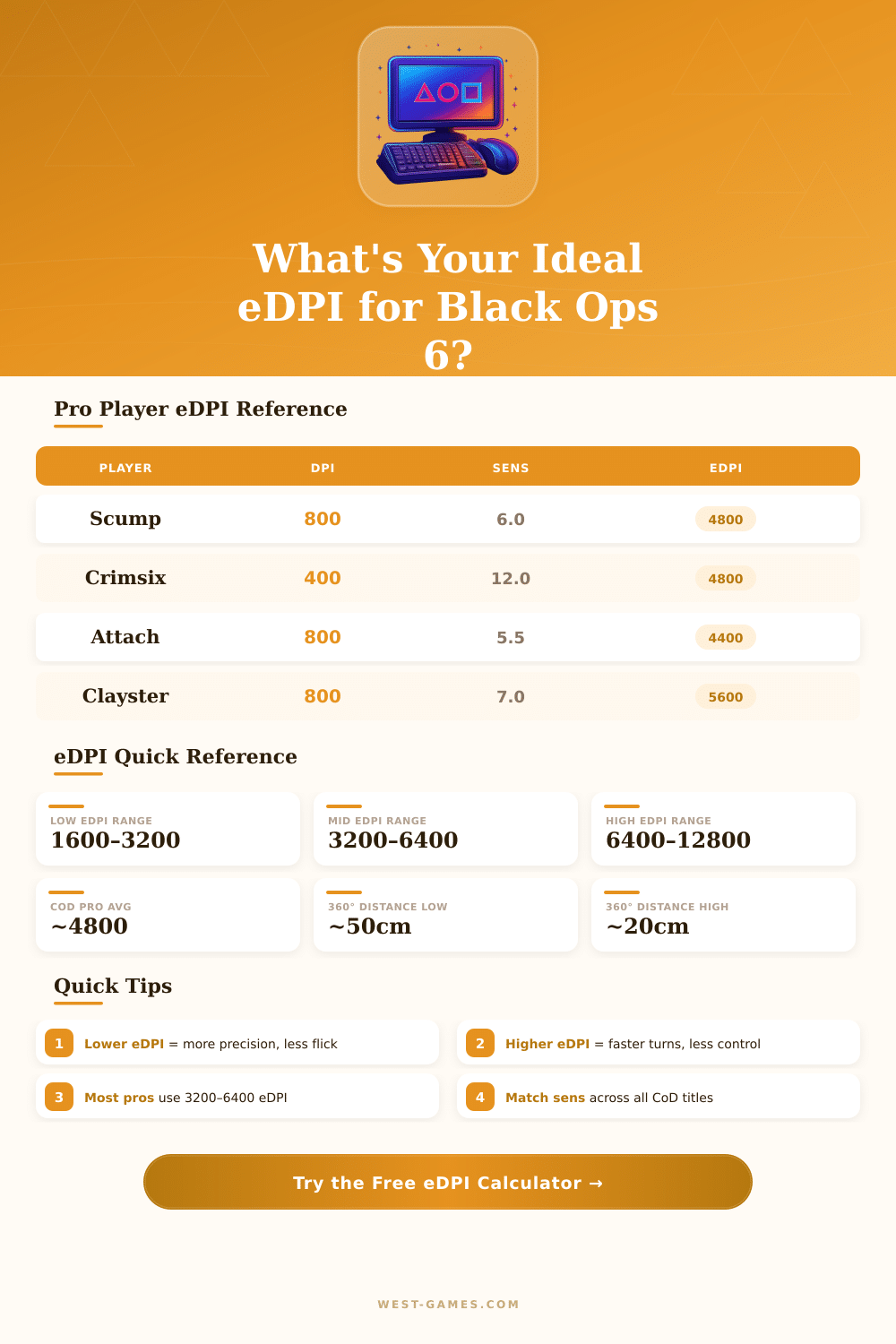
| Player | DPI | BO Sensitivity | ADS Mult. | eDPI | Range |
|---|---|---|---|---|---|
| Scump | 800 | 6.0 | 1.0 | 4800 | Mid |
| Crimsix | 400 | 12.0 | 1.0 | 4800 | Mid |
| Attach | 800 | 5.5 | 1.0 | 4400 | Mid |
| Clayster | 800 | 7.0 | 1.0 | 5600 | Mid |
| Simp | 800 | 8.0 | 1.0 | 6400 | High |
| Formal | 400 | 7.0 | 1.0 | 2800 | Low |
| Dashy | 800 | 6.5 | 1.0 | 5200 | Mid |
| HyDra | 1600 | 3.0 | 1.0 | 4800 | Mid |
| eDPI | 360° (cm) | 360° (inches) | Play Style | Best For |
|---|---|---|---|---|
| 1600 | ~150.8 cm | ~59.4 in | Very Low | Precision sniping |
| 2400 | ~100.5 cm | ~39.6 in | Low | Slow-paced rifling |
| 3200 | ~75.4 cm | ~29.7 in | Low-Mid | Tactical play |
| 4800 | ~50.3 cm | ~19.8 in | Mid | Balanced all-round |
| 6400 | ~37.7 cm | ~14.8 in | High | Fast SMG rushing |
| 9600 | ~25.1 cm | ~9.9 in | Very High | Hyper-aggressive |
| 12800 | ~18.9 cm | ~7.4 in | Extreme | Not recommended |
| BO6 Sens | @ 400 DPI | @ 800 DPI | @ 1600 DPI | Category |
|---|---|---|---|---|
| 3 | 1200 | 2400 | 4800 | Low |
| 5 | 2000 | 4000 | 8000 | Low-Mid |
| 6 | 2400 | 4800 | 9600 | Mid |
| 7 | 2800 | 5600 | 11200 | Mid |
| 8 | 3200 | 6400 | 12800 | High |
| 10 | 4000 | 8000 | 16000 | High |
| 12 | 4800 | 9600 | 19200 | Very High |
What you see with edpi, that is useful values for aiming, simply mix from your mouse DPI and your sensitivity, that you reached during setup in the game. It works really simply: you multiply your in-game sensitivity by your mouse DPI, and there you have your edpi. This unique tool helps to compare your settings with those of other players much more easily above all if they play totally different games.
If you dive into black ops 6, here are some free edpi calculators, that float around and address several titles from Call of Duty, Modern Warfare, Warzone and Black Ops Cold War all included. There is even a converter for sensitivity of black ops 6, that converts your settings to more than 1 600 other games. It gives edpi, cm/360 and in/360 values right away.
What is edpi and why it matters for aiming
And if you stay at Black Ops 4, for that there is also a special calculator. Simply enter your DPI and sensitivity, and the number apperas right away.
Here is the key spot about why edpi truly matters. Imagine two players with the same in-game sensitivity settings. Seems like they would feel it the same, right?
No, if one person has only half of DPI compared too the other. Then that player must move his mouse twice as far to reach the same place on the screen. Their edpi is half that of the other, although the sensitivity seems same on paper.
So focusing only on sensitivity alone does not help you a lot.
In the edpi choice hides a real change, that is well packed. Low edpi? Tracking becomes smooth and natural.
But when you click to a new target, it becomes rough. Raise your edpi, and quick shots feel snappy, although steady tracking becomes annoying. Either way, you choose your path.
For Black Ops Cold War especially, most players fall somewhere between 3000 and 8000 edpi. The nice part is, that you reach that same edpi value through many different ways, for example 800 DPI with lower sensitivity or 400 DPI with higher. What often surprises people is, that keeping DPI around 400 to 800 gives smooth mouse moves in the game.
Many pros stay at 700 to 800 DPI. Some start with higher and slowly drop. For example from 1600 to 1240, later to 1056 and simply keep testing from there.
Converters for sensitivity become lifesavers, when you jump between games. Say, you have settings for Fight 5 at 15 sensitivity with 400 DPI; that converts to almost 9.55 in Black Ops 4, which gives you the same feeling as in Modern Warfare. The math happens right away.
Choose the advanced option, and you will see extra tools like edpi and how many degrees your screen needs for a full 360 turn.
One extra thing, that often goes unnoticed, the default settings of Windows truly affect your edpi. Turning off “Enhance pointer accuracy” in your pointer options is worth the effort. Those Windows multipliers adjust based on where you lay your slider.
At the default 6/11 it is 1, but move it to 5/11 and you have 0.75. Keepingthem steady, you dodge weird aiming surprises, that show up in black ops 6 or any other game, that you grind.