⛏️ Minecraft Resource Calculator
Find exactly how many raw materials you need to craft any item
📦 Full Material Breakdown
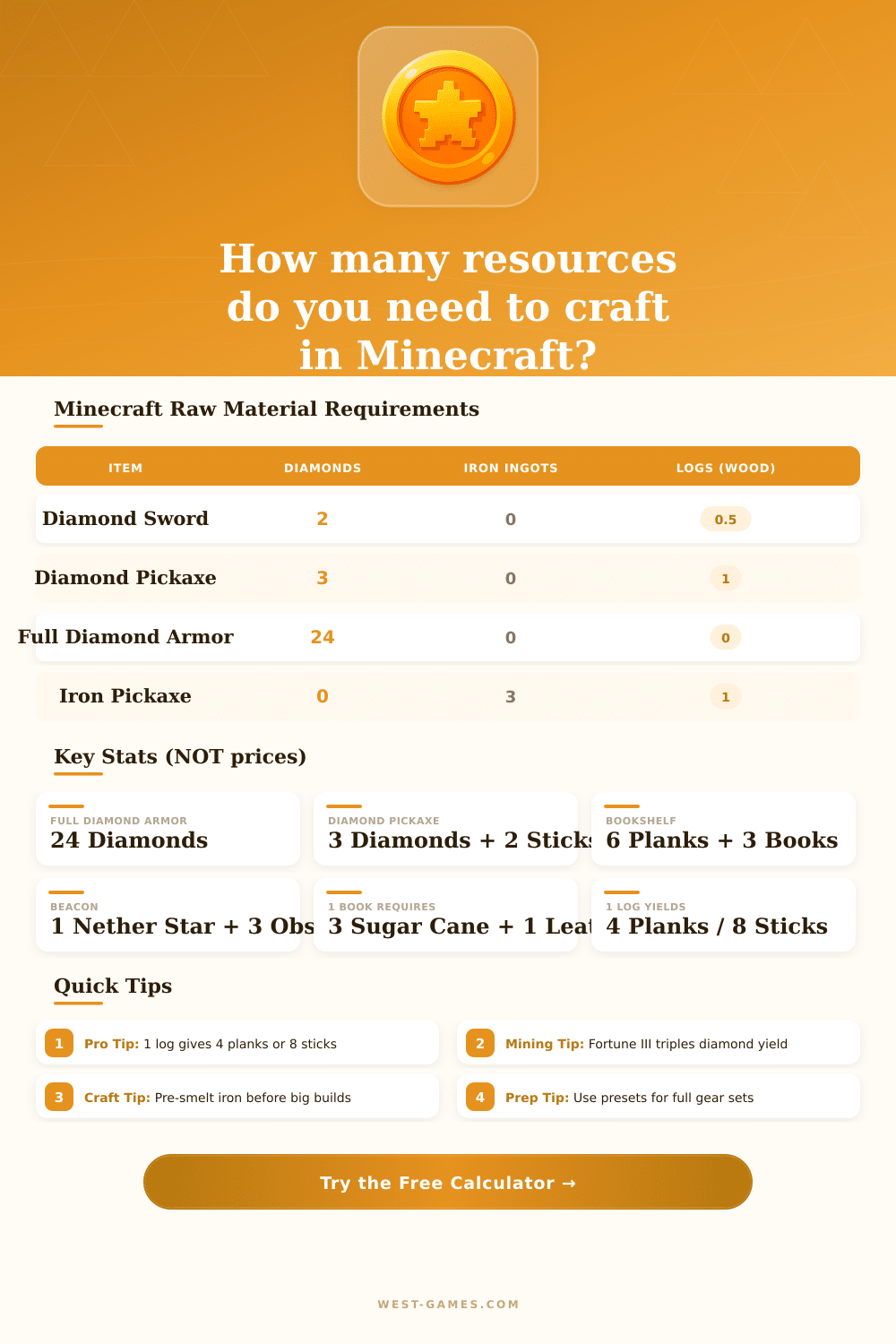
| Item | Key Materials | Qty | Notes |
|---|---|---|---|
| Diamond Sword | Diamonds, Log | 2 + 0.5 log | 1 stick = 0.5 log |
| Diamond Pickaxe | Diamonds, Logs | 3 + 1 log | 2 sticks = 1 log |
| Full Diamond Armor | Diamonds | 24 | No sticks needed |
| Iron Sword | Iron Ingots, Log | 2 + 0.5 log | Same as diamond |
| Bow | Sticks, String | 3 sticks + 3 string | 3 sticks = 1.5 logs |
| Arrow (x4) | Flint, Feather, Stick | 1+1+1 | Per 4 arrows |
| Chest | Logs | 2 logs | 8 planks = 2 logs |
| Bookshelf | Planks, Books | 6 planks + 3 books | 1 book = 3 cane + 1 leather |
| Enchanting Table | Obsidian, Diamonds, Book | 4+2+1 | Needs book crafting |
| Beacon | Nether Star, Obsidian, Glass | 1+3+5 | Wither boss required |
| Item | Most Costly Resource | Amount Needed | Difficulty |
|---|---|---|---|
| Beacon | Nether Star | 1 (Wither kill) | ⭐⭐⭐⭐⭐ |
| Full Diamond Armor | Diamonds | 24 | ⭐⭐⭐⭐ |
| Enchanting Table | Obsidian | 4 | ⭐⭐⭐ |
| Bookshelf | Leather + Sugar Cane | 3 + 9 | ⭐⭐⭐ |
| Sticky Piston | Slimeball | 1 (rare drop) | ⭐⭐ |
Resource packs for Minecraft help to a lot change the look and sounds of the game. Thanks to the system of resource packs the players can change textures, models, music, sounds, languages, texts, credits, screenshots, credits and fonts, without touching any code. Basically, a resource pack is made up of a set of images and files, that replaces the default in the game.
Like this players can change the look of almost every object or creature.
What Minecraft Resource Packs Do and How to Install Them
Resource packs make it possible to change graphics, sounds, music, animations and even more. Fans created them for other fans, and they should stay free. Thousands of resource packs are available for the Java Edition of Minecraft, and people updates them commonly.
Websites like Modrinth allow players to search and browse thousands of packages with filters, to quickly find what they need. Other pages help to download packages, sorted by categories, resolution and popularity.
Installing a resource pack is pretty easy. When you download it, it arrives as a ZIP file, that you do not need to unzip. Press the key R in the main menu of Windows, enter “%appdata%”, then open the folder “.minecraft”.
From there, drag the ZIP file into the folder “resourcepacks“. Make sure that the real file is copied ore moved, not only a shortcut. Then pick it in the options menu to turn it on.
Faithful is one of the most loved packages. The original textures of Minecraft have resolution 16×16, but Faithful expands them to 32×32. It gives the standard look higher definition, while it keeps the original feeling of Minecraft. This simple change really creates big impact.
Some players like packages, that stay close to the vanilla textures, with only some small improvements for the comfort, to make the game morepleasant.
There are all kinds of creative packages. Some add textures for special mods like Waystones. Others turn all undead mobs into terrible creatures like zombies.
Some include their own assets for use with Legendary Tooltips. There are also packages, that give the bosses of Minecraft entirely new looks.
Resources in Minecraft are made up of extra data stored in separate files instead of in the code itself. The game uses two main resource systems. One works on the client side for visual elements like models, textures and translations.
The other works on the server side for gameplay data. Resource packs affect the client side to change the visual experience.
Community forums and websites like Planet Minecraft work as centers, where players share resource packs, mods, custom maps and servers. Registration is free, and anyone can visit these pages, even if they do not have Minecraft. It forms a good place to browse packages, get tips and learn how to create them.