🎮 Kingdoms of Amalur Skill Tree Calculator
Plan Might, Finesse, Sorcery, destiny tier readiness, and utility skill pressure before you commit points.
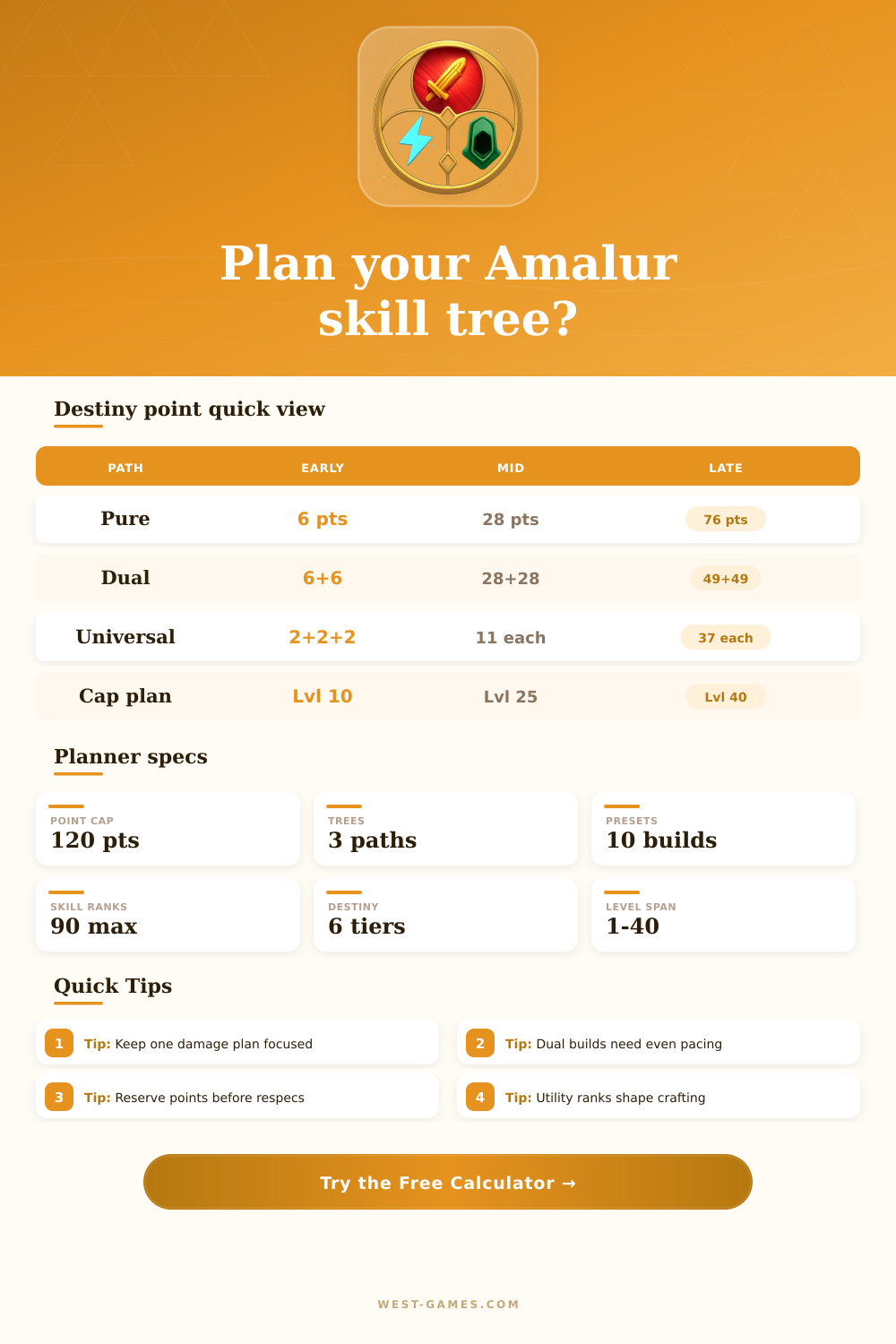
| Path | Tier 2 | Tier 4 | Tier 6 |
|---|---|---|---|
| Pure tree | 14 in one | 49 in one | 109 in one |
| Dual tree | 14 each | 49 each | 76 each |
| Universalist | 6 each | 18 each | 37 each |
| Early unlock | 6 point base | 28 point base | Capstone plan |
Use these as practical planning thresholds for point pacing and destiny readiness.
| Tree | Primary role | Scaling | Watchout |
|---|---|---|---|
| Might | Armor and melee | Heavy weapons | Range gaps |
| Finesse | Crit and burst | Daggers, bow | Fragile starts |
| Sorcery | Magic control | Mana and elements | Cast windows |
| Hybrid | Flexible tools | Two or three trees | Tier delays |
Strong hybrids usually keep their paired trees close so destiny unlocks do not stall.
| Skill | Best fit | Rank target | Value |
|---|---|---|---|
| Blacksmithing | Might, hybrid | 7 to 10 | Craft power |
| Sagecraft | Sorcery, hybrid | 6 to 10 | Gem tuning |
| Detect Hidden | Any build | 5 to 10 | Loot routes |
| Stealth | Finesse | 5 to 10 | Openers |
| Alchemy | Hard modes | 4 to 10 | Consumables |
Utility ranks do not replace ability points, but they change how much support your build needs.
| Setup | Point shape | Strength | Pressure |
|---|---|---|---|
| Warlord | High Might | Survival | Slow ranged fights |
| Nightblade | High Finesse | Critical burst | Needs clean timing |
| Archmage | High Sorcery | Area control | Mana flow |
| Blademaster | Might/Finesse | Melee tempo | Even split |
| Universalist | All trees | Tool access | Delayed caps |
Compare your result score against the setup that matches how you actually fight.
Building a character in Kingdoms of Amalur involve giving points to each of the different categories in the game. The way that you distribute your points to categories like Might, Finesse, and Sorcery will determine the way that you play the game. You have a choice of where to allocate your points; you can allocate your points to Might, Finesse, or Sorcery.
Each of these categories lock you into one playstyle or another. The points that you give to one of the categories is committed to that category, and you cant easily change those allocations. Because the respec (reallocating of points) is a significant action in the game, many players will use the calculator to test out a few different distribution of points before they commit to one distribution of points to there character.
Plan Your Character with the Calculator
The calculator allow players to perform mathematical calculations for the game based off the distribution of points that the player assigns to their character. Each player must enter the number of points that they plan to assign to Might, Finesse, and Sorcery into the calculator. Additionally, the player must enter their level into the calculator.
The player can also enter the number of reserve points that they wish to maintain into the calculator, as well as the utility ranks that the player plans to use. These points reflect the trade-offs that the player will experience while playing the game. For instance, if the player chooses to invest in Might, they will be able to use the heavier weapons in the game, but they will have fewer ranged weapon option.
If the player chooses to invest in Finesse, they will be able to use precision attacks, but if they miscalculate their attacks, they will be able to harm themself. Finally, if the player chooses to invest in Sorcery, they will be able to cause area damage to the enemies that they encounter in their travels through the game, but they will have to manage their mana level carefully. The game uses different tier of destiny to unlock many of the game’s abilities.
Some abilities are only available after the player reaches a certain point threshold within one of the categories (might, finesse, sorcery). Other abilities are only available after the player reaches threshold points in multiple combat tree. If the player uses a pure build, they will reach these thresholds the fastest.
If the player uses a dual-tree build, they will reach these thresholds more slowly, but will have more options for tools during their travels. Finally, if the player chooses to use a universalist spread of points, they will reach these thresholds the slowest, but will have the option to use nearly every weapon type in the game. The calculator will report how many additional points the player will need to reach these thresholds.
This information will allow the player to decide whether to invest their remaining points into their first combat tree or second combat tree. While the combat trees determine how the player will fight enemies in the game, utility ranks allow players to perform tasks outside of combat. For instance, utility ranks such as blacksmithing and sagecraft allow players to craft gear for their characters.
Additionally, utility ranks such as detect hidden and stealth allow players to perform stealth tasks such as finding resources or fighting enemies. The player can enter the utility ranks that they intend to use into the calculator. This allows players to see whether their utility ranks will compete with their combat trees and point allocations to reach destiny tiers.
Many players make the mistake of allocating a significant portion of their points to utility ranks and then realizing they did not allocate enough point to their combat trees. The calculator will allow them to see this before they commit their points. A common mistake for players is attempting to invest in too many area at once.
Some players allocate their points even to each of the three combat trees because they feel they are all useful. However, this even spread of points creates a character that is not specialized in any area. Additionally, some players may invest the majority of their points into a single high damage attack tree; however, they will not have the passive attack trees to back this up.
Again, while the calculator will not tell them to invest in these areas, it will make clear the consequences of such an investment. Additionally, the calculator will allow players to see how each of the combat styles will interact with the same total number of points allocated to the character. For instance, a finesse-based character that intends to focus on critical hits will have a different fit score than a character that intends to focus on crowd control abilities.
Additionally, by using the calculator a second time with different numbers, players can determine the additional information that the calculator can provide. For instance, players can change the target destiny tier that they want to reach. Additionally, players can switch the combat style that they intend to use with the same total amount of points.
Finally, another area in which the player can adjust the settings of the calculator is in the utility ranks. By adjusting these ranks, the player can see whether the fit score of the character improve or drops as a result of their change to the utility ranks. The calculator will provide this additional information to players when they enter the game; however, they can use the calculator to gain this information prior to investing their points into any trees.
The calculator allow players to see the mathematical results of their decisions for their characters. For instance, the calculator will not tell a player which playstyle will be the most fun to use while in the game. However, it will show players if the numbers works to support the playstyle that they desire to use in the game.
Understanding the difference between a fun playstyle and one that is supported by the mathematics of the game is half the skill in building the perfect character. You should of used the calculator to avoid making mistakes. It could of been avoided.