🌬 Gaming Room Ventilation Calculator
Estimate gaming heat load, room volume, required airflow, air changes, and expected temperature rise from PCs, consoles, displays, people, and lights.
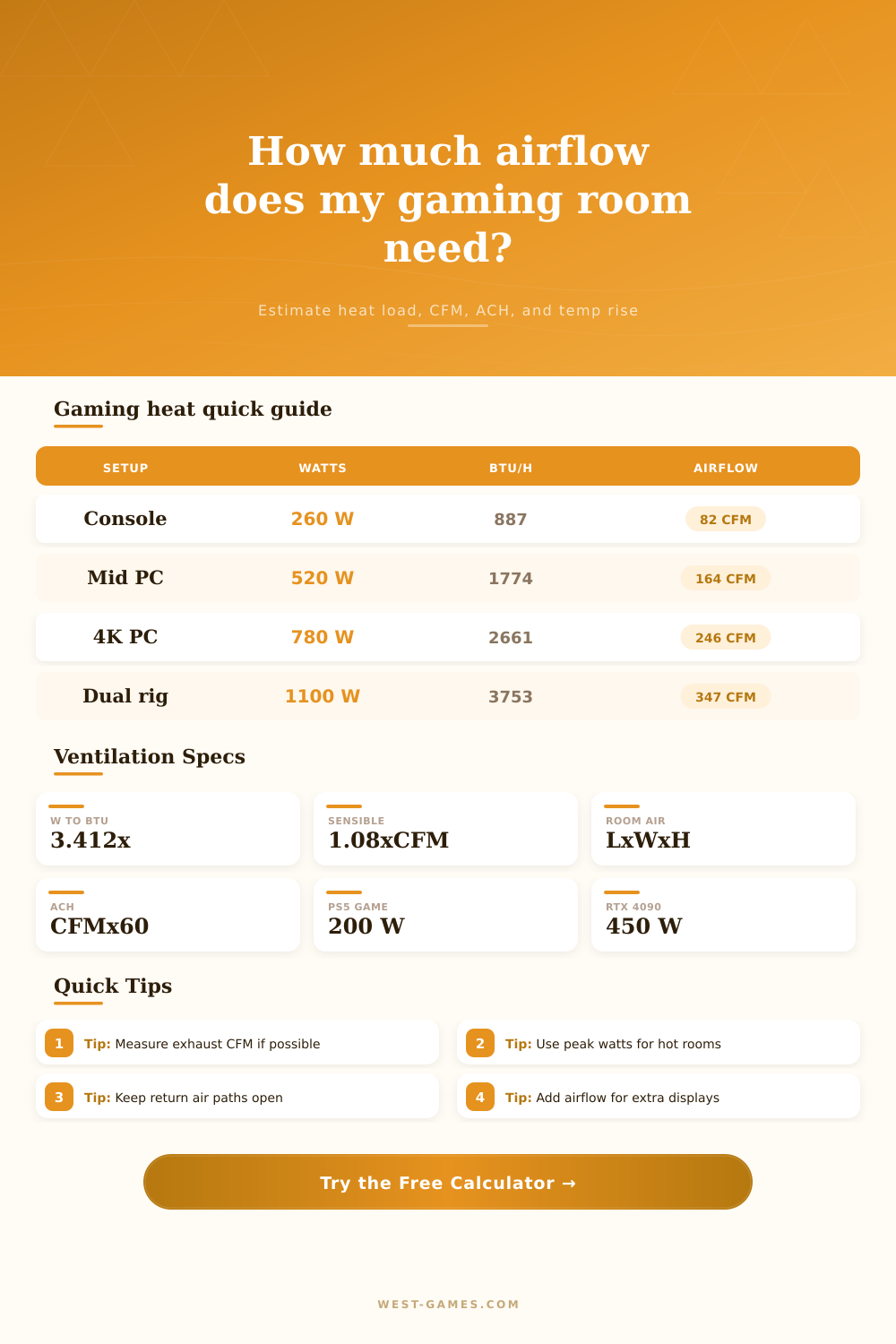
| Gaming Setup | Device Watts | Display Watts | People BTU/h | Total BTU/h | CFM at 10°F Rise |
|---|---|---|---|---|---|
| Handheld on sofa | 25 W | 0 W | 250 | 335 | 31 CFM |
| Efficient console and TV | 90 W | 85 W | 250 | 847 | 78 CFM |
| High-power console and TV | 200 W | 120 W | 250 | 1342 | 124 CFM |
| Mid-range PC and monitor | 450 W | 45 W | 250 | 1939 | 180 CFM |
| 4K PC and dual displays | 700 W | 100 W | 250 | 2980 | 276 CFM |
| Streamer dual-PC room | 950 W | 135 W | 250 | 3952 | 366 CFM |
CFM values use BTU/h divided by 10.8, which is the sensible heat equation at a 10°F room temperature rise.
| Hardware Source | Typical Heat Watts | Peak Planning Watts | Ventilation Use |
|---|---|---|---|
| Handheld gaming device | 15-30 W | 35 W | Low heat rooms |
| Gaming laptop | 160-260 W | 300 W | Desk setups |
| Xbox Series S class | 75-100 W | 120 W | Efficient console |
| PS5 or Series X class | 150-215 W | 260 W | 4K console room |
| RTX 4060 class PC | 300-420 W | 480 W | 1080p / 1440p PC |
| RTX 4090 class PC | 650-850 W | 950 W | High-end 4K PC |
GPU board power, CPU turbo power, console active-game averages, and measured display ranges inform these planning values.
| Display Type | Typical Watts | High-Brightness Watts | Heat Note |
|---|---|---|---|
| Portable / handheld screen | 5-15 W | 20 W | Usually minor |
| 24 in gaming monitor | 25-35 W | 50 W | Common desk screen |
| 27 in high refresh monitor | 35-55 W | 75 W | 1440p gaming |
| 32 in 4K monitor | 50-80 W | 110 W | Brighter panels |
| 34-49 in ultrawide | 70-130 W | 180 W | Large surface area |
| 55-65 in HDR TV | 85-170 W | 250 W | HDR scenes vary |
| Ventilation Metric | Formula | Reference Value | Gaming Room Meaning |
|---|---|---|---|
| Watt to BTU/h | W x 3.412 | 1 W = 3.412 | Converts device heat |
| Sensible airflow | BTU / 1.08 / dT | 10°F common target | CFM for heat removal |
| ACH | CFM x 60 / ft³ | 0.35 min baseline | Room air turnover |
| Per-person outdoor air | 15 CFM / person | Residential IAQ | Minimum fresh-air check |
| Comfort check | BTU / 1.08 / CFM | 5-12°F rise | Lower feels cooler |
It’s two o’clock in the morning. Your fancy PC runs hot enough to take off like a jet, and all you want to do is focus on the raid boss. But instead, your sweating bullets. The heat is making air feel like a sauna. Your fans sounds like they’re about to take flight. Your brain is melting along with your GPU, and it’s affecting your gameplay performance. What gives? It’s more than inconvenient; it’s a warning: your cooling solution doesn’t fit anymore. And if there’s one thing most builders get wrong, its this one crucial piece of the puzzle. That would be air.
But even a sloppy bedroom setup will behave predictably with respect to heat. For every watt your PC draws from wall, it converts some of that electricity into heat. Even a high-end graphics card or console spits off plenty of power into room, and all that energy must go somewhere. Plugging in your hardware specs into the calculator above does math for you. No more guesswork about what level of airflow might be sufficient. It treats electrical load as sensible heat, which works well enough for planning purposes. That’s not so much about how hot your hardware runs than about how much it raises room temperature over time.
Why Airflow Matters for Your PC Cooling
You can tolerate a ten-degree rise in the room temperature. Or you can keep the room at a constant seventy-two degrees F while operating a four-kilowatt stream setup. If you do that, you’ll require an industrial grade ducting system. Most gamers is somewhere in-between. Room size also plays a role. Because smaller rooms has fewer cubic feet of air to absorb the thermal load, they’ll quickly get hot in a closet-sized area. In these situations, the tool includes room volume and air changes per hour. How many times do you need to “flush” the air to remove the warm stuff before it starts to stagnate?
Closing the door and shrinking the under-door gap creates a pressure differential, which inhibits airflow. Air wants to come in, but where does it go? That’s why the return path is so important. Perhaps you spend a lot on an expensive PC case with a huge exhaust fan. But if you seal room tight, you may as well not even turn it on. Adding a transfer grille or opening a window can be far more effectiv.
People forget that displays consume power as well. An ultrawide monitor or a big 4K hdr oled tv will suck down a lot of power with every vibrant scene being displayed. Throw in some LED strip lighting, the router, the capture card, and then a human body warming the chair. You’ll see pretty fast that all this add up. That’s what the table on the site breaks down. Streaming off two PCs produce much more heat than a portable handheld game experience. This is not just because of the graphics card, but because of entire system around it. Having someone sitting with you on the couch will warm things up compared to your own solo gameplay.
The best way to ground your expectations is to measure how much airflow exist currently. Fans’ nameplate ratings are optimistic at best. Long duct runs, bends, and adding filters cause real-world airflow to drop dramaticly. Get a cheap anemometer and put it at vent. That’ll give you an honest number to compare against the recommended CFM. If the measured airflow is lower than the calculated requirement, you’ll notice the temperature rise creep up. This isn’t a failure of hardware. This is a failure of the environment. You can’t cool a room that refuse to exchange air.
I don’t care about no temperature rise at all. I realize that’s not realistic unless you have a full-blown HVAC system. All we want is just enough airflow so the warmth exits quickly. This ensures you aren’t sweating bullets. Don’t freak out if the calculator says you need an extreme amount of CFM, you should of checked it twice. First, make sure the airflow is as good as possible. Clear out the vents. Open doors. Then, only if needed, lower the maximum allowed temperature rise.
Most folks think they need more cooling than they actualy do. They’re afraid of being too hot. But truth be told: a few degrees warmer isn’t that big a deal… Especially if it means the fans is whisper-quiet. A quiet room = a productive room.
Once the airflow is correct, the hardware stay within its safe operating limits; the fans drop into a hum. Your mind gets off the jet engine and you start enjoying the game again.