Attack Speed Calculator LoL
Model League of Legends base attack speed, AS ratio, level growth, bonus speed, Lethal Tempo, caps, windup timing, on-hit procs, and DPS windows.
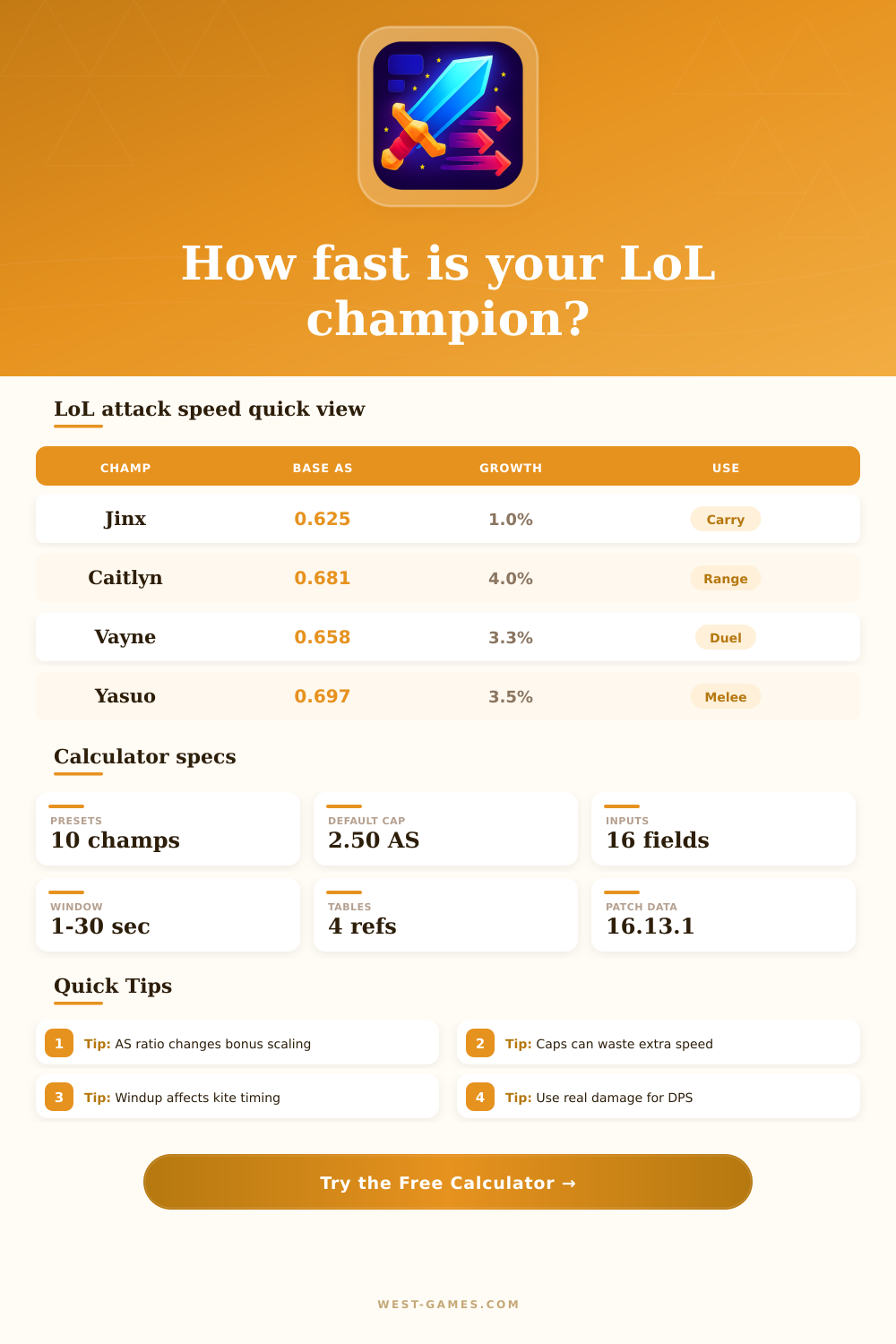
| Champion | Base AS | AS growth | Preset role |
|---|---|---|---|
| Jinx | 0.625 | 1.0% | Ramp carry |
| Caitlyn | 0.681 | 4.0% | Long range |
| Ashe | 0.658 | 3.0% | Utility ADC |
| Vayne | 0.658 | 3.3% | On-hit duel |
| Kog'Maw | 0.665 | 2.65% | Hypercarry |
| Kai'Sa | 0.644 | 1.8% | Hybrid carry |
| Yasuo | 0.697 | 3.5% | Melee crit |
| Yone | 0.625 | 3.5% | Melee tempo |
| Master Yi | 0.679 | 2.5% | On-hit melee |
| Tristana | 0.656 | 1.5% | Late carry |
| Source | Input field | Typical use | Watchout |
|---|---|---|---|
| Items | Item bonus AS | Permanent build speed | Add all item percentages |
| Champion spell | Temporary bonus AS | Burst or trade window | Match uptime to the spell |
| Lethal Tempo | LT modifier | Stacked rune speed | Set cap bonus separately |
| Ally buff | Temporary bonus AS | Enchanter or aura timing | Use realistic fight uptime |
| Mode modifier | Cap bonus | Arena or custom rules | Check current mode rules |
| Planning item | Default | Calculator effect | Use case |
|---|---|---|---|
| Normal AS cap | 2.50 | Limits final AS | Standard planning |
| Cap bonus | 0.00 | Raises cap | Lethal or mode tests |
| Windup 15% | Fast | Earlier release | Smooth kiting |
| Windup 20% | Average | Normal release | Most marksman tests |
| Windup 30%+ | Heavy | Later release | Slow or clunky attacks |
| Window | Best for | Uptime idea | Read result as |
|---|---|---|---|
| 2 seconds | Short trade | 70-90% | Burst autos only |
| 5 seconds | Skirmish | 75-95% | Practical combat |
| 8 seconds | Objective fight | 85-100% | Sustained carry DPS |
| 12 seconds | Front-to-back fight | 70-95% | Positioning matters |
| 20 seconds | Practice tool test | 95-100% | Near-theory output |
| Step | Formula | What it means | Result field |
|---|---|---|---|
| Level bonus | growth x curve | Bonus AS earned from champion level | Breakdown |
| Total bonus | level + item + temp + LT | All bonus attack speed as one percent | Breakdown |
| Raw AS | base + ratio x bonus | Attack speed before the cap | Comparison grid |
| Final AS | min(raw, cap) | Attack speed after the selected cap | Card 1 |
| Proc count | attacks x procs per hit | Expected on-hit triggers in the window | Card 3 |
| DPS | damage / seconds | Expected average damage per second | Card 4 |
You might feel sluggish during teamfights when your attacks don’t line up with your skills. That’s because you’re building gear without knowing what Riot’s formula for attack speed are. The game doesn’t just throw bonus numbers at your base stat. Instead, it take your base stat, multiplies it by a champ-specific ratio, and finaly caps the result with a hard number. Those is the only stats that matter, so if you don’t understand this math, you’re burning gold on something that doesn’t add to your damage output.
After you input your champ and item build, the calculator (above) do all the work for you. Instead of guessing when you run into diminishing returns it highlights exactly where in your build your stats reaches their cap. For example, most players believe that adding Attack Speed will increase your damage output. That’s a false statement! After reaching 2.50 attacks per second, which is standard cap. Each additional point of bonus speed become entirely useless. You’ll be able to spot that limit beforehand, saving yourself from wasting your final gold on an item with zero value during this patch.
How Attack Speed Works in the Game
Understand the difference between attack speed ratio and base attack speed to help you build effectiveley. Even if two champions has roughly equal base stats, their scaling curve may be wildly different than expected. While one champion scales linearly with bonus speed, another’s lower ratio cause them to cap out early. When choosing between raw attack speed and critical strike chance, this distinction matter most. Because low-ratio champs don’t benefit as much from percentage-based bonuses, late-game flat damage and other stats becomes more appealing. To make the right tradeoff in mid-game item spikes, you’ll need to understand how your champion scales specificly.
But there’s more to it than that. It is how long it takes from when you press attack button until the missile comes flying out of your hand. You can adjust this in tool’s windup setting. That’s key to kiting mechanics. If an enemy engages you while you’re still winding up, the longer the windup, the less time you’ll have to react… Which means you need to be farther back or set up with defensive spells. On paper the raw damage numbers might look the same but it change everything about the feel of a duel.
But Lethal Tempo increase the hard cap. Stack the rune, and now your attack speed isn’t limited to 2.50, you can push beyond it. That’s a big change in how you think about long fights. With the toggle enabled on the calculator, you can switch it off and on again to observe what real difference Lethal Tempo makes to overall DPS and proc counts. Is it worth giving that up compared to other keystone options?
Don’t neglect your uptime. In live games, you’re never going to get perfect strings with autoshots and all that. You’ll be waiting on cooldowns, dodging here and there, switching targets. The uptime percent is a good way to adjust your numbers so that you’re getting a solid read on how much you can expect in the chaos of a teamfight. It also brings you back down from the idealized practice tool scenario to the muddy real world of live play where you’ll see that number get dirtier and dirtier.
Lastly, On-Hit effects depends entirely on how many attacks you can land. This means that, as long as it’s proc-based, your attack speed will be the key to getting as many procs as possible. However, this also means that, depending on your build, you might cap out too quickly. You can use the reference tables included with the tool to outline how different build type affect on-hit effects. From there you’ll be able to identify what champions falls off as they max out their attack speed, and which do best in hyper-carry builds.
Learning attack speed isn’t about numbers, it’s about knowing when to stop adding them. It’s about learning your limitations and stopping to chase stats for the sake of a number. When you learn the math, the numbers are out there, but your eyes don’t see them in the middle of a fight. This allows you to build with purpose instead of default habits. If you know your limit then you’ll be able to build all the way to your limit without exceeding it.