🎮 Gaming Calorie Burn Calculator
Estimate calories for a gaming session from body weight, session length, game input type, VR or active-play MET, sitting or standing posture, breaks, and an optional intensity adjustment.
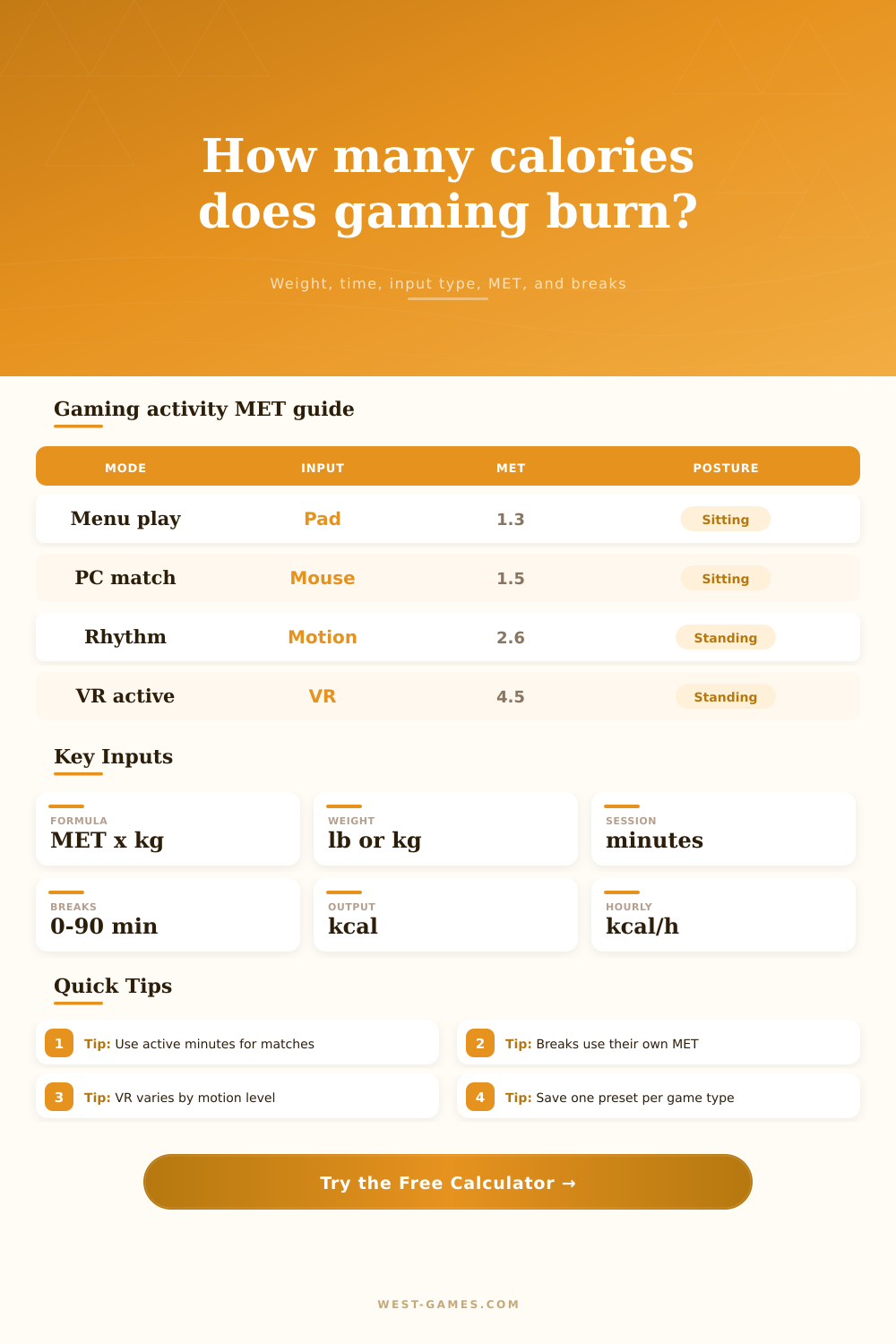
| Input profile | Base MET | Measured minutes | Use case |
|---|---|---|---|
| Controller or handheld | 1.35 | Active controller minutes | Console, handheld, couch co-op |
| Keyboard and mouse | 1.50 | Active match or desk-play minutes | PC matches, RPGs, strategy games |
| Wheel, pedals, HOTAS | 1.80 | Driving or flight control minutes | Racing, flight sim, cockpit rigs |
| Motion controls | 2.30 | Motion-control play minutes | Party games and gesture input |
| Dance or rhythm mat | 4.00 | Song or routine minutes | Dance pads and rhythm movement |
| VR light movement | 2.80 | Headset-on activity minutes | Puzzle, seated VR, casual motion |
| VR active play | 4.50 | Room-scale play minutes | Active VR, melee, boxing-style games |
These values are neutral planning estimates. Use measured MET data from your own tracker or lab source when available.
| Item | Value | Formula | Calculator role |
|---|---|---|---|
| MET calorie estimate | kcal | MET x 3.5 x kg / 200 x min | Primary session result |
| Body weight | kg | lb / 2.20462 | Formula input conversion |
| Active minutes | min | session - breaks | Gaming segment duration |
| Clock hourly burn | kcal/h | session kcal / clock hours | Session comparison output |
| MET-minutes | MET-min | MET x minutes | Workload-style measurement total |
| Net above rest | kcal | (MET - 1) x formula base | Optional breakdown context |
The calculator verifies the standard MET formula by using 1 MET as 3.5 ml oxygen per kg per minute and the 200 divisor convention for kcal per minute.
| Adjustment | Factor or MET | Applied to | Measurement note |
|---|---|---|---|
| Reclined play | 0.95x | Gaming MET | Lower movement posture adjustment |
| Upright chair | 1.03x | Gaming MET | Small seated posture adjustment |
| Standing desk | 1.12x | Gaming MET | Standing keyboard, mouse, or controller play |
| Room-scale standing | 1.20x | Gaming MET | Standing movement space adjustment |
| Resting pause | 1.0 MET | Break minutes | Breaks are separated from active gaming |
| Standing pause | 1.4 MET | Break minutes | Standing, setup, or short lobby reset |
Posture factors and break METs are separated so a long session with pauses does not get counted as constant active play.
Sure, it’s probably safe to say that if you spend day on the couch playing a video game, you’ll use about as much energy as you would if you just watched TV. They’re both sedentary activities, after all.
But it gets tricky: Your body can reacts to physical input and visual stimuli different. Casual menu browsing versus intense ranked play is going to differ by enough to impact your daily energy expenditure calculations, if you keep such things in mind.
How to Calculate Calories Burned While Gaming
Thankfully, you don’t need to remember any conversion formulas or complicated metabolic numbers… The calculator above does the work for you, based off the details of your session and your own weight. And that’s where the MET (metabolic equivalent of task) comes into play. This is essentially amount of energy required for any given task, one MET equals sitting quietly. Typing on a keyboard, picking up a controller (it all add up ever so slightly). But those little bits can accumulate over the course of a two hour gaming session.
The reason it matters is that selecting your method of input has an impact. For instance, selecting something like a racing wheel use bigger muscles in your shoulders and arms then a traditional gamepad. Similarly, a standing desk will uses additional muscles (your legs and core) to keep you balanced. And you don’t have to run around to burn more calories: Switching inputs or adjusting your posture can swing things for the day.
This is also why most estimates fail: people will take their total clock time and estimate the burn, failing to subtract out the time spent sitting in a lobby or matchmaking queue chatting away. That’s actualy just resting time at a far lower metabolic rate. The calculator allows you to divide up break time from actual play time, then assign a unique calorie burn to each category. You’re not burning gaming calories when you’re waiting in matchmaking queues or for a match to load for 20 minutes; you’re burning resting calories. Estimating otherwise bloats your result and makes you feel like you’ve accomplished more then you have. It is a tiny difference, but it keeps things honest.
There’s also the factor of virtual reality. It ranges from sitting down and solving puzzles to standing in a room throwing punches until you’re drenched in sweat. It’s such a wide range, it’d be impossible to have one general stat. Instead, you can adjust intensity depending on how much you use your muscles.
And this is important: it’s not the hardware that causes the burn. It’s the game design. You could play something light and end up burning fewer calories than a heavy duty racing sim where you need to use pedals.
In order to get a meaningful reading, you need to know what category your workout will fall under. One spike doesn’t matter as much as consistent play over time. Three-hour sessions played once a week is great! Doing it five times a week builds a substantial cumulative effect.
This is where the larger picture comes in: the calculator’s output includes a comparison between each session and rest of the week. That way, instead of thinking about a specific evening, you can think about those sessions within the context of your life. Use that to gauge when to game versus other activities. Use it to determine how many minutes every day that you move around because of your hobby. It isn’t supposed to replace working out. It’s supposed to show you what the physical aspect of something you love doing actualy is.
There’s also a layer of posture. This is something lots of folks don’t account for. It costs more energy to stand than sit, and reclining in a armchair costs less than sitting up straight at a computer. Those little changes in which muscles gets used add up over time. When you choose your setup, those multipliers gets applied automatically by the calculator. You don’t have to understand all the underlying physiology. Just answer honestly: Are you standing? Or are you sitting down? Does it matter if you’re sort-of slouching on a beanbag while pretending to be standing? No, the results won’t be accurate if you lie (because the tool responds to what you say). Quality of input matters.
In the end, calorie counting in games isn’t about weight loss as much as it’s about self-awareness. It reminds you of what your body does while you’re lost inside the game. There is a physical sign to each raid, each match, each casual afternoon. That effort can be quantified by numbers. Sure, it doesn’t take the place of a lab test or a fitness tracker, but it provides some form of a framework with which we can understand how we expend our energy. Maybe you aren’t running a marathon, but you’re also not sitting completely idly. And that’s where the difference lies (in the details).