🥽 VR IPD Adjustment Calculator
Calculate the nearest VR lens setting from your measured interpupillary distance, headset IPD range, step size, readout offset, comfort band, stereo mismatch, and millimeter or inch measurements.
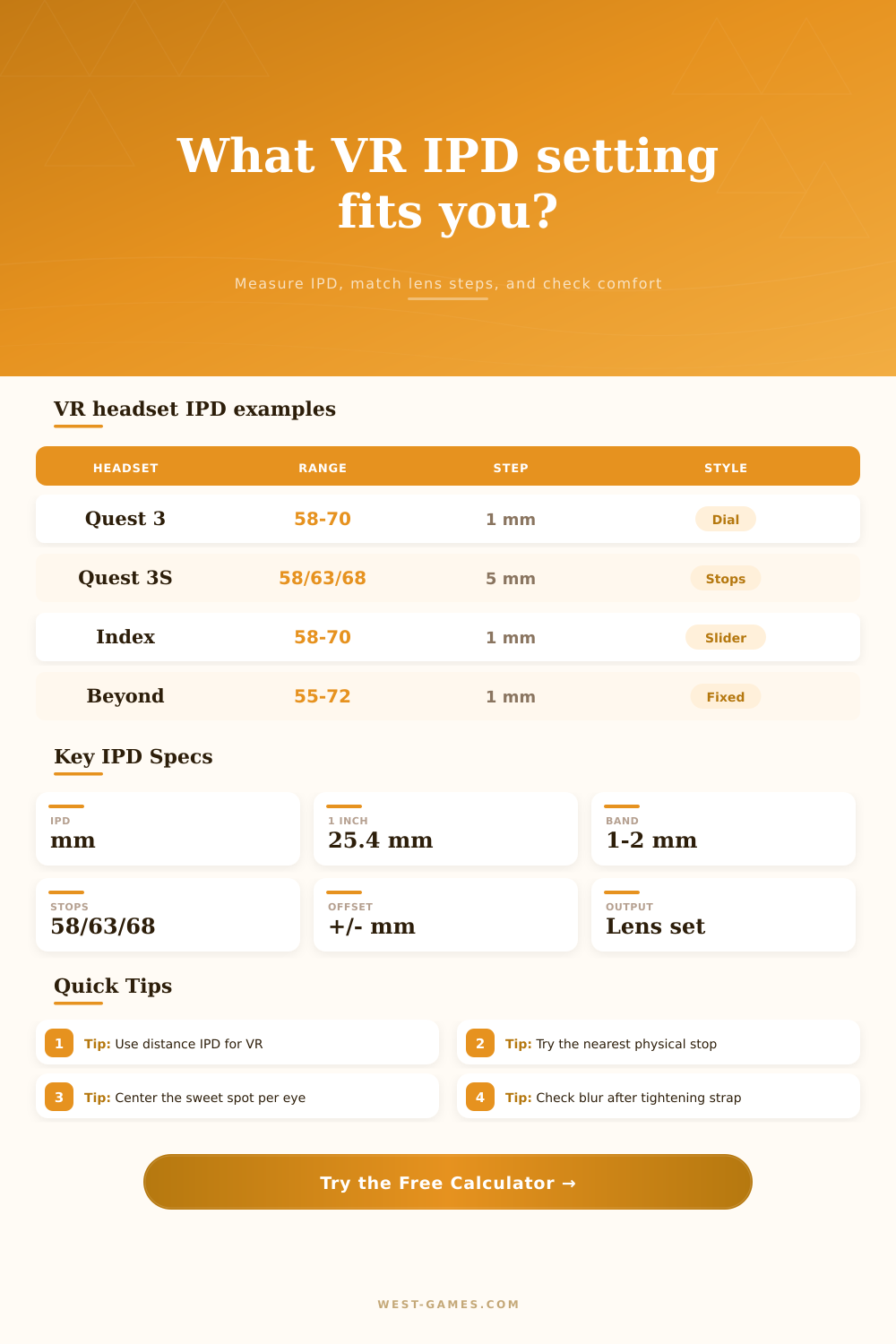
| Headset | Physical IPD range or stops | Adjustment style | Calculator profile | Practical note |
|---|---|---|---|---|
| Meta Quest 3 | 58 to 70 mm | Continuous wheel readout | Range 58-70, 1 mm step | Use the dial number nearest your corrected distance IPD. |
| Meta Quest 3S | 58 / 63 / 68 mm | Three fixed lens stops | Fixed stops | Pick the closest stop, then check clarity after tightening the strap. |
| Meta Quest 2 | 58 / 63 / 68 mm | Three fixed lens stops | Fixed stops | Intermediate IPDs are handled by the lens sweet spot, not true spacing. |
| Valve Index | 58 to 70 mm | Physical slider | Range 58-70, 1 mm step | A strong profile for users near the middle or upper end of common adult IPD. |
| PlayStation VR2 | Manual lens dial | On-screen eye alignment | Custom dial profile | Use the guided setup and compare with measured IPD if you know it. |
| VIVE Focus Vision | 57 to 72 mm | Automatic IPD adjustment | Auto range profile | The result is useful as a target number to verify after auto adjustment. |
| Bigscreen Beyond | 55 to 72 mm fixed sizes | Factory IPD size | Fixed-size profile | Distance IPD matters because the physical size is chosen before use. |
| Pimax Crystal Light | Manual wheel adjustment | Physical dial | Custom dial profile | Fine-tune by clarity, then record the setting that works for both eyes. |
| Output | Formula basis | Good result | Watch out for |
|---|---|---|---|
| Corrected target IPD | Measured IPD + correction + fine-tune | Close to your distance IPD | Near PD entered without correction can run narrow. |
| Physical lens setting | Target rounded to the headset range or fixed stop | Within the comfort band | Coarse three-stop headsets can leave a few mm of error. |
| Displayed setting | Physical recommendation + readout error offset | Matches what you should dial in | Readout offsets matter if the indicator is miscalibrated. |
| Stereo mismatch | Symmetric lens half-spacing vs left and right monocular PD | Both eyes inside comfort band | Asymmetric PD may need headset centering, not just IPD spacing. |
| Software offset | Physical IPD plus app stereo separation offset | Near zero unless deliberately tuning world scale | Software changes do not move the optical sweet spot. |
| IPD | Inches | Typical setting context | Notes |
|---|---|---|---|
| 58 mm | 2.283 in | Narrow fixed stop | Common low stop on Quest-style stepped headsets. |
| 63 mm | 2.480 in | Middle fixed stop | Often close to average adult binocular IPD. |
| 68 mm | 2.677 in | Wide fixed stop | Common high stop for three-position designs. |
| 70 mm | 2.756 in | Upper continuous range | Near the maximum of many manual slider headsets. |
| 72 mm | 2.835 in | Wide-range headset | Supported by some auto or fixed-size headset families. |
Strap on that virtual reality headset and explore this digital world. The image is blurry. You tighten the strap, hoping for clarity, but the blur persists. It is still blurry, it is frustrating. All you wanted to do was play.
Why? More often than not it’s never because of the headset hardware itself. It’s almost always because of its interpupillary distance setting. IPD stands for the distance between the centers of your pupils. And VR optics don’t forgive misalignment. The closer the lenses comes to aligning with your eyes, the clearer the image will be. Get the setting right.
Why Your VR Image Is Blurry
The way most folks do that is by measuring with their phones (or a ruler) once and then forgetting all about it. That is where people are getting it wrong. Measuring something raw doesn’t take into account how your headset work. Does it have continuous sliders? Or does it force you into fixed stops? The calculator will do that for you. It will bridge the gap between what your body is, and what your headset physically can fits. Then it’ll map that measurement to the closest valid option for your particular device.
First off: What kind of measurement do you have? Opticians usually give a near PD for reading glasses. This measurement is typicaly smaller than distance PD recommended for VR. Plugging a near measurement straight into a headset without adjusting it will make your eyes fight against the optics from the beginning. You can account for that discrepancy by adding a correction factor on the tool. It’ll also convert between inches and millimeters, which comes into play if your prescription was given out using a different system than what you’re used to every day. You’re starting with the right baseline before ever touching headset.
No two headsets adjust alike. You might get a silky-smooth dial that lets you tweak down to the millimeter, while others (cheaper ones, older ones) might have just three separate setting. For those cases, chart on the page will be helpful. It summarizes typical headsets’ step sizes and physical range. And it will help you know what you need to do if your IPD happens to be sixty-five millimeters but your headset maxes out at either sixty-three or sixty-eight. That’s when the calculator can helps you see the exact amount of error you’ll tolerate. How far off the mark are you? Are the optics about to be pushed too far, or do you land within the comfort band of the lens sweet spot?
Readout error is another variable to consider. Not all headsets will show exactly where the lenses are located on your face. There may be a offset of several millimeters. To adjust for this, the tool allow you to set an offset so it knows where to place things based off what is shown on the screen. This way you’re not going off of some made up number on the screen but instead aligning it with reality. If your eyes aren’t symmetric (which most people aren’t), it adjust for stereo mismatch as well. Your PDs can also be asymmetric. This is more common than you’d imagine, and if ignored, it can result in slight eye strain after extended use.
Apps can adjust their software to make your fingers look wider or narrow; they can make objects appear smaller or bigger. They don’t, however, shift the actual lenses. Optical alignment isn’t something that digital tweaks can addresses. Hardware needs to be righted before anything else. And that’s where the calculator comes in. It clearly points you to an answer for the real-world position of the lenses, while keeping software tweaks out of that lane. In other words: no more messing around with a software slider to try and remedy a hardware issue.
It’s a personal thing to tweak. Math may be perfect but your head shape matter, as does the tightness of the straps. How do they hold the headset on your head? That alters where the lenses sits a bit, which will alter your actual IPD (tighter, closer; looser, further). For that reason there is a personal fine tune field in the tool. That allows you to bump it up or down based off what you see in real life with the headset on. It’s a feedback loop. Measure. Calculate. Adjust. Check.
It is not just clear; it is comfortabley. When the IPDs is wrong, your eyes has to converge at an incorrect angle. They get tired and nauseous. If you take a few minutes to align your own personal spacing with what the headset can do, you remove that block between yourself and virtual reality. It goes from fuzzy to clear. Your depth of field come back. Then, BAM! You’re immersed. No longer do you think about the lens. Now you see the world. That’s where tech fades away, and all that’s left is the experience.
You should of checked your settings first.