🖥 Case Volume Liters Calculator
Convert PC case dimensions into external and internal liters, then check panel thickness, GPU clearance, airflow space, SFF class, and component occupancy.
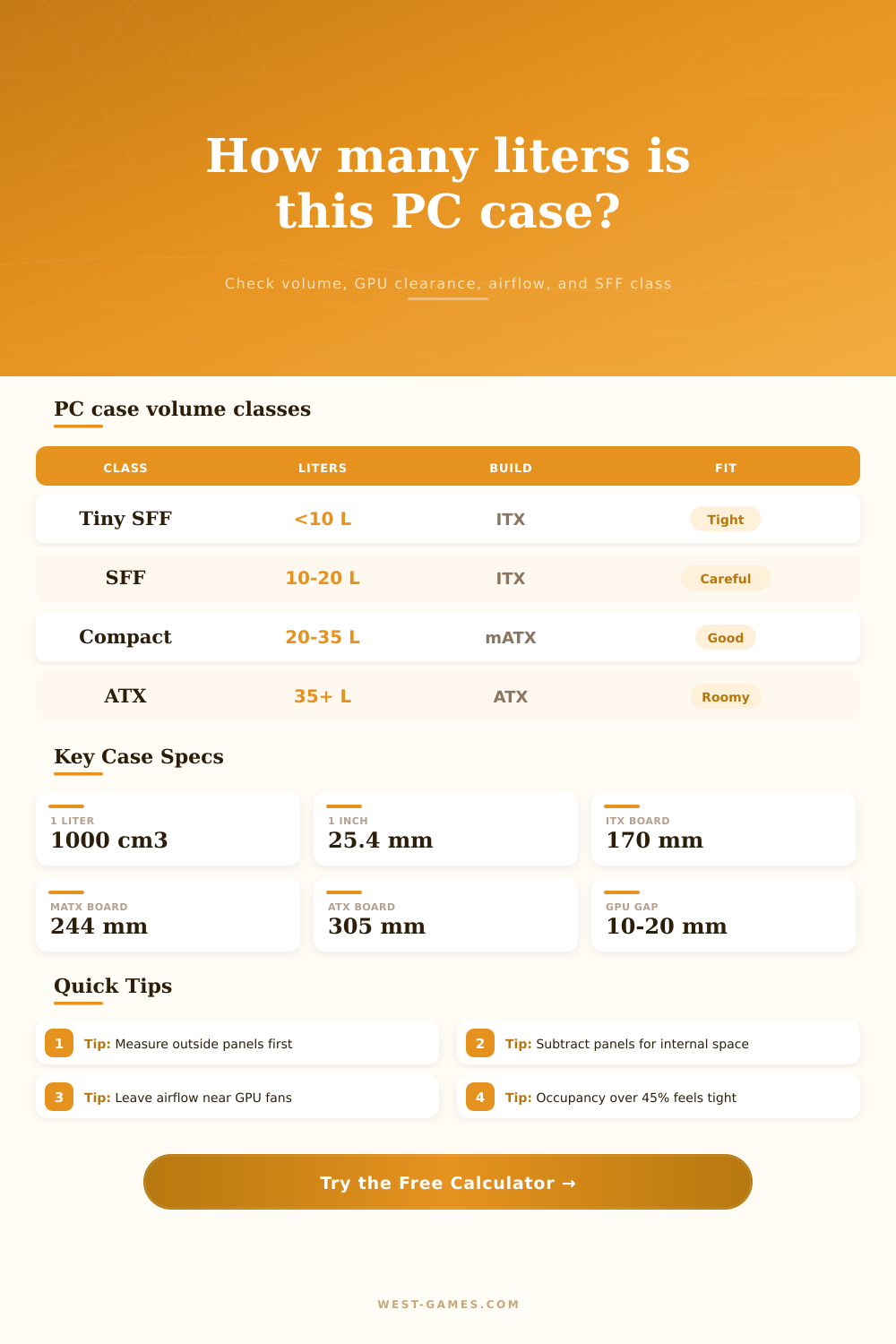
| Class | External liters | Common board | Typical challenge | Planning note |
|---|---|---|---|---|
| Tiny SFF | Under 10 L | Mini-ITX | Riser, Flex PSU, tight GPU | Every millimeter of panel and cable thickness matters. |
| SFF | 10 to 20 L | Mini-ITX | GPU and CPU cooler balance | Most powerful small builds live here with careful airflow. |
| Compact | 20 to 35 L | Mini-ITX or mATX | Front radiator or drive cage conflicts | Good range for full-size GPUs without a huge footprint. |
| Compact ATX | 35 to 50 L | ATX | Cable routing and radiator stack | Standard gaming tower volume with workable clearance. |
| Large tower | 50 L and up | ATX or E-ATX | Desk space, not fitment | Usually enough room for tall coolers and long GPUs. |
| Component | Envelope basis | Approx volume | Why it matters |
|---|---|---|---|
| Mini-ITX motherboard | 170 x 170 x 35 mm | 1.01 L | Board, socket, memory, and rear I/O envelope. |
| Micro-ATX motherboard | 244 x 244 x 38 mm | 2.26 L | Occupies more wall area and restricts cable channels. |
| ATX motherboard | 305 x 244 x 40 mm | 2.98 L | Full tower layout usually needs deeper internal space. |
| SFX power supply | 125 x 100 x 63.5 mm | 0.79 L | Common SFF choice; cable bend radius still needs buffer. |
| ATX power supply | 150 x 140 x 86 mm | 1.81 L | Big enough to affect compact case occupancy. |
| RTX 4070 Super FE profile | 244 x 112 x 40 mm | 1.09 L | Short enough for many 10 to 20 L gaming cases. |
| Large triple-fan GPU | 340 x 150 x 70 mm | 3.57 L | Often the limiting component in compact towers. |
| Check | Green range | Caution range | Fail range | What to adjust |
|---|---|---|---|---|
| GPU length spare | 20 mm+ | 5 to 19 mm | Under 5 mm | Remove front cage, choose shorter GPU, or pick deeper case. |
| GPU side airflow | 15 mm+ | 8 to 14 mm | Under 8 mm | Use slimmer card, vented panel, or lower fan curve target. |
| Component occupancy | Under 35% | 35% to 50% | Over 50% | Reduce radiator stack, PSU size, drive cages, or cable bulk. |
| Cable buffer | 8% to 15% | 4% to 7% | Under 4% | Add depth behind motherboard tray or use custom cables. |
| Panel subtraction | 1 to 3 mm | 4 to 8 mm | 9 mm+ | Thick panels can shrink internal fit more than expected. |
The problem with most PC builds is that component selection happen before you verify whether or not your components will physically fit. The reason for this is simple. Marketing numbers don’t show whether a giant graphics card will fit over a front radiator. You are essentially trying to stuff a suitcase while looking at label instead of checking how thick the material is or what items might be inside. Instead of guessing if adding or removing a few millimeters of panel thickness is going to torpedo the project, calculator does that work for you.
Most manufacturers will tell you about their cases’ external liters; they list it externally because it sounds larger, but you live in internal space. Every axis has a shell made out of some sort of material, steel, aluminum, acrylic, and those is subtracted from total size. Five-millimeter-thick tempered glass side panels will take away that depth which may or may not be enough to fit a standard GPU instead of requiring a pricier low-profile model. That’s when things get interesting; that’s when you start to plan for component occupancy.
Why You Must Check If Parts Fit
This refers to the amount of available internal space that each drive, power supply, cooling loop, motherboard, etc., occupies. This is a nice simplification: the tool assumes these are solid pieces occupying some portion of case. Anywhere greater than forty-five percent occupancy begin to feel cramped, there isn’t enough room for hot air to escape. Thermal exhaust has no place to go; it gets trapped in packed cases.
The reference table categorizes cases as either small (SFF) or medium/large depending on there size. A 50 liter ATX tower isn’t the same thing as a 10 liter sandwich style ITX case. While cable bending radius matter in the former, it can be the difference between life and death in the latter, which is mostly just aesthetic when we’re talking large towers. This is reflected by the calculator; if you select mini-ITX as your mobo form factor you’ll have a lot more dead space than someone who goes with full ATX board. Dead space acts as a thermal buffer.
The biggest source of agony on today’s rigs is that GPUs is not just long but also thick. You must plan for the card’s length, its height with a cooler and its width with shroud. From there, deduct whatever your drive cages/radiator(s) eat up from front. A few millimeters (or anything negative) is perilous; that small margin is where air intake happens. A loose cable or a fan blade blocking this area are a recipe for thermal throttling that won’t be cured by any software adjustment.
Just as critical are airflow clearances. If there’s no space, ideally a target gap of around fifteen millimeters, between your GPU fans and something else (such as your motherboard or PSU), they’re not pulling in cold air… Just hot air from elsewhere. This will result in higher temps on the card which means the fans will spin louder and degrade your silicon over time. You can specify an ideal airflow gap of 15mm or so with the tool, and it’ll help guarantee that the card isn’t choked up and is able to breathe freely.
You should of used this earlier. Lastly, there’s a tolerance/cable allowance in that occupancy percentage. Motherboard stand-offs occupy space, cables are thick, and connectors are bulky. These thing are very real when building computers, but they are often ignored when designing a build. This results in head-scratching late at night when parts do not fit together. Anticipating this up-front lets you know whether you want to switch to a smaller power supply unit (or get custom lengths) to save on space and bulk.
It allows you to be efficient with your case, and after crunching those numbers the vague measurements become a concrete plan. You’ll know. Naturaly it helps. Actualy the layout depends on the mobo moddern design.