🌊 Wuthering Waves Waveplate Calculator
Plan Waveplate regeneration, 240-cap overflow, Waveplate Crystal storage, activity claims, Crystal Solvents, Astrite refills, and days to target rewards.
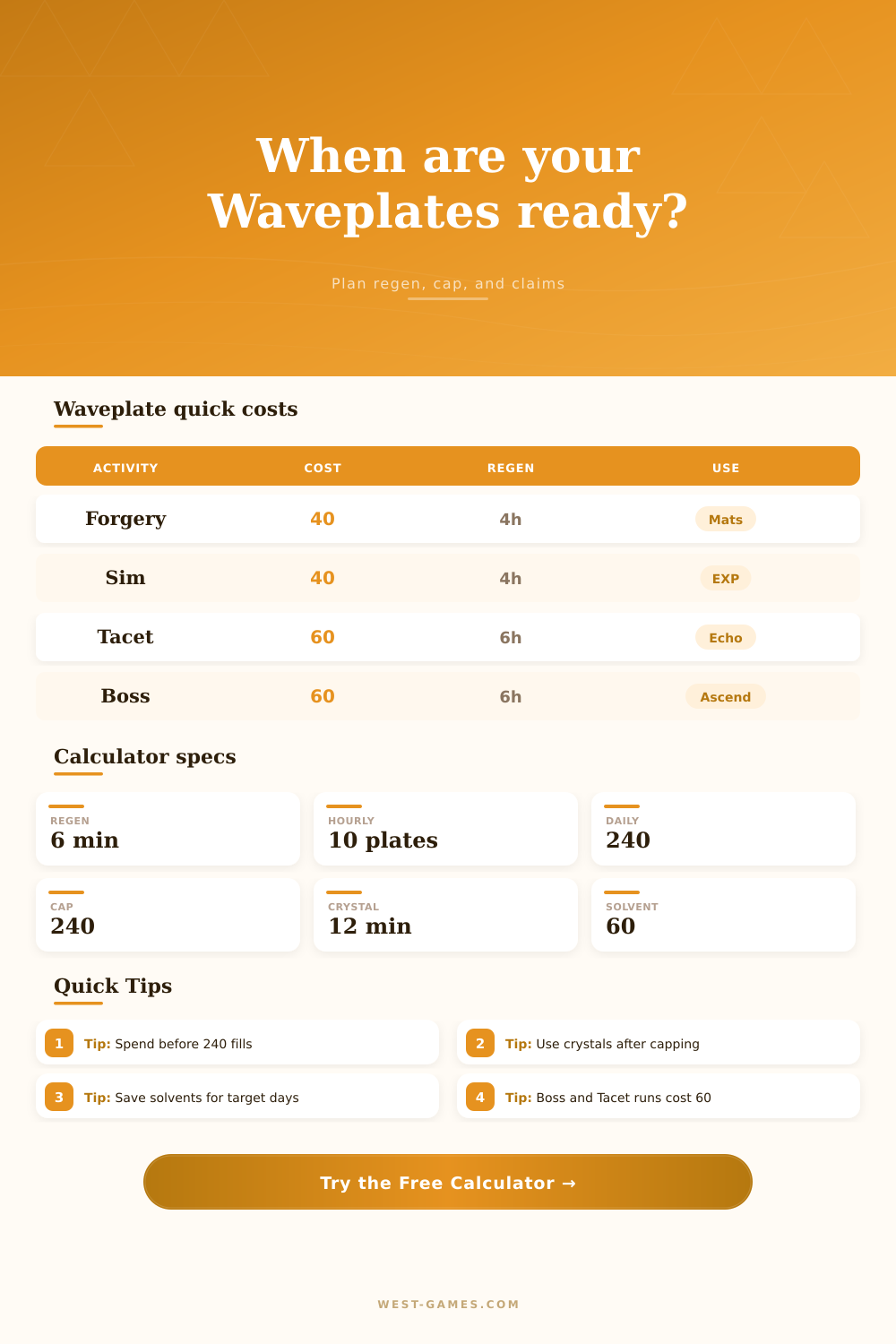
| Mechanic | Value | Time equivalent | Calculator use |
|---|---|---|---|
| Active Waveplate regen | 1 Waveplate per 6 minutes | 10 per hour | Wait time and daily budget |
| Active Waveplate cap | 240 Waveplates | 24 hours from empty | Overflow countdown |
| Waveplate Crystal regen | 1 Crystal per 12 minutes | 5 per hour after cap | Stored overflow planning |
| Waveplate Crystal cap | 480 Crystals | 96 hours from empty storage | Long absence buffer |
| Crystal Solvent | 60 Waveplates | 6 hours of natural regen | Instant top-up option |
| Astrite refill model | 60 Waveplates | 6 hours of natural regen | Editable daily sprint input |
The calculator keeps cap, crystal cap, solvents, and refills editable so the page can survive future balance changes.
| Activity | Cost | Natural wait | Typical target |
|---|---|---|---|
| Forgery Challenge | 40 Waveplates | 4 hours | Weapon and Forte materials |
| Simulation Challenge | 40 Waveplates | 4 hours | EXP materials and Shell Credits |
| Tacet Field Cleanup | 60 Waveplates | 6 hours | Echo EXP and Tuners |
| Boss Challenge | 60 Waveplates | 6 hours | Resonator ascension materials |
| Weekly Challenge | 60 Waveplates | 6 hours | Weekly boss materials |
| Custom claim | Editable | Cost x 6 minutes | Events or changed activity rules |
Event variants can differ, so use the custom cost field when a limited activity has its own claim cost.
| Preset | Inputs loaded | Best for | Watch point |
|---|---|---|---|
| Daily Tacet Cleanup | 4 Tacet claims, 24-hour window | Spending a full natural day on Echo resources | Uses the entire 240 daily generation budget |
| Forgery Mat Day | 6 Forgery claims, 240 total need | Weapon or Forte upgrade farming | Check the correct material schedule first |
| Boss Ascension Loop | 4 boss claims, 240 total need | Resonator ascension material pushes | Boss claims cannot be compressed |
| Overflow Return | Full active cap plus stored crystals | Accounts returning after capped downtime | Spend active Waveplates to resume normal regen |
| Solvent Push | Saved solvents added to target claims | Finishing a narrow material target today | Solvents are counted as instant 60-Waveplate units |
| Mixed Weekend Farm | Two-day activity mix with crystals | Combining Tacet, bosses, and material stages | Use custom cost for event reward variants |
Presets fill the form with practical planning scenarios; every number remains editable after loading.
Log in to farm echoes or finish this week’s challenge and see that low energy bar. It feels urgent. You know there is a limited amount every day. There is not much left for anything now that it is low. Your choices will determine whether you log out with a bang, or waste a login. How many times have you logged off wishing you hadn’t let the battery run down to nothing first?
Instead of guessing, plan. This calculator turns raw inventory and time into usable farming plans so you can stop wasting logins and start making most of every minute.
How to Plan Your Energy
In theory it’s an easy enough concept, but in practice a bit finicky. Every six minutes, you’ll earn a single Waveplate, or ten an hour. Sounds like plenty, right? Except that at two-hundred and forty waveplates your regeneration cease. That number has become a kind of mental brick wall for most gamers; it is something they plan around rather than try to push past.
But there’s another layer to the game, and here’s where things get interesting: Waveplate Crystals provides a second level of storage. When your active pool is maxed out, crystals will start filling up, too, except at half-speed. And this is important, because since crystals fill up slower, they takes longer to accumulate. In other words, you have to be more strategic about spending them.
Instead of only knowing how many Waveplates you can see, you’re able to enter both the value of what you have stored as well as your active energy count into equation. It provides a snapshot of exactly how many resource you currently possess.
The other thing is planning around activities. Some things (Forgery and Simulation challenges) only take 40 Waveplates, others (Weekly Clears, Boss Challenges, Tacet Fields) need 60. That makes all the difference in how you plan to spend your day. You may find yourself with nothing to do while waiting for your energy to naturaly refill, so a run at Forgery may fill that time… But a Boss challenge may not fit until you’ve fully refilled from waiting or drinking a Crystal Solvent.
The page has a handy table which maps out what’s possible depending on how much you currently have. How long should you wait? How much time does each thing take from your available hours? It makes abstract time something concrete and something you can plan around.
Do I have just one more run left before bed? Or do I have to hold off on using them up till tomorrow morning?
Crystal Solvents are often hoarded by many players. They don’t tend to pull them out unless they really need them. A solvent restores all 60 of your Waveplates at once. This effectively regenerates all of those plates for six hours, so it’s better to save it for when you know you’ll benefit from having it. You can use it as a tool to fill in a gap so that you can reach a certain goal, such as clearing this week’s limit before it refreshes or completing a material set.
You can add Astrite refills and solvents to your plan and see how long each one moves you towards your goal with the calculator. Does getting a refill now put you further along? Or are you wasting real world cash because you’re going to wait an equal amount of time anyway? That way you avoid accidentally rushing something that isn’t actualy holding you back.
However, the true benefit lies based off forward-thinking. How many days away? Log back on and don’t want to cap out right away? Make sure there’s nothing in your active Waveplates before leaving! Don’t waste those regen days. With a full bar when you log off, you’ll see how many crystals you’ll make while gone and how long it would of take to fill your active cap. Seeing that overflow lets you plan accordingly, turning a possible hassle on returning to a game into an advantage.
Instead of viewing Waveplates as a daily grind, you can see them as a manageable pool of resource. In the end, then, playing Wuthering Waves well isn’t about grinding harder; it’s about timing better. Getting the most from your resources means logging on at the right moments (during regeneration cycles) and spending stored resource where they offer an obvious benefit.
That’s how you make every minute you do spend playing count, not by having the calculator play the game for you, but by making sure every minute you do spend playing counts for something. It brings some order to the chaos of energy management, transforming the six-minute increments from chaos to rhythm. Log on, peek at the numbers, see exactly what you need to do next, no more anxiety about missing out on what you’ve worked so hard to earn.