Flight Sim Crosswind Component Calculator
Estimate runway-relative wind angle, headwind or tailwind, steady and gust crosswind, gust factor, runway magnetic heading, and sim planning limit margin.
Calculation Breakdown
| Calculation | Formula | Angle rule | Output | Planning use |
|---|---|---|---|---|
| Magnetic wind conversion | True wind - east-positive variation | Normalize 0-360 | Wind magnetic | Aligns METAR-style true wind with runway heading. |
| Runway angle difference | abs(wind magnetic - runway magnetic) | If over 180, use 360 - diff | 0-180 degrees | Creates the angle used by sine and cosine. |
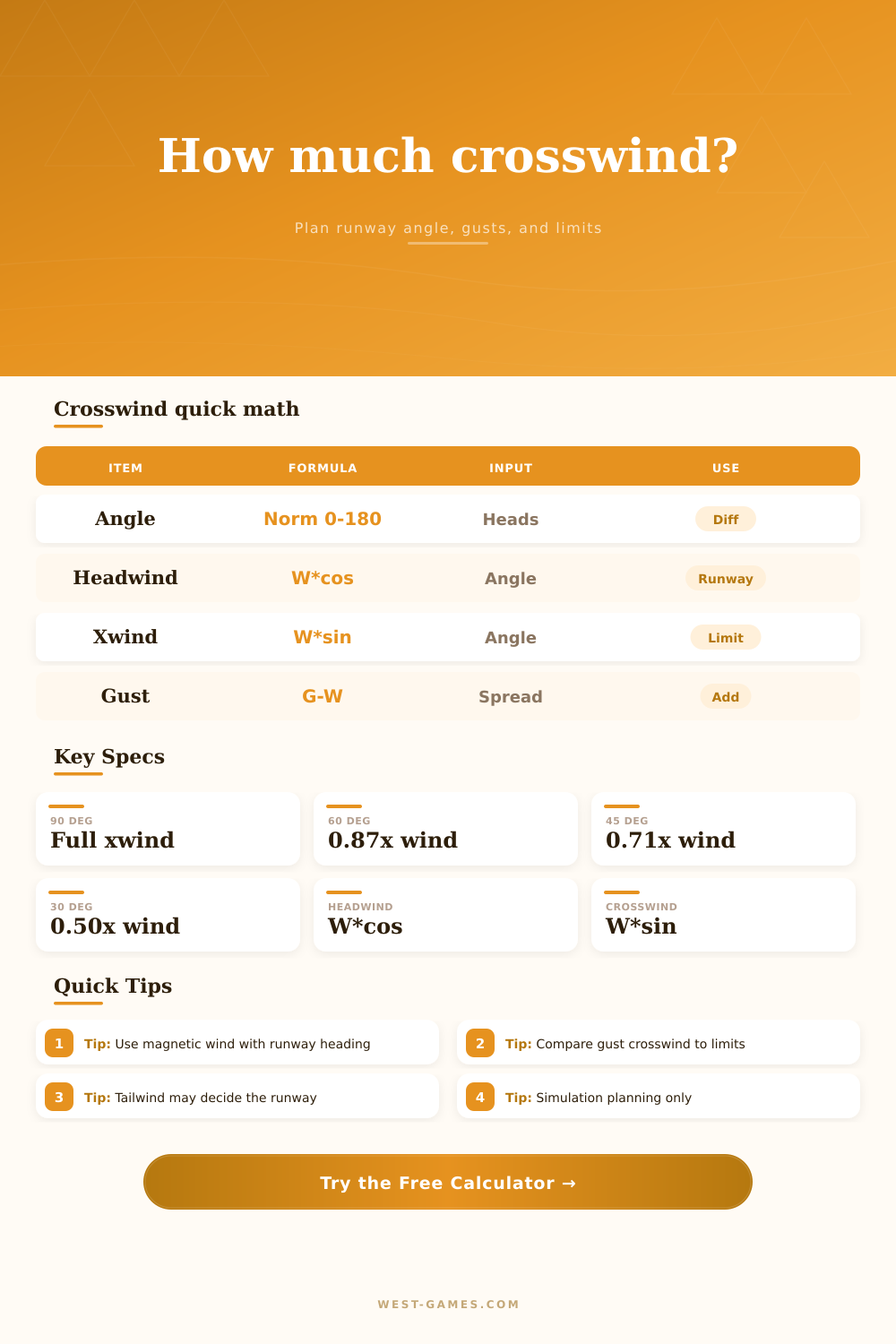
| Headwind component | wind speed x cos(angle) | Positive is headwind | Knots | Negative values become tailwind component. |
| Crosswind component | wind speed x sin(angle) | Absolute value for strength | Knots | Compared with aircraft and surface limits. |
| Gust factor add | min(cap, gust spread x percent) | Spread = gust - steady | Knots | Shows a sim approach speed additive. |
| Profile | Base limit | Typical sim use | Tailwind caution | Best practice |
|---|---|---|---|---|
| Cessna 172 trainer | 15 kt | Pattern work, early crosswind practice | Keep small | Use a comfort factor below 100% while learning. |
| PA-28 style trainer | 17 kt | Light GA arrivals | Short fields | Watch gust crosswind, not only steady wind. |
| DA62 light twin | 20 kt | IFR and touring routes | Approach speed | Check wet runway modifier before accepting. |
| Taildragger practice | 12 kt | Rudder discipline and rollout control | Directional control | Use grass and comfort modifiers conservatively. |
| A320 / 737 class | 35 kt | Airliner sim approaches | Company rules vary | Reduce limit sharply for contaminated runway practice. |
| Wind angle | Crosswind multiplier | Headwind multiplier | Example with 20 kt | Runway meaning |
|---|---|---|---|---|
| 10 degrees | 0.17 | 0.98 | 3 kt xwind | Mostly runway-aligned wind. |
| 30 degrees | 0.50 | 0.87 | 10 kt xwind | Noticeable drift correction. |
| 45 degrees | 0.71 | 0.71 | 14 kt xwind | Both components matter about equally. |
| 60 degrees | 0.87 | 0.50 | 17 kt xwind | Crosswind dominates the approach. |
| 90 degrees | 1.00 | 0.00 | 20 kt xwind | Pure crosswind from left or right. |
| Signal | Green range | Caution range | Change trigger | Sim action |
|---|---|---|---|---|
| Gust crosswind margin | At least 30% spare | 0-30% spare | Over adjusted limit | Pick another runway or lower practice difficulty. |
| Tailwind component | Below tailwind limit | Within 1 kt of limit | Over tailwind limit | Check the opposite runway or a nearby airport. |
| Gust spread | 0-8 kt | 9-15 kt | Over 15 kt | Add gust factor and expect unstable airspeed. |
| Angle difference | 0-30 degrees | 31-60 degrees | 61-90 degrees | Brief the side the wind comes from before final. |
| Surface modifier | Dry paved | Wet or grass | Snow, ice, water | Use a much lower personal planning limit. |
Enter the wind report and your intended runway heading into calculator above, and it will do all the calculations for you. This way, you won’t have to do math while you are trying to fly airplane during a busy approach. It breaks down the steady crosswind, the gust factor, and headwind or tailwind components so you can see exactly what aircraft is feeling. This way, it lets you know exactly what plane is experiencing without having to guess at those numbers.
A lot of guys thinks “well, if the wind says it’s 10 knots, then I’m getting hit with 10 knots.” Wrong. Those components can make the difference between a smooth landing and one where plane bounces around.
How the Wind Calculator Helps You Land Safely
The core of the equation is the relative degree the wind blows to your plane’s centerline on the runway. A pure headwind mean the wind is coming right into the nose of your plane. It is good for reducing stop distance. And a pure crosswind means the wind is coming straight out of either wing. And a pure crosswind means the wind is coming straight out of either wing, which challenges your wing loading and rudder coordination. In reality, most situations are some combination of these two. To normalize that, tool makes sure the answer is always between zero and one hundred eighty degrees. This prevents the cosine function from flipping signs, which would make answer confusing.
Enter the runway number or its magnetic heading in the Runway Number field. That aligns it against the wind direction as reported. Both should of be entered using their magnetic heading or the answer will be off by your variation.
That brings us to the other issue: gusts. Because physics engines makes gusts sudden and violent, that’s typically where simulator pilots find themselves in trouble. There’s a separate field in the calculator for gust speed. Why? It calculates how much more airspeed you may need as you come in for landing. You can handle a steady twenty-knot wind. But if that wind gusts to thirty knots, peak might be more than your plane’s certified maximum crosswind component. That’s what the gust factor does. It adds a number to your approach speed based off the worst case. It is not a fixed number, mind you, but rather one that makes sure you don’t stall out when wind drops after the gust or blow down runway when the wind comes in fast at the very last second.
Wind speed alone isn’t everything; how fast it hits the ground matter too. At a large commercial airport, a dry, paved runway provides good grip and braking action. On the other hand, at a bush flying simulator, grass landing strip can be very slippery and have very little traction. You can account for this by selecting the surface type. Doing so will lower your maximum safe crosswind accordingly. For instance, you may feel confident handling fifteen-knots of crosswind on a hard concrete runway. But on a soggy grass airfield, ten-knots could lead to losing directional control upon rollout.
The tool also consider personal comfort. By scaling down the manufacturer’s aircraft limitations, it enables you to set them according to your own skills. When training, dialing this back provides an even greater safety buffer. Rather than depending too much on the plane’s structural capacities, it promotes improved technique.
You have to know when there’s a little bit of tailwind because then you can stretch out your landing roll and you’ll have less room for error. The tool will check for this in addition to the crosswind component. You may find yourself on a runway where you’ve got the perfect crosswind and can handle it well except that tailwind is more than five or ten knots. Now that runway doesn’t work at all. The alternative runway has a greater crosswind, but zero tailwind, so you choose one over the other. It’s a tradeoff decision that needs rapid thought.
The calculator comes with some handy reference tables which gives you the multiplier quickly based on common angle shifts. That allows you to get an idea of what a 45 degree shift does to the wind profile. If you’re flying at 45 degrees, the headwind and crosswind components is equal, which is another thing to keep in mind as a useful benchmark.
Finally, simulating a flight is all about learning good habits for when you’re in the air. Every pilot should be able to calculate the component parts of wind manually. But it’s nice to have an electronic assistant to remind us of how and why behind it all. It takes the guessing out of the equation. It reveals the hazards lurking beneath the bland wind report. As you watch the numbers broken into gusts, steady wind and limits, you begin to respect the conditions. This keeps you on solid ground, safe and sound each and every time. The wind is never far away, eager to challenge your preparations.