💾 Minecraft Server RAM Calculator
Estimate recommended Java heap from players, view distance, simulation distance, mods, plugins, active chunks, entities, pregeneration, 20 TPS tick pressure, and safety headroom.
| Component | Formula role | Typical range | Why it matters |
|---|---|---|---|
| Base JVM heap | Profile baseline before load | 1-4 GiB | Server software, world systems, registries, command data, and baseline caches need memory before players join. |
| Players | Per-player MB multiplied by concurrency | 90-220 MB | Inventories, network buffers, nearby chunks, scoreboard data, permissions, and plugin state scale with active players. |
| Loaded chunks | Weighted view and simulation chunks | 0.28-0.62 MB each | Chunk sections, block entities, lighting data, maps, and ticking state are a major heap driver. |
| Mods and plugins | Extension count plus intensity baseline | 12-45 MB each | Gameplay systems, custom items, dimensions, logging, claims, storage, and automation add persistent objects. |
| Generation spike | Reduced by pregenerated percent | 0-2 GiB | Exploring fresh terrain temporarily allocates chunk generation, lighting, structures, and biome data. |
| Headroom | Percent added after subtotal | 25-40% | Extra heap helps garbage collection and short peaks without making the JVM permanently starved. |
| Distance | Chunks around one player | Relative to 10 | Practical use |
|---|---|---|---|
| 6 | 169 chunks | 38% | Low-load survival, limited hardware, busy public worlds, or heavy modpacks. |
| 8 | 289 chunks | 66% | Balanced SMP setting when players still need decent sightlines. |
| 10 | 441 chunks | 100% | Common Java baseline for estimating chunk memory and player exploration load. |
| 12 | 625 chunks | 142% | Good for quiet servers, but it grows RAM and tick pressure noticeably. |
| 16 | 1089 chunks | 247% | High-distance play; review MSPT and avoid pairing with heavy farms. |
| 20 | 1681 chunks | 381% | Large scenic worlds only when tick time and memory headroom are proven stable. |
Chunk count uses (2 x distance + 1) squared. Real servers usually have some player overlap, so the calculator applies a concurrency overlap factor.
| Scenario | Players | Software | Typical heap after headroom | Watch point |
|---|---|---|---|---|
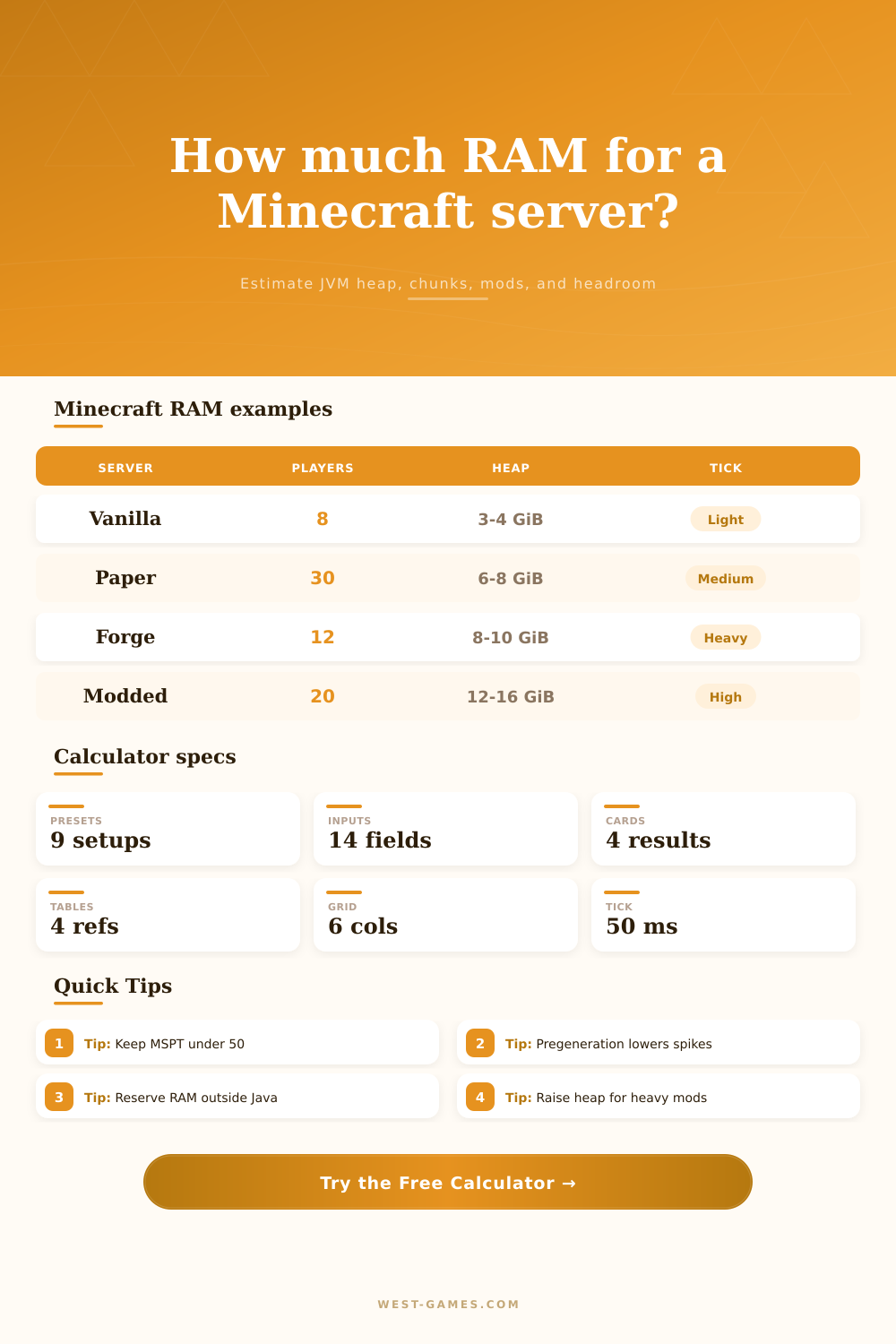
| Small vanilla friends world | 4-8 | Vanilla or Paper | 2.5-4 GiB | Exploration spikes if the world is not pregenerated. |
| Community Paper SMP | 20-40 | Paper or Purpur | 6-10 GiB | Plugin logging, claims, maps, and view distance dominate. |
| Minigame lobby or hub | 40-80 | Spigot or Paper | 5-9 GiB | Player count is high, but world simulation can stay low. |
| Fabric performance SMP | 15-35 | Fabric | 5-9 GiB | Entity farms and chunk loaders can outweigh mod count. |
| Light Forge modpack | 6-16 | Forge | 6-10 GiB | Dimensions, custom machines, and registries raise baseline heap. |
| Heavy Forge modpack | 8-24 | Forge | 10-16+ GiB | MSPT, garbage collection, and automation density need testing. |
| Estimated MSPT | TPS implication | Meaning | Likely adjustment |
|---|---|---|---|
| Under 30 ms | Comfortable 20 TPS | Plenty of time remains inside the 50 ms tick budget. | RAM estimate can focus on stability and heap spikes. |
| 30-40 ms | Healthy 20 TPS | Normal busy-world range with manageable peak pressure. | Keep headroom and monitor farm growth. |
| 40-50 ms | Near limit | The server may still hold 20 TPS, but spikes can be visible. | Lower distances, reduce loaders, or trim entity hotspots. |
| 50-65 ms | Below 20 TPS risk | Tick work exceeds the target budget during normal load. | RAM alone is unlikely to fix sustained tick overload. |
| Over 65 ms | Lag likely | World simulation is far beyond the 20 TPS timing target. | Audit farms, plugins, dimensions, and chunk loading. |
Been on any Minecraft servers where inviting everyone causes your server to choke? Everything works fine with one or two people but then suddenley chunks won’t load anymore and the server tick time skyrockets. It’s an absolute slideshow, and it’s never about hardware as most people think. More often than not, it’s about memory management. More specificly, it is about managing the amount of Java heap allocated compared to memory needed by operating system.
The majority of server owners make error of loading up all the available RAM on their servers and dumping it into the Java Virtual Machine. Bad idea. Unlike with typical applications, JVM doesn’t work well when given a lot of memory. It simply ceases to perform its garbage collection duties effectivey. Instead it will wait until heap becomes large enough for it to run a clean-up cycle. The server lock up for seconds at a time as it recovers memory during this period. Players report this as rubber banding. It is not a network problem at all, it is a memory management problem.
How to Balance Your Minecraft Server Memory
This page’s calculator will help you determine that balance. It breaks down how much memory goes to what exactly.
First, it begins with your server software selection (your base overhead). Vanilla Java servers tend to be pretty light while heavily modded Forge modpacks has lots of extra systems. Even if there aren’t any players around, those system exist and live in memory. The tool accounts for the base heap requirement before adding players.
Next come player. Adding players should increase your heap size by some amount. That’s where the human factor comes into play. Adding another player at the same time increases that pile of network buffers and inventory data.
But there are more than just players in the mix, there are also loaded chunks. Now here’s where things get tricky. View distance is a scaleable property. When you double the view distance from eight to sixteen, it doesn’t double the work. It quadruples it. With a view distance of sixteen, there’s more than a thousand chunk surrounding each player. Each one need active memory for its block entities, its lighting data and its terrain. This is the chunk count that the calculator use against your simulation distance. It provides a realistic guess on what’s ticking versus what isn’t.
You also live in a world. Exploring new worlds requires more memory. This is because server is generating the terrain as you go. That causes momentary spikes in memory. By pregenerating the world, that makes it certain. By pre-rendering the terrain, that turns those random spikes into constant usage. Your pregeneration percentage is taken into account by the tool. It tweaks up/down the buffer it suggests for those peaks.
A lot of people believe that lag can be fixed with more RAM. It can’t. Adding heap memory isn’t going to increase how fast physics calculations are performed if your server tick time is already reaching the fifty-millisecond budget. It could of avoided crashing, but it won’t get your game feeling smooth again. The calculator gives you an estimate for what your actual tick time would be given the mods’ intensity and number of entities. Instead of warning you about memory limits, it tells you when you’re approaching CPU limits.
If your estimated tick time is high, then you should look at your plugins and farms. Do not look at your RAM allocation.
Finally, there’s headroom. No one wants their server running at max capacity. It calculates what you need plus adds a bit of safety for things like sudden login surges and mass teleportation events that might interfere with the game loop. It lets the garbage collector do its thing while keeping the game running smoothy.
Bottom line: managing a Minecraft server is a balancing act. Do you give it just enough memory to maintain a steady world? Or do you give it too much and make the JVM laggy? The idea is to have a responsive server that can hold up during a weekend raid. Follow the numbers the tool spits out as a starting point. Then test it out with your real players and tweak accordingly. Having the largest spec doesn’t necessarily mean having a stable server, having the correct spec for what you’re creating does.