⏱ Minecraft Redstone Clock Calculator
Convert game ticks, redstone ticks, repeater loops, hopper timer items, frequency, cycles per minute, and duty cycle for practical Minecraft redstone clocks.
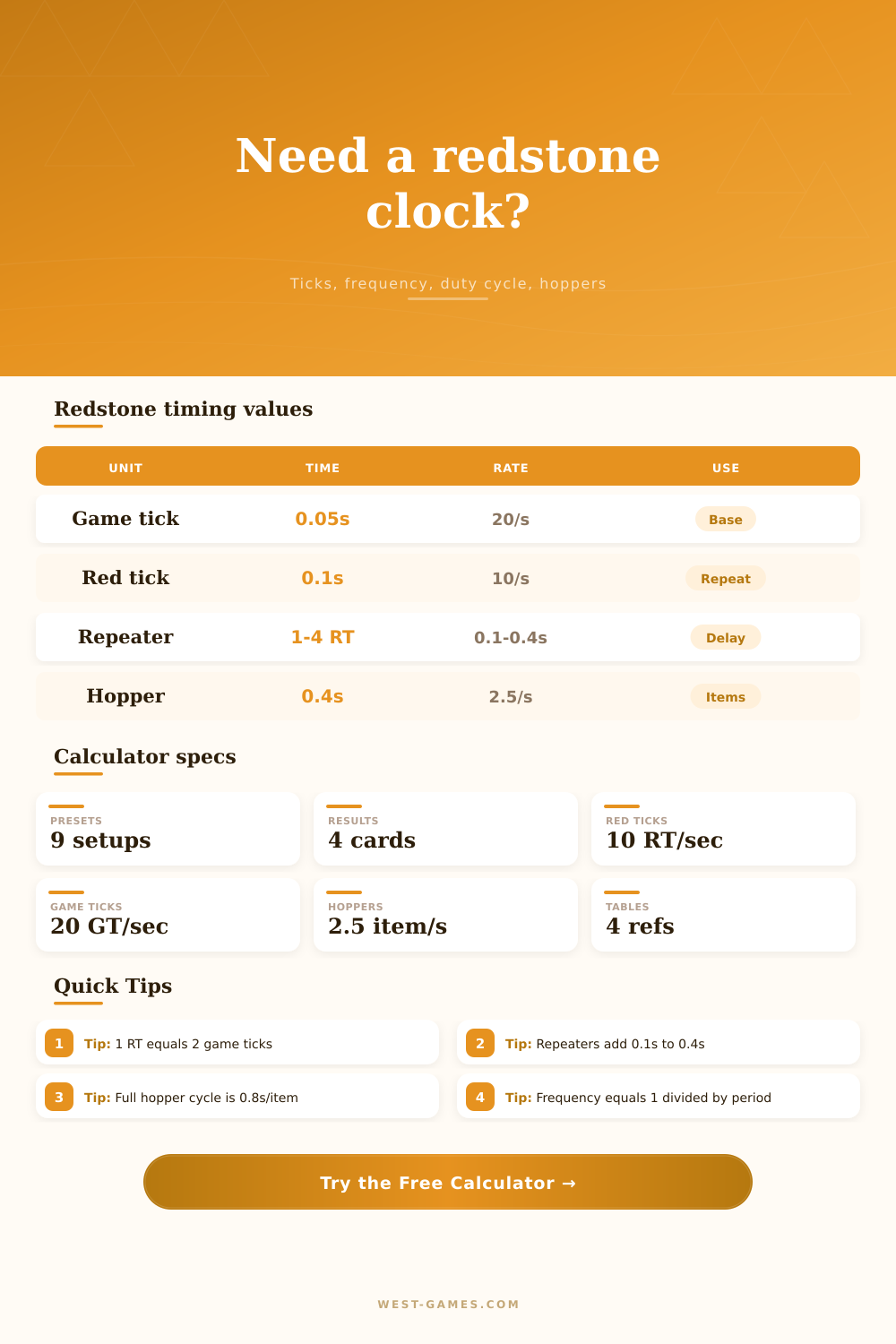
| Timing unit | Seconds | Game ticks | Redstone ticks | Common use |
|---|---|---|---|---|
| 1 game tick | 0.05 seconds | 1 | 0.5 | Base game update timing |
| 1 redstone tick | 0.1 seconds | 2 | 1 | Repeater and redstone timing language |
| 1 second | 1 second | 20 | 10 | Useful target for farms and doors |
| 1 minute | 60 seconds | 1,200 | 600 | Long timers and mob farm flushing |
| 5 minutes | 300 seconds | 6,000 | 3,000 | Item despawn-length comparison |
The calculator converts through seconds, then reports both game ticks and redstone ticks so mixed circuits stay readable.
| Repeaters | Setting each | Total delay | Period seconds | Typical role |
|---|---|---|---|---|
| 2 repeaters | 1 redstone tick | 2 redstone ticks | 0.2 seconds | Fast blink or pulse shaping |
| 4 repeaters | 2 redstone ticks | 8 redstone ticks | 0.8 seconds | Visible lamp or door pulse loop |
| 5 repeaters | 2 redstone ticks | 10 redstone ticks | 1.0 second | Simple one-second clock target |
| 8 repeaters | 4 redstone ticks | 32 redstone ticks | 3.2 seconds | Dropper or dispenser spacing |
| 16 repeaters | 4 redstone ticks | 64 redstone ticks | 6.4 seconds | Upper practical repeater-only band |
Repeater-only clocks can be made longer, but hopper timers are usually cleaner when periods climb past a few seconds.
| Items | One-way interval | Full cycle | Cycles per minute | Good use |
|---|---|---|---|---|
| 1 item | 0.4 seconds | 0.8 seconds | 75.0 | Very fast hopper pulse testing |
| 13 items | 5.2 seconds | 10.4 seconds | 5.8 | Short farm and dispenser delays |
| 38 items | 15.2 seconds | 30.4 seconds | 2.0 | Water stream or crop flush timing |
| 75 items | 30.0 seconds | 60.0 seconds | 1.0 | Mob farm platform flush loop |
| 320 items | 128.0 seconds | 256.0 seconds | 0.23 | Maximum simple hopper-load timer |
Because hoppers transfer at 2.5 items per second, one item takes 0.4 seconds. A full back-and-forth clock doubles that interval.
| Clock goal | Best circuit | Primary input | Watch for | Calculator check |
|---|---|---|---|---|
| Sub-second blink | Observer or short repeater loop | Game ticks or 1-2 repeaters | Pulse length and update order | Frequency and duty cycle |
| Door or piston timing | Repeater loop | Total redstone ticks | Too-short pulses missing components | Powered time per cycle |
| Dispenser pacing | Repeater or hopper | Seconds between pulses | Over-firing into cooldowns | Cycles per minute |
| Farm flush timer | Hopper full-cycle clock | Items in hoppers | Chunk loading and TPS drops | Real-time adjusted period |
| Analog comparator pulse | Hopper or custom measured clock | Signal strength target | Container fill level and locks | Breakdown notes |
For technical builds, measure the final circuit in-game and use the custom mode when pistons, observers, torches, or server TPS change the simple math.
The next time you sit down to build an automatic farm or a mob grinder in Minecraft: remember how it begins. You have an idea in your mind and you lay down some blocks, but then everything stops working because one redstone pulse comes three ticks too early. That’s redstone engineering for everyone.
The gap between what you imagine and what is possible are rarely about logic; it’s usually always about timing. It is about having a rhythm that the game engine can keep up with, tick by tick, never missing a beat; and that starts from knowing its clockwork heart.
Understanding Redstone Timing and Ticks
Minecraft operate at a rigid 20 game ticks per second. A tick lasts for fifty milliseconds. That might sound quick, but when you’re chasing down observers and pistons those milliseconds add up fast.
Plug in how many items you have in a hopper or how many repeaters you want, and the calculator above will do the work for you, no more guesswork about if a certain loop will pulse every second or every point four seconds. It transforms the abstract world of ticks into real-world seconds, which is actualy the only effective way to see the delay.
Repeater loops are where most people begin, as they are naturaly. Each repeater introduces a delay that is quantized in steps of one redstone tick. What you don’t realize is there’s a price to pay for its simplicity. Every time you add a repeater it adds a set delay of one redstone tick. There’s no clean way for you to get a point seven second delay using repeaters. It’ll have to be either point six or point eight.
That quantisation is also why complicated designs appear so messy. You’re battling the discrete nature of the hardware. And that’s what people do wrong. They assume that redstone is like electricity. But it’s not. Redstone is a digital system with a set update rate. The longer the time period are, the worse it is. At ten seconds or longer, a chain of repeaters turns into a tangled mass of wiring. Not only does this look bad; it’s difficult to troubleshoot and easy to disrupt.
That’s where the hopper timer makes things interesting. Hoppers transport items at exactly 25 items/second (1 item/every 4 game ticks). No matter how large your world is, this never changes. Long delays are also cleaner with hoppers, since it’s modularity over time. Add an item to the stack, and it adds point four seconds to your delay. It’s linear and predictable.
That’s why any high-tier farm use hoppers as its primary clock cycle; they’re able to fit a thirty-second timer into a two-block-high column. If you tried to do that using repeaters, it’d stretch halfway across the map. Managing items is extra work, but it is worth it just for the space saving.
But hoppers has their tricks as well. First, they take longer to get going because the comparator that drives the clock have to be triggered by the first thing. Hoppers are also slow. They are not good for a really fast, snappy pulse, such as extending a piston quickly or turning a light on and off. For those types of things observers is preferable. They respond immediately when the blocks are updated.
In short, it all comes down to how much power you want in your duty cycle. A duty cycle is simply the % of the time that your signal is powered on for each complete loop. A high duty cycle clock can keep those pistons extended all the time, preventing them from popping back in if you only need that occasionally. What you want is a sharp pulse.
This is where the calculator really comes into play. You see how many seconds are powered vs. How many are off. It reminds you that it is not just about how long you power something, but also how long the pulse is, which is often why many builds fail. It failed not because the period was incorrect, but because the pulse were too long for the mechanism to reset.
This also ignores the effect of server performance. If the server has low tick-per-second and is generally sluggish, everything slows down in proportion. One-second clocks may become one-point two-second clocks. This lets you enter measured TPS so you can check what lag does to your timing. This is a small detail, but it is important for keeping your farm efficient. If the server is stuttering then you don’t have the option of relying on perfect synchronization.
The bottom line: Redstone is all about precision and patience. It’s not just about placing blocks; it’s about programming how things act in a world of voxels. It doesn’t matter if you choose the strict progression of repeaters or the gentle glide of hoppers; you’re seeking something that’s both compact (manageable) and long-running (useful). When you step back from guesswork and embrace calculation, the math becomes simple. Your creations will seem less accidental and more engineered.