RTA vs IGT Calculator
Compare real time attack, in-game time, load removal, pauses, cutscene exclusions, and timing rules for speedrun submissions.
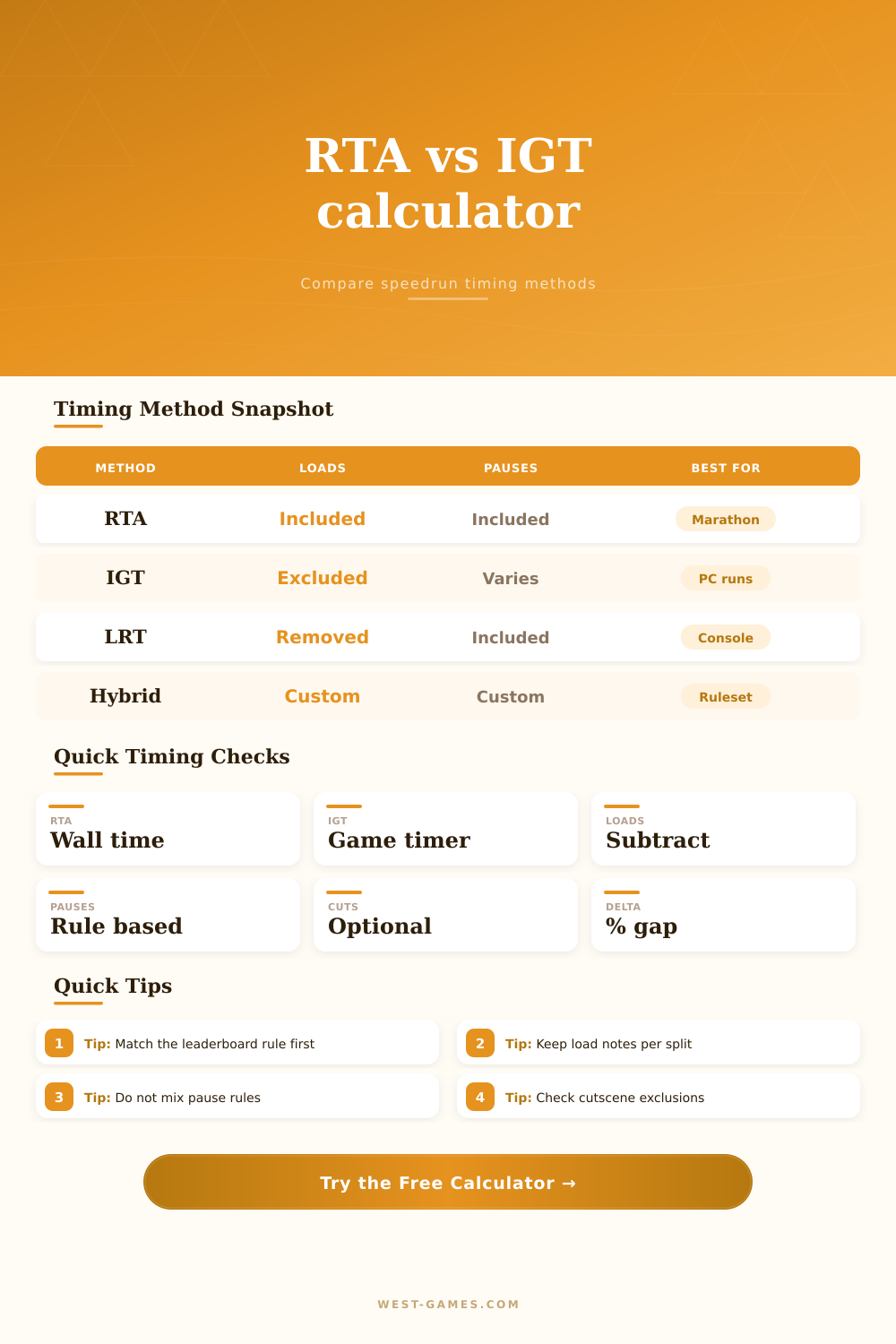
RTA
Starts and ends by wall clock. Loads, pauses, menus, platform lag, and cutscenes remain part of the run unless a board rule states otherwise.
IGT
Uses the game timer. It often ignores loading screens, but pause and cutscene behavior depends on how the title implements its clock.
LRT
Begins with RTA and subtracts verified load segments. Retimers use it when hardware storage speed would otherwise distort comparisons.
Hybrid
Uses custom exclusions such as loads plus pauses or loads plus cutscenes. It is useful for categories with special leaderboard language.
| Method | Start / End Basis | Loads | Pause Handling | Typical Use |
|---|---|---|---|---|
| RTA | External timer | Included | Included unless ruled out | Marathons, races, console categories |
| IGT | Game timer | Usually ignored by timer | Game dependent | PC titles with reliable internal clocks |
| LRT | External timer minus loads | Subtracted after retime | Usually included | Runs affected by storage differences |
| Hybrid | Ruleset formula | Custom | Custom | Categories with explicit exclusions |
| Preset | RTA | IGT | Load | Rule Focus |
|---|---|---|---|---|
| Any% PC Loads Removed | 46:28 | 43:54 | 121s | LRT check |
| Console Marathon RTA | 1:55:12 | 1:49:30 | 236s | Wall clock |
| Glitchless IGT Route | 1:18:44 | 1:14:05 | 181s | Game timer |
| 100% Cutscene Heavy | 3:42:10 | 3:34:00 | 318s | Cutscene audit |
| Race Room Sync | 35:16 | 33:58 | 64s | Shared clock |
| Difference Percent | Interpretation | Likely Cause | Review Action |
|---|---|---|---|
| 0% to 2% | Tight timing spread | Low load burden | Check start and end frames |
| 2% to 5% | Normal route gap | Loads or short pauses | Verify load removal notes |
| 5% to 9% | Large conversion gap | Long loads, menus, cutscenes | Audit every excluded segment |
| Over 9% | Ruleset mismatch likely | Mixed timer definitions | Re-read leaderboard method |
| Component | Formula Role | Included In RTA | Often Removed From | Notes |
|---|---|---|---|---|
| Load time | Subtract from RTA for LRT | Yes | LRT and many IGT clocks | Track with split or video retime |
| Pause time | Subtract only when rules allow | Yes | Some hybrid categories | Pause buffers can be category illegal |
| Cutscenes | Subtract only if excluded | Yes | Some retime sheets | Use consistent first and last frame |
| Platform lag | Add or subtract adjustment | Yes | Special cases only | Document emulator or console variance |
You complete a speedrun feeling crisp, but look at the timer: it doesn’t feel right. You had tight splits, but real-time attack (RTA) clock included cutscenes, pauses, and loading screens. Now people argues that your menus slowed you down, or maybe it was just hardware. With the RTA vs IGT calculator, those arguments can be put to bed, because it removes the variables that don’t matter in your category. All that’s left is what matters: the performance.
What you’re really measuring matters. Do you want to see a real-time attack, which measure a player’s complete human experience from start to finish, including menu navigation and lag? Or do you want the in-game timer (IGT), which only measures how efficient their gameplay are, often without including loading screens or platform differences? A person could be running off an SSD while someone else run on an old hard drive. Raw time comparisons don’t measure skill; they measure storage speed. When you decide who truly ran better, that difference matter.
How to Use the RTA vs IGT Calculator
When you look at the tool above, math handles the conversion between these worlds. Enter your raw RTA hours:minutes:seconds and plug in your exclusions. That’s where most users stumble: They guess at their load times without actualy watching their video. The calculator demands accuracy; you need to know precisely how many second of your run were spent in a cutscene vs. A pause vs. A loading screen. Subtract too much and your time will appear artificialy fast, subtract too little and your run will be unfairly penalized.
The page has a reference table showing how each method treats them more differently. Load times suck in today’s games, but some platforms load infinitely faster or slower than others. A PC port could require a full 20 second load every time you enters a new zone, whereas a retro console emulator may load instantaneously. For LRT categories like these, things like loading times gets subtracted from the final score, which levels the playing field for everyone who plays on different hardware. It’s not cheating; it’s just about being fair to players.
The difference between what you played and what you waited for is called the “delta,” and the calculator display it so that you can see precisely how long you sat waiting during your run. How far off the other player is show both their skill and something about the game itself. Beyond that there’s cutscene complexity: should you skip them? Should you count them as an input? The answer depends on the rules. And if your leaderboard adopts a hybrid ruleset, then you’ll need to pick one or the other, pause vs. Load. Why? Because pauses represent voluntarily lost time whereas loads represents time forced upon you. It makes no sense to treat them identicaly.
By separating out these types of inputs, the tool enable you to assign the right exclusion based off the leaderboard rules. So instead of just getting a number, you get some context as well. Not only do you know how long it took by the official method, but you also know what average split loss was. That lets you know whether you were consistent throughout your run or if there was any unavoidable downtime that caused one or two segment to drag behind. The larger the gap between IGT and RTA, the higher your overhead likely is. Overhead happen frequently in open-world games. The tighter the gap is, the more fluid and linear your run was. Knowing either end of that spectrum lets you know where you can work on improving.
High split loss during loading sections means practicing isn’t going to help. You should of had better hardware or another category. It’s about timing. Whether you’re prepping for a marathon or trying to beat your personal best on speedrun.com, it is important to know exactly how fast you are going without any distractions. Document what you exclude each time and use the exact same method. Let the numbers do the talking. Understanding the clock you race against can be the difference between a good run and a great one.