🔋 Handheld Battery Life Calculator
Estimate handheld gaming runtime from watt-hours, APU package draw, screen power, TDP cap, refresh rate, Wi-Fi, audio, accessories, battery health, and conversion loss.
🎮 Device presets
⚡ Power inputs
📊 TDP comparison grid
Runtime if the APU is held to 7 W with your same display, wireless, health, reserve, and loss settings.
7 W APURuntime at 11 W APU draw, useful for 40 to 60 FPS targets in many handheld-friendly games.
11 W APURuntime at 18 W APU draw, a common heavier PC game mode before charger-style turbo behavior.
18 W APURuntime with the actual game demand clipped by your selected TDP cap.
12 W APU📘 Handheld power tables
| Handheld | Battery | Typical TDP | Display note |
|---|---|---|---|
| Steam Deck LCD | 40 Wh | 10-15 W | 7 inch LCD, 60 Hz |
| Steam Deck OLED | 50 Wh | 9-15 W | 7.4 inch OLED, 90 Hz |
| ROG Ally | 40 Wh | 15-25 W | 7 inch LCD, 120 Hz |
| ROG Ally X | 80 Wh | 15-25 W | 7 inch LCD, 120 Hz |
| Legion Go | 49.2 Wh | 15-30 W | 8.8 inch LCD, 144 Hz |
| Switch OLED | 16 Wh | 4-8 W | 7 inch OLED, 60 Hz |
Presets are editable planning assumptions. Use your exact Wh rating when you know it.
| Game load | APU W | Expected feel | Battery impact |
|---|---|---|---|
| 2D indie or retro | 3-7 W | Cool, quiet | Best runtime |
| 3D low settings | 8-12 W | Good 40-60 FPS target | Strong portable balance |
| Modern medium | 13-18 W | Smoother but warmer | Runtime drops quickly |
| Heavy AAA | 20-28 W | High fan and heat | Short battery sessions |
| Turbo on battery | 30 W+ | Peak performance | Usually not efficient unplugged |
The TDP cap limits package draw before display, wireless, fan, and conversion losses are added.
| Display setting | Power effect | Best use | Tradeoff |
|---|---|---|---|
| 40 Hz | Lower panel overhead | Deck-style 40 FPS pacing | Less smooth motion |
| 60 Hz | Baseline estimate | Most handheld play | Normal latency |
| 90 Hz | About 8% panel lift | OLED Deck style smoothness | Small runtime cost |
| 120 Hz | About 15% panel lift | Fast games and menus | More display draw |
| 144 Hz | About 20% panel lift | Large high-refresh panels | Shortest display runtime |
Refresh affects the display estimate here. Some games also raise APU draw when uncapped.
| Setup | Added W | When it fits | Watch for |
|---|---|---|---|
| Offline, low speakers | 0.25 W | Single-player travel | Downloads paused |
| Wi-Fi plus speakers | 1.00 W | Typical store and cloud saves | Background downloads |
| Online voice | 1.60 W | Co-op and multiplayer | Mic and chat app draw |
| Bluetooth headset | 0.70 W | Quiet rooms and flights | Codec and volume variance |
| Remote or cloud play | 2.20 W | Streaming from PC or cloud | Wi-Fi radio stays active |
Accessory watts are added separately for fan ramp, rumble, RGB, USB storage, or controller adapters.
| Battery size | 10 W system | 18 W system | 28 W system | Planning read |
|---|---|---|---|---|
| 16 Wh | 1h 36m | 53m | 34m | Small console or compact pack |
| 40 Wh | 4h 00m | 2h 13m | 1h 26m | Common first-gen PC handheld size |
| 50 Wh | 5h 00m | 2h 47m | 1h 47m | Improved mid-size handheld pack |
| 80 Wh | 8h 00m | 4h 27m | 2h 51m | Large handheld pack, heavier chassis |
Simple examples ignore reserve and battery age. The calculator above applies those settings to your estimate.
💡 Battery life tips
Put it in your pocket, take it out, open it up and enjoy some portable gaming. Except more times then not, you’re looking at a battery percentage bar that’s rapidly declining as soon as the game crashes. Every new title, every new patch seem to suck the life out of your device without asking for permission.
It’s a fear because you have no idea where that power is going within its chassis. Is it just the processor? Or are screens, fans, and wireless radios contributing too? Knowing these unseen draws will help you change how you play and how long your battery lasts before you need a charger.
How to Save Battery Life on Handheld Games
Plugging your particular device’s specs into the calculator above do the rest. That way you don’t have to guess at all those conversion losses and coefficients. Most folks think of watt-hours as a straight up measurement of time, but really it’s just potential energy waiting to be used. How quickly the system expend that potential depends upon how aggressively it’s run.
Setting the thermal design power cap too high for, say, an indie game means you’re paying a performance tax you never needed. Often, lowering this cap buys you back more hours then dimming the screen does, since the processor draw so much more current than the panel ever will. It is a little tweak but one that matters a lot when you have long sessions.
Another thing that catches people off guard are battery health. On paper, a device may be rated at fifty watt-hours but after a year of hard usage it’s down to forty-five. Batteries aren’t static, they degrade from both heat exposure and charge cycles. This applies to lithium-ion cell. To account for this, the tool has you enter in your current battery health percentage, which will adjust the usable capacity downwards when figuring out runtime. This is a realistic check against marketing specs.
You should also consider keeping some kind of reserve percentage. Stressing the chemistry by draining a battery all the way to absolute zero each time shortens the overall lifespan. Keeping an eight percent buffer might cost you ten minutes of game play but it’ll extend the life of the hardware itself.
You could of planned better. Small details like display settings are easy to overlook. Sure, a 90-hertz display looks smoother than a 60 hz one. But it’s not free… At least, not in watts. High refresh rates waste energy if you’re emulating an old game on a retro emulator or playing a turn-based strategy title. One of the simplest gains for battery life comes from matching your display refresh rate to the actual frame rate of whatever you’re watching.
The next problem is wireless connections. That Bluetooth headset seems to use very little power, it adds up after several hours with its radio constantly polling and sending back data. Even worse are Wi-Fi background updates. Putting your phone in airplane mode (or turning off automatic downloads) when you’re not online can save enough juice for another couple mission.
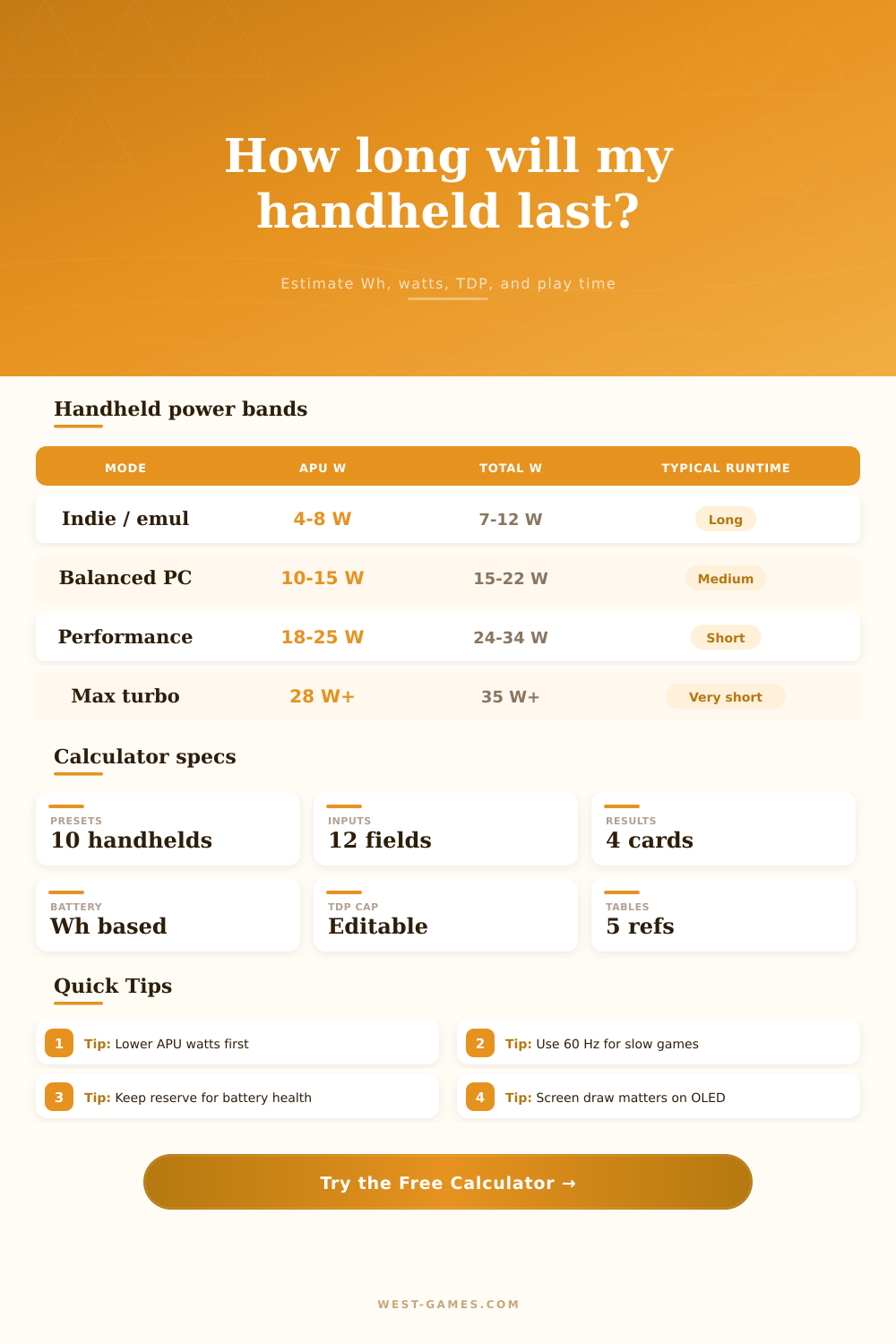
Battery size alone isn’t everything; it’s best understood in terms of total system draw. An expensive device with a big battery may get beaten by one with a small battery but more efficient parts. This table breaks down the differences between devices. It shows how runtime tiers corresponds to different wattage bands. What you’ll notice here is that switching from a balanced profile to something like performance turbo mode means slashing play time drastically. You must decide what you are willing to give up. Want four hours of comfortablely visual quality? Or two hours of maxed-out graphics? There are two different answers and no wrong one.
There’s a lot you can do to master handheld battery life. It’s a question of controlling the variables and setting your expectations to match. While you have no say in what battery pack goes into your device, you can control its power draw. You can do this by keeping an eye on wireless use, lowering the refresh rate for less intensive games, and limiting performance caps. You’re taking back control from the hardware.
And the calculator gives you a way to see these options in action before stepping out of the door. Rather than fretting whether you’ll reach the train stop, you know precisely which settings are going to get you there… with some juice left over. That sort of planning transforms anxiety into confidence and lets you simply enjoy the game rather than stare at the meter tick down.