Packet Loss Impact Calculator
Estimate lost packets per minute, burst gaps, retransmit or FEC recovery, missed game ticks, stream damage, and overall severity from one editable network model.
Small correction misses may show during peeks or fast camera motion.
Bitrate and recovery keep most visual damage hidden.
Repair overhead is below the level that usually crowds gameplay traffic.
The tick rate is not amplifying this loss pattern heavily.
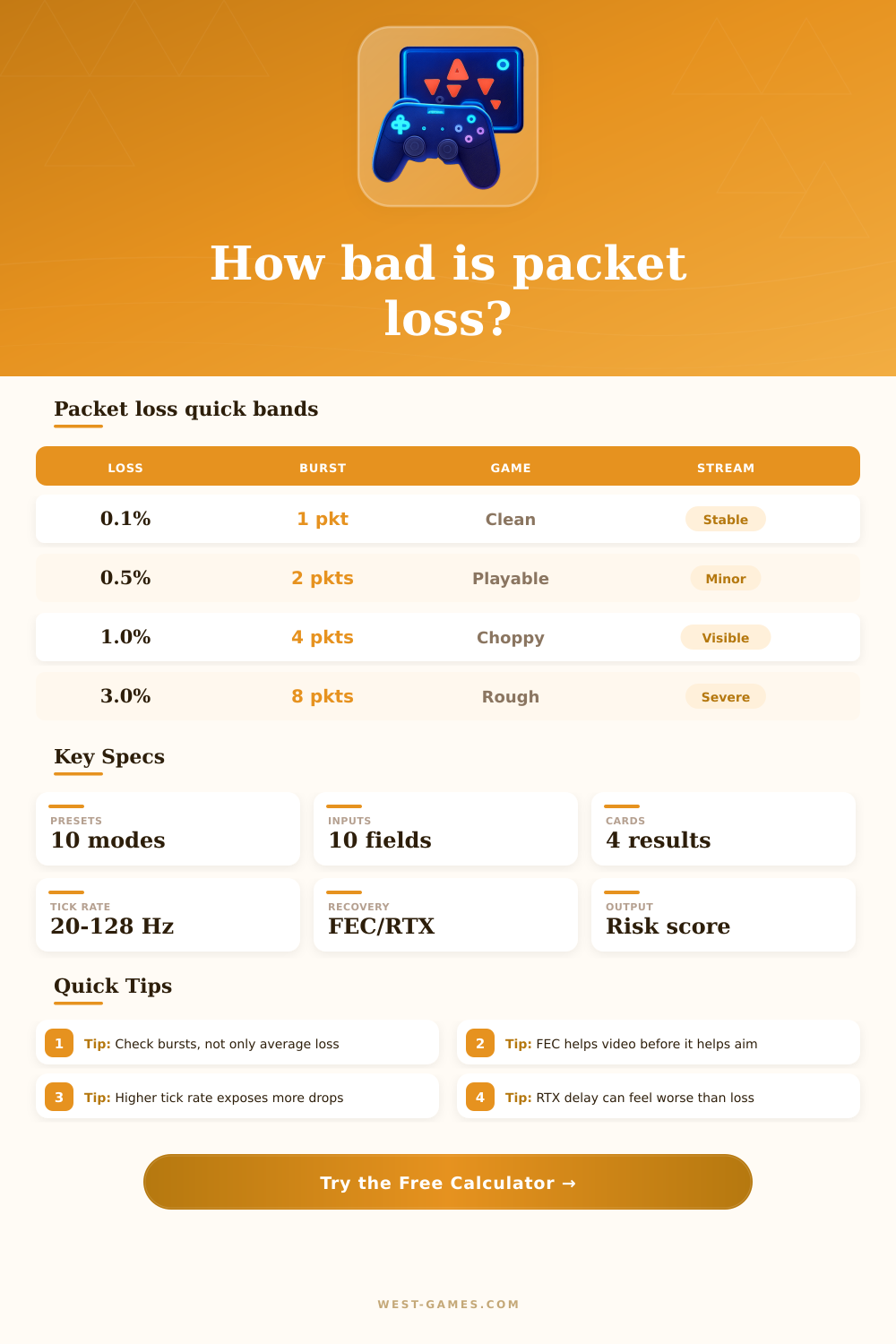
| Effective loss | Typical feel | FPS/MOBA impact | Action |
|---|---|---|---|
| 0.00-0.25% | Clean | Rarely visible | Leave settings alone |
| 0.25-0.75% | Mild | Small correction misses | Watch burst length |
| 0.75-1.50% | Noticeable | Hit reg or rubber-band hints | Prioritize wired path |
| 1.50-3.00% | Rough | Position updates break often | Reduce congestion |
| 3.00%+ | Severe | Competitive play compromised | Fix route before queueing |
| Burst | At 60 pps | At 128 pps | Player symptom |
|---|---|---|---|
| 1 packet | 16.7 ms | 7.8 ms | Usually hidden |
| 2 packets | 33.3 ms | 15.6 ms | Tiny stutter |
| 4 packets | 66.7 ms | 31.3 ms | Correction snap |
| 8 packets | 133.3 ms | 62.5 ms | Visible teleport |
| 16 packets | 266.7 ms | 125.0 ms | Hard freeze |
| Mode | Repair idea | Best use | Tradeoff |
|---|---|---|---|
| No recovery | Drops stay dropped | Simple UDP games | Lowest latency |
| FEC | Extra parity data | Voice and video | Bandwidth overhead |
| Retransmit | Send missing data again | Reliable streams | Delay spikes |
| Hybrid | Parity plus resend | Cloud gaming | More traffic |
| Interpolation | Predict between updates | Game clients | Can feel delayed |
| Tick rate | Tick time | 1% loss at 128 pps | Use case |
|---|---|---|---|
| 20 Hz | 50.0 ms | Lower visibility | Large worlds |
| 30 Hz | 33.3 ms | Moderate visibility | Console action |
| 60 Hz | 16.7 ms | Clearer corrections | Common shooters |
| 64 Hz | 15.6 ms | Competitive baseline | Tactical FPS |
| 128 Hz | 7.8 ms | More exposed | High tick servers |
| Preset | Packet rate | Loss | Burst | Recovery | Most important signal |
|---|---|---|---|---|---|
| Fiber FPS | 128 pps | 0.10% | 1 | Interpolation | Tick exposure is the limiting factor. |
| Wi-Fi Shooter | 128 pps | 0.80% | 4 | Interpolation | Burst gap causes aim correction snaps. |
| Cloud Gaming | 180 pps | 0.70% | 3 | Hybrid | Video and input both need repair margin. |
| Twitch Stream | 90 pps | 1.20% | 5 | FEC | Stream artifacts matter more than hit reg. |
| Mobile Hotspot | 80 pps | 2.60% | 8 | Retransmit | Delay and burst length dominate. |
These are planning baselines, not promises from any one game engine. The calculator recomputes the visible impact from the inputs above.
In a shooter game, your character snaps back when there’s packet loss. That’s not high ping lag. That’s missing data frame that the server never saw. Rather than delay the reality, it breaks its flow.
The math runs on the calculator for you. You input your measured loss rate and burst length. This spares you guessing whether a one percent drop is fatal or acceptible. Average loss percentage is also a common metric. But it’s deceptive on its own. It could be a nice smooth half percent loss, and that feels like nothing at all since the gaps tend to be small and spread out over time. Except when they’re not; when they come in sharp bursts, it feels different than before. One burst after another wipes out an adjustment or correction you made to your aim, or erases your movement. The server doesn’t realize you changed your mind unless the subsequent packet batch show up. Your real input sits queued up between your router and the game host while you battle ghosts.
Why Packet Loss Is Bad for Gaming
This problem would of been hidden from you if recovery mechanisms worked perfectly (which comes at a cost). One common solution is forward error correction, where it sends additional redundant data so the recipient can recover any missing bits. For video streaming, that’s great: Better to see a slightly blurry frame rather than a frozen frame. This is less good for competitive shooters, where extra bandwidth use will chokes your upload limit. Another solution is retransmission, where the host requests the data be sent again, causing delay spikes that feel like rubber-banding. A hybrid approach tries to find a middle ground between these two solutions. That means carefully tuning interpolation buffers so they smooth out jitters without cause your character to move slowly.
How much you notice those will depend greatly on tick rate. Packets containing less history occur more often with higher tick rates. While that’s fine if you have a packet dropped every 256 ticks (sixty-four times a second), it’s not as well served when that packet drop occurs every 64 ticks. If the tick rate is already high enough that each packet carries less historical data, then even one or two missing frames will be noticeabley off, the client doesn’t have nearly as many reference points from which to interpolate what position your character would’ve been in.
The calculator factors all this in. If you look closely, you’ll see it calculates how many updates per minute you’re likely to not notice in the game. This depends on your own tick rate and how your connection drops packets.
It’s not any less annoying for streamers, though it plays out different. When video codecs make predictions about what will happen next based off previous frames, they rely on prior ones as references. Lose a key frame or even just part of a reference slice and the decoder have trouble rendering subsequent images with clean results. While your local game runs just fine, you may end up seeing nothing but black, pixelated, or blocky images in your own broadcast. That’s because there’s too much jitter on your network path (or the encoder itself) than can be handled by its buffer, or because the encoder’s dropping data to reach its target bitrates. By examining your recovery settings and bitrate, the tool then estimates how badly your stream was damaged. Does your audience have a crisp or distorted version?
This is where the page’s reference table comes into play. It details the effectiveness of each loss band and connects them to the severity felt in-game. Does your network configuration meet the requirements for ranked? Is it worth setting up QoS rules on your router or should you just go all-in on a wired connection? While zero packet loss isn’t necessary to enjoy yourself, it does need to be minimal and predictable. If your ping has an average of around one percent with occasional burst losses of four packets, you’re probably well inside the choppy zone that can impact competitive performance.
In most cases, buying something new won’t help as much as fixing the route or relieving congestion on your local network. In the end, it’s all about the integrity of information, not just the speed of delivery. It’s better to have a slow connection that delivers everything correctly than a speedy connection that randomly loses packets. Measure your loss while running multiple devices and during periods of heavy traffic. Idle tests can result in clean looking lines which dissapears in real world conditions. Knowing whether you’re dealing with one random packet drop or a steady stream of drops can help you find the right solution. Maybe upgrade your modem, change your Wi-Fi channel, unplug a device hogging bandwidth?
The idea is consistency. Consistency anchors your character where you want them to be, and they stay there.