🌐 Interpolation Delay Calculator
Estimate interpolation buffer, minimum safe interp, visual delay, peeker advantage, tracking offset, update pacing, and jitter risk from practical multiplayer networking settings.
Fastest, but only safe on clean connections.
Common balance for snapshot loss cover.
Minimum based on jitter, loss, and priority.
Estimated lateral target lead from interp delay.
| Update rate | Ratio 1 | Ratio 2 | Ratio 3 |
|---|---|---|---|
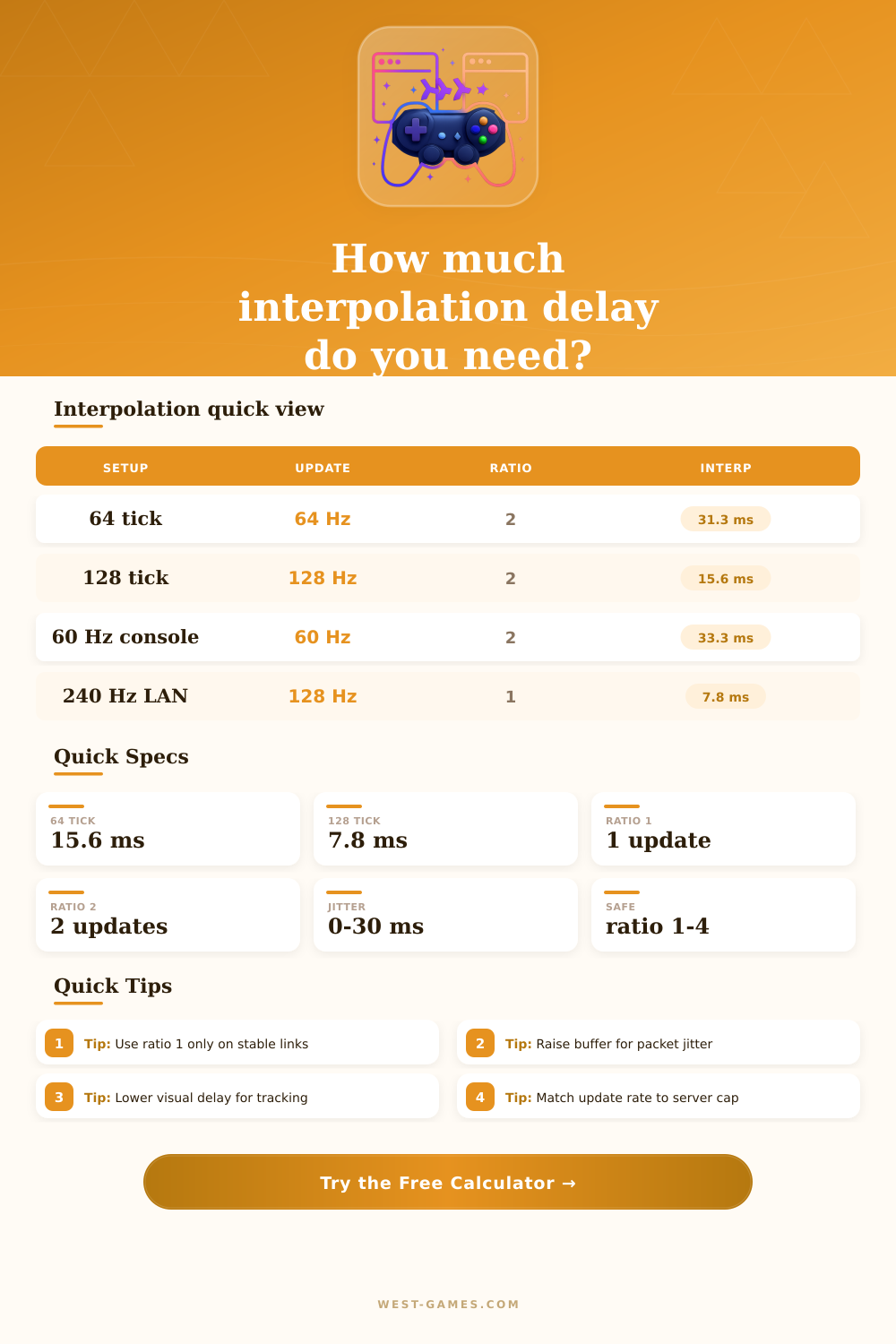
| 30 Hz | 33.3 ms | 66.7 ms | 100.0 ms |
| 60 Hz | 16.7 ms | 33.3 ms | 50.0 ms |
| 64 Hz | 15.6 ms | 31.3 ms | 46.9 ms |
| 100 Hz | 10.0 ms | 20.0 ms | 30.0 ms |
| 128 Hz | 7.8 ms | 15.6 ms | 23.4 ms |
Ratio-derived interpolation is ratio divided by update rate, converted to milliseconds.
| Network | Jitter p95 | Loss | Likely ratio |
|---|---|---|---|
| LAN or fiber | 0-2 ms | 0% | 1 if the game allows it |
| Stable broadband | 2-6 ms | 0-0.5% | 1-2 depending on update rate |
| Busy home Wi-Fi | 8-18 ms | 0.5-2% | 2-3 for smoother snapshots |
| Mobile or congested WAN | 18-45 ms | 1-5% | 3-4, sometimes more |
The calculator increases safe interp when jitter, loss, or stability priority makes late snapshots more likely.
| Metric | What rises | Player feel | Fix to test |
|---|---|---|---|
| Selected interp | Target history delay | Enemies look slightly behind real position | Lower ratio if safe |
| Visual delay | Local display timing | Tracking feels floaty or late | Reduce queue and display delay |
| Peeker impact | RTT plus interp window | Defender sees swings later | Lower ping and avoid excess buffer |
| Tracking offset | Speed times delay | More crosshair lead needed | Reduce interp or tune sensitivity |
Peeker impact here is an estimate of information timing, not a full server-side hit registration verdict.
| Preset type | Tick/update | Jitter | Intent |
|---|---|---|---|
| Competitive 128 Hz | 128/128 | Low | Small buffer with low correction risk |
| Console 60 Hz | 60/60 | Medium | Stable visual smoothing at common update cadence |
| Battle royale WAN | 60/30 | Medium-high | More safety for large lobbies and variable routing |
| Wi-Fi or mobile | 60/60 | High | Protect against burst jitter and missed packets |
Replace presets with measured in-game net graph values whenever you have them.
When packets arrive late, the game doesn’t just skip frames; it fills in the gaps between snapshots on the server to smooth things out. That process has a little look into past and means you’ll miss your shots. The lag isn’t about raw ping numbers. Inputting your update rate and server tick rate will have the tool calculates these.
Server tick rate is how frequently authoritative world updates its state. Update rate is how often that gets sent to your client. So if the server is ticking at sixty-four hertz but you’re only getting an update rate of thirty-two, then you’re missing out on half the info. Interpolation buffers is needed to fill in the gap.
How to Fix Game Lag and Jitter
While many gamers obsess about ping they overlook jitter buffer. This is a change in when packets arrive which will ruin a smooth gaming experience far more than average latency alone. One hundred milliseconds at all times is something you can plan for and work around. But if your connection keeps changing from 20-80 then the client has to wait that long with old information. Busy Wi-Fi networks need bigger safety margins (see the reference table) and broadband connections can have smaller ratios because they are stable.
The interpolation ratio controls how stable vs. How responsive your game is. If it’s set to one, then the client draws whatever it gets right away. It’ll feel snappy and crisp like that. But it also snaps around whenever a packet drop or comes in too late to fix where player model is standing. That snapping cause breaks in the aim tracking.
Setting it to two or three give you extra time to smooth out any weirdness from network at the cost of seeing everything about an enemy farther into the past. That’s not just an abstraction; it has real-world physical effects. As you peer around a corner, your opponent is peeking out as well. You see them where they were a fraction of a second ago, but they see you where you just were. That’s called peeker advantage. He knows where you are because he’s moved there and can see you more recently, while you’re firing at where he once was.
The calculator sums up all these factors: the lag between your display refresh and its interpolation, plus your round-trip time. At some point, total visual delay might exceed 40 milliseconds. When this happens, enemy can strafe fast enough to move ahead of your crosshair, causing your shot to miss by multiple inches.
There’s one more wrinkle: display technology. Moddern monitors advertise a refresh rate as high as two hundred hertz. However, it takes some amount of time to render each frame and queue it for output by your GPU. At best, there will be only a few milliseconds of local display delay in a high-end gaming rig. An integrated graphics setup, or even a TV, could easily tack on another couple dozen milliseconds over the network lag.
That all adds up; interpolation buffer is added to the network transit time, which itself is added to rendering latency. You’re seeing your enemy after multiple separate steps in the processing chain. Remember, however, that there’s no such thing as “perfect” over an actual internet connection, so you need to tune settings accordingly.
You’re making a tradeoff: higher levels of interpolation provide smoother visuals, while lower ones delivers more accurate positions. With a fast, steady connection, i.e., low ping and good bandwidth. You can afford to push things towards lower numbers to gain the slight advantage in reaction time. But if your connection has any packet loss or jitter, forcing a low ratio will lead to erratic movement and continuous snapping. Aim for lowest setting where tracking your target stays smooth enough to keep your aim steady but is still accurate enough in real time.
That’s all part of learning how to fill in the gaps. You should of learn to be fine with chasing ghosts because you are trying to hit places that do not even exist anymore. The right settings on your buffer make it so they can still glide through seamlessy, and by the time you do want to shoot, they’re out of your line of sight.