🖥 Contrast Ratio Calculator
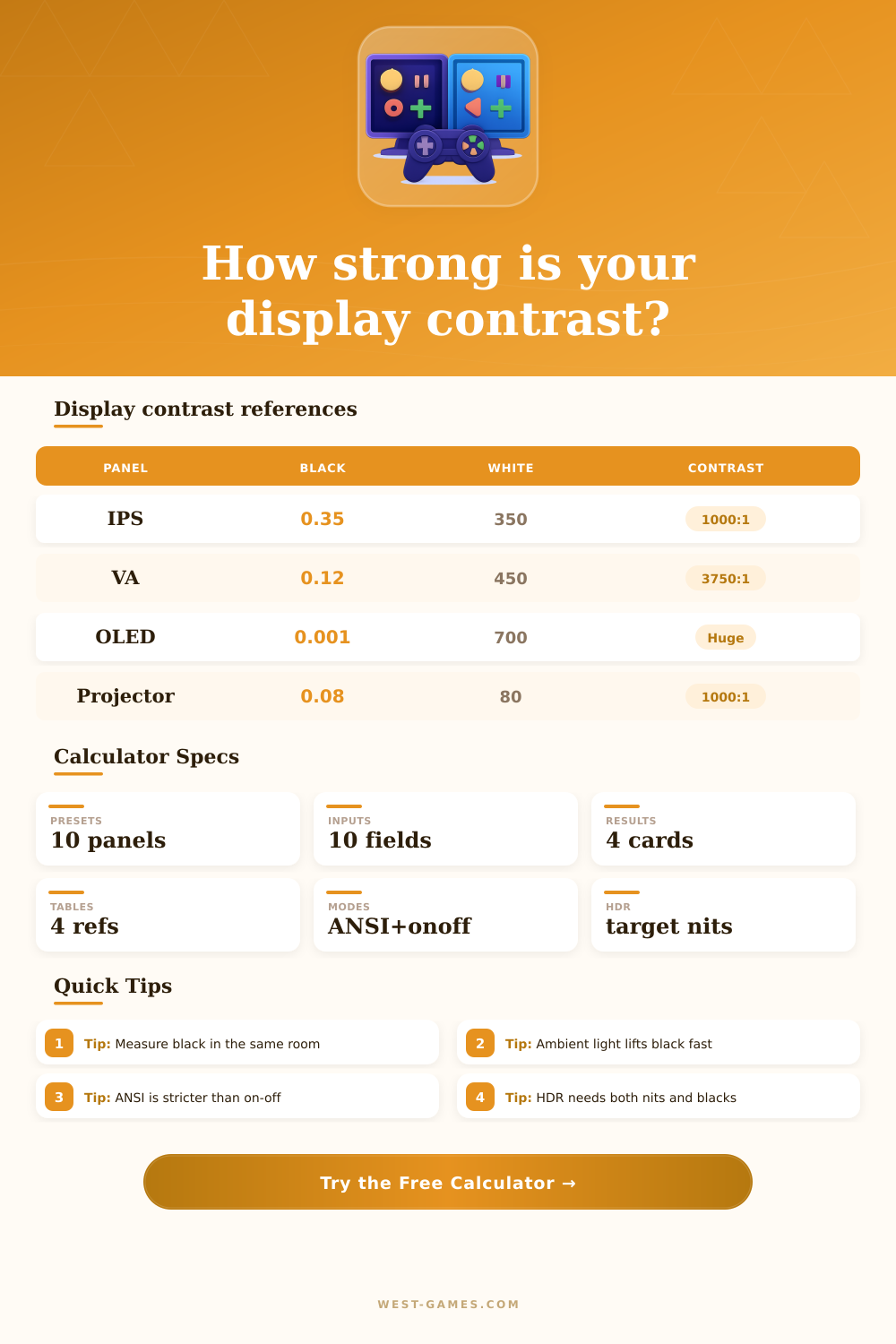
Calculate display contrast from black level, white luminance, ANSI measurement, on-off contrast, room light washout, HDR target brightness, panel type, and perceived contrast score.
Black frame versus white frame before room reflections.
Checkerboard contrast with simultaneous bright and dark patches.
Effective contrast after screen reflectance raises black.
How much of the selected HDR luminance target is reached.
| Panel type | Typical native | ANSI behavior | Notes |
|---|---|---|---|
| TN LCD | 600:1 to 1000:1 | Fair | Fast motion, weaker blacks. |
| IPS / Fast IPS | 900:1 to 1400:1 | Fair to good | Stable color, visible glow in dark rooms. |
| VA LCD | 2500:1 to 6000:1 | Good | Deep native blacks, viewing angle matters. |
| Mini LED LCD | 1000:1 to 6000:1 native | Scene dependent | Dimming can lift on-off far above native. |
| OLED / QD-OLED | Very high | Excellent | Per-pixel black, room reflections still matter. |
| Projector | 500:1 to 3000:1 | Room dependent | Screen and room dominate perceived black. |
| Room condition | Lux at screen | Black impact | Best response |
|---|---|---|---|
| Blackout room | 0 to 2 lux | Minimal | Trust measured black level. |
| Dim gaming room | 5 to 25 lux | Small | Gloss control begins to matter. |
| Evening desk lamp | 25 to 80 lux | Moderate | Angle lights away from screen. |
| Office lighting | 100 to 300 lux | Heavy | Brightness and coating become critical. |
| Sunlit room | 500+ lux | Severe | Use shade or change screen placement. |
| Target | Typical label | Contrast need | Practical read |
|---|---|---|---|
| 400 nits | Entry HDR | Useful black level | Small highlights, limited range. |
| 600 nits | Mid HDR | Good local contrast | Noticeable highlights in dim rooms. |
| 1000 nits | Reference target | Strong black control | Common mastering reference point. |
| 1400+ nits | High HDR | Very strong dimming | Bright highlights need glare control. |
| 2000+ nits | Bright room HDR | Exceptional | Peak brightness cannot rescue poor blacks. |
| Method | Measures | Usually higher? | Use for |
|---|---|---|---|
| On-off | Full black and full white | Yes | Maximum display range. |
| ANSI | Checkerboard patches | No | Mixed scene contrast. |
| Ambient effective | Screen plus room light | No | Real room visibility. |
| HDR headroom | Peak versus target | Separate | Highlight capability. |
| Scenario | White nits | Black nits | Ambient risk | Expected feel |
|---|---|---|---|---|
| Competitive IPS monitor | 300 to 450 | 0.25 to 0.45 | Medium | Clear motion, modest depth. |
| VA single player display | 350 to 600 | 0.05 to 0.18 | Medium | Darker caves and stronger shadows. |
| OLED game display | 500 to 1000 | Near zero | Reflection limited | Excellent dark scenes in controlled light. |
| Mini LED HDR monitor | 700 to 1600 | Zone dependent | Low to medium | High impact highlights with blooming risk. |
| Projector setup | 50 to 150 | Room dependent | High | Immersive size, fragile black floor. |
I mean you sit down in a darkened room with a monitor whose box said it had ten thousand to one contrast, and what do you get? Washed out gray soup, with the idea of black being something that simply swallows up all the light. It’s not so much that the panel sucks; it’s more that there is a gap between how manufacturers measure things and how our eyes see them in real lighting.
Your living room has windows, lamps, ambient glow, and spec sheets is in love with peak performance when tested in some lab, rewriting all those numbers entirely. Enter the calculator up top which allows you to enter your raw luminance values, then play with environment variables which are most relevant.
Why Screens Look Different at Home
What you’ll notice is that everyone gets hung up on one number: the white peak brightness value, since “more” sounds like it’s better. But what about the black level? Turns out that is way more critical to how good something looks then just the brightness of things being displayed. You could have a display that peaks at two thousand nits while also having a really high black level (too high), or perhaps room reflections raise that black level even higher. That’s why so many people don’t consider these factors when comparing specs on paper versus in real life.
The chart above is based off ANSI contrast, measuring the ability to show bright and dark simultaneously on the screen, which is different than just on/off measurements where you flash full white then full black frames sequentially. Full field colors are not really seen in real content so checking it with a checkerboard test is closer to how a panel behaves when showing mixed content such as a starry night sky or a dark cave with a torch shining into it.
You can see how different panel technologies compares against their typical ANSI behavior in the table at the bottom of page. VA panels tend to have deeper blacks but poorer viewing angles and potentially slower response time, whereas IPS panels typically hold color well but do not handle large areas of blacks too well.
Most setup guides neglect ambient light as another quiet killer of perceived contrast. Even a little light bouncing off the screen will raise the black level significantly. For example, a glossy OLED panel may look perfect in complete darkness due to perfect pixel control, but sit it next to a window or above an overhead light and it will act like a mirror, increasing the effective black level.
The tool considers the screen’s reflectance plus the ambient lighting (room lux) so it shows you what your eyes actualy see vs. What the panel emits alone. To help you adjust for these conditions, it lets you tweak the ambient input to represent various situations: everything from a dark bedroom to a bright office with daylight shining through the windows behind you.
Then there’s the added complication that HDR also demands very good local dimming control as well as high peak brightness. A lot of screens passes the nominal nits specs needed for HDR certification, but fall flat when dynamic content pushes a mix of bright highlights against deep darkness. This calculator aims to illustrate the compromise and estimate what fraction of your desired HDR luminance will be achievable with the dimming power of your display. Your local dimming zones may be too big or slow to keep those highlights from bleeding into adjacent darkness; destroying the atmosphere the director intended.
In the end, deciding what looks good comes down to weighing these trade-offs against your particular situation. No one panel is “best”… Just whatever matches best with how you watch and where you live. Instead of guessing, try to measure the actual space lighting in your room if possible. Put the numbers into this to see how the actual value changes compared to what is being advertised. You’ll probably discover that small tweaks to ambient control provide larger visual benefits then incremental boosts in maximum brightness. Contrast isn’t so much a matter of producing light as controlling it.