⌨ Debounce Time Calculator
Estimate keyboard and mouse debounce delay, scan rate waiting time, switch chatter probability, double-click safety, actuation reset behavior, competitive latency, and false-trigger risk.
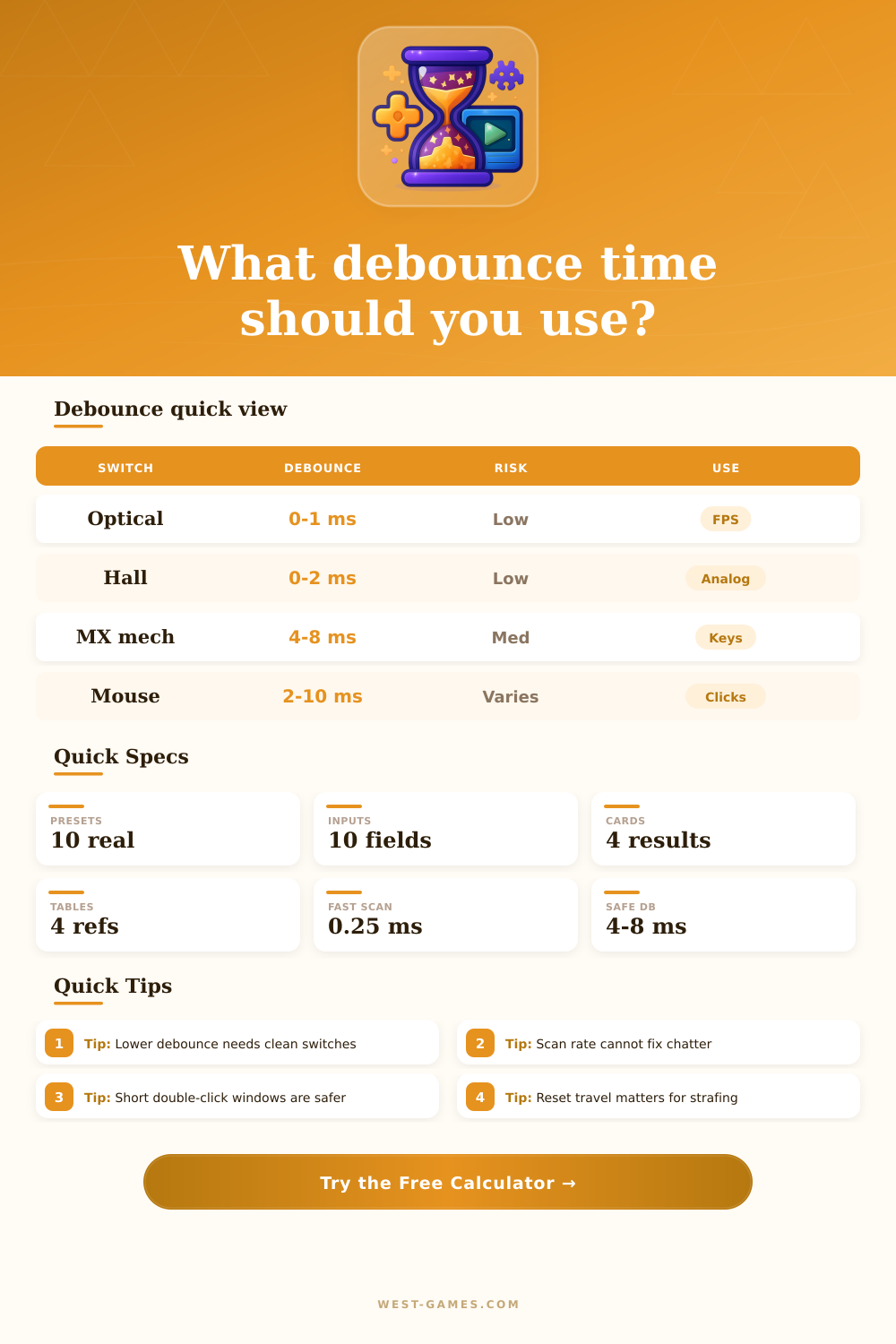
| Switch family | Common range | Latency feel | Risk note |
|---|---|---|---|
| Hall effect keyboard | 0 to 2 ms | Very fast | Sensor noise and reset gap matter more than contact bounce. |
| Optical keyboard | 0 to 2 ms | Very fast | Little physical contact bounce, but firmware may still filter. |
| Mechanical keyboard | 4 to 8 ms | Moderate | Safer for older or clicky switches with uneven contact bounce. |
| Mechanical mouse click | 2 to 10 ms | Fast to safe | Low settings feel crisp but can expose double-click faults. |
| Optical mouse click | 0 to 4 ms | Very fast | False double-click risk is usually lower than mechanical clicks. |
| Preset | Switch class | Typical debounce | Scan or poll |
|---|---|---|---|
| Wooting 60HE Lekker | Hall effect analog | 1 ms | 8000 Hz scan class |
| SteelSeries Apex Pro | OmniPoint Hall effect | 2 ms | 1000 Hz keyboard class |
| Razer Huntsman V3 Pro | Optical analog | 0.8 ms | 8000 Hz scan class |
| Cherry MX Red board | Mechanical linear | 5 ms | 1000 Hz keyboard class |
| Logitech GPX 2 click | Hybrid optical mouse | 1.5 ms | 8000 Hz poll class |
| ZOWIE EC2-C click | Mechanical mouse | 6 ms | 1000 Hz poll class |
| Scan or poll | Interval | Average wait | Practical use |
|---|---|---|---|
| 125 Hz | 8.00 ms | 4.00 ms | Bluetooth, office mice, basic controllers. |
| 500 Hz | 2.00 ms | 1.00 ms | Older gaming mice and some wireless saving modes. |
| 1000 Hz | 1.00 ms | 0.50 ms | Common competitive keyboard and mouse baseline. |
| 4000 Hz | 0.25 ms | 0.13 ms | High-end mouse and keyboard esports modes. |
| 8000 Hz | 0.13 ms | 0.06 ms | Lowest report waiting time, higher CPU and battery pressure. |
| Signal behavior | What it means | Debounce response | Competitive tradeoff |
|---|---|---|---|
| Clean edge | One press, one release | 0 to 2 ms can work | Best for latency. |
| Short bounce | Noise below 3 ms | 2 to 4 ms filter | Still responsive for most games. |
| Medium chatter | Repeats around 4 to 8 ms | 6 to 10 ms filter | May feel slower on taps and clicks. |
| Long chatter | Repeats beyond 10 ms | Debounce is a bandage | Switch cleaning or replacement is likely better. |
| Setup | Debounce | Avg scan wait | Transport | Estimated input path |
|---|---|---|---|---|
| Optical keyboard, 8000 Hz wired | 0.8 ms | 0.06 ms | 0.15 ms | About 1.0 ms before game sampling. |
| Mechanical keyboard, 1000 Hz wired | 5.0 ms | 0.50 ms | 0.15 ms | About 5.7 ms before game sampling. |
| Optical mouse, 8000 Hz 2.4 GHz | 1.5 ms | 0.06 ms | 0.45 ms | About 2.0 ms before game sampling. |
| Mechanical mouse, 1000 Hz wired | 6.0 ms | 0.50 ms | 0.15 ms | About 6.7 ms before game sampling. |
| Bluetooth device, 125 Hz | 8.0 ms | 4.00 ms | 5.00 ms | About 17 ms before game sampling. |
These examples isolate input-device timing. Game engine queue, display refresh, and network latency are separate layers.
In a shooter game, for example, spinning your character twice instead of once result in an input error. It’s not that you’re unlucky; it’s that physics met firmware. You hit the key with your finger. Metal contacts bounce. The controller see two presses even though you meant only one. And that’s why, if you want low input latency but don’t want to make mistakes, you care about debounce time.
To strike that balance, calculator (above) models out what happens when switches is pressed. It doesn’t tell you one magical answer. It tells you, given your hardware, at least, the tradeoffs in speed vs reliability of various switches. You pick type of switch: an old-school mechanical clicky one, or maybe something new like a clean Hall effect sensor. And then you tweak based off just how noisy that switch’s signal is. From there, it will estimate the overall delay from your input path, including how long the computer has to wait around to check if you’ve hit that button yet.
How to Fix Input Errors in Games
There is a misunderstanding about that scan rate. Folks hear “higher poll rate” and assume “faster response.” And they’re right, as far as it goes: once the debounce filter has had a chance to do its thing. Are you lowering the debounce so your click feels more snappy on a mechanical switch with lots of chatter? All you do is get double-clicks or miss input events entireley. This is why the calculator emphasizes how much filtering delay vs. The scan interval also adds to the wait time. Eight thousand hertz? There is very little wait time, except for however long debouncing takes. One thousand hertz? Now you’re already adding half a millisecond per action.
The game has been turned by optical and magnetic switches which close a circuit without any physical contact. No metal on metal banging around. So the raw bounce window are nearly nothing. With optical and magnetic switches, debounce can be set really low, with no worry about false triggering. And that’s what you see in tool’s reference tables, the new style switches run safely down to zero or two milliseconds. This is a massive benefit for competitive play because fractions of a second matter.
Mechanical switches from yesteryear aren’t like this. They’re old. They wear out. They get dusty in there and create an inconsistent connection point. For these, the debounce is typically set at four to eight milliseconds to allow time for the signal to stabilize. Attempting to stuff a Cherry MX switch into a one millisecond delay isn’t going to end well. At speed you’ll probably find yourself experiencing ghost presses. To make up for this, the calculator factors in the switch class and your measured probability of chatter to modify the risk of false trigger.
The other issue is mouse clicks. While keying errors might be annoying, double click faults in a mouse can cause a selection to go awry or even fire off two spells simultaneousy. There’s a double click window safety check in the tool so that you can determine whether your settings allow for too many accidental double-clicks. Radio link transport latency (if you’re using a wireless mouse) is also factored into the final estimate when gaming. We’re talking about finding out what level of debouncing doesn’t cause any errors on your switch. Generally newer switches will be able to run tighter than older switches. You can tweak the chatter percentage in the calculator to model this aging effect. Over time do you start to get more errors? Bump up that number and see if that changes your estimated latency budget.
Few folks pay attention to the switch’s reset point, the amount of force or distance needed before a switch’s key registers as released and will accept another press. A low reset lets you retrigger more quickly; perfect for rhythm games or strafing. Combine that with a high debounce, however, and you have a dead zone where your input won’t be accepted. You’ll get a quick re-press score from the tool.
When looking at actuation forces and poll rates, it’s easy to go down a rabbit hole of specs. However, it’s actualy much simpler. You don’t want the filter to be so tight that you notice it, nor do you want it so wide that it catches too much noise. The calculator eliminates the guessing game and allows you to see precisely where your setup lies on this spectrum. After knowing your numbers, any tweaks become a matter of fine adjustment instead of random trial and error. As a result, you’re no longer fighting your gear, you’re working with it.
It requires some patience to find that sweet spot, but I think it should of been worth it. Everything starts flowing consistently again. The character goes where you want him to go every time. There are no more misses on dashes. There are no more double spins. It’s just smooth and reliable performance that feels like an extension of your own reflexes.