⚔️ Project Diablo 2 Attack Speed Calculator
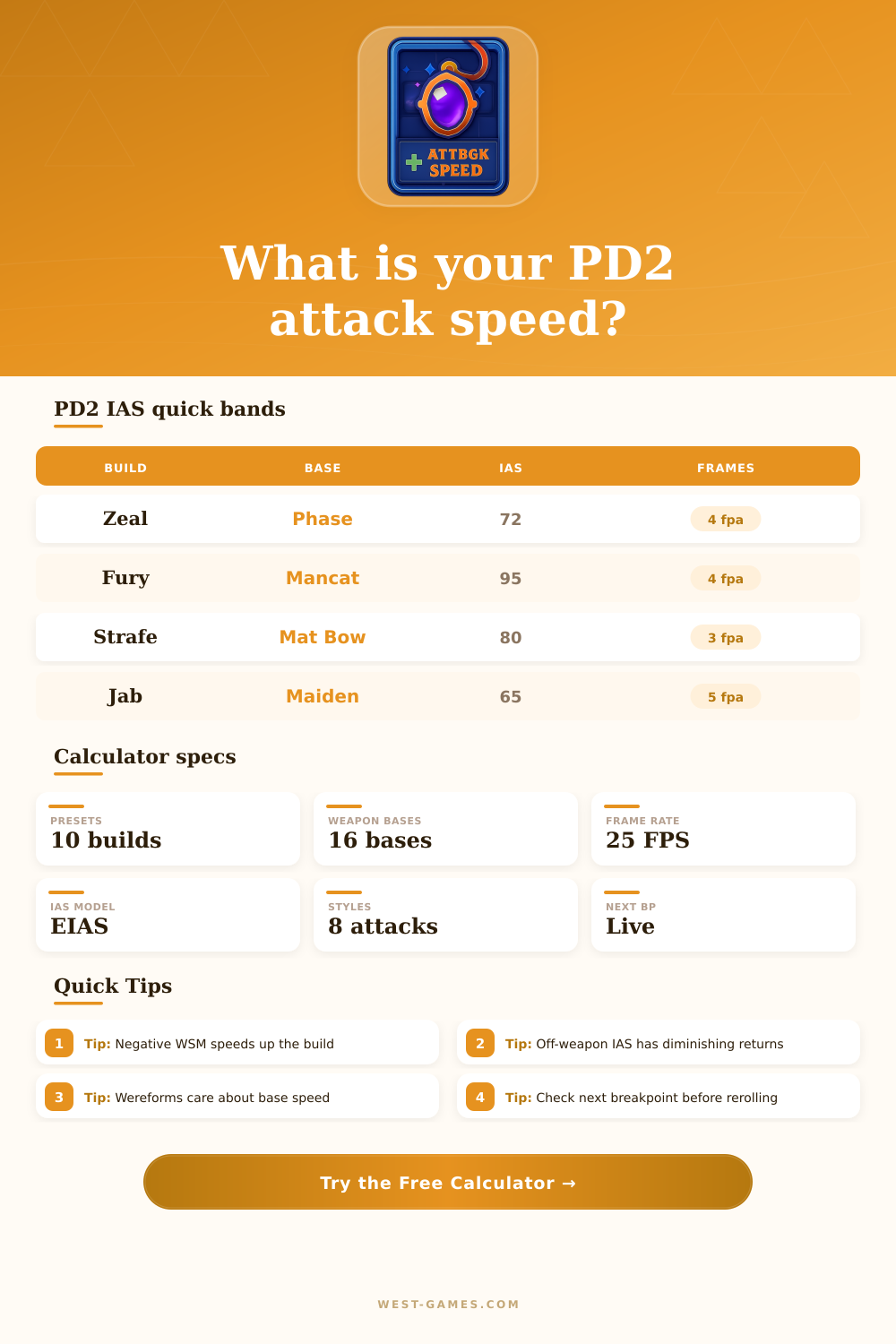
Compare PD2 weapon bases, class animation profiles, on-weapon IAS, off-weapon IAS, EIAS, frames, APS, and next breakpoints.
Phase Blade
4 fpaFast one-hand sword baseline.
Mancatcher
5 fpaFast spear/polearm route.
Matriarchal Bow
3 fpaBow skill breakpoint check.
War Pike
6 fpaSlow high-damage base check.
| Base | WSM | Group | Typical use |
|---|---|---|---|
| Phase Blade | -30 | Sword | Zeal, proc melee, fast one-handers |
| Greater Talons | -30 | Claw | Assassin claw attacks and Burst of Speed setups |
| Mancatcher | -20 | Spear | PD2 spear and shapeshift attack planning |
| Thresher / Giant Thresher | -10 | Polearm | Fury, Maul, and merc-style comparisons |
| Matriarchal Bow | -10 | Bow | Amazon Strafe and multishot planning |
| Grand Matron Bow | 10 | Bow | Slower Amazon bow with stronger base pressure |
| War Pike | 20 | Spear | Slow spear base; needs more IAS to catch up |
Negative WSM is faster. The calculator includes WSM directly in the EIAS total, so changing bases can move multiple breakpoints.
| Profile | Fast group | Slow group | Use in calculator |
|---|---|---|---|
| Amazon | Bow, javelin | Heavy melee | Neutral bow profile, small melee tax |
| Assassin | Claw | Heavy weapons | Claws receive faster animation offset |
| Barbarian | Axes, swords | Polearms | Neutral melee profile with WW note |
| Druid human | Some one-handers | Large weapons | Slightly slower human profile |
| Werewolf | Fast bases | Slow two-handers | Large negative form offset |
| Werebear | Fast poles | Slow spears | Moderate slower form offset |
| Paladin | Zeal swords | Slow maces | Zeal receives a small speed credit |
Offsets are intentionally editable with the manual field for niche animation cases, private testing, or patch-specific PD2 data.
| Style | Sequence | Fast caps | What changes |
|---|---|---|---|
| Normal swing | 1 hit | 7 to 6 fpa range | Simple breakpoint ladder from animation EIAS |
| Zeal style | 5 hits | 5, 4, 3 fpa checks | First swing is slower; follow-up frames drive APS |
| Fury style | 5 hits | 6, 5, 4 fpa checks | Wereform offset and weapon WSM matter heavily |
| Strafe style | Up to 10 hits | 4, 3, 2 fpa checks | Average improves as more arrows use follow-up frames |
| Jab / Fend | 3 to 7 hits | 5, 4, 3 fpa checks | Good for comparing Maiden Javelin and spear bases |
| Whirlwind style | Tick model | 6, 5, 4 fpa checks | Use on-weapon IAS emphasis and verify in game |
This table is built for PD2 planning, not Path of Diablo. PD2 weapon bases and editable animation offsets are part of the model.
| Raw gear IAS | Gear EIAS | Extra 20 IAS adds | Planning note |
|---|---|---|---|
| 20% | 17 | +12 EIAS | Early IAS is efficient |
| 60% | 40 | +8 EIAS | Most builds feel a clear jump here |
| 100% | 55 | +6 EIAS | Diminishing returns become obvious |
| 160% | 69 | +4 EIAS | Check breakpoints before adding jewels |
| 240% | 80 | +3 EIAS | Large raw IAS may buy little EIAS |
| 320% | 87 | +2 EIAS | Skill speed and WSM often matter more |
Formula used: gear EIAS = floor(120 x raw gear IAS / (120 + raw gear IAS)). Then skill speed, external EIAS, WSM, and animation offsets are applied.
Anyone who’s played an action RPG knows this feeling: you’re gearing up for battle, pressing that button… and watching as your character lazily swipes the air. It’s less of a lethal attack then it is a leisurely pastime. Always, everyone experiences this same phenomenon in a multiplayer title. As enemies move toward you, you watch the screen closely and think, “where are my attack speed bonuses?” The solution typically comes down to the difference between raw percentage stats and the number of frames an animation take. That’s where gameplay theory becomes gameplay friction.
How Project Diablo 2 deals with it: It’s a system for rewarding planning rather than luck. Here, attack speed is never linear. Every additional percentage-based booster returns less and less as your total mounts. The reason for that curve is so that no character can become unplayably fast, yet it lets hardcore builds stretch its responsiveness to the limit. Knowing how that curve bends will keep you from spending resources on gear that sounds great but actually does very little for your output. If you don’t want to do the math yourself (and who does?) you can put in all your weapon base plus bonuses and let the calculator up top do it for you. It takes that vague % thing and turns it into attacks per second, or frames per attack.
Understanding Attack Speed Breakpoints
Games aren’t continuous but instead operate on separate time steps. One point of bonus speed doesn’t make your character swing any quicker. Instead, it makes them swing at a set pace until they reach the limit to move to the next animation frame. But players who pay attention to nothing but their item stats often miss out on weapon speed modifiers. In many ways a weapon’s innate speed is like getting a head start in a race. Take two equal-damage weapons where one has a higher inherent speed. The faster weapon will need far fewer bonus speed mods before it’s hitting top-tier breakpoints. This gives you more room as you progress to focus on other stats, such as offense or defense.
There’s also a layer of skill animations that can’t be represented by raw numbers. Several styles, including Zeal, Strafe, and Fury, all include multiple hits in one skill animation. Typically, the first hit represents the full weight of the starting frames when the skill starts), with each following hit occurring at increasing speed. That encourages high burst potential, since the longer the combo goes on, the faster it becomes on average. But if you’re not able to close out kills quickly enough to get in your fast follow-ups, then all of that theoretical speed turns to thin air.
Even with the same archetype, class matters as well. For instance, Wereform builds come with their own animation offsets which alter how equipment turn into performance. Lucky form bonuses can make a build that seems slow on paper snap through its animations quickly. Meanwhile, human melee characters with a ton of investment may get caught between breakpoints no matter how much they invest in stats. That’s where it pays off to check your next breakpoint before you reroll a rare drop. You won’t waste currency on upgrades which provide nothing of value in practice.
After a while, those off-weapon bonuses (armor, gloves, helmet) begin to suffer diminishing returns. Each one is great until they aren’t. That first one feels like a free upgrade for your character. By the time you have several of them, they barely make a difference. Which brings us back to making difficult decisions on what to place into which slot. When do you take a small speed boost instead of a large amount of life/ resistances that will keep you alive long enough to do the damage you planned? To lay it out, the reference table on the page will map out efficient paths through gear and bonus combinations. This lets you see at a glance which combinations is worth spending points on, which ones trap you in inefficient areas, and which ones get you the most bang for your buck. There’s no need to remember all the numbers, but pattern recognition will help you judge drop items instantly without having to try everything out in-game.
For example: speed isn’t just for speed’s sake. If you’re able to attack 10 times per second but do little-to-no actual damage, you’ll be outclassed by someone who hits twice but does it with crushing strength. Your sweet spot should come from balancing how quickly you can hit things so that both your raw damage and proc effects compound. That means taking a complete view of your character sheet instead of fixating on a singular stat bar. It’s about finding the sweet spot between speed and damage. It’s about efficient speed. You use as few actions as possible while still staying safe and powerful to exert more control over the battle.
Once you understand breakpoints, frames, and how they determine your flow, it is no longer about numbers. Instead, it is about building a character. This difference turns frustration into mastery and lets you focus on what realy matters.