🎮 Maya Skill Tree Calculator
Plan BL2 Siren points across Motion, Harmony, and Cataclysm with presets, capstone checks, and role-weighted allocation.
| Points | Tier | Meaning | Planner use |
|---|---|---|---|
| 0-4 | Tier 1 | Opening skills | Early build base |
| 5-9 | Tier 2 | Second row | Commitment starts |
| 10-14 | Tier 3 | Mid tree | Core effects |
| 15-19 | Tier 4 | Deep tree | Role identity |
| 20-25 | Tier 5 | Pre-capstone | Finish setup |
| 26+ | Capstone | Final skill | Major payoff |
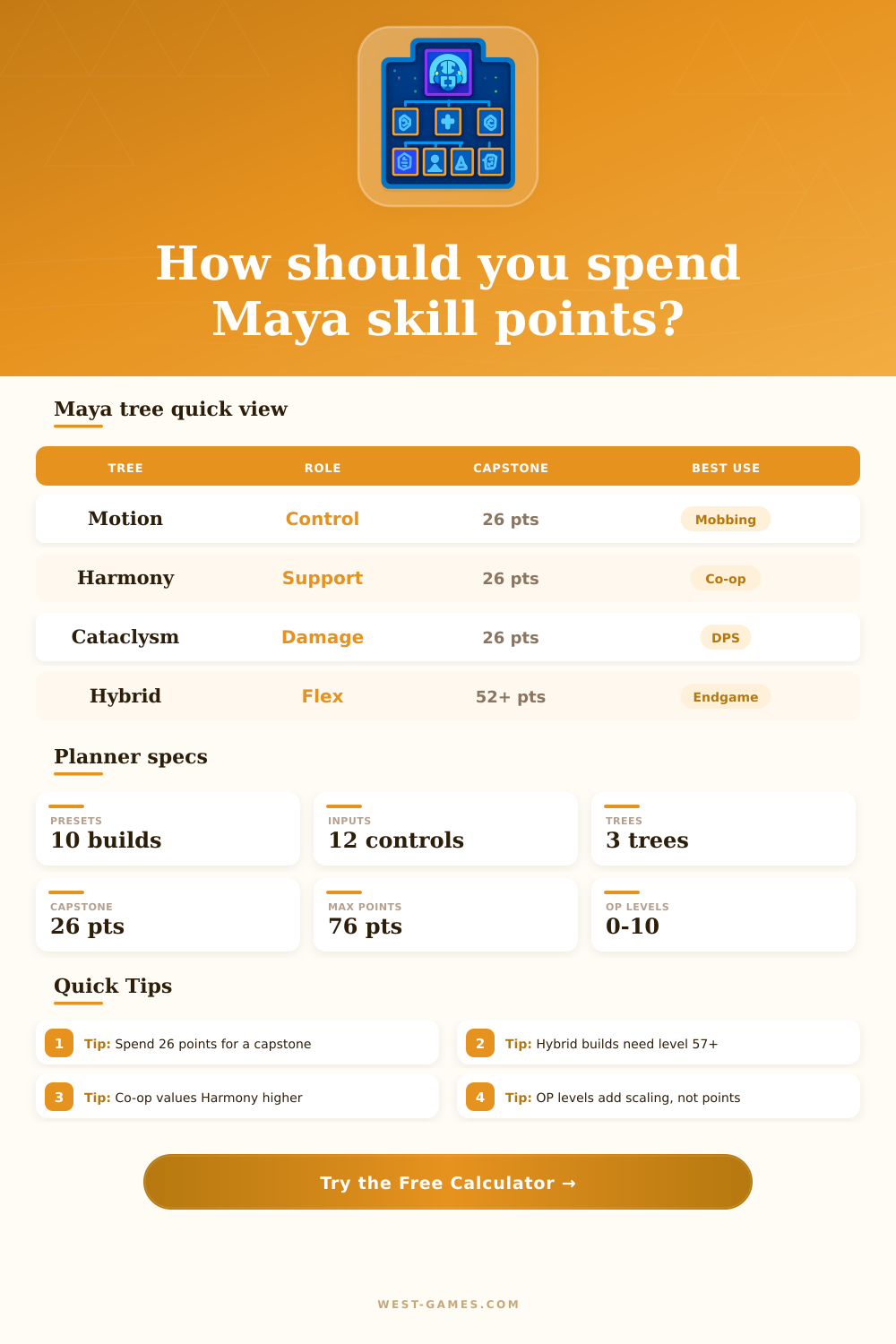
The calculator treats 26 points as the first reliable capstone-ready threshold.
| Build role | Motion | Harmony | Cataclysm |
|---|---|---|---|
| Control mobbing | High | Low | Medium |
| Co-op support | Medium | High | Low |
| Elemental DPS | Medium | Low | High |
| Raid survival | Medium | Medium | High |
| Hybrid endgame | High | Medium | High |
Benchmark labels are planning guides; exact skill picks still depend on gear and encounter rules.
| Class mod | Main boost | Best role | Tree lean |
|---|---|---|---|
| Legendary Siren | Cooldown | General play | Motion |
| Legendary Nurse | Healing | Co-op sustain | Harmony |
| Legendary Cat | SMG damage | BeeHawk DPS | Cataclysm |
| Legendary Binder | Control | Phaselock chain | Motion |
| Trickster | Chain reaction | Mobbing | Motion |
| Witch | Elemental | DoT pressure | Cataclysm |
Class mods influence priority scoring here, but they do not create extra points to spend.
| Preset | Level | Focus | Goal |
|---|---|---|---|
| Leveling Control | 32 | Motion | Safe story |
| UVHM Cloud Kill | 55 | Cataclysm | Elemental clear |
| Raid Support Nurse | 80 | Harmony | Team sustain |
| OP10 BeeHawk | 80 | Damage | Raid burst |
| Sub-Sequence Mob | 72 | Motion | Chain control |
Use presets as starting points, then adjust priorities to match your gear and play mode.
The game features three skill tree for Maya. Each of these skill trees offer different benefit to the player. For example, the Motion skill tree provide abilities that offer crowd control and ensure that the players Phaselock skill remain active.
The Harmony skill tree offers abilities that help the player provide sustain to the player and they team. Lastly, the Cataclysm skill tree provides abilities that do elemental damage to enemy, but it does not provide the same amount of crowd control than the Motion skill tree. The player must decide which of these three role is most important for your playstyle.
How to Choose Maya’s Skill Trees
The players choice of which role to focus upon will impact every decision the player make in their game after they reach level five. For instance, if the player decide to focus upon one role, the player can choose between completing that skill tree to reach the capstone skill or distribute the players skill points between two skill trees. The level of the player will play a critical role in how the player allocate their skill points.
For instance, at lower levels, the player cannot reach the capstone skills without uprooting several of the players other skill. However, at levels 55 and higher, the player can choose which skills to focus upon. At this range of levels, the player can choose to focus upon one skill tree or two skill trees of medium strength.
The overpower levels will not provide the player with additional skills, but they will change the value of the skill tree that the player create. For example, the enemies at overpower levels will scale different than the players other levels, thus providing more incentive to use certain skills over others. Furthermore, the class mod that the player chooses will affect the values of the skills within the skill trees.
For instance, if the player choose the Legendary Nurse class mod for Maya, it will make the Harmony skill tree more valuable because the sustain value it provide to the team is more valuable when playing in co-op mode with other teammates. Likewise, if the player chooses the Legendary Cat class mod for Maya, the SMG damage that the Legendary Cat class mod will enable the player will contribute to the players pressure skill within the game, making the Cataclysm skill tree more valuable. The calculator takes into account these different class mod to understand the players preferences for the game and to provide the player with the best suggestion for splitting their skill.
Additionally, the play mode will also alter the value of the skills that are provided within the skill trees. For instance, playing in co-op mode will make the skills within the Harmony skill tree be more valuable than they may otherwise be. This is due to the fact that one heal or one resurrection will be able to save the player from dying in one fight.
However, in solo mode or mobbing scenario, skills within the Motion skill tree will be more valuable than those that focus on dealing damage to enemies. This is due to the fact that these skills will prevent the player from dying. Furthermore, there is an allocation style for the player to select within the calculator.
For instance, some player may want the calculator to suggest that the player focus upon only one skill tree and capstone skill instead of splitting the players remaining skill points between two different skill trees. The effectiveness of the build will be determined by whether the player feel the split of Mayas skill is correct after playing for several hour. For example, if the calculator suggest that the player assign their skill points in a certain split to prepare for end-game content, and the player feel that this split of skills is how they fight Maya in the game, then the calculators suggestions are likely correct.
However, if the player feel that this split of skills does not match either the gameplay in the UVHM or overpower levels, then one of the players priority skill slider likely does not match the requirements of the content the player play. A successful build will be one that allow the player to make one decision with their skill and then use that as a simple process for allocating their skill points within the game.