💻 VRAM Calculator
Estimate game memory needs, headroom, and safe settings before you launch.
Set your hardware and game settings, then calculate the memory budget.
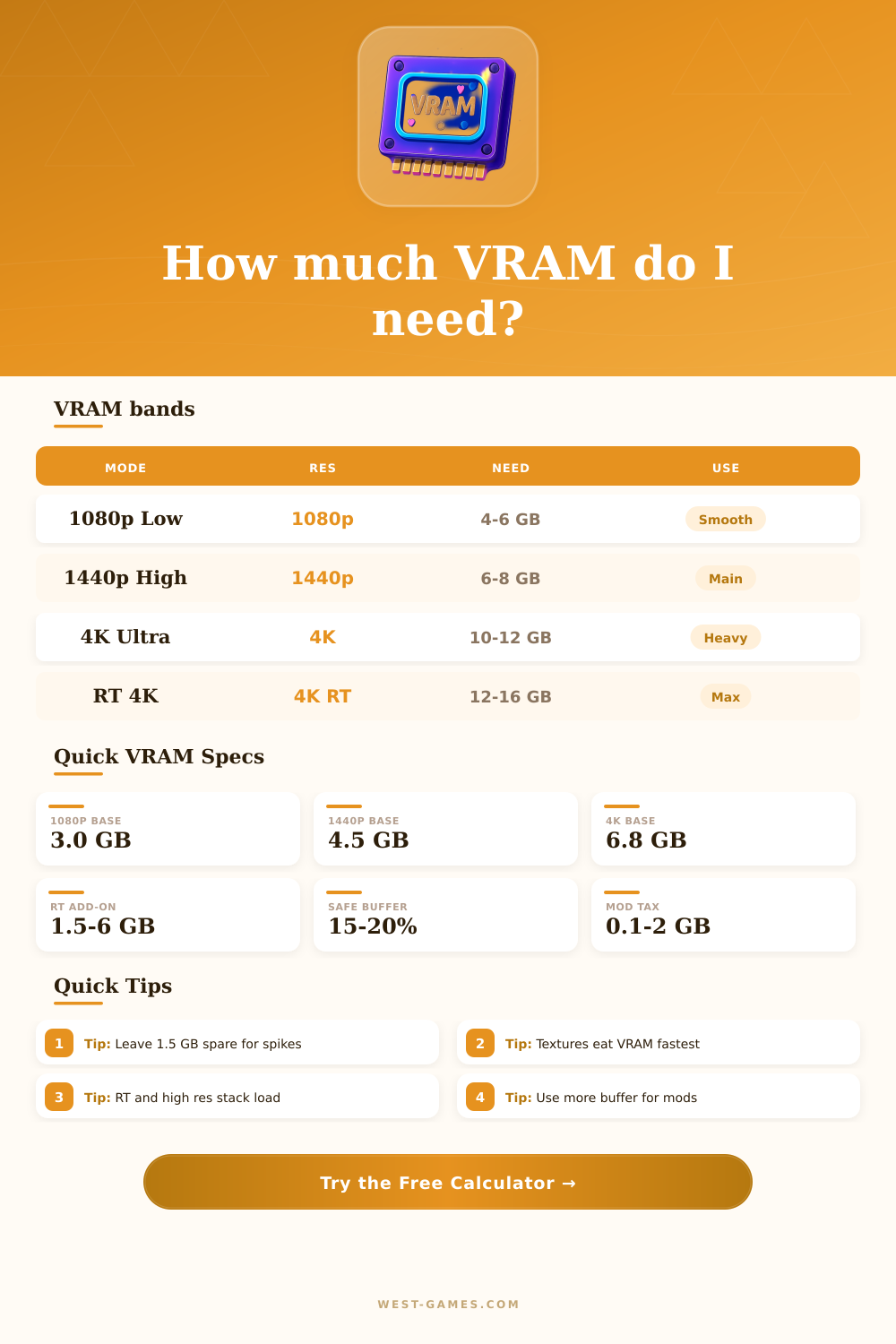
| Resolution | Pixels | Base GB | Use |
|---|---|---|---|
| 1080p | 2.07M | 2.8 | Entry |
| 1440p | 3.69M | 4.0 | Main |
| UWQHD | 4.95M | 4.8 | Wide |
| 4K | 8.29M | 6.6 | Heavy |
These figures are practical starting points, not engine hard limits.
| Texture Tier | GB | Best For | Risk |
|---|---|---|---|
| Low | 0.8x | Small | Low |
| Medium | 1.0x | Normal | Medium |
| High | 1.25x | Sharp | High |
| Ultra | 1.5x+ | Huge | Very high |
Texture streaming is usually the first place to trim memory use.
| Feature | Light | Heavy | Note |
|---|---|---|---|
| Shadows | 0.2 GB | 1.0 GB | Maps |
| RT | 1.5 GB | 6.0 GB | Big hit |
| Mods | 0.1 GB | 2.0 GB | Stacks |
| Buffer | 10% | 25% | Safety |
Combine several heavy features and the memory budget rises quickly.
| Installed VRAM | Comfort | Best Fit | Action |
|---|---|---|---|
| 4 GB | Tight | 1080p low | Trim |
| 6 GB | Okay | 1080p high | Watch RT |
| 8 GB | Good | 1440p mix | Balanced |
| 12 GB+ | Strong | 4K heavy | Flexible |
Use the comfort row to gauge whether your setup has breathing room.
VRAM is special memory for video graphics. It is separate computer memory that stores pixels and other graphical data as the framebuffer for the screen. That is a kind of RAM designed for graphics processing to store image data for the computer screen VRAM belongs to graphical needs of programs, for instance video games.
VRAM sits on the GPU and it obeys only it. The chip and other parts do not have access to it for their own data. It keeps textures, shaders and other graphical elements for screen display.
What VRAM Is and How Much You Need
The more VRAM, the less GPU must wait for access to big data. Almost everything in VRAM serves for textures.
Textures in video games form huge data masses that you prepare and show many times per second. Hence VRAM is faster than usual RAM. If VRAM ends, the computer switches to main RAM, that is much more far from the GPU.
When also that exhausts, you use SSD, that is even slower. VRAM reaches hundreds of gigabytes per second, RAM tens, and SSD stays in one-digit speed. Every change slows by ten fold.
Full VRAM use in 100 percent does not destroy the hardwar. It simply ruins the game experience. High resolutions use more VRAM.
4K UHD has four times more pixels than 1080p. Games use 32-bit color, so 32 bits for one pixel.
For 1080p play 8 gigabytes of VRAM is enough, except heavy titles as Alan Wake 2. But 1440p already is the new standard, and here for high settings 12 gigabytes or more are ideal. Many games base on Unreal Engine, that swallows VRAM.
12 GB now is the minimum that you need. With 8 GB card you must sacrifice a lot in main games above 1080p.
Even if games do not seem to use more than 8 GB VRAM, that can be because of empty textures or low resolution, so the view does not shine fully. Systems with various channels for data, as texture roughness or reflection, mean to store more in little space. That should reduce gameinstalls, patches and upload times.