🎮 Horizontal FOV Calculator
Calculate your exact horizontal field of view from vertical FOV & aspect ratio — or vice versa
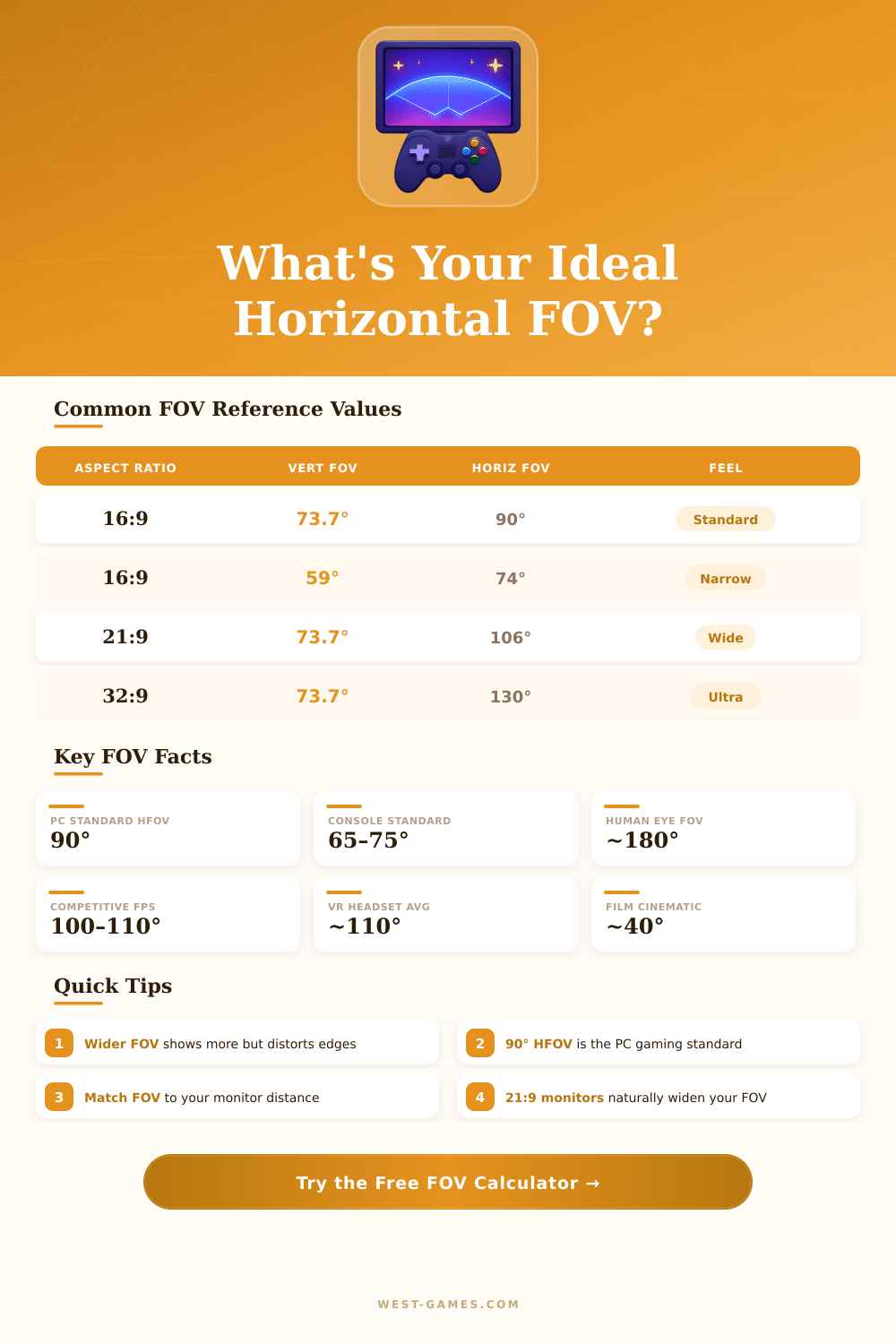
| Aspect Ratio | Vert FOV | Horiz FOV | Diagonal FOV | Common Use |
|---|---|---|---|---|
| 16:9 | 59.0° | 74.0° | 76.7° | Console / Narrow PC |
| 16:9 | 73.74° | 90.0° | 93.6° | PC Gaming Standard |
| 16:9 | 83.6° | 100.0° | 104° | Competitive FPS |
| 16:9 | 90.0° | 106.3° | 110.7° | Wide FPS / Shooter |
| 21:9 | 59.0° | 86.0° | 90.5° | Ultrawide Narrow |
| 21:9 | 73.74° | 106.3° | 111.5° | Ultrawide Standard |
| 32:9 | 73.74° | 130.0° | 136.7° | Super-Ultrawide |
| 4:3 | 73.74° | 73.7° | 90.0° | Classic / Cinematic |
| 16:10 | 73.74° | 87.0° | 91.4° | Widescreen Monitor |
| Game | Default HFOV | Max HFOV | Aspect | Notes |
|---|---|---|---|---|
| Call of Duty: Warzone | 80° | 120° | 16:9 | Adjustable HFOV |
| Apex Legends | 90° | 110° | 16:9 | HFOV setting |
| Fortnite | 80° | 100° | 16:9 | HFOV setting |
| Counter-Strike 2 | 90° | 130° | 16:9 | console fov_cs_debug |
| Valorant | 103° | 103° | 16:9 | Fixed HFOV |
| Overwatch 2 | 103° | 103° | 16:9 | Fixed HFOV |
| Cyberpunk 2077 | 79° | 130° | 16:9 | HFOV slider |
| Elden Ring | ~70° | ~70° | 16:9 | Fixed (console-style) |
| Microsoft Flight Sim | 60° | 120° | 16:9 | HFOV in cockpit view |
| Assetto Corsa | 56° | 170° | 16:9 | Sim racing cockpit |
| Monitor Size | Viewing Distance | Rec. HFOV (16:9) | Feel |
|---|---|---|---|
| 24" (60cm / 24in) | 55–65 cm / 22–26 in | 90–95° | Standard |
| 27" (68cm / 27in) | 60–75 cm / 24–30 in | 90–100° | Comfortable |
| 32" (81cm / 32in) | 70–90 cm / 28–36 in | 95–105° | Immersive |
| 34" 21:9 (86cm / 34in) | 70–90 cm / 28–36 in | 100–110° | Very Wide |
| 49" 32:9 (124cm / 49in) | 90–120 cm / 36–48 in | 120–130° | Ultra-Immersive |
The horizontal FOV is a concept that commonly appears in games and photography. It relates to the scope of the scene that one can observe from left to right. The diagonal FOV counts the span between one corner of the image and the opposite, and it is the favorite between makers.
In photography, one most commonly describes the FOV by means of the angular weight of the cone in that sits the sight.
What is horizontal FOV?
In gaming, the normal horizontal FOV usually matches 90 degrees. If a game system sets it to those 90 degrees, then it builds the geometry on base of the idea that the player clicks the left and right banks of the screen at 45-degree tilt. That 90-degree standard works for 4:3 screens.
For 16:9 ratio, it grows to around 106 degrees, while on ultra-wide monitor it reaches almost 121.5 degrees.
Horizontal increasing activity is the mainstream access in modern games. By means of this method, the vertical FOV stays unchanged, while the horizontal widens according to the screen ratio. Big screen ratio forces more wide horizontal FOV.
Fixed vertical FOV automatically expands the horizontal, when the screen becomes broader. Less fresh games, like UT99, favor to keep fixed horizontal FOV, so that change of 4:3 to 16:9 cause loss of the top and botton of the viewpoint.
There is no real basic difference between horizontal and vertical FOV. It simply depends on which direction the rating follows. They adjust in matching effort with the other.
For instance, 73 degrees vertically coincide with 105 degrees horizontally. Fast note for typical values in gaming: the horizontal in 4:3 almost match to vertical plus 15, and coarse to 16:9 with same vertical extra 15 degrees horizontally.
Some games show the FOV as vertical instead of horizontal. Bf2042 apply vertical screen ratio, what differs from the majority of other games. Dead Island owns normal vertical FOV of 62.5, that converts to almost 93 degrees horizontally on 16:9 screen.
Bioshock 2 in multiplayer mode originally had 75 degrees horizontal in 4:3, what results in around 91.3 degrees for 16:9.
People own combined horizontal FOV until 220 degrees by means of both eyes. The central binocular sight covers around 120 degrees. Games use only one horizontal FOV for one virtual camera, so they do not reach the real human sight.
Bigger numbers of FOV allow the player to see more, but exaggeration can create fisheye effect. The comfortable range sits between 90 and 110 degrees horizontally. Many websites offer calculators for exchange between horizontal and vertical FOV, withpresets for common resolutions like 1080p, 1440p, 4K and ultra-wide.