🎯 CS2 eDPI Calculator
Calculate your effective DPI and compare with pro player sensitivity settings
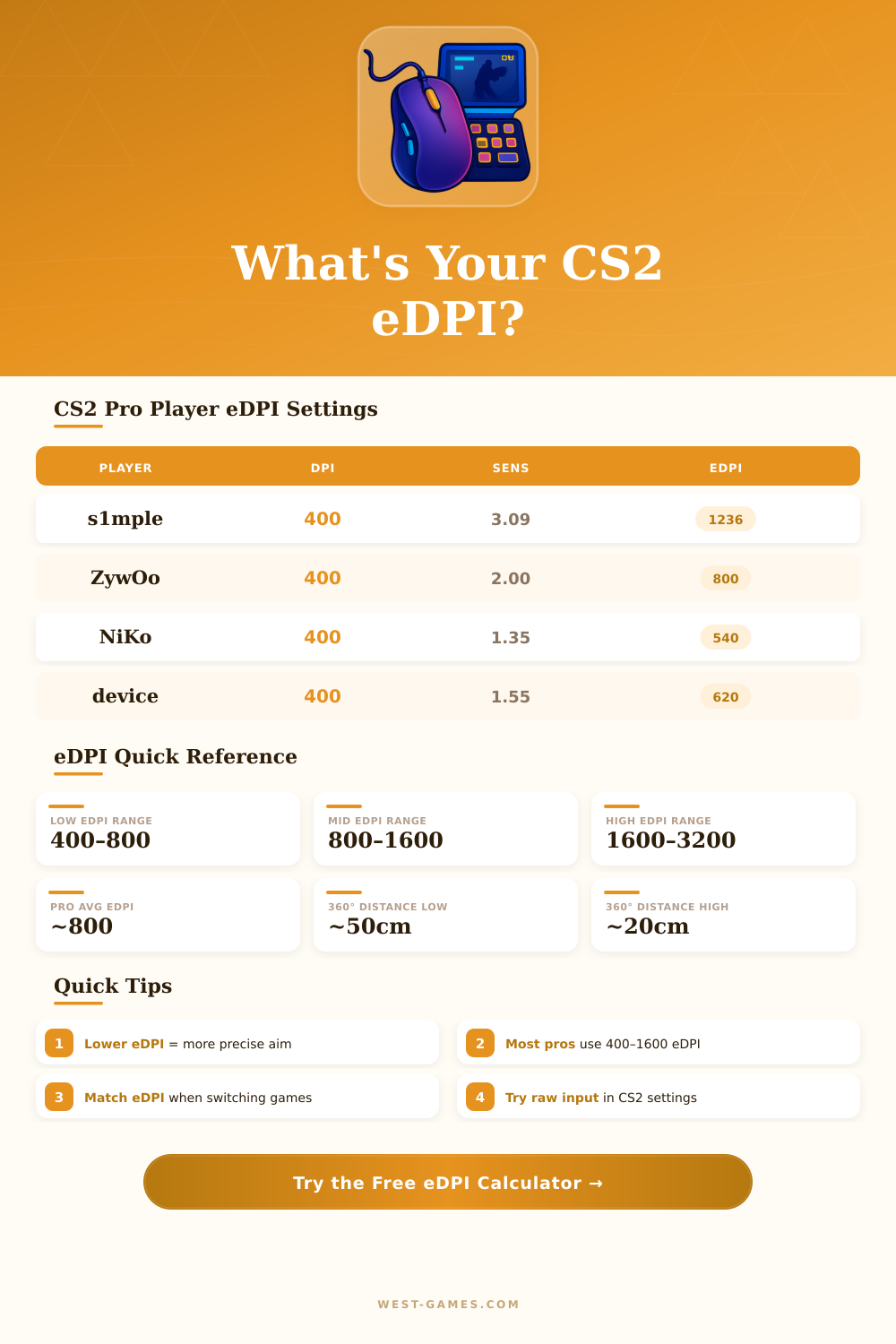
| Player | Team | DPI | Sensitivity | eDPI | Zoom Mult. | Style |
|---|---|---|---|---|---|---|
| s1mple | NAVI | 400 | 3.09 | 1236 | 1.00 | AWP/Rifle |
| ZywOo | Vitality | 400 | 2.00 | 800 | 1.00 | AWP/Rifle |
| NiKo | G2 | 400 | 1.35 | 540 | 1.00 | Rifler |
| device | Astralis | 400 | 1.55 | 620 | 1.00 | AWPer |
| sh1ro | Cloud9 | 400 | 1.60 | 640 | 1.00 | AWPer |
| ropz | FaZe | 400 | 1.18 | 472 | 1.00 | Rifler |
| Twistzz | FaZe | 400 | 1.55 | 620 | 1.00 | Entry |
| broky | FaZe | 400 | 1.10 | 440 | 1.00 | AWPer |
| m0NESY | G2 | 400 | 1.00 | 400 | 1.00 | AWPer |
| karrigan | FaZe | 800 | 1.20 | 960 | 1.00 | IGL/Entry |
| eDPI Range | 360° Distance (cm) | 360° Distance (in) | Best For | % of Pros Using |
|---|---|---|---|---|
| 200–400 | ~68–136 cm | ~27–54 in | Snipers, precise riflers | ~10% |
| 400–800 | ~34–68 cm | ~13–27 in | Most pros — preferred range | ~55% |
| 800–1200 | ~23–34 cm | ~9–13 in | Balanced players | ~25% |
| 1200–2000 | ~14–23 cm | ~5.5–9 in | Aggressive entries | ~8% |
| 2000+ | Below 14 cm | Below 5.5 in | Not recommended competitively | ~2% |
| DPI | Sensitivity | eDPI | 360° (cm) | Recommendation |
|---|---|---|---|---|
| 400 | 1.00 | 400 | 68.2 cm | Very Low — AWP specialists |
| 400 | 1.50 | 600 | 45.5 cm | Low — Pro favorite range |
| 400 | 2.00 | 800 | 34.1 cm | Ideal — Most common pro eDPI |
| 800 | 1.00 | 800 | 34.1 cm | Ideal — Same as above |
| 400 | 3.00 | 1200 | 22.7 cm | Mid — Balanced players |
| 800 | 1.50 | 1200 | 22.7 cm | Mid — Same as above |
| 400 | 4.00 | 1600 | 17.1 cm | High — Aggressive style |
| 1600 | 1.00 | 1600 | 17.1 cm | High — Same as above |
| 800 | 2.50 | 2000 | 13.7 cm | Very High — Not recommended |
eDPI; or effective dots per inch; is the main tool that live competitive players of first-person shooters use, especially in Counter Strike 2. Here the secret: the calculation of it is entirely easy. Just multiply your DPI of the mouse by the sensitivity that you chose in the game itself.
For instance, if some use 800 DPI with 0.9 of sensitivity, that gives 720 eDPI. For those that want to skip the math, websites with eDPI-calculators help quickly for both CS2 and CS:GO.
What is eDPI and How to Choose It
DPI itself simply means how quickly your mouse reacts. At higher DPI, the cursor moves more far on the screen for same physical move of the hand. Like this the device notices even small changes in position and responds to them.
In the end, eDPI combines three elements: the DPI of your mouse, the setting in the game and sometimes the sensitivity of Windows, that also affetcs.
Here it becomes interesting. Professional players of CS:GO usually have average 875.4 eDPI, so almost under 900. Most of them use sensitivity between 1.5 and 2 in the game, together with 400 DPI.
Specialists with AWP (those that focus on the rifle and depend on the AWP-shots) go up to around 955 eDPI. Important point is, that CS:GO requires higher mouse-feeling than other shooters. Although, some professionals managed to reach top level even with eDPI above 1500.
The fair range sits between 480 at the bottom part and 1600 at the upper. The strongest players, whether professionals or serious amateurs, usually fall between 800 and 1200 eDPI. Here something that folks commonly do not think about: how you actually hold the mouse.
If you play mainly with the wrist with a certain eDPI, it can seem normal. But if you switch too playing with whole arm with same setting, sharply it feels too fast.
Consider dev1ce, the famous Danish AWP-player, that ruled during years with Astralis. His eDPI is 800, done with 400 DPI, sensitivity 2 and turned on raw input. Other popular pros reach sensitivity of 2.4 with same 400 DPI, what gives 960 eDPI.
From my experience, dropping it to around 1200 from higher value feels much more easy and can quickly grow your kills per minute on training maps after some playsessions.
In CS:GO, there was a basic calming command: m_rawinput 1. It made the game take data directly from the mouse, ignoring all software settings that could mess up the behavior. Counter Strike 2 changed that, now raw input always works and you cannot turn it off.
The game simply reads directly from your mouse, and that is it.
Low eDPI needs bigger moves of the arm and truly practice to get comfortable. You can set the sensitivity with commands in the console, whenever you want. After time passed at 1200 eDPI or less, it shows that lower sensitivity requires practice, but the main competitions insist that it deservesthe effort.
Around 800 eDPI even won the name of the ideal spot.