RuneScape Grand Exchange Tax Calculator
Estimate OSRS Grand Exchange seller tax, net coins received, buy and sell margin, break-even price, stack value, cap impact, exemptions, and partial fills using current GE rules.
Calculation Breakdown
| Mechanic | Current Rule | Calculator Setting | Formula Impact | Source Basis |
|---|---|---|---|---|
| Tax payer | Seller pays when a sale completes | Tax applies only to sale proceeds | Buyer cost is not increased | OSRS Grand Exchange tax update |
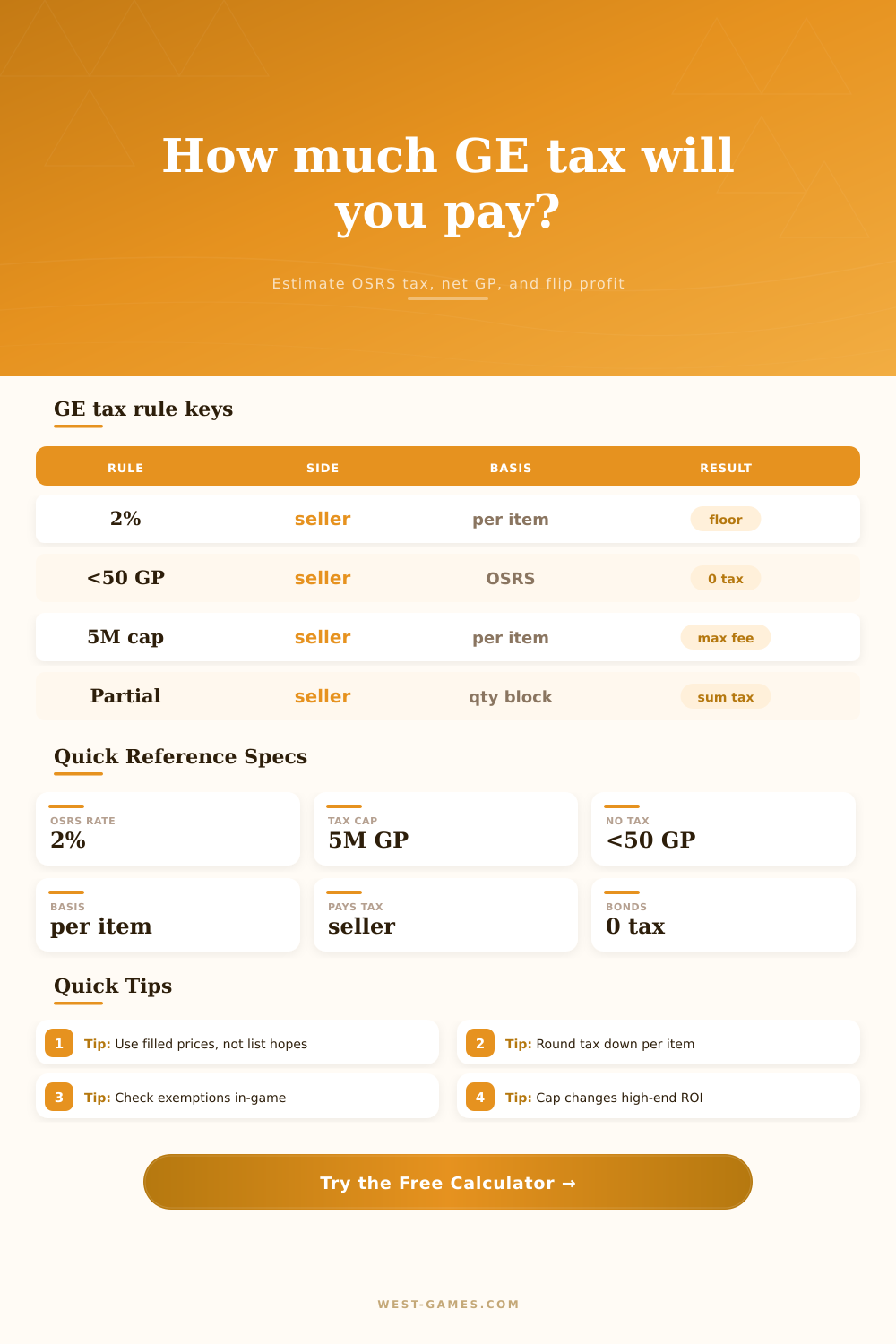
| Current rate | 2.0% for newly created OSRS offers | OSRS current ruleset | floor(price × 0.02) | Jagex update, 29 May 2025 |
| Legacy rate | 1.0% for offers existing during the change | OSRS legacy ruleset | floor(price × 0.01) | Jagex transition note |
| Low price floor | Items under 50 GP are not taxed at 2% | No-tax price under 50 GP | Tax becomes 0 before cap | Jagex rounding explanation |
| Tax cap | Maximum tax remains 5,000,000 coins per item | Tax cap per item | min(raw tax, 5,000,000) | Jagex 2026 GE post |
| Per-item basis | Quantity is taxed per item, not on total stack value | Each fill block is per item | tax per item × quantity | OSRS Wiki copied official post |
| Sale Price Each | Raw 2% Tax | Tax Charged | Net Received Each | Effective Tax Rate |
|---|---|---|---|---|
| 49 GP | 0.98 GP | 0 GP | 49 GP | 0.00% |
| 50 GP | 1 GP | 1 GP | 49 GP | 2.00% |
| 1,200 GP | 24 GP | 24 GP | 1,176 GP | 2.00% |
| 10,000,000 GP | 200,000 GP | 200,000 GP | 9,800,000 GP | 2.00% |
| 250,000,000 GP | 5,000,000 GP | 5,000,000 GP | 245,000,000 GP | 2.00% |
| 1,200,000,000 GP | 24,000,000 GP | 5,000,000 GP | 1,195,000,000 GP | 0.42% |
| Scenario | Input Focus | Important Detail | Useful Result | Common Trap |
|---|---|---|---|---|
| High-volume supplies | Quantity, buy price, sale price | Rounding can remove or add 1 GP per unit at breakpoints | Profit after tax | Using 2% approximation on tiny margins |
| Boss loot dump | Sale price and item basis | Seller receives sale price minus tax | Net received | Counting gross GE total as banked GP |
| Mega-rare item | Tax cap and sale price | Cap lowers effective tax rate above 250M at 2% | Effective rate | Subtracting uncapped 2% from every rare |
| Split fills | Fill A and fill B prices | Tax rounding happens per filled item price | Weighted net | Averaging prices before tax |
| Target resale | Buy price and desired profit | Break-even solver tests prices against exact tax rule | Break-even sell | Adding tax after target profit by hand |
| Mode or Flag | When to Use | Tax Rate | Floor | Cap |
|---|---|---|---|---|
| OSRS current new offer | Most current OSRS Grand Exchange sales | 2.0% | Under 50 GP | 5,000,000 GP |
| OSRS legacy offer | Old offer preserved across the 2025 tax change | 1.0% | Under 100 GP | 5,000,000 GP |
| Bond exempt sale | Old School Bonds marked exempt by the GE | 0% | All prices | 0 GP |
| Early-game exempt item | Food, tablets, early ammo, Mind Runes, or similar exempt items | 0% | All prices | 0 GP |
| Custom rule | Testing alternative rate, cap, or private sheet data | User input | User input | User input |
This is a Grand Exchange Tax Calculator. The Grand Exchange fills your offer immedately. You look at your bank balance, anticipating a nice chunk of extra gold for your trouble. Instead, your eye twitches as you see a number that makes your eyeball bleed.
That’s the Grand Exchange tax, the difference between what you thought you’d earn and what lands in your inventory. If you don’t account for this properly, it will eat into your flipping profits like a silent thief.
Understanding Grand Exchange Tax
This Runescape Grand Exchange tax calculator help you plan safer GE trades. It estimates net GP, break-even pricing, margin after tax, seller fees, and split-fill results.
It’s a simple enough mechanic on paper, but one easily missed by new or casual player. Essentially, the game take a percentage of what you sell something for as its cut. This amount will be deducted from whatever you made off that sale. Currently, that percentage for all but the newest players come out to two percent.
But here’s where things get hairy: Instead of simply taking two percent of entire stack, the game takes into account each individual item separately. Then, it rounds that figure down to the next whole coin, before multiplying the rounded-off number by however many items was bought or sold. This is why many casual traders lose a few coins they don’t even notice because of that rounding mechanism.
Once you enter how much you’re selling an item for (and however many you’re trying to sell) the calculator above will do the rest of calculations for you, no more messing around with decimals for every flip. The rounding of each individual item lead to some interesting breakpoints.
Selling an item for 49 coins incurs less than a single coin worth of taxes. But because the game rounds down, you pay nothing at all. Sell that same item for 50 coins and you’ll owe a single coin. That’s not much money, but it represents a change in your effective tax rate: Two percent versus zero.
This floor makes the difference between a break-even flip run and a profitable one for lots of low-cost items. Before you list any goods, make sure you understand where these breakpoints occurs. The page has a handy reference table. It shows how the tax works across different tiers of items and which price points applies to each tier. It also shows when you start and stop paying taxes.
However, there’s another rule if you’re selling something that costs a lot of coins. There’s a limit to how much coin tax you can be charged: no more than five million coins per item. That applies to super-high end armor, as well as any other rare drop items.
Let’s say you sell an item for two hundred million coins. According to straight math, that’d mean a two percent cut would take away four million coins. However, since we have this ceiling in place, you’ll only pay the maximum tax possible. Your effective tax rate ends up being much lower on really big sales like this. It also stabilizes profit margin on higher tiered items.
This might seem like the biggest reason people wouldn’t want the cap, but it isn’t at all. Then there are partial fills. A common scenario is that a big sell order gets filled in part at a better price and then in part at a worse price later as market drops. That’s not something where you can simply average the prices and take one tax hit. Instead, the system compute the tax on each batch individually.
To account for this, the tool allows you to enter two prices and quantities of fills. That way the net profit calculation will be based off what actualy happened instead of some idealized average. Otherwise you may end up overstating your earnings if the market shifts against you half-way into a sale.
There are also exceptions to this rule. Some early-game utilitarian items is free from taxes. Old School Bonds are as well. You can enable or disable these exemptions on the calculator if you don’t want to accidentally deduct fees that won’t apply. These lists may update over time, so always double-check an item’s status within the game interface. For bulk sellers of exempt items, using the incorrect tax status could throw off your profit estimates by a significant amount.
The bottom line is: The Grand Exchange tax isn’t just a cost; it’s a limiting factor when determining an item’s sale price. Price too low, and the tax eats up all your gains. Price too high, and nobody will buy it as they go looking elsewhere.
By learning the formula for the deduction, you’re able to precisely set prices. A previously unknown cost becomes a controlled one. Knowing how many coins remain in your purse lets you sell with confidence rather than crossing your fingers. That information is priceless, literally! And it’s worth much more then the few coppers you should of saved per transaction.