Flight Sim Fuel Burn Calculator
Estimate simulator fuel from fuel flow per engine, climb, cruise, descent, taxi, alternate, holding, reserves, and Jet-A or avgas density conversions.
Breakdown
| Preset | Fuel | Engines | Flow per engine | Phase time | Factors C/D/T/H | Reserve inputs |
|---|
| Step | Formula | Inputs | Unit handling | Result role |
|---|
| Flight type | Climb factor | Cruise factor | Descent factor | Taxi factor | Holding factor |
|---|
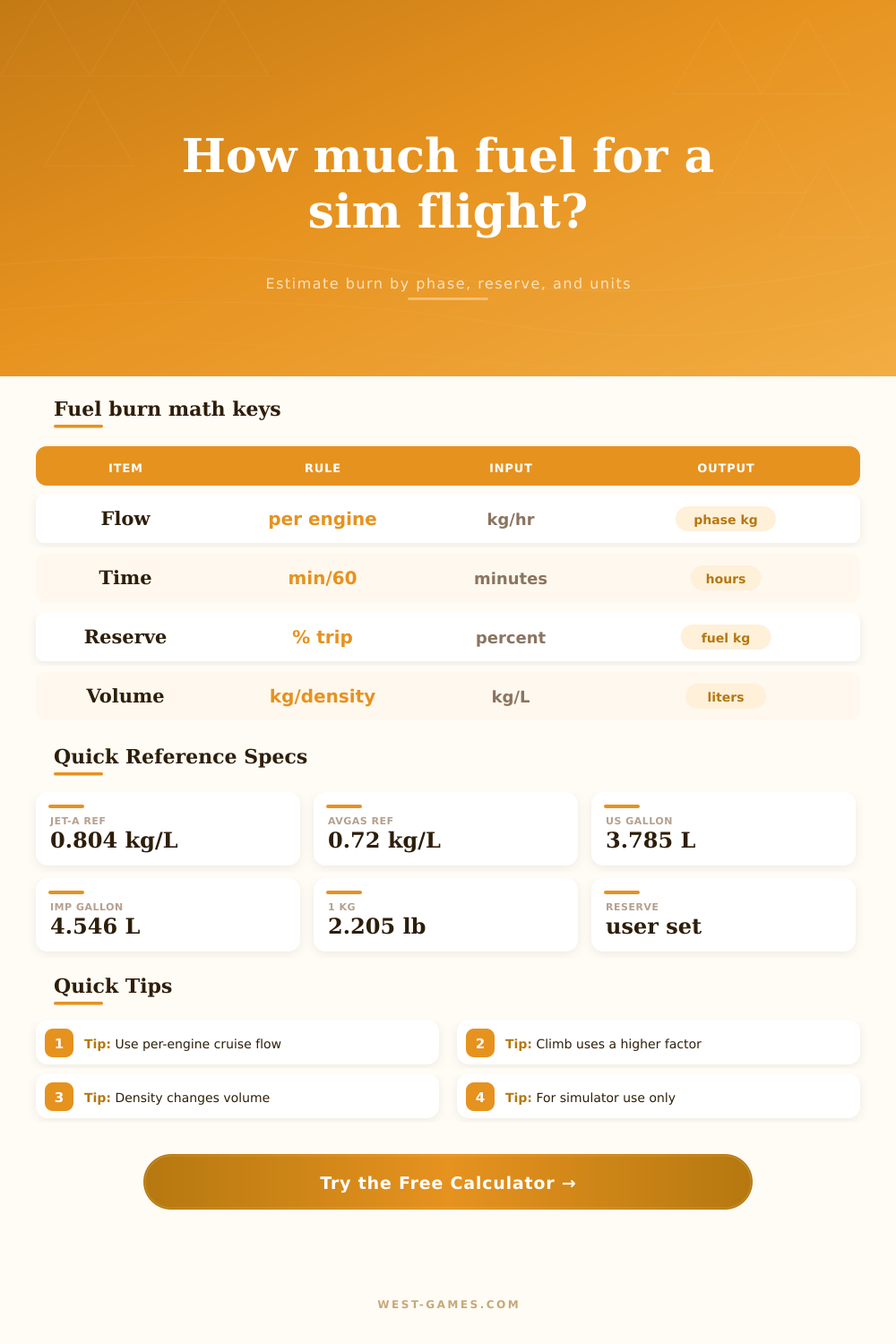
| Fuel or unit | Reference value | Calculator default | Conversion used | Reference note |
|---|
It’s time to take off. You think you’ve loaded up the simulator with more than enough gas for your flight. Yet, you overlook fact that climb burn is much higher then cruise burn. You’re watching the engines flame out in the middle of nowhere, twenty miles from runway. Every sim pilot learns this lesson once. And it only takes a couple minutes to reposition yourself on the ground.
Knowing that fuel is a changing variable, it’s not one set number; makes a huge difference between arriving smoothly or being in an emergency landing rush. Fuel flow are always changing, depending on each stage of the flight. That’s where most beginners make mistake. They assume same fuel flow applies during taxi, climb, cruise, descent. They act as if plane behaves exactly the same at any given power setting and altitude.
How to Manage Your Fuel
Once you enter your flow rates and engine count, the calculator do all the rest of the math for you (above). No need for you to try to remember all those coefficients and what they convert to. So it breaks down flight into specific sections. Each section has a different burn rate, or usage rate, of hydrocarbons.
Climb costs you big bucks. It’s expensive. The engines has to work hard lifting your aircraft against gravity. Because of this, the fuel flow multipliers spike way beyond cruise baseline.
Descending is dirt cheap. By gliding to manage its potential energy, the aircraft often runs at only a fraction of cruise power. Average these wrong, and your total will also be wrong. Sometimes it are dangerously so.
The tool prompts you to input time for each segment. This makes you think not only about how far along ground you’ve gone but also what altitude you’re at.
Density trips up many users. Because our brains are trained to think in terms of volume instead of mass. The engine in the simulator use mass. Your brain thinks in liters or gallons. A liter of Jet-A has a higher mass than a liter of avgas. To burn the same mass, you must use a larger volume of avgas. The page has a reference table showing this laid out using standard density values. It’s easy to switch between imperial and metric units without losing accuracy. This is important if you want to compare data sourced elsewhere. Fuel might be reported in different units by add-ons. The calculator will convert it for you. If you enter fuel in kilograms, it will be added to total in kilograms. Whether you think in kilograms or pounds doesn’t matter.
At the alternate airport, tires hit the tarmac and reserves become the name of the game. Maybe you nailed the trip fuel calculation. That’s great. But what about a weather delay that puts you in a holding pattern? What about a diversion to a closer field? On top of the trip fuel, you can select a percentage reserve. It has dedicated fields for holding and alternate time. This is just like in real world where we are required to have contingency fuel. It’s tempting in the sim to avoid it since you save some payload weight. But then you defeat whole point of learning realistic procedures. The idea is you land with some room to spare. Not running out of gas.
Don’t forget taxi time. It always adds up. In congested virtual airports you could wait at the gate for a quarter hour before inching forward towards runway. There’s a special field on the calculator for this. A lower flow factor reflect the idle use of power. It’s a little detail that makes all the difference for accurate calculations.
Separating these factors doesn’t only teach us to think in separate steps, it also teaches us to appreciate how each contributes to overall fuel management. It isn’t one sum alone. It’s a sequence of connected events. We learn to appreciate the climb. To value the reserve. And we account for the idle time. These things helps when you finally click on calculate. Because then, rather than simply seeing a number, you’re reading the story of what will become your upcoming flight. You fill the tank full. You experience the costly ascent. You achieve efficient cruising speed. You save enough reserves for the unforesen. That’s the cadence of flying safely. And it holds true in virtual space too.