VOD Storage Calculator
Estimate a video-on-demand library by titles, duration, bitrate, retention, redundancy, sidecar assets, and archive tier.
Active VOD
Newest catalog, high playback demand, fast updates, and frequent thumbnails.
Warm archive
Playable back catalog with slower updates and moderate retrieval expectations.
Cold archive
Older episodes, seasonal events, and long-tail libraries with rare playback.
Deep archive
Compliance, masters, and preservation where restore delay is acceptable.
| Resolution | Typical VOD bitrate | GB per hour | Best fit |
|---|---|---|---|
| 720p HD | 2.5 to 4 Mbps | 1.1 to 1.8 GB | Lessons, webinars, small screens |
| 1080p Full HD | 5 to 8 Mbps | 2.3 to 3.6 GB | Creator libraries and training content |
| 1440p QHD | 10 to 16 Mbps | 4.5 to 7.2 GB | Gameplay, esports, dense UI capture |
| 2160p 4K UHD | 20 to 45 Mbps | 9.0 to 20.3 GB | Studio masters and premium VOD |
| Adaptive ladder | 1.5 to 25 Mbps total stored | 6.0 to 14.0 GB | Multi-device streaming catalogs |
| Retention policy | Active portion | Archive portion | Storage planning note |
|---|---|---|---|
| 30 day launch window | Newest 8 percent | Back catalog | Good for daily release libraries with predictable long tail. |
| 90 day replay window | Newest 25 percent | Older videos | Common for webinars, esports events, and seasonal classes. |
| 365 day full access | Newest 100 percent | None until year end | Works when the whole catalog must stay quickly playable. |
| Multi-year preservation | Newest 10 to 30 percent | Majority | Archive masters and rarely played episodes separately. |
| Asset type | Typical size | Per video effect | Why it matters |
|---|---|---|---|
| Poster thumbnails | 150 to 500 KB each | Small but repeated | Catalog pages, search cards, and previews all need images. |
| Preview strips | 2 to 20 MB | Moderate | Timeline hover previews can outgrow simple poster art. |
| Subtitles and captions | 50 KB to 2 MB | Low | Multi-language caption sets add predictable sidecar files. |
| HLS or DASH manifests | 1 to 5 percent | Packaging overhead | Segment indexes, manifests, and metadata add storage beyond video bytes. |
| Mezzanine masters | 2x to 8x delivery | Large | Editing-quality copies should be counted separately from delivery VOD. |
| Model | Copies | Use case | Calculator impact |
|---|---|---|---|
| Single library | 1 copy | Disposable test catalog | Smallest number, weakest recovery posture. |
| Primary plus backup | 2 copies | Most small VOD teams | Doubles delivery, thumbnails, captions, and metadata. |
| Production, backup, DR | 3 copies | Membership sites and paid libraries | Adds disaster recovery storage to active and archive tiers. |
| Multi-region preservation | 4 copies | Studios and compliance catalogs | Highest footprint, useful for restore and regional resilience. |
| Preset | Library shape | Common bitrate | Planning emphasis |
|---|---|---|---|
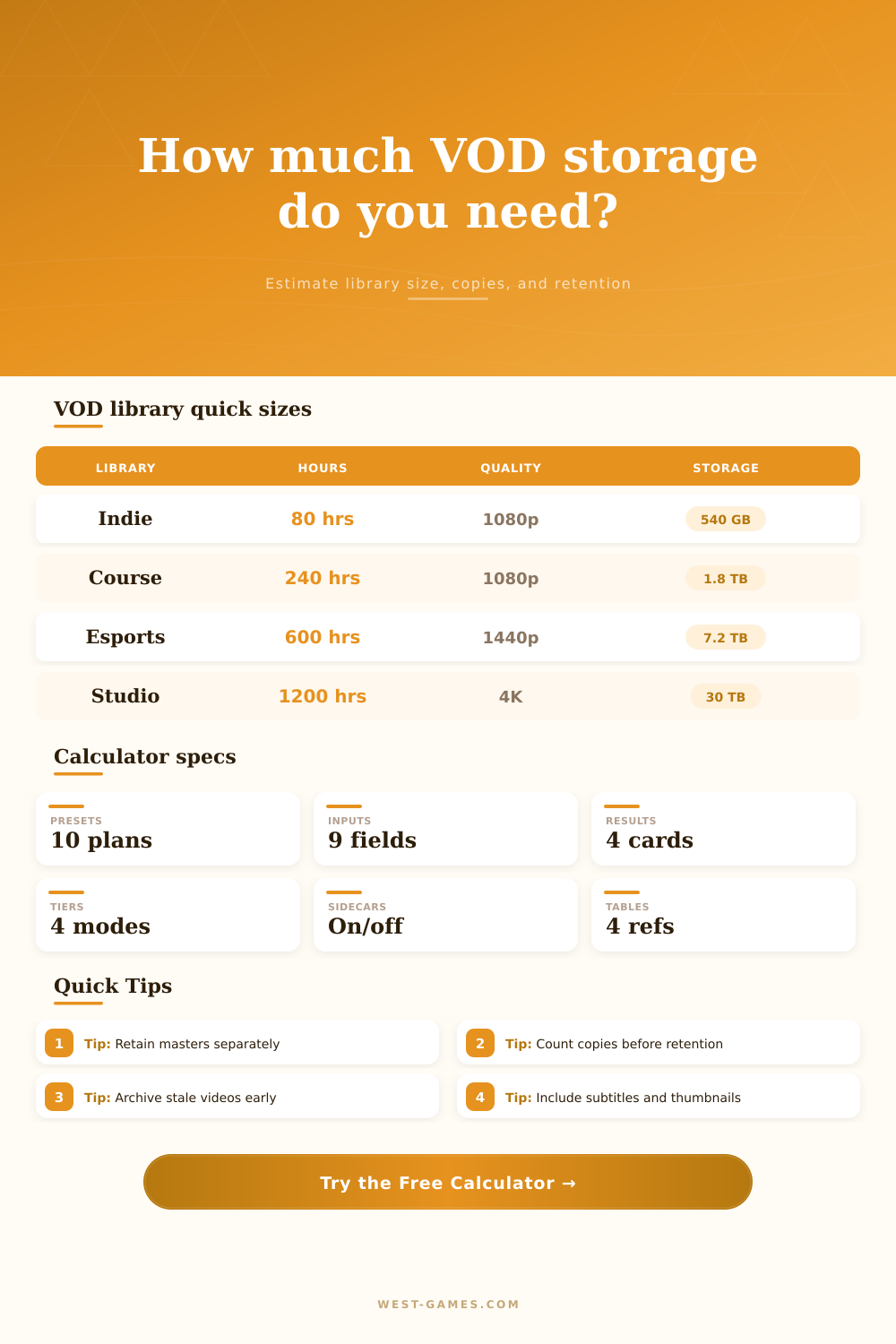
| Indie game channel | Short reviews and gameplay edits | 6 Mbps at 1080p | Thumbnail-heavy catalog with steady monthly publishing. |
| Training course catalog | Long lessons and modules | 5 Mbps at 1080p | Retention matters more than peak playback demand. |
| Esports match archive | Long events with UI detail | 12 Mbps at 1440p | Large active window and higher bitrate ladders. |
| Streamer highlight vault | Many short VODs and clips | 8 Mbps at 1080p | High video count, smaller runtime per asset. |
| Small OTT catalog | Mixed shows and feature videos | 18 Mbps adaptive | Multiple renditions plus long-tail archive planning. |
Chances are, you believe that your video library consist only of a bunch of movie files in a directory. Actualy it doesn’t. When you’re serving content to an audience, what’s hidden from sight… But drives your storage footprint, has little to do with the videos themselves. Manifest indexes instructs players to stream without a hiccup. There is subtitle files in three languages. There are thumbnail image at each chapter break. Backup copies is stashed away in another data center.
Once you know how large your library is, the calculator above do the math for you (and spares you the guesswork on the conversions and coefficients that typicaly trip folks up).
How to Plan Your Video Storage
Redundancy is the most shocking thing. Most teams has two copies of everything. One is for safety. One is for traffic. That immediately double your storage bill. This might apply to a small OTT service or a membership site. Maybe three copies would of make sense. You need production, disaster recovery in another region, and a backup. It’s this insurance no one mentions but that everyone needs once their server go down. So now it’s too late, and you wished you’d planned for it.
The baseline weight of that stack is driven by bitrate choices. If you’re doing a simple webinar in 720p, that’s not going to weigh very much per hour. But when you dial up to 4K studio masters or 1440p gameplay, those file size explode. This is where the reference table on the page come into play. It explains exactly how a single hour of video might jump from a couple gigabytes to over twenty, based off your choice of resolution for delivery. There’s always a balance between cost and quality here. The higher the bitrate, the better it look on big screens; but it eats through budgets quickly.
And that’s just for the sidecar. Users don’t scroll through a file list; they scroll through thumbnails. Those poster frames add up if you’ve got thousands of videos in your catalog. Transcripts and subtitles are small individually but they exists for every single title. Ditto audio: One video file, five audio version (say, in multiple languages or with different commentaries). Each one of those variants require space on disk. How do you account for all this when sizing things up? That’s what the tool does for you, to prevent unexpected bloat.
Most budgets are broken at retention policy. Sounds great: we’ll keep it all. Then you get the bill. Most libraries has quick aging policies on their content. Eighteen-month-old webinars don’t tend to get rewatched. Storing older files in lower-cost tiers like deep or cold archives will save money (since they aren’t being retrieved often). That’s a tradeoff of cost vs speed.
And it gets even more complicated when growth enters the equation. Every month bring new videos. Old ones gets archived or expired. The amount of video you produce each month will determine how fast your active tier fill up. Produce a daily show? You’ll want enough hot storage to handle the backlog of recent items before pushing them off to cheaper tiers. Plan accordingly so that if an unexpected burst happens (drive fills up overnight), critical content doesn’t accidently end up getting deleted.
Then there is the beast of master files. These will be used for further edits. These files is uncompressed or very lightly compressed to stream. They are huge. Multiply all your requirements by 2x and more if you plan to keep them with delivery files. Small teams store their masters on lowly external hard drives or archived tapes. Larger studios may have them online. Where do yours reside? This should be reflected in your calculator setup.
It uses a set of presets to visualize what sort of shape your library take on. Lots of thumbnails, quick updates, short clips: That’s an indie game channel. Long hours, not much updated: That’s a university lecture series. Rapid turnover, high bitrate demands: That’s an esports archive. It helps ground the abstract math in your work flow. It keeps you from engineering too much for a problem that hasn’t emerged yet.
Planning storage isn’t really about raw capacity but rather how you organize it. What’s preserved? What’s archived? What’s active? If not structured in that way you’re paying top dollar for idle data. Worse, you’ll run out of room when you try launching some new thing. The idea is predictability. Don’t let the content get ahead of you. Know where your limits are. That’s how you keep your library playing and your wallet full. It is how you take a chaotic pile of files and make an asset you want to keep around.