🌡 GPU Hotspot Delta Calculator
Estimate GPU hotspot delta from edge and junction temperatures, then weigh memory junction, power limit, fan RPM, airflow, paste quality, pad quality, and load to assign a practical warning tier.
Compares hotspot delta against cooler type and paste condition.
Checks memory junction against pad quality and load type.
Relates fan RPM and duty to the thermal result.
Shows how close the board is to the selected power limit.
| Delta | Tier | Meaning | Action |
|---|---|---|---|
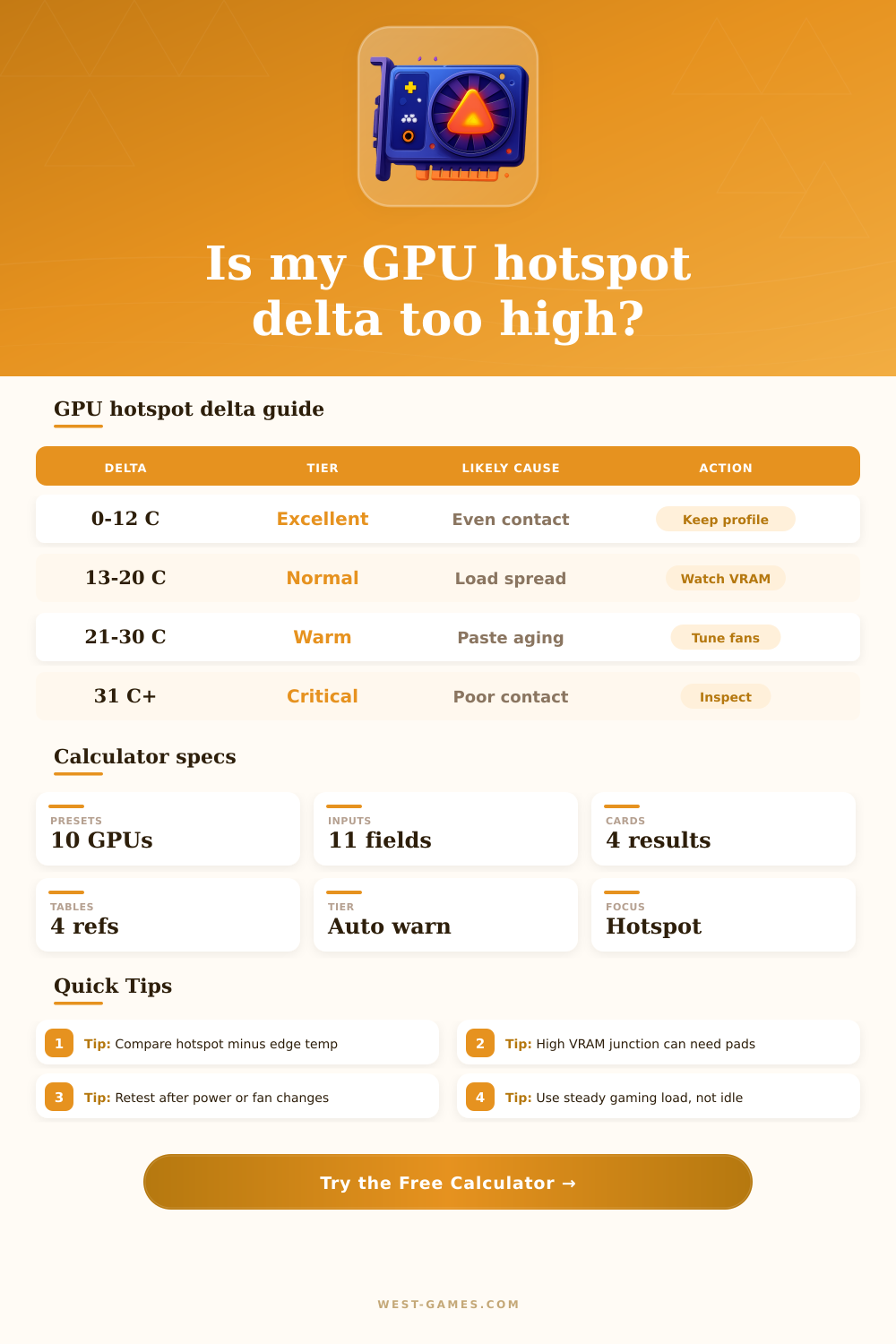
| 0-12°C | Excellent | Very even die contact | Keep settings and log baseline |
| 13-20°C | Normal | Common for gaming loads | Watch trend over months |
| 21-30°C | Warm | Contact, airflow, or power stress | Tune fans, undervolt, inspect dust |
| 31°C+ | Critical | Likely uneven mount or paste issue | Stop stress testing and inspect cooler |
| Memory temp | Status | Common cause | Best next check |
|---|---|---|---|
| Under 82°C | Cool | Good pads and airflow | Keep current fan curve |
| 82-94°C | Normal | Heavy gaming or RT load | Confirm case exhaust |
| 95-104°C | Hot | Weak pads or low airflow | Improve fans or pad contact |
| 105°C+ | Critical | Pad gap, dust, or mining load | Reduce power and inspect pads |
| Symptom | Likely part | Clue | Fix priority |
|---|---|---|---|
| High hotspot, normal memory | Core paste or mount | Delta rises faster than edge | High |
| Normal hotspot, high memory | Thermal pads | VRAM throttles first | High |
| All temps high | Case airflow | Edge and memory climb together | Medium |
| High fan, no temp drop | Dust or contact | RPM rises but delta remains | High |
| Cooler | Great | Typical | Investigate |
|---|---|---|---|
| Triple-fan air | 8-14°C | 15-22°C | 26°C+ |
| Dual-fan air | 10-16°C | 17-24°C | 28°C+ |
| Laptop vapor chamber | 12-20°C | 21-30°C | 35°C+ |
| Water block | 4-9°C | 10-15°C | 18°C+ |
| Preset | Edge | Hotspot | Memory | Power | Expected tier |
|---|---|---|---|---|---|
| RTX 4090 air cooled | 72°C | 94°C | 88°C | 330 W | Warm but usable |
| RX 7900 XTX hotspot check | 76°C | 105°C | 92°C | 340 W | Hotspot alert |
| Custom water block | 49°C | 58°C | 62°C | 410 W | Excellent |
| Laptop RTX 4080 | 83°C | 105°C | 94°C | 150 W | Warm mobile load |
Use these as rough comparison bands. Board design, sensor reporting, cooler pressure, ambient temperature, and BIOS limits can shift the safe range.
While most GPU builders monitor their cards for peak frames per second or core temperatures, few pay attention to the hotspot delta. That number tells you how much different the core temperature is than the peak. It will tell you much more about your card’s health then just its temperature alone. The hotspot could be pushing one-hundred while your core runs at seventy, which means there’s either something wrong with the cooler mount or the thermal paste are failing. It’s a great indicator of how well heat is moving from the die to the heatsink and should shows up in your monitoring software.
But you don’t have to guess whether a three zero-degree spread is typical with your cooling solution, the calculator (above) do that math after you feed it your hot spot and edge temperatures. It accounts for what percentage of your board’s potential power limit is actualy being used, as well as quality of whatever thermal pad may be used between CPU and heatsink or memory module and heatsink. A high delta on a card with a trio of fans will result in different behavior compared to a compact dual fan card using the same delta. It also compare all this against reference bands to give a warning tier based off real-world conditions, not an arbitrary limit.
Why You Should Check Your GPU Hotspot Temperature
Pump out: Thermal interface material eventually breaks down and over time this degrades by getting squeezed in the middle between the GPU die and heat sink with each heating and cooling cycle, leaving air pockets which insulate core area. The hot spots closer to the die’s core read higher while those at the edges farther away from the die’s surface reads lower. Adjusting your fans won’t address the underlying problem if you notice the gap getting larger after a few months. When physical contact is lost, it’s fight physics. It requires mechanical intervention.
Finally, look at memory junctions as they can get hot too. Moddern VRAM runs hotter then previous generations and relies heavily on thermal pads rather than paste. If your memory temps are normal but your cores is running too hot this indicates you’ve got a core problem. Spiking VRAM and low core temps indicate that either your pads have dried up or they are simply to thick for good contact. Before tearing down your card and checking every part, use the tool’s reference table to see if it indicates a memory condition (VRAM) or a core contact issue (core).
The other factor that skews these numbers considerably is airflow. If you have a dense case with bad exhaust, your baselines will be higher. However, that gap between the hotspot and the edge should not increase if cooler is installed properly. And if that difference is still wide when fans are maxed out, you’re probably dealing with mechanical contact instead of ambient air temperature. Again, a subtle difference, but it can save you hours troubleshooting the dust filter when the actualy culprit is a loose screw on your backplate.
So yeah: repasting might be a massive bit of surgery, but sometimes it’s routine maintenance. You can see from the calculator’s presets that fresh paste will lower the delta by a cool 10 degrees. In some cases on older cards, it could of even lower it by more. But there’s diminishing returns if you’re chasing one-degree improvements on a perfectly healthy card. Pay attention to your noise level and your overall stability rather than going for perfect numbers that won’t make any perceptible difference under actual gaming loads.
Finally, remember that the whole thing is a mechanical piece of kit like anything else. It wears out over time. That hotspot difference is your early warning system about its condition. If you monitor the difference between those hot spots (not just their absolute values), you can maintain ahead of both the thermal throttle and stress on your hardware. Consistency trumps perfection here. And once you know how it starts to slip from consistent behavior, you can catch it early enough to avoid degraded performance.