🏎️ RBR FOV Calculator
Calculate your perfect Field of View for Richard Burns Rally based on your screen setup and seating distance
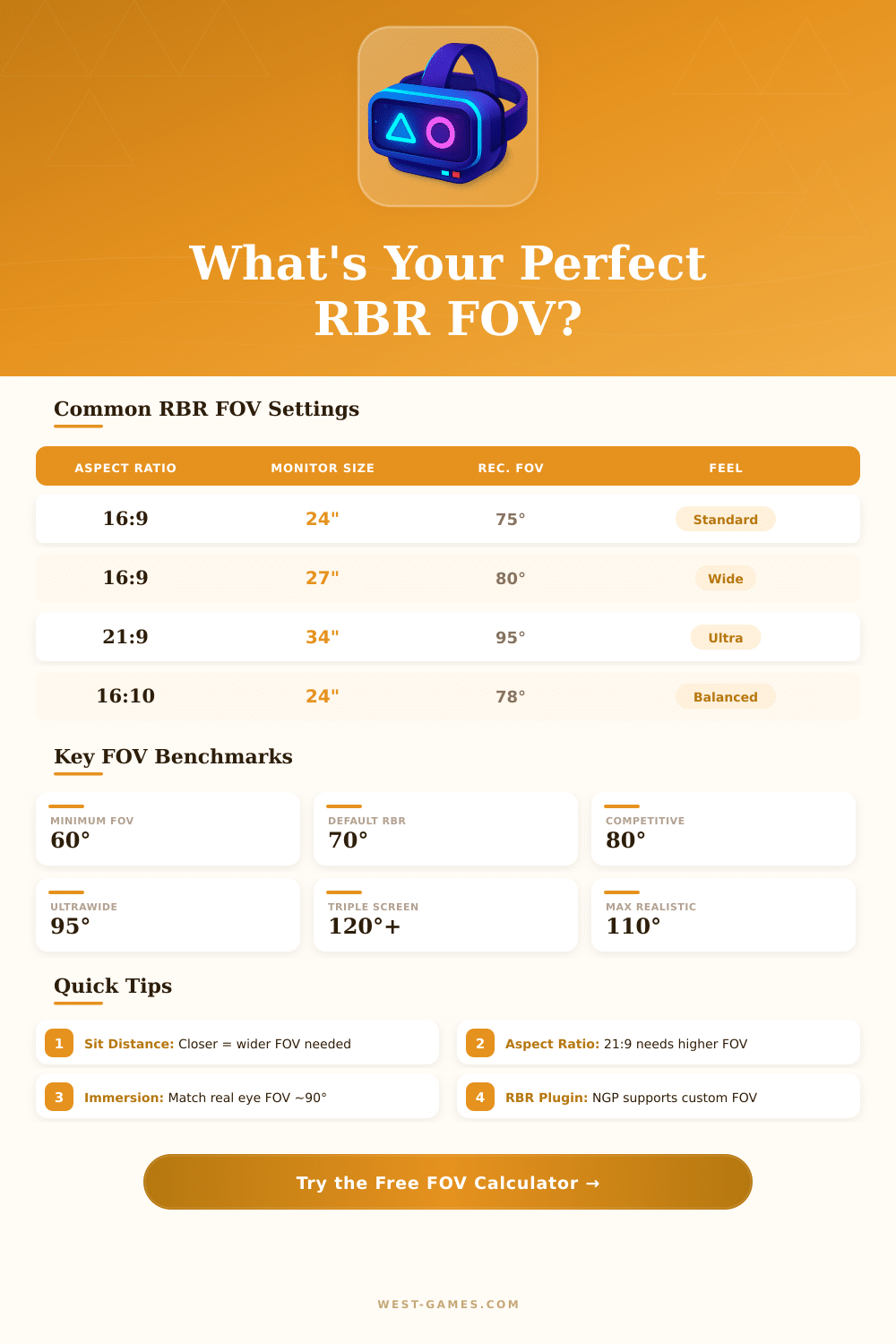
| Screen Size | Aspect Ratio | Dist (in) | Horiz FOV | Vert FOV | Rating |
|---|---|---|---|---|---|
| 24" | 16:9 | 24 | 73° | 44° | Optimal |
| 24" | 16:9 | 20 | 83° | 50° | Wide |
| 27" | 16:9 | 24 | 81° | 49° | Optimal |
| 27" | 16:9 | 30 | 67° | 40° | Narrow |
| 34" | 21:9 | 28 | 96° | 46° | Optimal |
| 32" | 16:9 | 30 | 74° | 44° | Optimal |
| 49" | 32:9 | 36 | 100° | 48° | Optimal |
| 3x24" | Triple | 24 | 150° | 44° | Extreme |
| 40" TV | 16:9 | 72 | 40° | 24° | Too Low |
| FOV Range | Feel | Best For |
|---|---|---|
| 50° – 60° | Zoomed In | TV at distance |
| 61° – 70° | Cinematic | Casual players |
| 71° – 85° | Natural | Standard desks |
| 86° – 100° | Wide | Ultrawide / Sim |
| 101° – 130° | Extreme | Triple screen |
| 131°+ | Fisheye | Not recommended |
| Plugin / Mode | Custom FOV | Max FOV |
|---|---|---|
| Stock RBR | Limited | ~90° |
| RBRCIT | Yes | 120° |
| NGP Physics | Yes | 150° |
| RallySimFans | Yes | 150° |
| RSRBR 2023 | Yes | 130° |
| VR (OpenVR) | Headset | 110° |
| Diagonal | 16:9 W x H (in) | 21:9 W x H (in) | 32:9 W x H (in) |
|---|---|---|---|
| 24" | 20.9 x 11.8 | 22.3 x 9.6 | 24.0 x 6.8 |
| 27" | 23.5 x 13.2 | 25.1 x 10.8 | 27.0 x 7.6 |
| 32" | 27.9 x 15.7 | 29.7 x 12.7 | 32.0 x 9.0 |
| 34" | 29.6 x 16.7 | 31.6 x 13.5 | 34.0 x 9.6 |
| 49" | 42.7 x 24.0 | 45.5 x 19.5 | 49.0 x 13.8 |
Fov= parameter under [Chase] or [Cockpit]. The NGP plugin and RSF Launcher allow you to set this per-car with a visual editor.
Note: Here some tips from real gaming experiences and discussions in the community about the setup of FOV in RBR.
Richard Burns Rally is already a bit old by standards of gaming. Here the weird cause, the game was originally made for monitors of 4:3 hence it no truly works well with current widescreen screens. When you enter value for FOV, the program considers it as horizontal, but later the math virtually your monitor would be truly 4:3, no the widescreen ratio, that you have.
How to set FOV in Richard Burns Rally
That causes wrong math, that does the right field of sight surprisingly difficult.
Good starting point? Around 42 degrees vertically, with 107 degrees horizontally. When you jump between Assetto Corsa and RBR, matter to know that…
AC treats his FOV-number as vertical. So if you use 42 vertically in AC, the match in RBR is 107 horizontally, what matches to around 1.85 radians. Because both gaems have almost same screen-height, the central sight should feel quite a lot alike between them.
Here where it becomes weird. The mathematically precise FOV in RBR commonly just feel unfair compared to other simulators. Even after your mind adapts, something yet seems a bit bad.
If you use calculator like Project Merged, you maybe receive 2.58, but the pacenote programs suggest only around 1.15. That very “precise” and “intended” number? It can push everything seem as if you stair at through binoculars, what no joy during real run.
Good start, there exist calculators for FOV, that removes a bit of guesswork. The FOV-Calculator v6.0 apply the same basic math rules as other resources, so it well works for checking twice your setup and reach something, what truly looks right. What seriously affects your real screen setups; the sizes, the aspect ratio and how far away you seat from the monitor, everything plays role.
The most many folks have screen ratio (for instance 16:10, 24:10 or even 32:10), size in inches and viewing distance in centimetres.
Strong reference is 30-inch monitor with 16:10 ratio, in around 60 centimetres between you and the screen. The calculator of RBR seems to depend on some conversions of vertical to horizontal FOV, that messes the finish. Even so, 49-inch 16:9 screen is much more tall than 32:9 match, what almost doubles the vertical FOV, and that changes the math a lot.
For set FOV during game, double click to the right in stadium, later go to the tab of camera. Here change the FOV, the position of chair or camera, and save it. For universal FOV for all cars, that it is possible through the RSF-Launcher or editing NGPcarmenu.Ini.
Values control also the section of graphics and the hooked section of camera.
Ultra-wide monitors do work in RBR thanks to the plugin for repair. Using 21:9 gives more side sight to the left and to the right. Curved screen movement affects slightly…
The screen bends a bit more near your eyes inthe math, what changes the calculation.