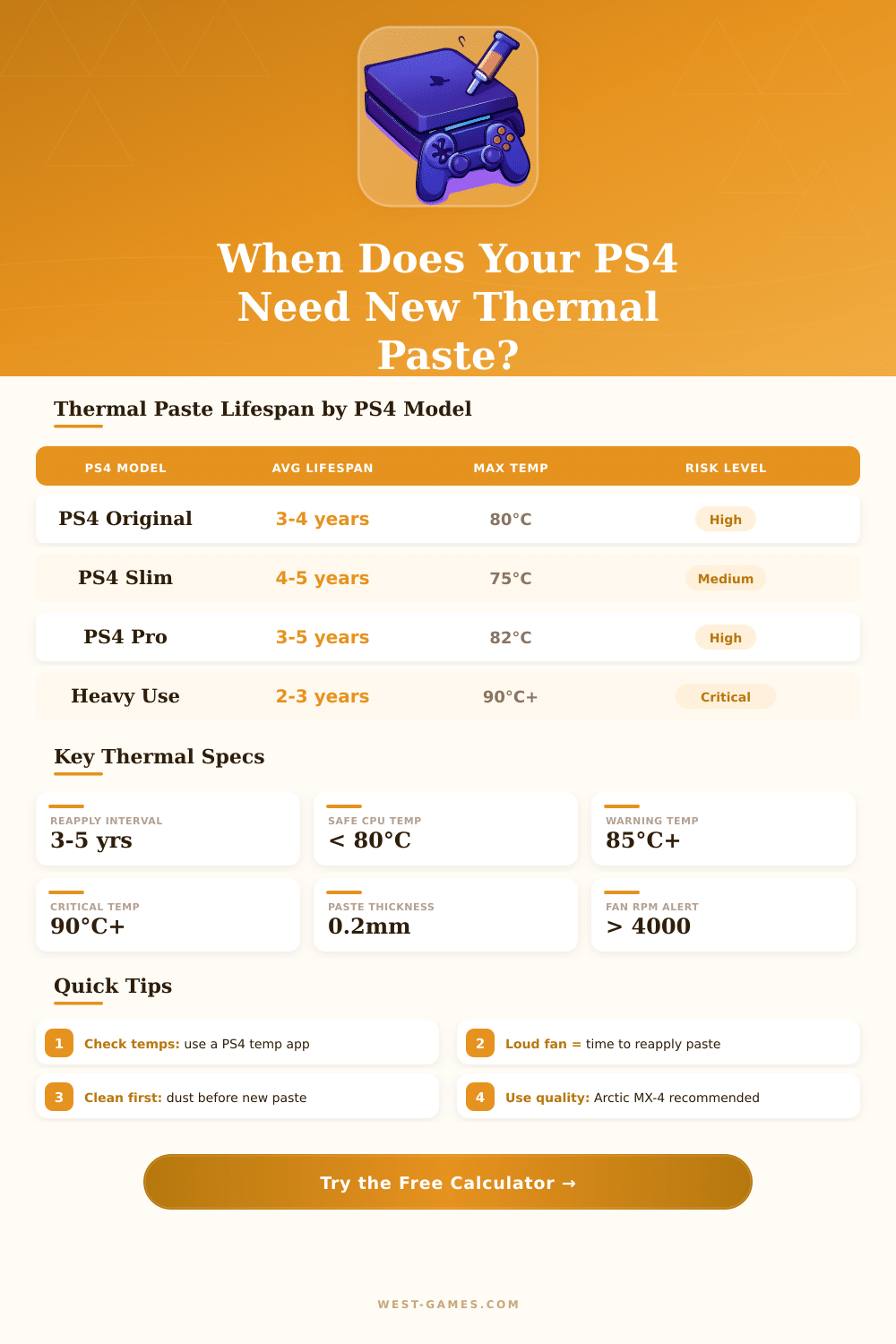
🎮 PS4 Thermal Paste Lifespan Calculator
Find out if your PS4 needs new thermal paste based on usage, age & temperature
| PS4 Model | Release Year | Safe Temp Range | Warning Temp | Critical Temp | Paste Lifespan |
|---|---|---|---|---|---|
| PS4 Original (FAT) | 2013 | 50°C – 78°C | 82°C | 90°C+ | 3–4 years |
| PS4 Slim | 2016 | 45°C – 75°C | 80°C | 88°C+ | 4–5 years |
| PS4 Pro | 2016 | 50°C – 80°C | 85°C | 92°C+ | 3–5 years |
| PS4 Original (heavy use) | 2013 | 55°C – 80°C | 85°C | 90°C+ | 2–3 years |
| Thermal Paste Brand | Type | Conductivity (W/mK) | Lifespan | PS4 Suitability |
|---|---|---|---|---|
| Arctic MX-4 | Carbon | 8.5 W/mK | 8+ years | ⭐⭐⭐⭐⭐ Excellent |
| Noctua NT-H1 | Metal Oxide | 8.9 W/mK | 5+ years | ⭐⭐⭐⭐⭐ Excellent |
| Thermal Grizzly Kryonaut | Silicone | 12.5 W/mK | 3–5 years | ⭐⭐⭐⭐⭐ Top Tier |
| Cooler Master MasterGel | Silicone | 9.0 W/mK | 4–6 years | ⭐⭐⭐⭐ Good |
| Generic / Stock Paste | Silicone | 3–5 W/mK | 2–3 years | ⭐⭐ Poor |
| Shin-Etsu X-23 | Silicone | 9.0 W/mK | 5+ years | ⭐⭐⭐⭐ Good |
Note: This article is based on discussions and experiences of owners of PS4 and fans of technology.
Thermal Paste is a silver liquid that one applies on a chip to lead heat to a cooling part. In the PS4 it sits between the CPU of the console and the cooler. Thermal Paste helps to move heat from the CPU to the whole cooling device and keep the PS4 at normal temperature.
Make Your PS4 Quiet and Cool with New Thermal Paste
Each PS4 gets it from the factory, but over time it can fail, which causes problems with overheating.
The PS4 commonly has troubles with noise from the fan. Some consoles run fairly quietly, while others sound very loudly. If one opens a loud PS4, one can spot bad application of the factory Thermal Paste, sometimes half of the surface does not even touch the paste, and it still shines like a new mirror.
It truly surprises when one sees that.
A PS4 bought during the launch can serve eight years without change of Thermal Paste, but then it maybe overheats and automatically turns off during the most heavy games. The factory paste that comes with the device is like standard paste for coolers. It spreads well at first, but later it dries and becomes hardened over time, so one must replace it.
Good Thermal Paste has thermal conductivity of around four to eight watts per metre-kelvin. The original paste could have only half of that, while better quality works much better.
Arctic MX-4 ranks among the favorites. It works for all chips, including PS4 and Xbox, thanks to its high thermal conductivity and long life. Also it does not conduct electricity and is safe for use.
Thermal Grizzly Kryonaut is another good option. After applying it, a PS4 Professional from 2018 that before sounded like a jet engine became silent. Even a year later it still works well.
Noctua NT-H1 also proves faithful… Too years after reapplying, the PS4 stays quite a lot quiet. Liquid metal like Conductonaut from Thermal Grizzly is useful for hot chips, and it helps to push PS4 Professional almost silent during the heaviest games.
To replace the paste, one must remove the cooler and clean the surfaces of CPU and cooler with rubbing alcohol at 90 percent or more. Apply an amount big as a grain of high quality, then put everything back together, turning the screws in a cross pattern. Act carefully during taking apart the PS4.
Check also the fans, so that the airflow does not get blocked. It is worth also changing the thermal pads. For PS4 Professional they are one millimeter thick.
Any good Thermal Paste will do the task.
After replacing bad Thermal Paste with Arctic MX-4, the change can be huge. Games that before turned the fan to maximum, now do it much more quiet. A PS4 that almost died because of overheating canfeel like new again.